
1. Introduction
This manual provides detailed instructions for the installation, operation, and maintenance of your UHPPOTE 2-Channel Color Quad System Video Splitter. This device is designed to process and display video feeds from up to two analog security cameras, offering various display modes and image adjustments. Please read this manual thoroughly before using the product to ensure proper functionality and safety.
Note: This device is only compatible with AHD/TVI analog cameras.
2. Safety Information
- Ensure the power supply voltage matches the device's requirements (DC 12V).
- Do not expose the device to moisture or extreme temperatures.
- Avoid placing the device in direct sunlight or near heat sources.
- Do not attempt to open or repair the device yourself. Refer all servicing to qualified personnel.
- Keep the device away from strong magnetic fields.
3. Package Contents
Verify that all items listed below are included in your package:
- 1 x UHPPOTE 2-Channel Video Splitter/Processor
- 1 x Remote Control
- 1 x English User Manual
- 1 x Power Adapter
- 3 x BNC Adapters
4. Product Overview
Front Panel
The front panel features control buttons and indicators for managing video inputs and display modes.

Figure 4.1: Front view of the video splitter. It displays buttons for MENU, ENTER, A/B, PB, directional arrows, ZOOM, FREEZE, MODE, AUTO, and a POWER switch.
Rear Panel
The rear panel provides all necessary connection ports for video input, video output, and power.

Figure 4.2: Rear view of the video splitter. It shows two BNC video input ports labeled VIDEO1 and VIDEO2, one BNC monitor output port, and a DC 12V power input jack.
Bottom View
The bottom of the device features rubber feet for stability and ventilation holes.
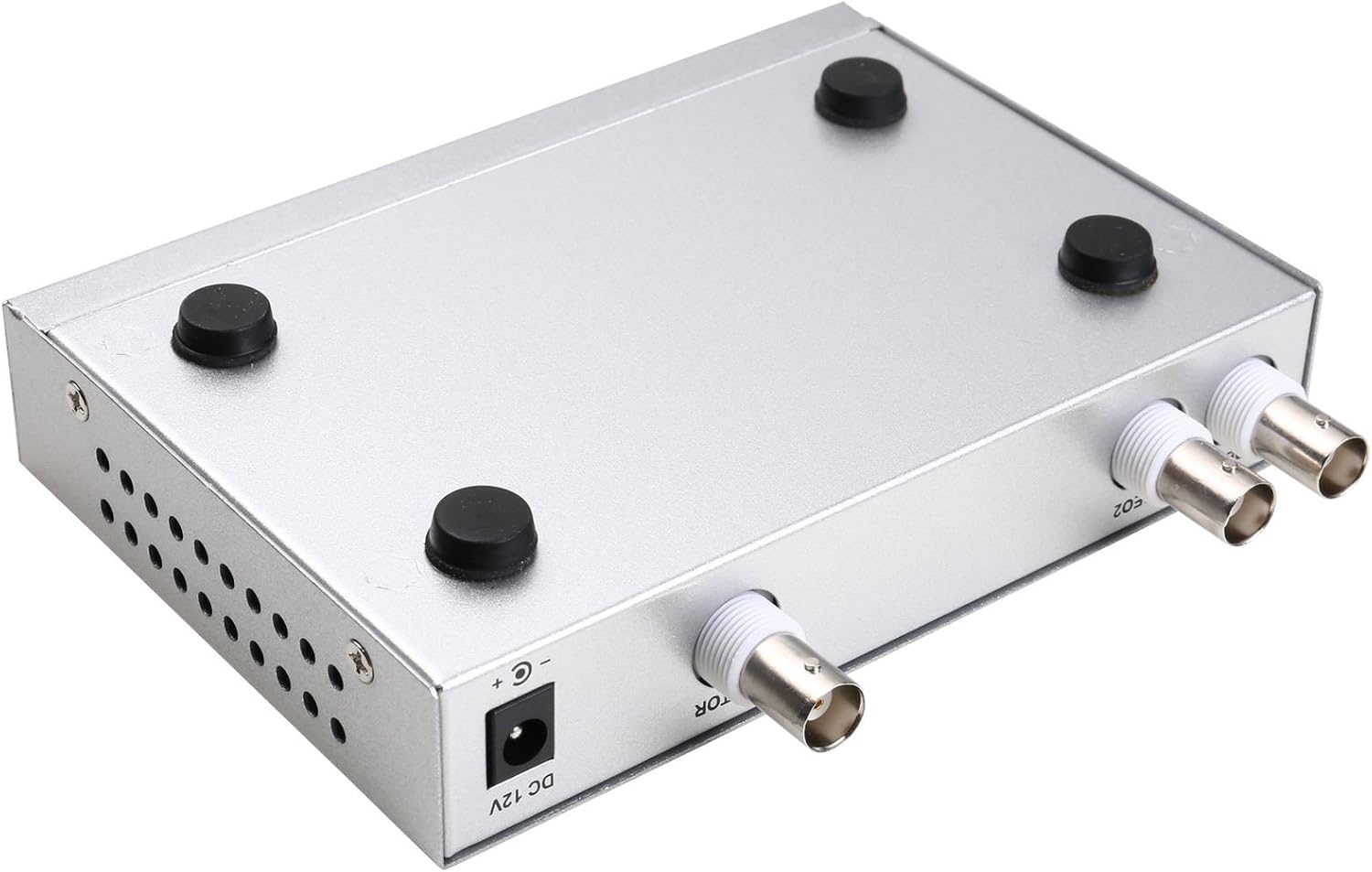
Figure 4.3: Bottom view of the video splitter, highlighting the four rubber feet for stable placement.
Power Adapter
The included power adapter supplies the necessary DC 12V power to the unit.

Figure 4.4: The power adapter provided with the unit, rated for DC 12V output.
5. Setup
Follow these steps to connect your video splitter:
- Connect Cameras: Connect your AHD/TVI analog cameras to the VIDEO1 and VIDEO2 BNC input ports on the rear panel of the splitter. Use the provided BNC adapters if necessary.
- Connect Monitor: Connect your display monitor to the MONITOR OUT BNC port on the rear panel.
- Connect Power: Plug the DC 12V power adapter into the DC 12V input jack on the rear panel, then plug the adapter into a power outlet.
- Power On: Flip the POWER switch on the front panel to the 'ON' position.

Figure 5.1: Connection schematic. (1) Video input from cameras (CAM1, CAM2) to VIDEO1, VIDEO2. (2) Video output from MONITOR OUT to a display monitor. (3) Power input to DC 12V.
6. Operating Instructions
The video splitter offers various display modes and image adjustment features. Use the front panel buttons or the remote control to operate the device.
6.1. Display Modes
Press the MODE button to cycle through different display layouts:
- Single Channel Display: View one camera feed in full screen (Full 1, Full 2).
- Dual Panoramic Display: View two camera feeds side-by-side (left/right split) or top/bottom split.
- Picture-in-Picture (PIP): View one main camera feed with a smaller inset window of the second camera. PIP positions are switchable (top-left, top-right, bottom-left, bottom-right).
6.2. Image Adjustments
You can adjust image parameters for each camera channel:
- Press the MENU button to access the on-screen display (OSD) menu.
- Use the directional arrow buttons (▲ / ▼ / ◀ / ▶) to navigate through menu options.
- Press ENTER to select an option or confirm a setting.
- Adjust parameters such as Brightness, Contrast, Saturation, Hue, and Sharpness for each camera channel individually.
- Press MENU again to exit the OSD menu.
6.3. Special Functions
- FREEZE: Press the FREEZE button to pause the current video frame. Press again to resume live video.
- ZOOM: Press the ZOOM button to activate electronic zoom. Use the directional arrows to select the enlarged area. Press ZOOM again to exit.
- AUTO: Press the AUTO button to enable auto-cruise mode, which cycles through different camera views or display modes automatically. Each channel can be set for auto-cruise.
- A/B: Switch between camera inputs.
- PB: Playback function (if supported by connected DVR/NVR, otherwise may not be active).
7. Maintenance
- Cleaning: Use a soft, dry cloth to clean the exterior of the device. Do not use liquid cleaners or aerosols.
- Ventilation: Ensure that the ventilation holes are not blocked to prevent overheating.
- Storage: When not in use for extended periods, store the device in a cool, dry place, away from direct sunlight and dust.
8. Troubleshooting
If you encounter issues with your video splitter, refer to the following common problems and solutions:
- No Power:
- Check if the power adapter is securely connected to the device and the power outlet.
- Ensure the power switch on the front panel is in the 'ON' position.
- Verify the power outlet is functional.
- No Video Output:
- Confirm that cameras are properly connected to the VIDEO IN ports.
- Ensure the monitor is correctly connected to the MONITOR OUT port and is powered on.
- Check the video cables for damage or loose connections.
- Verify that the cameras are AHD/TVI analog cameras, as other types are not supported.
- Try cycling through display modes using the MODE button.
- Poor Image Quality:
- Adjust Brightness, Contrast, Saturation, Hue, and Sharpness settings via the OSD menu.
- Ensure video cables are of good quality and not excessively long.
- Check the camera's own settings and lens focus.
- Remote Control Not Working:
- Check and replace the remote control batteries.
- Ensure there are no obstructions between the remote control and the device's IR receiver.
9. Specifications
| Feature | Specification |
|---|---|
| Brand | UHPPOTE |
| Model Number | 402 |
| Material | Metal Shell |
| Color | Silver |
| Video Input | 2-way (BNC) |
| Video Output | 1-way (BNC) |
| PAL Resolution | 720 x 576 @ 50 Hz |
| NTSC Resolution | 720 x 480 @ 60 Hz |
| Item Weight | 0.88 pounds |
| Compatibility | AHD/TVI Analog Cameras Only |
10. Warranty and Support
For warranty information or technical support, please refer to the contact details provided with your purchase or visit the official UHPPOTE website. Keep your purchase receipt as proof of purchase for any warranty claims.