
1. Introduction
Thank you for choosing the ROMOSS 10000mAh 2-in-1 Power Bank and Wall Charger. This device combines the functionality of a portable power bank with a wall charger, offering a versatile solution for charging your electronic devices. With a 10000mAh capacity and dual USB outputs, it is designed for convenience and efficiency, especially for travel.
2. Product Overview and Features
The ROMOSS G-USA-UP10 is engineered to provide reliable power on the go or from a wall outlet. Key features include:
- 2-in-1 Functionality: Operates as both a 10000mAh portable power bank and a direct AC wall charger.
- High Capacity: 10000mAh internal battery provides multiple charges for smartphones and other USB-powered devices.
- Dual USB Output: Charge two devices simultaneously.
- Foldable AC Plug: Integrated, foldable wall plug for direct charging from an electrical outlet and compact storage.
- Smart Charge Technology: Prioritizes charging connected devices first when plugged into a wall outlet, then recharges the power bank.
- Travel Ready: Supports 100-240V input, making it suitable for international travel with appropriate plug adapters (not included).

Image: The ROMOSS UP10 device demonstrating its dual functionality as a power bank and a wall charger with a foldable plug. The image shows the device in both its compact form and plugged into a wall outlet.

Image: An illustration highlighting the 10000mAh high capacity, showing the approximate number of times it can charge an iPhone 7 (3.9 times), Galaxy S7 (2.6 times), and iPad mini 4 (1.5 times).

Image: The ROMOSS UP10 device superimposed over images of global travel landmarks, emphasizing its design for travelers with 100-240V input compatibility.
3. Package Contents
Please check the package for the following items:
- ROMOSS UP10 Product (10000mAh 2-in-1 Power Bank and Wall Charger)
- USB Charging Cable
- Instruction Manual (this document)
- Warranty Card

Image: A visual representation of the package contents, including the ROMOSS UP10 device, a USB cable, a manual, and a warranty card, alongside the product packaging.
4. Setup
Before first use, it is recommended to fully charge your ROMOSS UP10 power bank.
- Unfold the AC Plug: Gently slide or pull the foldable AC plug out from the device until it locks into position.
- Connect to Power: Plug the device directly into a standard wall outlet (100-240V).
- Charging Indication: The LED indicators on the device will illuminate to show the charging status. Allow the device to charge until all indicators are solid, indicating a full charge.
- Fold the AC Plug: Once fully charged or when not in use as a wall charger, gently push the AC plug back into the device for compact storage.
5. Operating Instructions
5.1. Charging External Devices (Power Bank Mode)
- Ensure the ROMOSS UP10 is sufficiently charged.
- Connect your device (e.g., smartphone, tablet) to one of the USB output ports on the ROMOSS UP10 using a compatible USB charging cable.
- The ROMOSS UP10 will automatically begin charging your device. The LED indicators will show the remaining power level of the power bank.
- Disconnect your device once charging is complete.
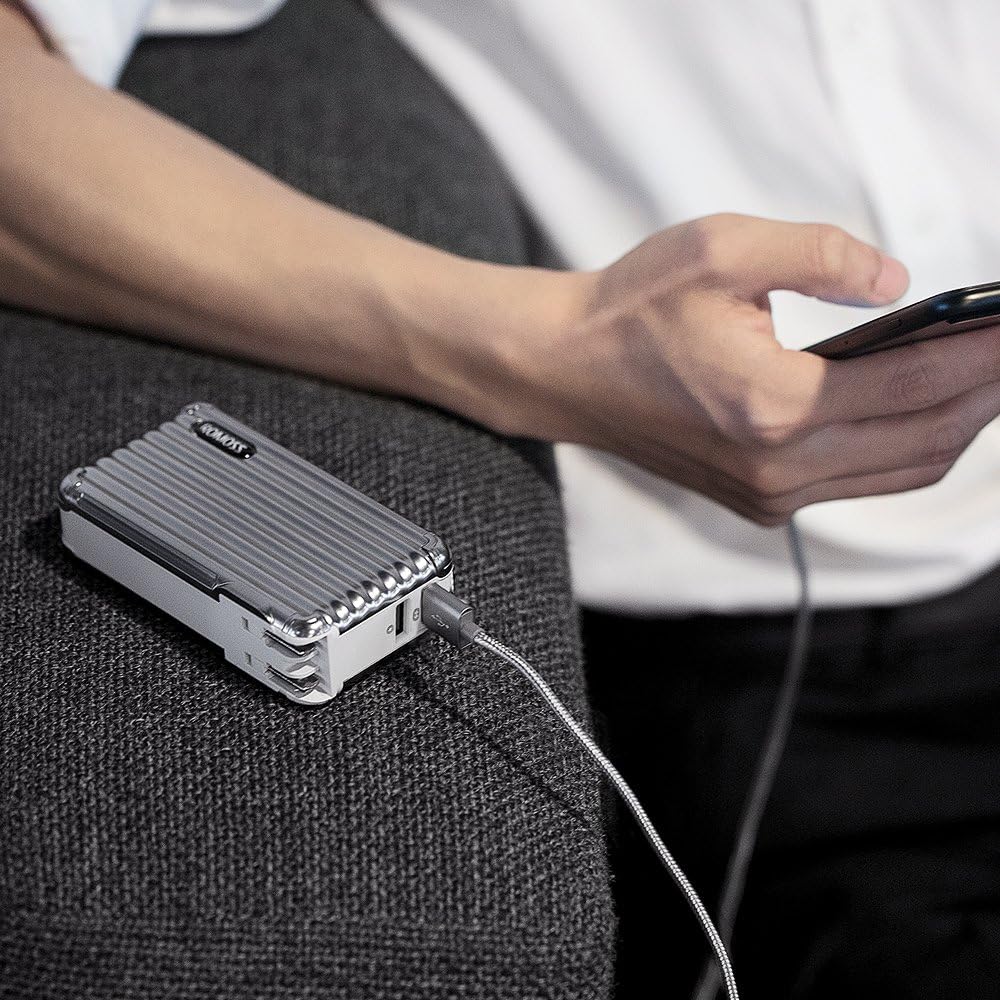
Image: A person using the ROMOSS UP10 power bank to charge a smartphone, demonstrating its portable charging function.
5.2. Recharging the Power Bank (Wall Charger Mode)
- Unfold the AC plug and insert the ROMOSS UP10 directly into a wall outlet.
- The LED indicators will flash to show the charging progress.
- Once fully charged, all LED indicators will remain solid. Remove the device from the wall outlet and fold the AC plug for storage.
5.3. Simultaneous Charging (Smart Charge Technology)
When the ROMOSS UP10 is plugged into a wall outlet and has devices connected to its USB output ports, it will utilize its Smart Charge Technology:
- The device will prioritize charging the connected external devices first.
- Once the external devices are fully charged, the ROMOSS UP10 will then begin recharging its internal 10000mAh battery.
- This allows for efficient charging of both your devices and the power bank with a single wall outlet connection.

Image: The ROMOSS UP10 plugged into a wall outlet, simultaneously charging two smartphones via its dual USB ports, illustrating the Smart Charge Technology.
6. Safety Information
To ensure safe operation and prolong the lifespan of your device, please observe the following safety guidelines:
- Do not expose the device to extreme temperatures (hot or cold), direct sunlight, or high humidity.
- Avoid dropping, disassembling, or attempting to repair the device yourself.
- Keep the device away from water and other liquids.
- Use only original or certified charging cables for your devices.
- Do not use the device if it is damaged or shows signs of overheating.
- Keep out of reach of children.
7. Maintenance
Proper care will help maintain the performance and longevity of your ROMOSS UP10:
- Cleaning: Wipe the device with a soft, dry cloth. Do not use abrasive cleaners or solvents.
- Storage: Store the device in a cool, dry place when not in use. Avoid storing it in areas with extreme temperatures or high humidity.
- Battery Care: For optimal battery health, fully charge and discharge the power bank at least once every three months if it is not used regularly.
8. Troubleshooting
If you encounter issues with your ROMOSS UP10, please refer to the following common solutions:
- Device not charging from power bank:
- Ensure the power bank has sufficient charge (check LED indicators).
- Verify that the USB cable is securely connected to both the power bank and your device.
- Try a different USB cable or a different USB port on the power bank.
- Power bank not recharging from wall outlet:
- Ensure the foldable AC plug is fully extended and securely inserted into a working wall outlet.
- Check if the wall outlet is functional by plugging in another device.
- Slow charging:
- Ensure you are using a high-quality USB cable.
- Charging multiple devices simultaneously may result in slower charging speeds for each device.
9. Specifications
| Model Number | G-USA-UP10 |
| Battery Capacity | 10000 Milliamp Hours (mAh) |
| Input (AC) | 100-240V |
| Output (USB) | Dual USB Ports (specific current output not provided, refer to product labeling for details) |
| Dimensions | 4.41 x 2.4 x 1.18 inches |
| Item Weight | 8.5 ounces |
| Battery Type | Lithium Ion |
| Connector Type | Micro USB (for power bank charging if not using AC plug) |
10. Warranty and Support
Your ROMOSS UP10 Power Bank and Wall Charger comes with a limited warranty. Please refer to the included warranty card for specific terms and conditions. For technical support, troubleshooting assistance, or warranty claims, please contact ROMOSS customer service through the contact information provided on the warranty card or the official ROMOSS website.


