
Anker AK-A2524011
Anker 313 Wireless Charging Stand User Manual
Model: AK-A2524011 | Brand: Anker
Introduction
The Anker 313 Wireless Charging Stand provides convenient and efficient wireless charging for a wide range of Qi-certified devices. Its versatile design allows for both vertical and horizontal charging, making it ideal for various uses, from video calls to media consumption. This manual provides detailed instructions for setup, operation, maintenance, and troubleshooting to ensure optimal performance and longevity of your device.
Key Features
- High-Speed Charging: Offers 10W fast charging for Samsung Galaxy devices and 7.5W optimized charging for iPhone models.
- Universal Compatibility: Compatible with all Qi-certified devices.
- Versatile Viewing: Supports charging in both portrait and landscape orientations.
- Case-Friendly Design: Charges through phone cases up to 5mm thick.
- MultiProtect Safety System: Includes foreign object detection, short circuit protection, and temperature control.
What's in the Box
- Anker 313 Wireless Charger (Stand) / PowerWave Stand
- 3 ft Micro USB cable
- Welcome Guide
Note: An AC adapter is not included and must be purchased separately. For optimal performance, use a Quick Charge 2.0/3.0 or Power Delivery enabled wall charger.
Setup
- Connect to Power: Connect the provided Micro USB cable to the charging stand and then to a compatible USB wall charger (not included).
- Power On: Plug the wall charger into a power outlet. The LED indicator on the charging stand will briefly light up to confirm it is powered on.
- Placement: Place the charging stand on a flat, stable surface.
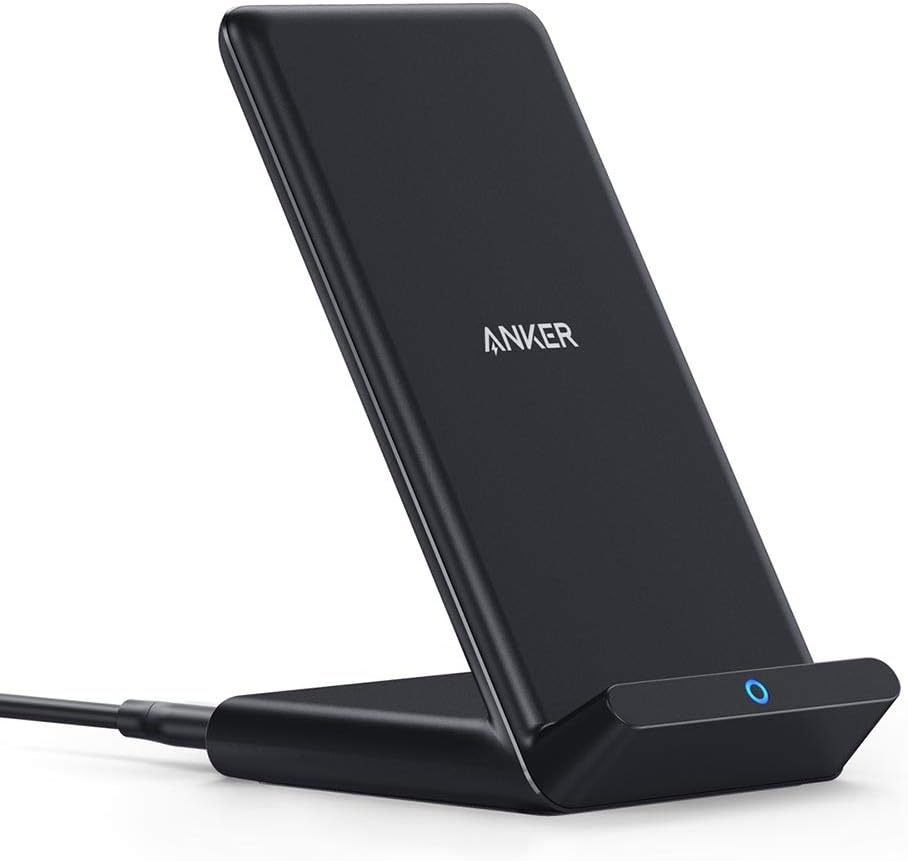
Image: The Anker 313 Wireless Charging Stand in black, showing its upright design and the charging port at the base.
Operating Instructions
Charging Your Device
- Place Device: Gently place your Qi-certified smartphone onto the charging stand. Ensure the phone is centered on the stand for optimal charging.
- Confirm Charging: The LED indicator on the charging stand will illuminate blue to indicate that your device is charging. Your phone's screen will also typically show a charging icon or notification.
- Orientation: The stand supports both vertical (portrait) and horizontal (landscape) charging. Adjust your phone's orientation as needed for viewing content or making video calls.

Image: A smartphone placed vertically on the Anker 313 Wireless Charging Stand, demonstrating portrait mode charging suitable for video calls.

Image: A smartphone placed horizontally on the Anker 313 Wireless Charging Stand, demonstrating landscape mode charging ideal for watching videos.
Important Considerations
- Case Compatibility: The charger is designed to work with most phone cases up to 5mm thick. Thicker cases, or cases containing metal attachments (like magnetic plates, pop sockets, or credit cards), may interfere with charging. Remove such items before placing your phone on the charger.
- Charging Speed: Actual charging speed may vary depending on the device, the wall charger used, and environmental factors. For fast charging, ensure your wall adapter supports Quick Charge 2.0/3.0 or Power Delivery.
- LED Indicator: The blue LED indicates active charging. If the LED flashes, it may indicate a foreign object detection or improper placement.

Image: An illustration demonstrating that the charger supports cases up to 5mm thick, and warns against using cases with magnets, metal, grips, stands, or credit cards.
Maintenance
- Cleaning: Disconnect the charger from power before cleaning. Use a soft, dry cloth to wipe the surface. Do not use abrasive cleaners or solvents.
- Storage: Store the charger in a cool, dry place when not in use.
- Handling: Avoid dropping or subjecting the charger to strong impacts.
Troubleshooting
| Problem | Possible Solution |
|---|---|
| Device not charging. |
|
| Charging is slow. |
|
| LED indicator is flashing. |
|
| Device or charger gets hot. |
|
Specifications
| Attribute | Detail |
|---|---|
| Model Number | AK-A2524011 |
| Product Dimensions | 3.15 x 2.68 x 4.49 inches |
| Item Weight | 3.84 ounces |
| Connectivity Technology | Wireless |
| Connector Type | Micro USB |
| Input Voltage | 240 Volts (AC) |
| Amperage | 84 Milliamps |
| Special Feature | Fast Charging |
| Compatible Devices | Qi-certified devices including iPhone 16/16 Plus/16 Pro/16 Pro Max/15/15 Plus/15 Pro/15 Pro Max/14/14 Plus/14 Pro/14 Pro Max/13/13 mini/13 Pro/13 Pro Max/12/12 mini/12 Pro/12 Pro Max, Samsung Galaxy S23/S22/S21 series, and others. |

Image: A chart detailing the universal compatibility of the Anker 313 Wireless Charging Stand, showing 10W fast charging for Samsung, 7.5W for iPhone, and 5W standard charging for Google Pixel devices.
Warranty & Support
Anker provides an 18-month warranty for the Anker 313 Wireless Charging Stand. For detailed warranty information, product support, or to contact customer service, please refer to the official Anker website or the contact information provided in your Welcome Guide.
You can also visit the Anker Store on Amazon for more products and support resources.
Related Documents - AK-A2524011
 |
Anker 5W Wireless Charger Troubleshooting Guide Comprehensive troubleshooting guide for Anker 5W wireless chargers, covering common issues like slow charging, compatibility, and adapter requirements for various phone models from Apple, Samsung, Google, LG, Sony, and others. |
 |
Anker PowerWave Stand A2524 Wireless Charger User Manual Official user manual for the Anker PowerWave Stand (Model A2524), providing setup instructions, safety guidelines, specifications, and compliance information for this Qi-certified wireless charger. |
 |
Anker PowerWave MagGo 2-in-1 Stand: 5000mAh MagSafe თავსებადი უკაბელო დამტენი და სადგამი Anker PowerWave MagGo 2-in-1 Stand (B25A7321) - დეტალური ტექნიკური მახასიათებლები, უსაფრთხოების ინსტრუქციები და შესაბამისობის დეკლარაცია. 5000mAh ბატარეა, MagSafe და Qi უკაბელო დამუხტვა. |
 |
Anker PowerWave 3-in-1 Stand with Watch Charging Cable Holder (Model A2579) - User Manual & Safety Guide Official user guide and safety information for the Anker PowerWave 3-in-1 Stand with Watch Charging Cable Holder (Model A2579). This document provides details on LED indicators, charging scenarios, important safety instructions, FCC/IC compliance, technical specifications, and usage guidelines. |
 |
Anker PowerWave 4-in-1 Stand Quick Start Guide Quick start guide for the Anker PowerWave 4-in-1 Stand, detailing setup, device compatibility, and charging specifications for various Qi-compatible smartphones and devices. |
 |
Anker MagGo Wireless Charger Stand - Fast Magnetic Charging for iPhone & AirPods User guide for the Anker MagGo Wireless Charger Stand (Model A25X1). Learn how to connect and use for fast magnetic charging of iPhone and AirPods. Includes FAQ, compatible devices, and specifications. |