Introduction
The Garmin fenix 5X Plus is an ultimate multisport GPS smartwatch designed for athletes and outdoor adventurers. This manual provides essential information for setting up, operating, maintaining, and troubleshooting your device. It covers key features such as color Topo maps, wrist-based Pulse Ox Acclimation, heart rate monitoring, music storage, and Garmin Pay contactless payment.
What's in the Box
- fenix 5X Sapphire Smartwatch
- Charging Cable
- Documentation
Setup
1. Charging the Device
Before initial use, fully charge your fenix 5X Plus. Connect the charging cable to the charging port on the back of the watch and to a USB power source.
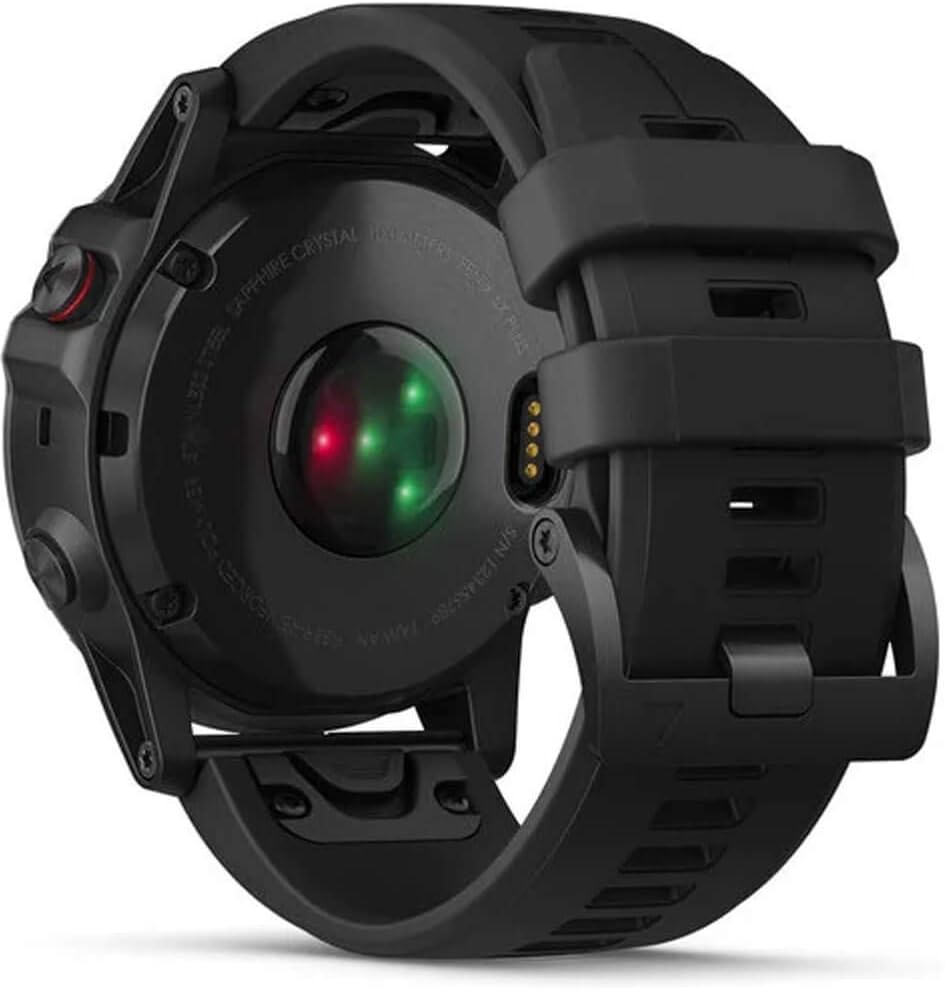
Image: Rear view of the fenix 5X Plus, highlighting the optical heart rate sensor and charging contacts.
2. Powering On and Initial Configuration
Press and hold the LIGHT button (top-left) to power on the device. Follow the on-screen instructions to select your language, units of measure, and other basic settings.
3. Pairing with Garmin Connect Mobile App
For full functionality, pair your watch with the Garmin Connect mobile app on your smartphone. Download the app, create an account, and follow the app's instructions to add your device. This enables data synchronization, smart notifications, and access to additional features.
Operating the Device
GPS and Mapping Features
The fenix 5X Plus includes preloaded color Topo maps with Trendline popularity routing, which helps you discover and navigate the best paths for your activities. The built-in GPS provides accurate location tracking.

Image: Watch face showing a detailed color topographic map with a highlighted course and distance information.
Heart Rate and Pulse Ox Monitoring
The watch features a wrist-based heart rate monitor and a Pulse Ox Acclimation sensor. The Pulse Ox sensor is a non-medical device that provides awareness of your estimated blood oxygen saturation levels, particularly useful at higher altitudes.
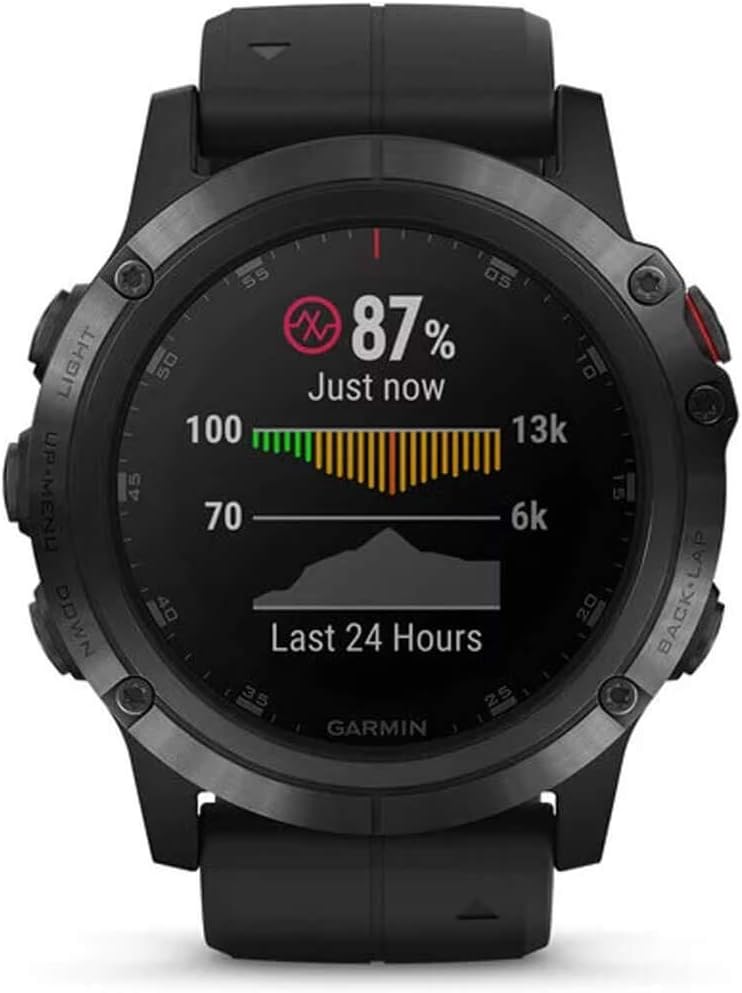
Image: Watch screen showing current Pulse Ox reading and a graph of heart rate data over the last 24 hours.
Music Playback
Store up to 500 songs directly on your watch. Connect Bluetooth headphones (sold separately) for phone-free listening during activities.

Image: Watch face showing music playback controls, including play/pause, skip, and volume.
Garmin Pay Contactless Payments
Utilize the Garmin Pay contactless payment solution for convenient purchases directly from your wrist. This feature is available with supported cards from participating banks.

Image: Watch screen showing the Garmin Pay interface, ready for a contactless payment.
Multisport Tracking
The fenix 5X Plus supports a wide range of activities, including running, swimming, cycling, hiking, and more. It provides detailed metrics for each activity, such as distance, pace, elevation, and vertical speed.

Image: Watch face showing climb data, including current climb segment, distance, elevation gain, and average vertical speed.
Physical Design and Durability
The watch features a rugged design with a scratch-resistant domed sapphire lens, a stainless steel or diamond-like carbon (DLC) titanium bezel, and a robust rear case, ensuring durability for various environments.

Image: Side profile of the fenix 5X Plus, illustrating its robust casing and button layout.
Maintenance
Charging
The device uses a proprietary charging cable. Connect the cable securely to the charging port on the back of the watch. A full charge can provide up to 20 days in smartwatch mode and 13 hours in GPS mode with music.
Cleaning the Device
Regularly clean your watch, especially the optical heart rate sensor on the back, to ensure accurate readings. Use a soft, damp cloth to wipe the device. Avoid harsh chemicals or abrasive materials.
Software Updates
Keep your device's software updated through the Garmin Connect app or Garmin Express on your computer. Updates provide new features, performance improvements, and bug fixes.
Troubleshooting
- Device not powering on: Ensure the device is fully charged.
- GPS signal issues: Ensure you are in an open area with a clear view of the sky.
- Heart rate or Pulse Ox inaccuracies: Ensure the watch is worn snugly on your wrist, above the wrist bone, and the sensor is clean.
- Connectivity problems: Restart your watch and smartphone, then attempt to re-pair via the Garmin Connect app.
- General issues: Try restarting the device. If problems persist, consult the Garmin support website for further assistance.
Specifications
| Feature | Specification |
|---|---|
| Model Name | Fenix 5X Plus |
| Item Model Number | 010-01989-00 |
| Product Dimensions | 2 x 0.7 x 2 inches |
| Item Weight | 3.36 ounces (0.21 Pounds) |
| Screen Size | 1.2 Inches |
| Battery Cell Composition | Lithium Ion |
| GPS | Built-in GPS |
| Connectivity Technology | Bluetooth, ANT+, Wi-Fi |
| Operating System | Android (Note: Garmin devices typically use a proprietary OS, not Android Wear. This information is based on provided data.) |
| Date First Available | June 7, 2018 |
Official Product Video
Video: An overview of the Garmin Fenix 5 Plus, highlighting its premium multisport GPS features, color TOPO maps, and heart rate monitoring capabilities. This video is provided by the merchant.
Important Safety Information
Always consult your physician before beginning or modifying any exercise program. The device is not a medical device and is not intended to diagnose, treat, cure, or prevent any disease. Always exercise caution when using the device in outdoor environments. For detailed safety and regulatory information, refer to the documentation included with your product or visit the official Garmin website.


