
Introduction
The eufy BoostIQ RoboVac 30 is an upgraded, super-thin robot vacuum cleaner designed for efficient cleaning on hard floors and medium-pile carpets. Featuring 1500Pa suction power and BoostIQ Technology, it automatically adjusts suction for optimal cleaning. Boundary strips are included to define cleaning areas, ensuring a worry-free cleaning experience.

The eufy RoboVac 30, a super-thin robot vacuum cleaner, ready for operation.
Key features include:
- Worry-Free Cleaning: Utilize Boundary Strips to restrict cleaning to desired areas. The slim 2.85” body navigates under furniture with ease.
- BoostIQ Technology: Automatically increases suction power within 1.5 seconds when additional vacuuming strength is required for deeper cleaning.
- Quiet Operation: Vacuums for up to 100 minutes on hardwood floors with powerful suction, at a noise level comparable to a microwave.
- Smart Features: Equipped with an anti-scratch tempered glass-top cover, infrared sensors for obstacle avoidance, and drop-sensing technology to prevent falls. The RoboVac automatically recharges.
What's in the Box
Your eufy RoboVac 30 package includes the following components:
- RoboVac 30 Unit
- 13 ft Boundary Strips
- Remote Control (2 AAA batteries included)
- Charging Base
- AC Power Adapter
- Cleaning Tool
- Extra Set of High-Performance Filters
- 4 Side Brushes
- 5 Cable Ties
- Welcome Guide
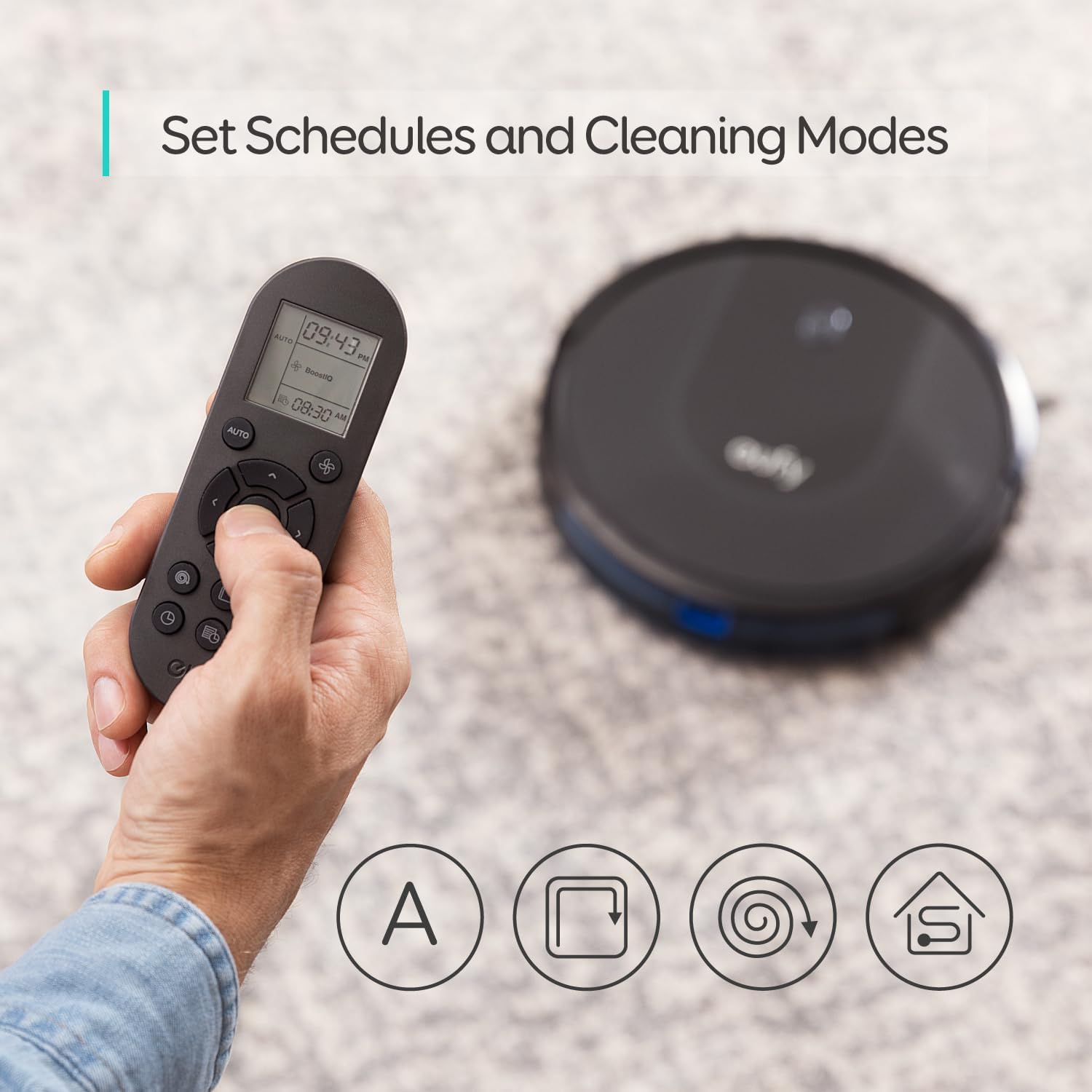
The remote control for the RoboVac 30, showing various cleaning modes.
Setup
1. Prepare the Charging Base:
Place the charging base against a wall in an open, uncluttered area. Ensure there is at least 3 feet of clear space on either side of the charging base and 6 feet in front of it for optimal navigation.
Connect the AC power adapter to the charging base and plug the other end into a wall outlet. Ensure the power indicator light on the charging base is illuminated.
2. Install Side Brushes:
Flip the RoboVac over. Attach the side brushes to the square posts on the bottom of the unit by pressing them down until they click into place.
3. Initial Charge:
Place the RoboVac onto the charging base. The indicator light on the RoboVac will pulse orange while charging and turn solid blue when fully charged. Allow for a full charge before first use (approximately 5-6 hours).
4. Apply Boundary Strips (Optional):
Use the included boundary strips to create "no-go" zones for your RoboVac. Cut the strips to the desired length and place them on the floor to block off areas you don't want the RoboVac to enter. Ensure the strips are laid flat.

Boundary strips can be used to define specific vacuuming zones.
Operating Instructions
The RoboVac 30 offers multiple cleaning modes and control options:
Cleaning Modes:
- Auto Cleaning: The RoboVac automatically cleans your home, adjusting its path and suction power as needed. Press the "Auto" button on the remote or the power button on the RoboVac to start.
- Spot Cleaning: For concentrated cleaning of a small area, place the RoboVac in the center of the desired spot and select "Spot" mode on the remote.
- Edge Cleaning: To clean along walls and furniture edges, select "Edge" mode on the remote.
Using the Remote Control:
The included remote control allows you to start/stop cleaning, select cleaning modes, adjust suction power, and manually direct the RoboVac.
- Start/Stop: Press the "Start/Stop" button to begin or pause cleaning.
- Directional Buttons: Use the arrow buttons to manually steer the RoboVac.
- Suction Power: Adjust suction levels using the fan icon button.
- Schedule Cleaning: Set a cleaning schedule for specific times.
- Return to Home: Press the home icon button to send the RoboVac back to its charging base.
App Control (Wi-Fi Compatible):
For enhanced control and scheduling, download the eufyHome app. The app allows you to:
- Start/Stop cleaning from anywhere.
- Customize cleaning schedules.
- Monitor cleaning progress and battery level.
- Receive notifications.
Maintenance
Regular maintenance ensures optimal performance of your RoboVac. Always turn off the RoboVac and unplug the charging base before performing any maintenance.
1. Emptying the Dustbin:
Press the dustbin release button and pull out the dustbin. Open the dustbin cover and empty its contents into a trash bin. It is recommended to empty the dustbin after each cleaning cycle.
2. Cleaning the Filters:
Remove the filter from the dustbin. Tap the filter to remove dust and debris. The high-performance filters are washable; rinse them thoroughly with water and air-dry completely for at least 24 hours before reinserting. Replace filters every 6 months or after 50 rounds of washing.

The RoboVac 30 in action, demonstrating its powerful 1500Pa suction.
3. Cleaning the Rolling Brush:
Open the brush guard by pressing the release tabs. Lift out the rolling brush. Use the provided cleaning tool to remove hair and debris wrapped around the brush. Reinsert the rolling brush and close the brush guard until it clicks.
4. Cleaning the Side Brushes:
Gently pull the side brushes off their posts. Remove any hair or debris. If the brushes are worn or damaged, replace them with new ones. Push the new brushes onto the posts until they click.
5. Cleaning the Wheels:
Inspect the front wheel and side wheels for any tangled hair or debris. Pull out the front wheel and clean it. Clean the side wheels with a cloth. Reinsert the front wheel until it clicks.
Troubleshooting
The RoboVac will emit a series of beeps and/or display a flashing or solid red light to indicate a problem. Refer to the table below for common issues:
| Flashing Red Indicator Light / Beeps | Solid Red Indicator Light |
|---|---|
| One Beep: RoboVac is stuck and a wheel is hanging in mid-air. | One Beep: RoboVac's wheel is stuck. |
| Two Beeps: RoboVac's bumper is stuck. | Two Beeps: RoboVac's bumper is stuck. |
| Three Beeps: RoboVac gets stuck and cannot reverse. | Three Beeps: RoboVac's side brush is stuck. |
| Four Beeps: RoboVac's power level is too low. | Four Beeps: RoboVac's rolling brush is stuck. |
For more detailed troubleshooting, please refer to the full user manual or contact customer support.
Specifications
- Model Name: RoboVac 30
- Brand: eufy
- Special Features: APP and Voice Control, Auto-Docking, Quiet, Wi-Fi Compatible
- Color: Black
- Product Dimensions: 12.8"L x 2.85"W x 12.8"H
- Filter Type: Washable
- Battery Life: 100 minutes
- Voltage: 14.4 Volts (DC)
- Capacity (Dustbin): 0.6 Liters
- Power Source: Battery Powered
- Control Method: Remote
- Form Factor: Robotic
- Item Weight: 5.86 pounds
- Surface Recommendation: Tile, Laminate, Hardwood, Low-Pile Carpet
Warranty and Support
The eufy RoboVac 30 comes with a 12-month worry-free warranty, ensuring peace of mind with your purchase.
For any questions, technical support, or warranty claims, please refer to the contact information provided in your Welcome Guide or visit the official eufy support website.
Online resources and FAQs are also available to assist with common inquiries and product usage.