
1. Product Overview
This PK Power AC/DC Adapter is designed to provide reliable power for compatible 22V Shark Cordless Vacuums. It features robust protection mechanisms to ensure safe and efficient charging.
Key Features:
- Input Voltage: 100-240V AC, 50-60Hz, suitable for international use.
- Safety Certifications: CE, FCC, and RoHS certified, ensuring compliance with safety and environmental standards.
- Advanced Protection: Equipped with Over Voltage Protection (OVP), Over Current Protection (OCP), and Short Circuit Protection (SCP) to safeguard your devices.
- Compatibility: Specifically designed for 22V Shark Cordless Vacuums, including models 1025FI, 1004FI, KU2B-220-0200D, and KA12D220020034U.
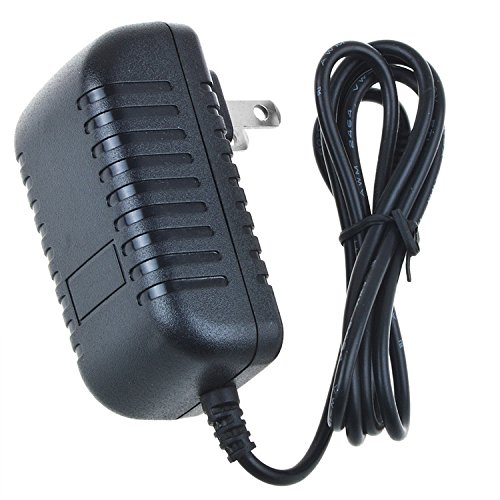
Image 1: The PK Power AC/DC Adapter, showing the main unit with a US-style two-prong plug and the attached DC barrel connector cable.
2. Safety Information
- Ensure the adapter's voltage and current ratings match your device's requirements before use.
- Do not expose the adapter to water, moisture, or extreme temperatures.
- Avoid using the adapter if the cable or plug is damaged.
- Keep out of reach of children.
- Unplug the adapter from the power outlet when not in use for extended periods.
3. Setup Instructions
- Verify Compatibility: Confirm that your Shark Cordless Vacuum requires a 22V power supply and is one of the compatible models (1025FI, 1004FI, KU2B-220-0200D, KA12D220020034U).
- Connect to Device: Insert the DC barrel connector of the PK Power adapter firmly into the charging port of your Shark Cordless Vacuum.
- Connect to Power Outlet: Plug the AC prongs of the adapter into a standard 100-240V wall power outlet.

Image 2: Side view of the PK Power AC/DC Adapter, highlighting the compact design and the cable neatly tied.
4. Operating Instructions
Once connected, the adapter will begin charging your Shark Cordless Vacuum. Most devices have an indicator light that will show the charging status (e.g., solid light for charging, blinking light for low battery, or off for fully charged). Refer to your vacuum's specific user manual for details on its charging indicator behavior.
- Allow sufficient time for your device to fully charge.
- Disconnect the adapter from the device and the wall outlet once charging is complete or when the device is not in use.
5. Maintenance
- Cleaning: Disconnect the adapter from power before cleaning. Use a dry, soft cloth to wipe the surface. Do not use liquid cleaners.
- Storage: Store the adapter in a cool, dry place away from direct sunlight and moisture when not in use. Avoid wrapping the cable too tightly around the adapter to prevent damage.
- Inspection: Periodically inspect the adapter, cable, and connectors for any signs of wear or damage. If damage is found, discontinue use immediately.

Image 3: Top-down view of the PK Power AC/DC Adapter, showing the textured surface of the casing.
6. Troubleshooting
Common Issues and Solutions:
- Device not charging:
- Ensure the adapter is securely plugged into both the wall outlet and the device.
- Check if the wall outlet is functional by plugging in another device.
- Verify that the adapter is compatible with your specific Shark Cordless Vacuum model.
- Inspect the adapter cable and connectors for any visible damage.
- Adapter feels warm during use:
It is normal for power adapters to become warm during operation. However, if the adapter becomes excessively hot to the touch or emits a burning smell, unplug it immediately and discontinue use.
7. Specifications
| Brand | PKPOWER |
| Model Numbers | KU2B-220-0200D, KA12D220020034U |
| Input Voltage | 100-240V AC, 50-60Hz |
| Output Voltage | 22V DC (for compatible devices) |
| Connector Type | Auxiliary (DC Barrel Connector) |
| Color | Black |
| Certifications | CE, FCC, RoHS |
| Protection Features | OVP, OCP, SCP |
| UPC | 716833492331 |
8. Warranty and Support
This PK Power AC/DC Adapter comes with a 1-year manufacturer's warranty.
For any questions, technical assistance, or warranty claims, please contact PK Power customer service. Our team aims to respond to all inquiries within 24 hours.
You can find contact information on the official PKPOWER store page on Amazon: Visit PKPOWER Store