1. Introduction
Thank you for choosing the WAP Silent Speed 1000W 2-in-1 Vertical and Handheld Vacuum Cleaner. This manual provides essential information for the safe and efficient use, maintenance, and troubleshooting of your appliance. Please read it thoroughly before first use and keep it for future reference.
The WAP Silent Speed is designed for versatility, offering both vertical and handheld cleaning modes. Its 1000W motor, Cyclone technology, and HEPA filter ensure powerful suction and cleaner air, making it ideal for various surfaces in your home.
2. Safety Instructions
Always follow basic safety precautions when using electrical appliances to reduce the risk of fire, electric shock, or injury.
- Ensure the voltage indicated on the appliance matches your local power supply before connecting.
- Do not use the vacuum cleaner on wet surfaces or to pick up liquids.
- Do not pick up flammable or combustible materials, hot ashes, or sharp objects.
- Keep hair, loose clothing, fingers, and all parts of the body away from openings and moving parts.
- Unplug from the outlet when not in use and before cleaning or servicing.
- Do not operate with a damaged cord or plug.
- This appliance is for household use only.
3. Product Components
Familiarize yourself with the parts of your WAP Silent Speed vacuum cleaner:
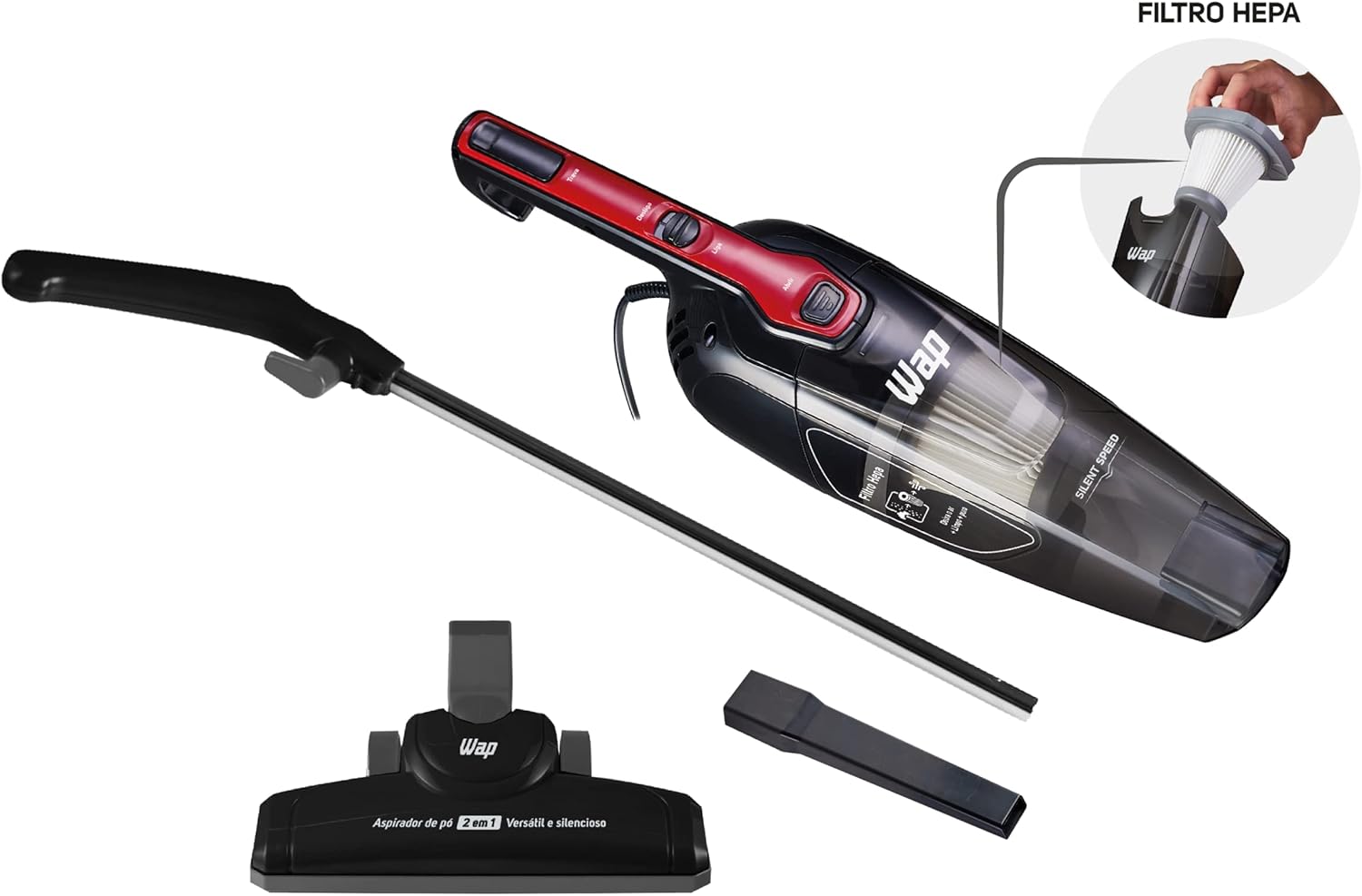
- Main Unit (motor and dust container)
- Removable Handle (for vertical use)
- Floor Nozzle (articulated 360° for carpets and floors)
- Crevice Tool (corner nozzle)
- HEPA Filter
- Dust Container (removable and washable)
- Power Cord (5 meters)
- Cable Holder

4. Setup and Assembly
Follow these steps to assemble your vacuum cleaner:
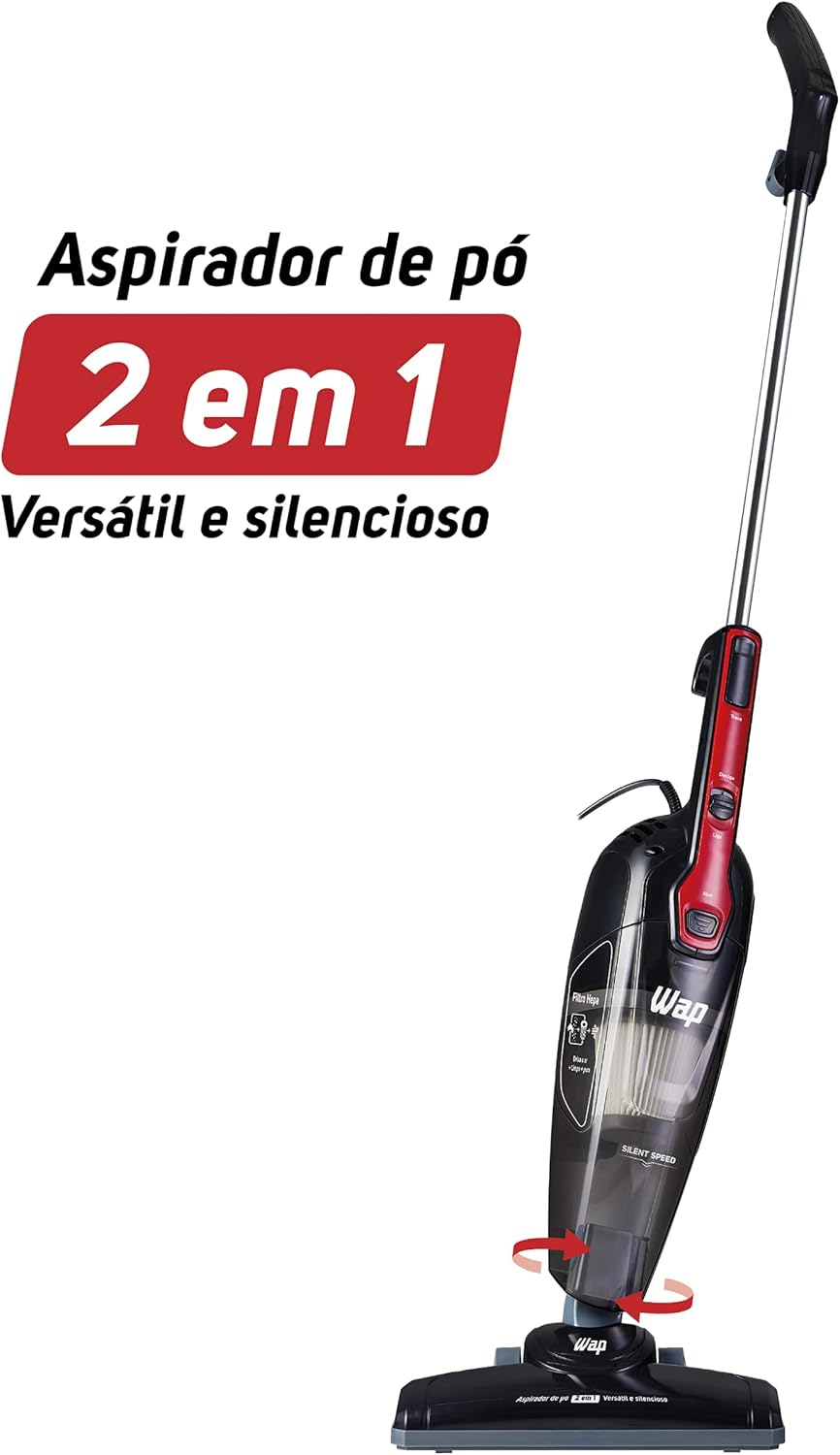
- Attach the Handle: Insert the removable handle into the main unit until it clicks securely into place.
- Attach the Floor Nozzle: Connect the articulated floor nozzle to the bottom of the main unit. Ensure it is firmly attached.
- Power Connection: Unwind the 5-meter power cord and plug it into a suitable 110V electrical outlet. Use the cable holder to manage excess cord.

5. Operating Instructions
5.1. Vertical Mode
- Ensure the vacuum is fully assembled with the handle and floor nozzle.
- Plug the power cord into an electrical outlet.
- Press the 'On/Off' button located on the handle to start the vacuum cleaner.
- Guide the vacuum cleaner across the floor. The 360° articulated nozzle allows for easy maneuverability around furniture and into tight spaces.
- When finished, press the 'On/Off' button again to turn off the appliance and unplug it.

5.2. Handheld Mode
- Unplug the vacuum cleaner.
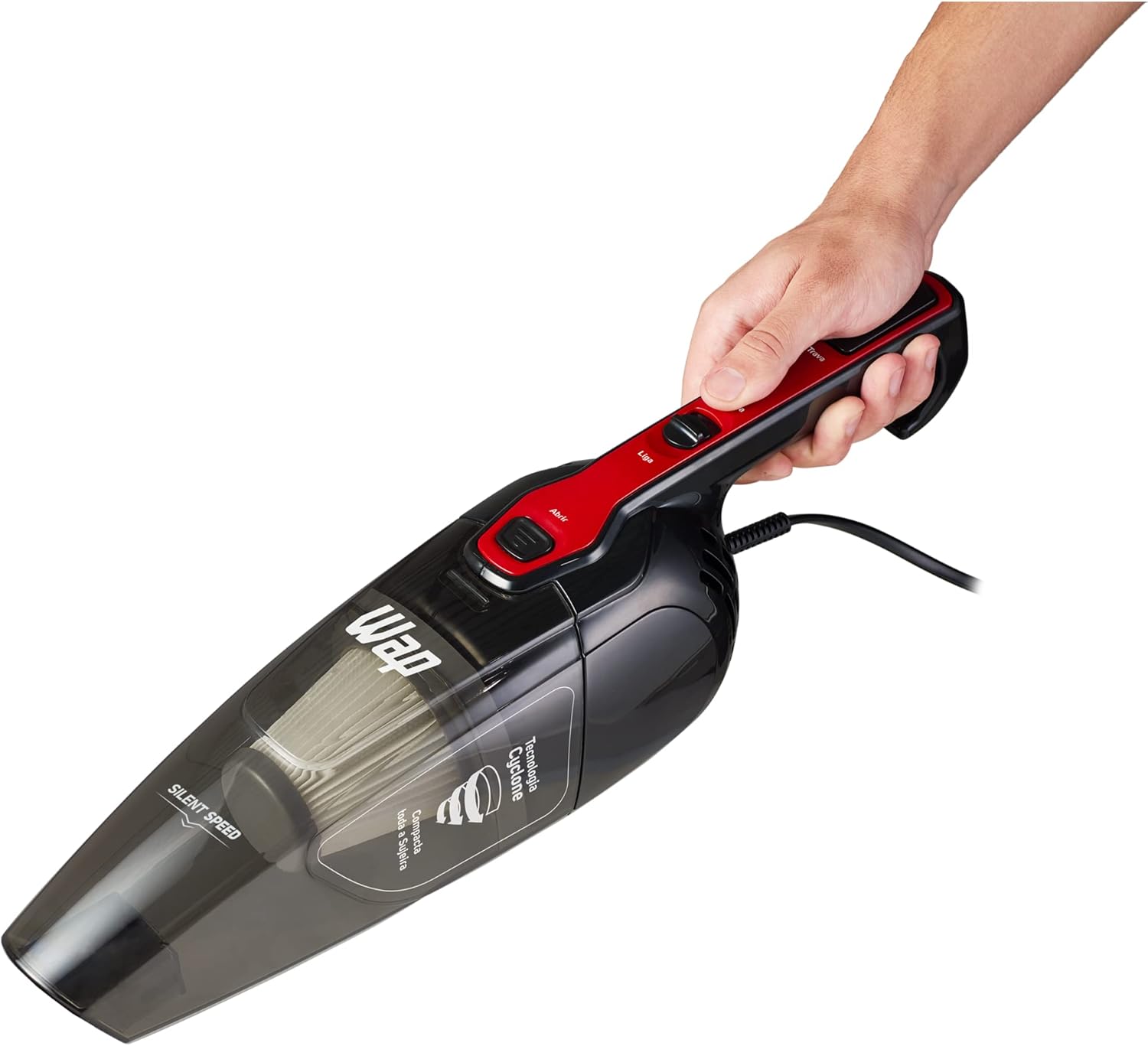
- Remove the handle and the floor nozzle from the main unit.
- Attach the crevice tool (corner nozzle) directly to the main unit for cleaning tight spaces, upholstery, or shelves.
- Plug the power cord back into the outlet.
- Press the 'On/Off' button to start.
- When finished, press the 'On/Off' button again to turn off the appliance and unplug it.


6. Maintenance and Cleaning
Regular maintenance ensures optimal performance and extends the life of your vacuum cleaner.
6.1. Emptying and Cleaning the Dust Container
The transparent dust container has a 1-liter capacity and an indicator for dust level. Empty it when it reaches the MAX line.
- Ensure the vacuum cleaner is unplugged.
- Press the release button to detach the dust container from the main unit.
- Carefully empty the contents into a waste bin.
- The dust container is washable. Rinse it with water and allow it to dry completely before reattaching.

6.2. Cleaning the HEPA Filter
The HEPA filter retains up to 99.5% of microparticles, fungi, and mites. Clean it regularly to maintain suction power and air quality.
- With the dust container removed, carefully pull out the HEPA filter.
- Tap the filter gently over a waste bin to remove loose dust.
- If heavily soiled, rinse the filter under running water. Do not use detergents.
- Allow the HEPA filter to air dry completely for at least 24 hours before reinserting it into the dust container. Do not use the vacuum with a wet filter.
- Reassemble the filter and dust container, then reattach to the main unit.
7. Troubleshooting
If you encounter issues with your WAP Silent Speed vacuum cleaner, refer to the table below for common problems and solutions.
| Problem | Possible Cause | Solution |
|---|---|---|
| Vacuum does not turn on | Not plugged in; Power outlet fault; On/Off button not pressed | Check power cord connection; Test outlet with another appliance; Press On/Off button firmly. |
| Low suction power | Full dust container; Clogged HEPA filter; Blockage in nozzle or hose | Empty dust container; Clean HEPA filter; Check for and remove blockages. |
| Unusual noise | Blockage; Damaged motor (rare) | Check for and remove blockages; If noise persists, contact customer support. |
| Dust escaping from vacuum | Improperly installed dust container or filter; Damaged filter | Ensure dust container and filter are correctly seated; Replace damaged filter. |
If the problem persists after trying these solutions, please contact WAP customer support.
8. Technical Specifications
| Feature | Specification |
|---|---|
| Model Number | FW005871 |
| Brand | WAP |
| Color | Black/Red |
| Power (Watts) | 1000W |
| Voltage | 110 Volts |
| Vacuum Pressure | 85 mbar (for 127V model, assuming similar for 110V) |
| Dust Container Capacity | 1 Liter |
| Filter Type | HEPA Filter |
| Power Source | Corded Electric |
| Cord Length | 5 meters |
| Product Weight | 1.6 kg (1600 Grams) |
| Product Dimensions (L x W x H) | 24.3 x 12.5 x 112 cm |
| Included Components | Corner Nozzle, Multi-purpose Nozzle with 360° Swivel Articulation for Carpets or Floors, Metal Rod (Handle) |
9. Warranty Information
This product comes with a 1-year warranty provided by the manufacturer. This includes 3 months of legal warranty and an additional 9 months of special warranty. Please retain your proof of purchase for warranty claims. For detailed terms and conditions, refer to the warranty card included with your product or contact WAP customer support.
10. Customer Support
For any questions, technical assistance, or warranty claims, please contact WAP customer support through their official channels. You can find contact information on the WAP website or on the product packaging.


