Introduction
This manual provides comprehensive instructions for the operation and maintenance of your HONONJO Universal Remote Control, designed as a replacement for T-CL ROYAL 9000BTU KTTCL001 air conditioners. Please read this manual thoroughly before use to ensure proper functionality and longevity of the device.
Product Overview
The HONONJO Universal Remote Control is engineered with an intelligent chipset for reliable performance. It features a clear LCD display and intuitive button layout for easy control of your air conditioner's functions, including cooling, heating, fan speed, and timer settings.

Figure 1: Front View of the Remote Control. This image shows the front of the universal remote control, featuring a digital display at the top, and various control buttons below it. The buttons include 'SLEEP', 'TIMER', 'MODE' on the left, 'FAN', 'SWING', 'ON/OFF' (red button) on the right, and directional arrows for temperature adjustment in the center. The display shows "Feel Cool Dry Fan Heat" and a temperature reading of "23°C".
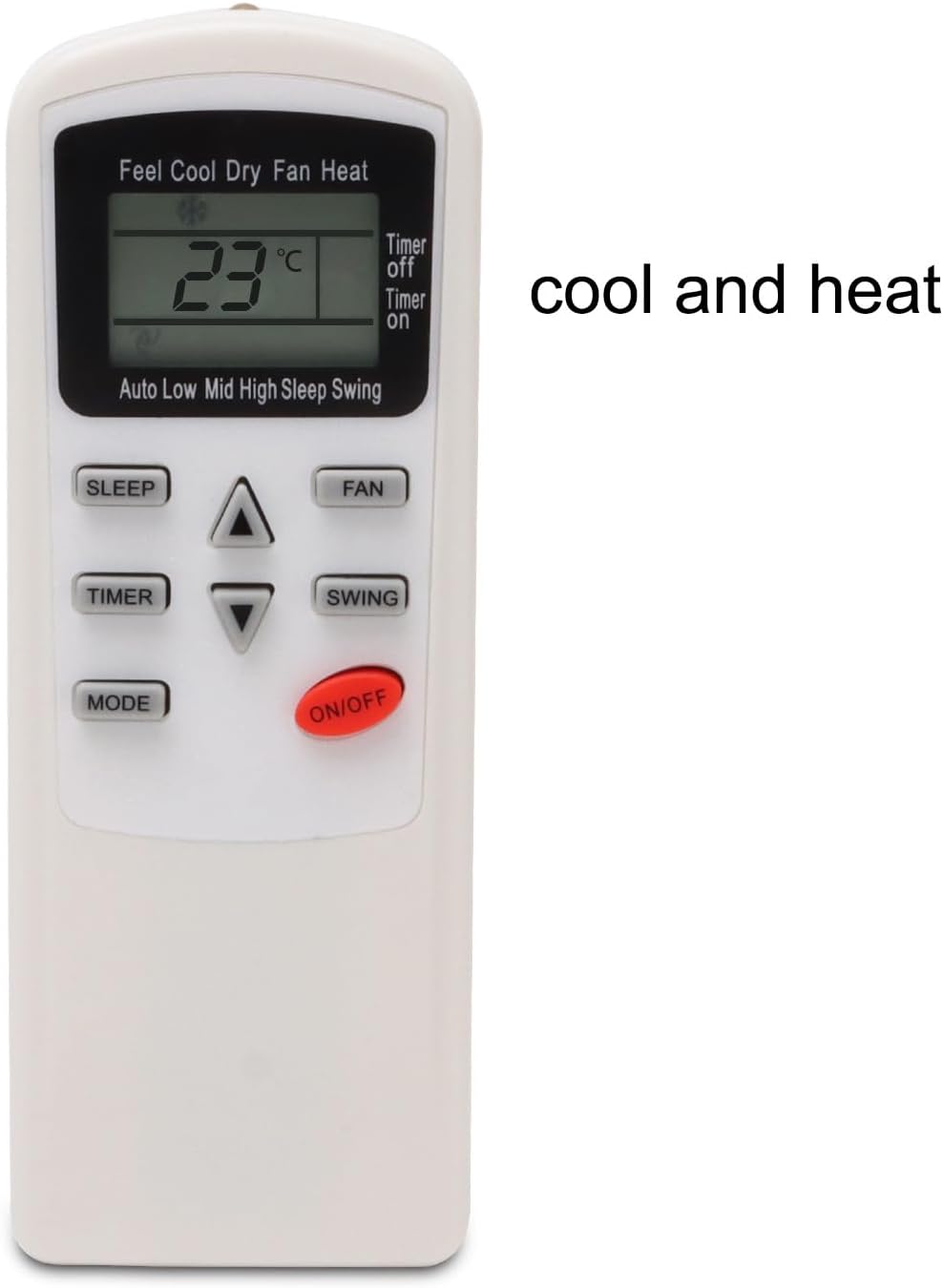
Figure 2: Front View with Function Highlight. This image is similar to Figure 1 but includes text "cool and heat" to the right of the remote, emphasizing its primary functions.
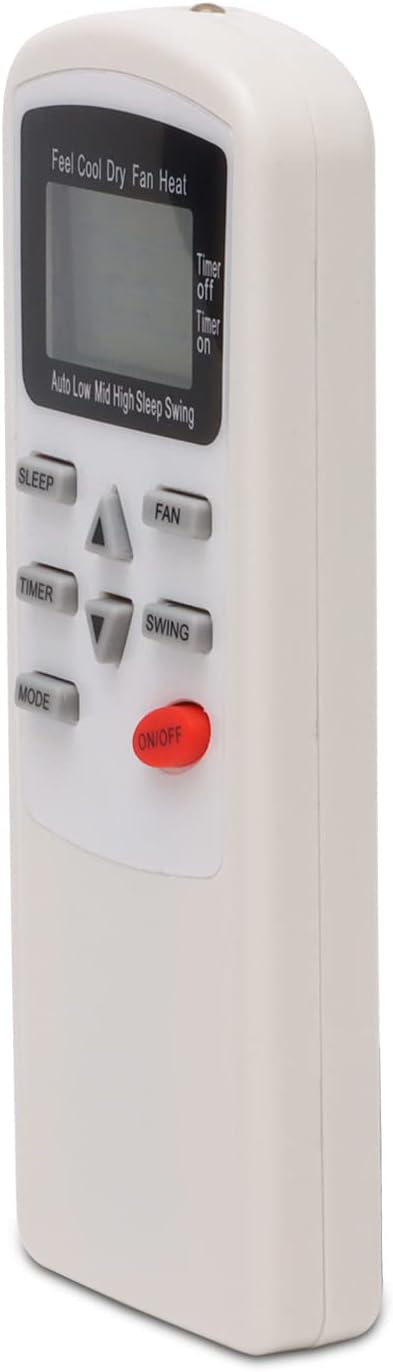
Figure 3: Angled Front View. This image provides an angled view of the remote control, highlighting the ergonomic design and the placement of the buttons and LCD screen from a slightly elevated perspective.

Figure 4: Top-Down Angled View. This image shows the remote control from a top-down, angled perspective, emphasizing its compact size and the layout of the control panel.
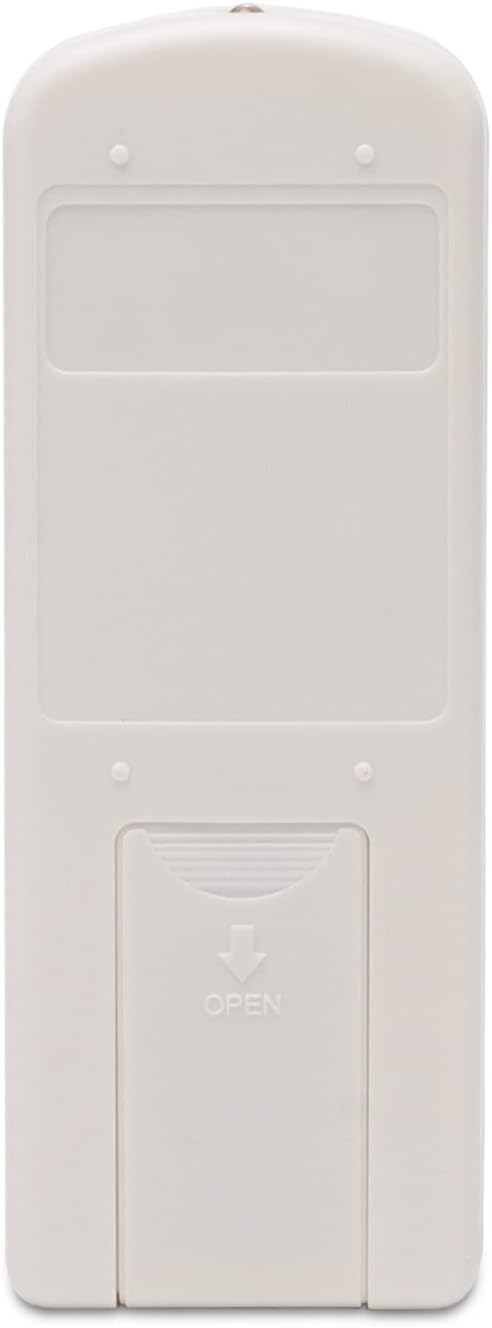
Figure 5: Back View (Cover Closed). This image displays the rear of the remote control, showing the battery compartment cover securely in place. An arrow and the word "OPEN" indicate how to slide the cover to access the battery compartment.
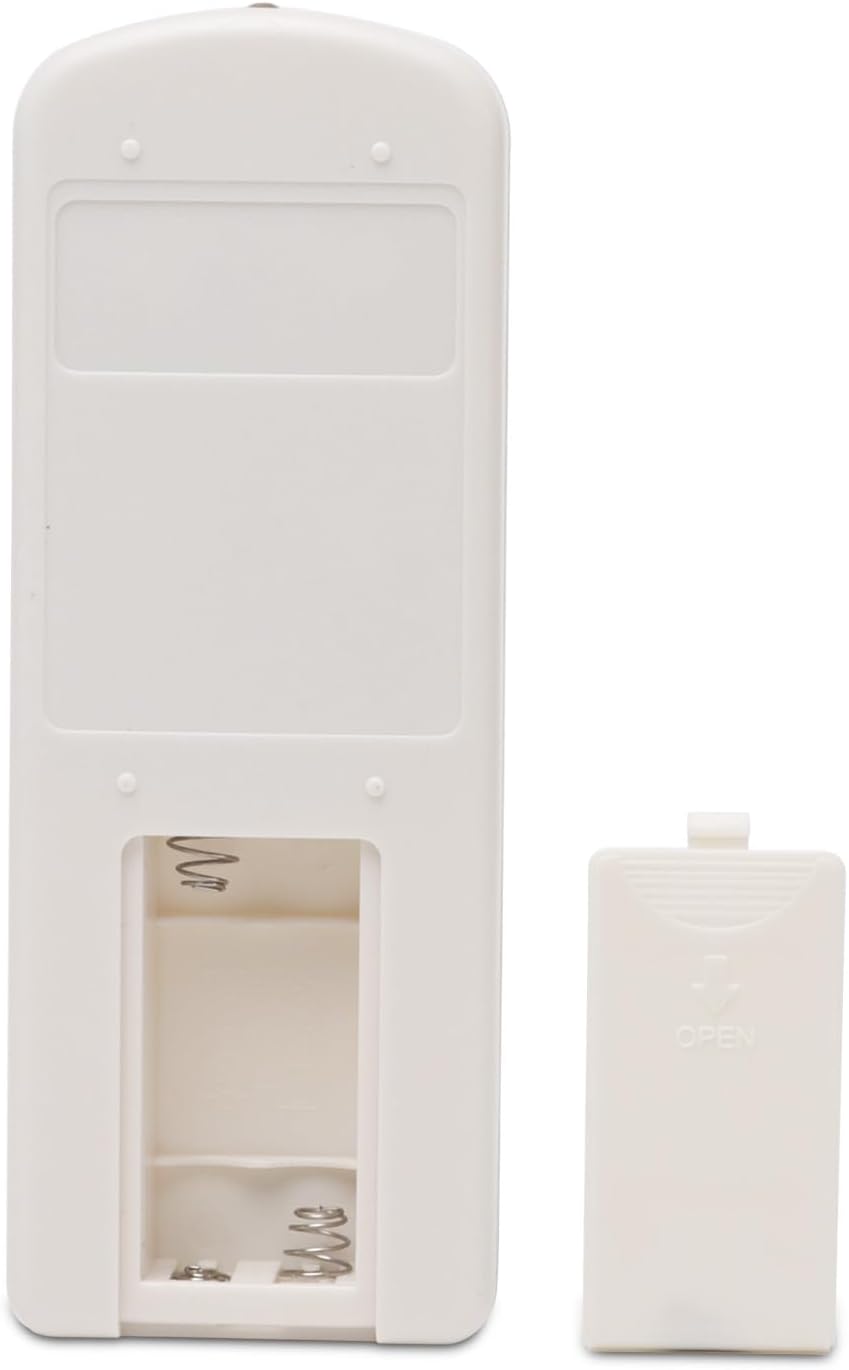
Figure 6: Back View (Cover Open). This image illustrates the back of the remote control with the battery compartment cover removed, revealing the two battery slots and the spring contacts for battery insertion.
Setup
Battery Installation
- Locate the battery compartment on the back of the remote control. Refer to Figure 5 for the closed cover and Figure 6 for the open compartment.
- Slide the battery cover downwards in the direction of the "OPEN" arrow to remove it.
- Insert two AAA batteries (not included) into the compartment, ensuring the positive (+) and negative (-) terminals align correctly with the markings inside the compartment.
- Slide the battery cover back into place until it clicks securely.
- The remote control is pre-programmed and typically does not require additional setup after battery installation.
Note: This remote control features permanent memory, meaning settings are retained even after battery replacement.
Operating Instructions
This universal remote is designed for straightforward operation. Point the remote directly at the air conditioner's receiver for optimal performance. The operable distance is more than 8 meters.
- ON/OFF Button (Red button): Press to turn the air conditioner on or off.
- MODE Button: Press repeatedly to cycle through available operating modes:
- Cool: For cooling the room.
- Heat: For heating the room.
- Dry: For dehumidification.
- Fan: For air circulation without heating or cooling.
- Auto: The unit automatically selects the operating mode based on the room temperature.
- FAN Button: Press to adjust the fan speed (e.g., Low, Mid, High, Auto).
- SLEEP Button: Activates or deactivates the sleep mode, which adjusts temperature and fan speed for comfortable sleep and energy saving.
- TIMER Button: Used to set the timer for automatic turn-on or turn-off of the air conditioner. Consult your air conditioner's specific manual for detailed timer programming.
- SWING Button: Controls the vertical swing of the air conditioner's louvers for even air distribution.
- Temperature Adjustment Buttons (Up/Down Arrows): Use these buttons to increase or decrease the desired temperature setting.
Maintenance
Battery Replacement
Replace batteries when the remote's response becomes sluggish or the display dims. Follow the battery installation steps outlined in the "Setup" section.
Cleaning
Wipe the remote control with a soft, dry cloth. Do not use liquid cleaners, abrasive cleaners, or chemical solvents, as these may damage the remote's surface or internal components.
Troubleshooting
| Problem | Possible Cause | Solution |
|---|---|---|
| Remote not responding | Dead or incorrectly inserted batteries. Obstruction between remote and AC unit. Remote out of range. | Replace batteries, ensuring correct polarity. Remove any obstructions. Move closer to the AC unit (within 8 meters). |
| Display is dim or blank | Low battery power. | Replace batteries. |
| Air conditioner does not respond to specific functions | Function not supported by your specific AC model. Remote not properly aimed. | Verify your AC unit supports the function. Ensure direct line of sight to the AC unit's receiver. |
Specifications
- Model Number: KTTCL001
- Brand: HONONJO
- Compatible Devices: T-CL Air Conditioner (Royal 9000BTU KTTCL001 and similar models)
- Operable Distance: More than 8 meters
- Power Source: 2 x AAA Batteries (not included)
- Product Dimensions: 3.94 x 1.57 x 0.59 inches
- Item Weight: 1.65 ounces
- Special Feature: Universal, Permanent Memory
- Color: White
Support
For further assistance or inquiries regarding your HONONJO Universal Remote Control, please refer to the seller's contact information on the product's purchase page or visit the HONONJO Store on Amazon for additional resources.