
Introduction
Welcome to your new Gaciron V9CP-800 Bicycle Light. This manual provides essential instructions for the proper installation, operation, and maintenance of your device. Please read this manual thoroughly before using the product to ensure optimal performance and safety.
Product Overview
Key Features
- 800 Lumen Brightness: Provides strong illumination for night riding with an 85° wide-angle beam.
- IPX6 Waterproof: Designed to withstand rain and fog, preventing water ingress from various angles.
- USB Rechargeable: Integrated 2500 mAh battery for convenient charging and extended use.
- Durable Aluminum Alloy Casing: Offers efficient heat dissipation and resistance to drops and impacts.
- Easy Installation: Comes with a dedicated Gaciron H07S bracket for quick attachment and removal.
- Multiple Lighting Modes: Includes High, Normal, Low, Breath, and Strobe modes for various riding conditions.
Components
The Gaciron V9CP-800 Bicycle Light package typically includes:
- Gaciron V9CP-800 Bicycle Light unit
- H07S Mounting Bracket
- USB Charging Cable
- User Manual (this document)
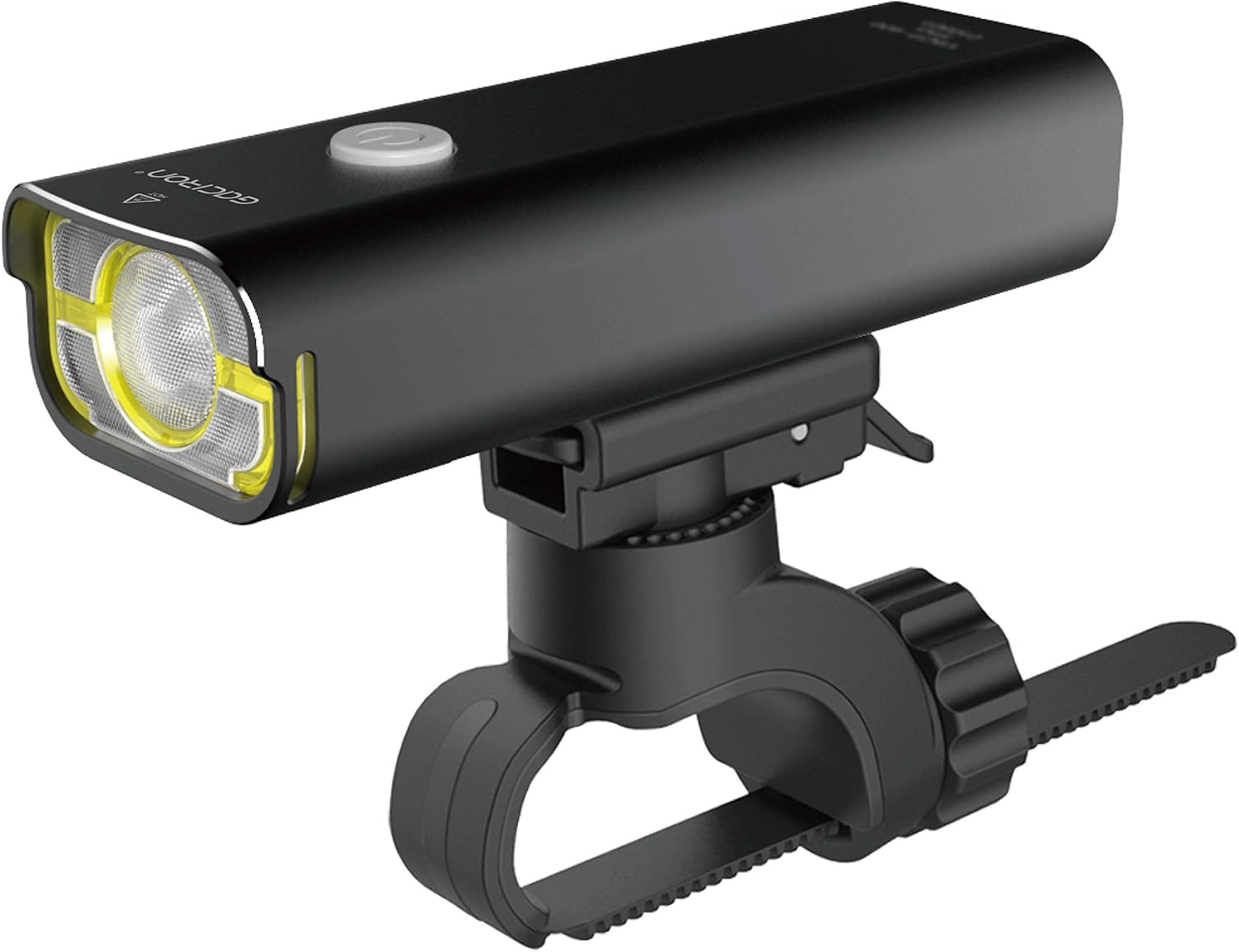
Image: The Gaciron V9CP-800 Bicycle Light mounted on its handlebar bracket, showcasing its sleek black aluminum body and front LED lens.

Image: An overview of the Gaciron V9CP-800 highlighting its key features: 800lm high brightness LED, USB rechargeable, IPX6 waterproof function, durable aluminum casing, and easy-to-attach bracket.
Setup
Mounting the Bicycle Light
Follow these steps to securely attach the light to your bicycle:
- Attach the H07S bracket to your bicycle's handlebar. The bracket is compatible with handlebars ranging from 31.8mm to 35mm in diameter.
- Securely fasten the bracket using the adjustable strap, ensuring it is tight and stable.
- Slide the Gaciron V9CP-800 light unit onto the bracket until it clicks firmly into place.
- Ensure the light is firmly attached and positioned to illuminate the path ahead.
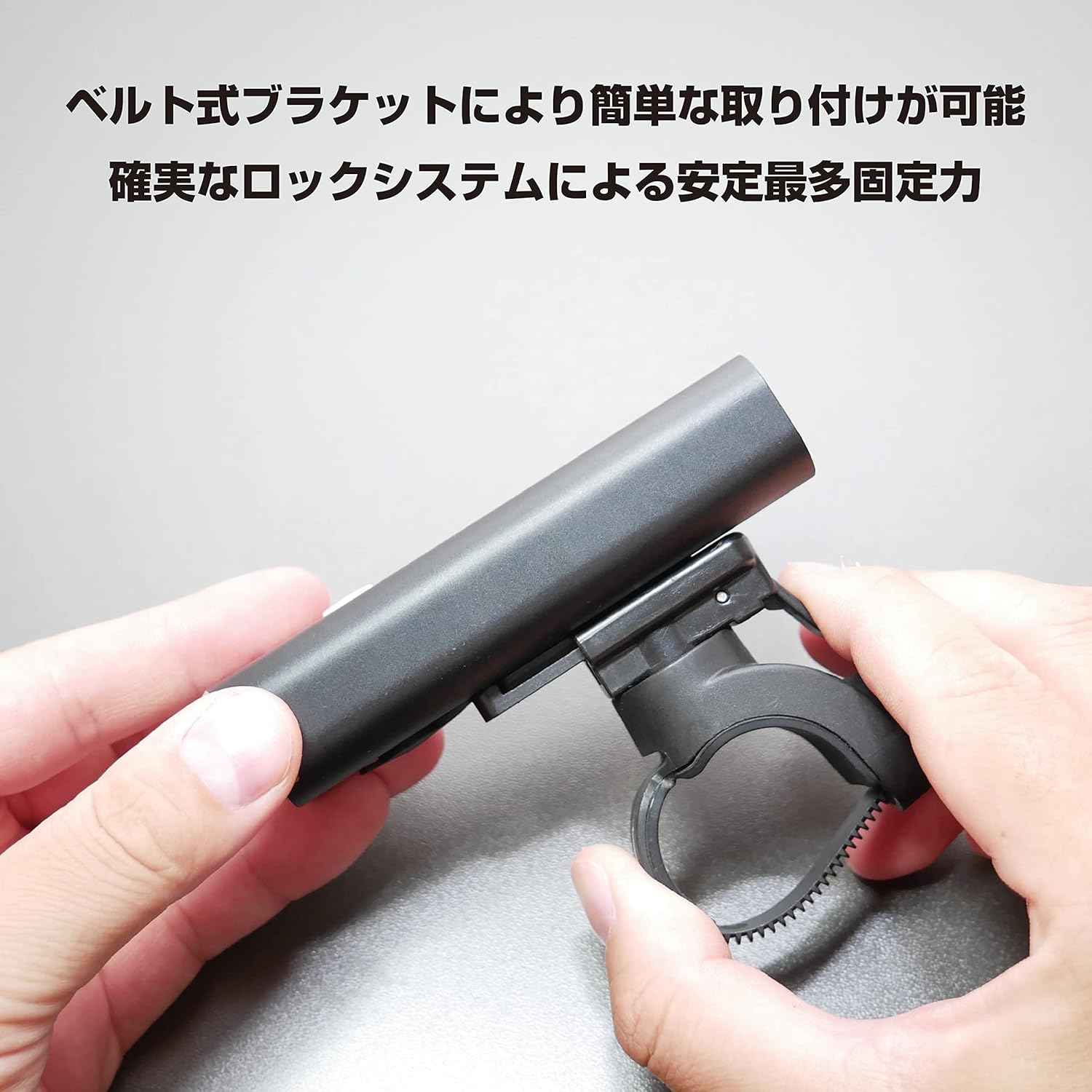
Image: Hands demonstrating the installation of the Gaciron V9CP-800 light onto its handlebar bracket, showing the secure sliding mechanism.

Image: A rear view of the Gaciron V9CP-800 Bicycle Light showing the attachment mechanism of the bracket and the light's base.
Initial Charging
Before using your Gaciron V9CP-800 Bicycle Light for the first time, ensure it is fully charged.
- Locate the Micro USB charging port on the side of the light unit, usually protected by a rubber cover.
- Connect the provided USB cable to the light's port and to a compatible USB power source (e.g., computer, USB wall adapter, power bank).
- The indicator light will illuminate to show charging status. A full charge typically takes several hours.
- Disconnect the cable once the indicator light signals a full charge (e.g., changes color or turns off).
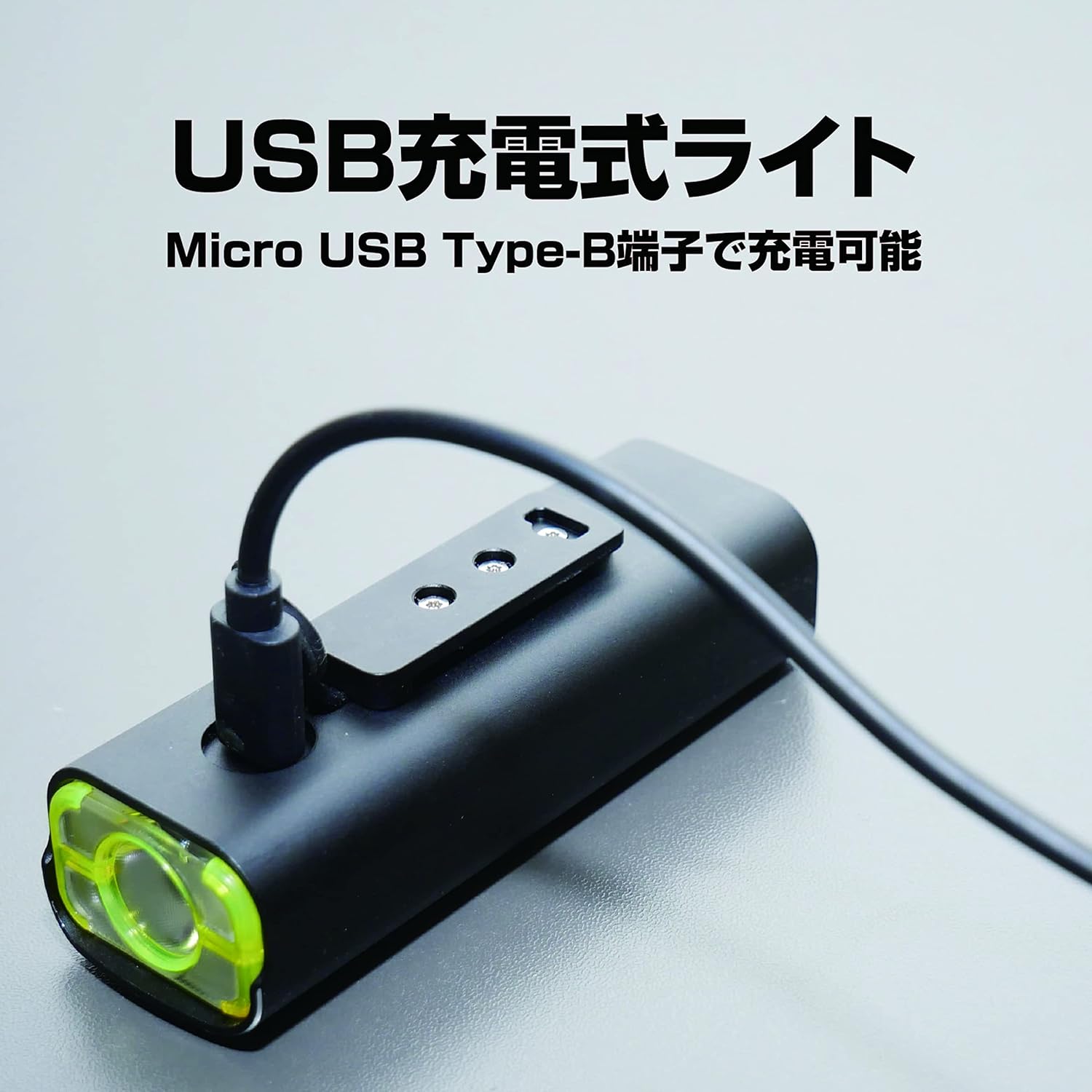
Image: The Gaciron V9CP-800 Bicycle Light with a Micro USB cable connected to its charging port, illustrating the USB rechargeable feature.
Operating Instructions
Power On/Off
To turn the light ON or OFF, press and hold the power button located on the top of the light for approximately 1-2 seconds.
Changing Lighting Modes
Once the light is ON, a short press of the power button will cycle through the available lighting modes:
- High Mode: 800 lumens, approximately 1 hour 20 minutes runtime.
- Normal Mode: 400 lumens, approximately 2 hours 10 minutes runtime.
- Low Mode: 200 lumens, approximately 4 hours 30 minutes runtime.
- Breath Mode: 50-100 lumens, approximately 18 hours runtime.
- Strobe Mode: 400 lumens, approximately 4 hours 30 minutes runtime.

Image: A visual representation of the five lighting modes (High, Normal, Low, Breath, Strobe) of the Gaciron V9CP-800, showing their respective lumen outputs and approximate runtimes.
Charging the Device
The Gaciron V9CP-800 features a built-in rechargeable battery. To charge the device:
- Ensure the light is turned OFF before charging.
- Gently open the rubber cover protecting the Micro USB port on the side of the light.
- Insert the Micro USB connector of the provided cable into the light's port.
- Connect the standard USB end of the cable to a compatible USB power source (e.g., computer, power bank, USB wall adapter).
- The charging indicator light will illuminate. It will change color or turn off when the battery is fully charged.
- Once charging is complete, remove the USB cable and securely close the rubber cover to maintain the light's water resistance.
Image: The Gaciron V9CP-800 Bicycle Light with a Micro USB cable connected to its charging port, illustrating the USB rechargeable feature.
Maintenance
Proper maintenance ensures the longevity and optimal performance of your bicycle light.
- Cleaning: Wipe the light body and lens with a soft, damp cloth. Avoid using abrasive cleaners, solvents, or harsh chemicals, as these can damage the finish or optical components.
- Storage: Store the light in a cool, dry place away from direct sunlight when not in use. For long-term storage, it is recommended to charge the battery to approximately 50% every 3-6 months to help prolong battery life.
- Water Resistance: Always ensure the rubber cover for the USB charging port is securely closed when not charging to maintain the IPX6 water resistance rating.
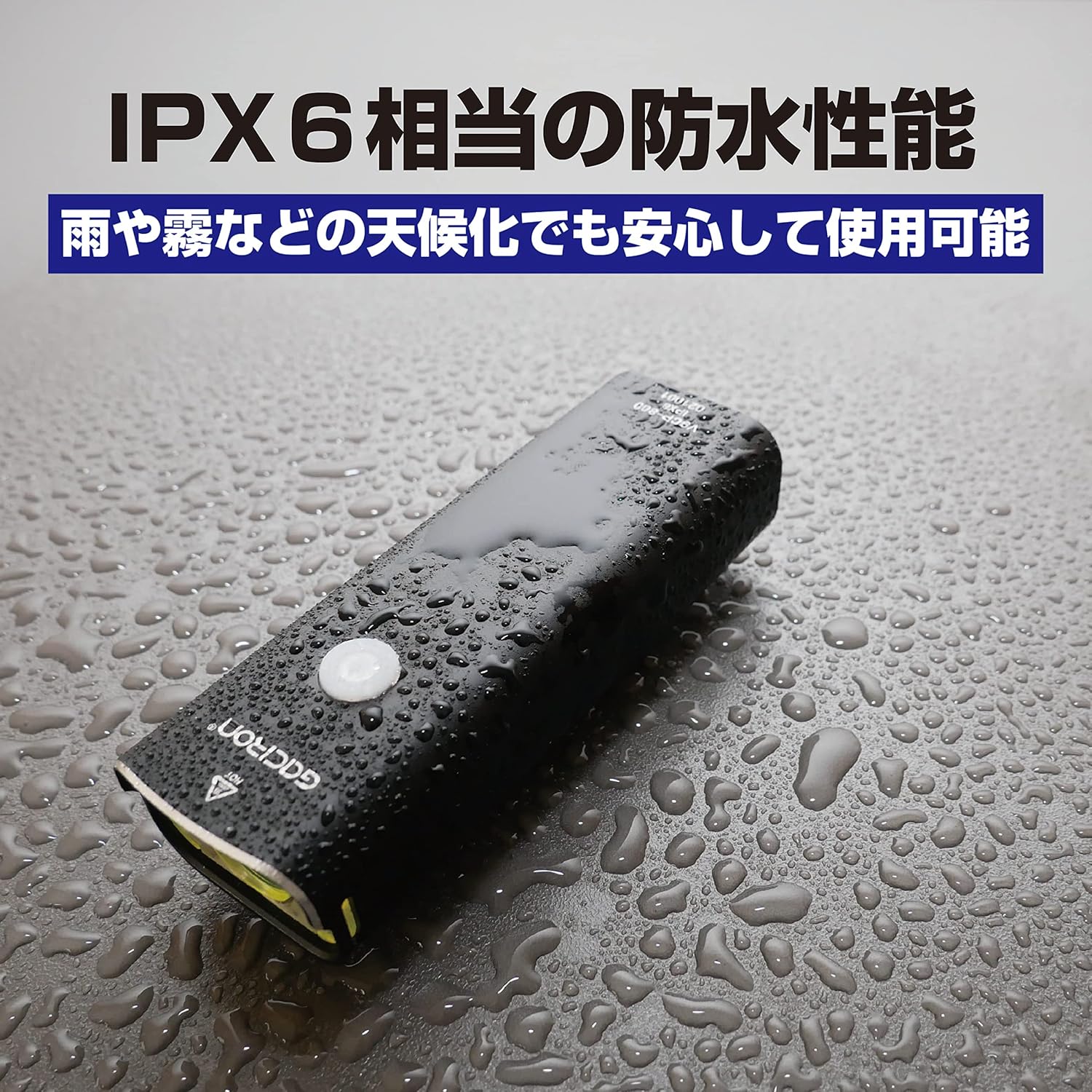
Image: The Gaciron V9CP-800 Bicycle Light covered in water droplets, demonstrating its IPX6 waterproof capability.
Troubleshooting
If you encounter any issues with your Gaciron V9CP-800, refer to the table below for common problems and solutions.
| Problem | Possible Cause | Solution |
|---|---|---|
| Light does not turn on | Battery is depleted | Charge the light fully using the provided USB cable. |
| Light flickers or dims unexpectedly | Low battery or loose connection | Charge the light. Ensure the light unit is securely mounted on the bracket. |
| Light does not charge | Faulty USB cable, power source, or port connection | Try a different USB cable or power adapter. Ensure the cable is fully inserted into the light's port and the power source. |
| Light detaches from bracket during ride | Bracket not securely fastened or light not clicked into place | Ensure the bracket is tightly secured to the handlebar. Verify the light unit is fully clicked into the bracket's locking mechanism. |
Specifications
Detailed technical specifications for the Gaciron V9CP-800 Bicycle Light:
| Feature | Detail |
|---|---|
| Model | V9CP-800 |
| Brightness | 800 Lumens |
| Battery Capacity | 2500 mAh |
| Power Source | USB Rechargeable |
| Water Resistance | IPX6 |
| Material | Aluminum Alloy |
| Weight | 209 Grams |
| Mounting Type | Handlebar Mount |
| Color | Black |
Safety Information
Please observe the following safety guidelines to prevent injury or damage to the product:
- Do not look directly into the light beam when it is active, as the high intensity can cause temporary or permanent eye injury.
- Ensure the light is securely mounted to your bicycle before each ride to prevent it from falling off.
- While the light is IPX6 waterproof, avoid submerging it in water for extended periods.
- Keep the device out of reach of children.
- Dispose of the product and its battery responsibly according to local environmental regulations.
Warranty and Support
For detailed warranty information, product registration, or technical support, please visit the official Gaciron website or contact the retailer from whom you purchased the product. Please retain your proof of purchase for warranty claims.


