
Introduction
Thank you for choosing the Armitron Men's Date Function Mesh Bracelet Watch. This manual provides essential instructions for setting up, operating, and maintaining your new timepiece. Please read it carefully to ensure proper use and longevity of your watch.
Product Overview
The Armitron Men's Date Function Mesh Bracelet Watch features a classic design with a modern mesh bracelet, a clear date display, and reliable quartz movement. It is designed for everyday wear and offers water resistance for added durability.
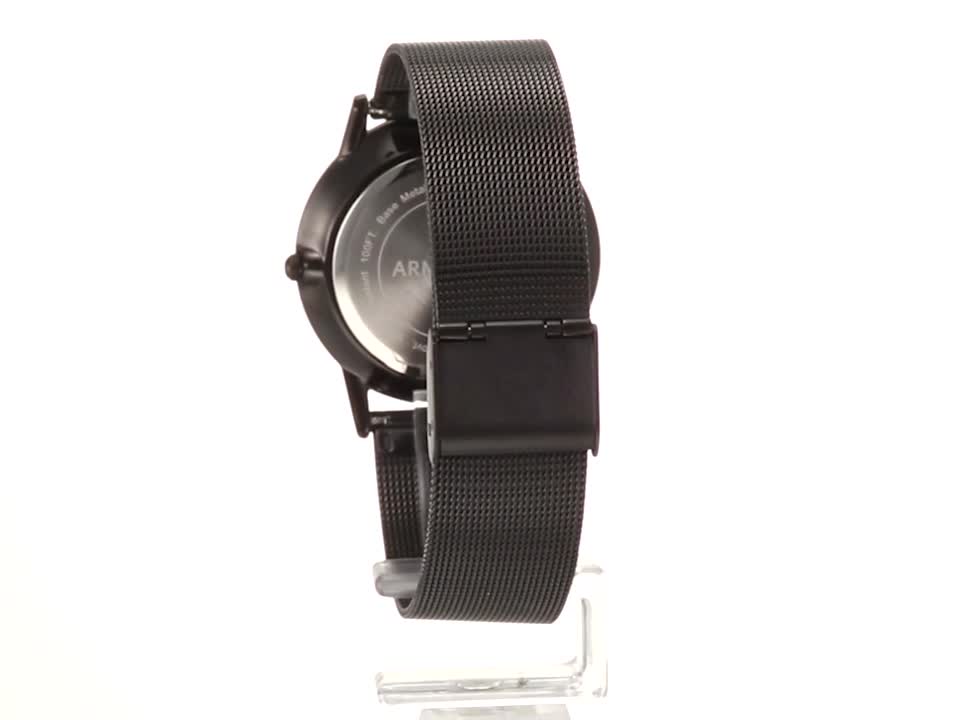
Image: Front view of the Armitron Men's Date Function Mesh Bracelet Watch, showcasing its green dial, silver-tone hands and markers, date window at 6 o'clock, and black mesh bracelet.
Video: A 360-degree view of the Armitron Men's Date Function Mesh Bracelet Watch, demonstrating its design, mesh bracelet, and overall appearance from various angles.
Setup
Setting the Time
- Pull the crown (the small knob on the side of the watch) out to its outermost position.
- Rotate the crown clockwise or counter-clockwise until the hour and minute hands indicate the correct time.
- Push the crown back into its normal operating position to start the watch movement.
Setting the Date
- Pull the crown out to the first click position (halfway out).
- Rotate the crown clockwise or counter-clockwise to adjust the date. Note: Avoid setting the date between 9:00 PM and 3:00 AM, as this can interfere with the automatic date change mechanism. If the current time falls within this period, first set the time outside this range, then set the date, and finally reset the correct time.
- Push the crown back into its normal operating position.
Adjusting the Mesh Bracelet
The mesh bracelet features an adjustable clasp for a custom fit. To adjust:
- Locate the small lever on the clasp. Use a small, flat tool (like a screwdriver or a paperclip) to lift the lever.
- Slide the clasp along the mesh band to the desired position.
- Press the lever back down firmly to secure the clasp in place. Ensure it clicks securely to prevent accidental opening.
Operating Your Watch
Wearing the Watch
Place the watch on your wrist and secure the clasp. Ensure the fit is comfortable, not too tight to restrict circulation, and not too loose to slide excessively.
Water Resistance
This watch is marked as "WATER 100 RESIST" (10 ATM/100 meters). This means it is suitable for swimming, snorkeling, and showering. It is not suitable for high-impact water sports or scuba diving. Do not operate the crown or pushers while the watch is wet or submerged, as this can compromise the water resistance.
Maintenance
Cleaning Your Watch
To maintain the appearance of your watch:
- Wipe the case and crystal with a soft, dry cloth.
- For the mesh bracelet, use a soft brush and mild soapy water if necessary, then rinse thoroughly with clean water and dry immediately with a soft cloth. Ensure no moisture remains in crevices.
- Avoid using harsh chemicals, solvents, or abrasive cleaners, as these can damage the watch's finish.
Battery Replacement
Your watch is powered by a quartz battery. When the watch stops running, it indicates the battery needs replacement. It is recommended to have the battery replaced by a qualified watch technician to ensure proper sealing and maintain water resistance.
Troubleshooting
- Watch not running: Check if the crown is pushed all the way in. If it is, the battery may need replacement.
- Date not changing: Ensure the crown is fully pushed in after setting. If the date is stuck, manually advance it past midnight to reset the mechanism.
- Condensation under crystal: This indicates a loss of water resistance. Have the watch inspected by a professional immediately to prevent further damage.
Specifications
| Feature | Detail |
|---|---|
| Brand Name | Armitron |
| Model Number (ASIN) | B07D5ZV45W |
| Movement | Quartz |
| Water Resistance | 100 Meters (10 ATM) |
| Functions | Date Display |
| Battery | 1 Product Specific battery required |
| Department | Mens |
Warranty and Support
Armitron watches are typically covered by a limited warranty against manufacturing defects. Please refer to the warranty card included with your purchase or visit the official Armitron website for detailed warranty information and to register your product.
For technical support, service, or parts, please contact Armitron customer service directly. Contact information can usually be found on the manufacturer's website or in the packaging materials.