
Inateck BCST-70 and BCST-S
Inateck Barcode Scanner User Manual
Models: BCST-70 and BCST-S
Introduction
This manual provides comprehensive instructions for the setup, operation, and maintenance of your Inateck Barcode Scanner (BCST-70) and its accompanying Hands-Free Adjustable Stand (BCST-S). This bundle product is designed for efficient and reliable barcode scanning in various environments, offering ease of use and robust performance.
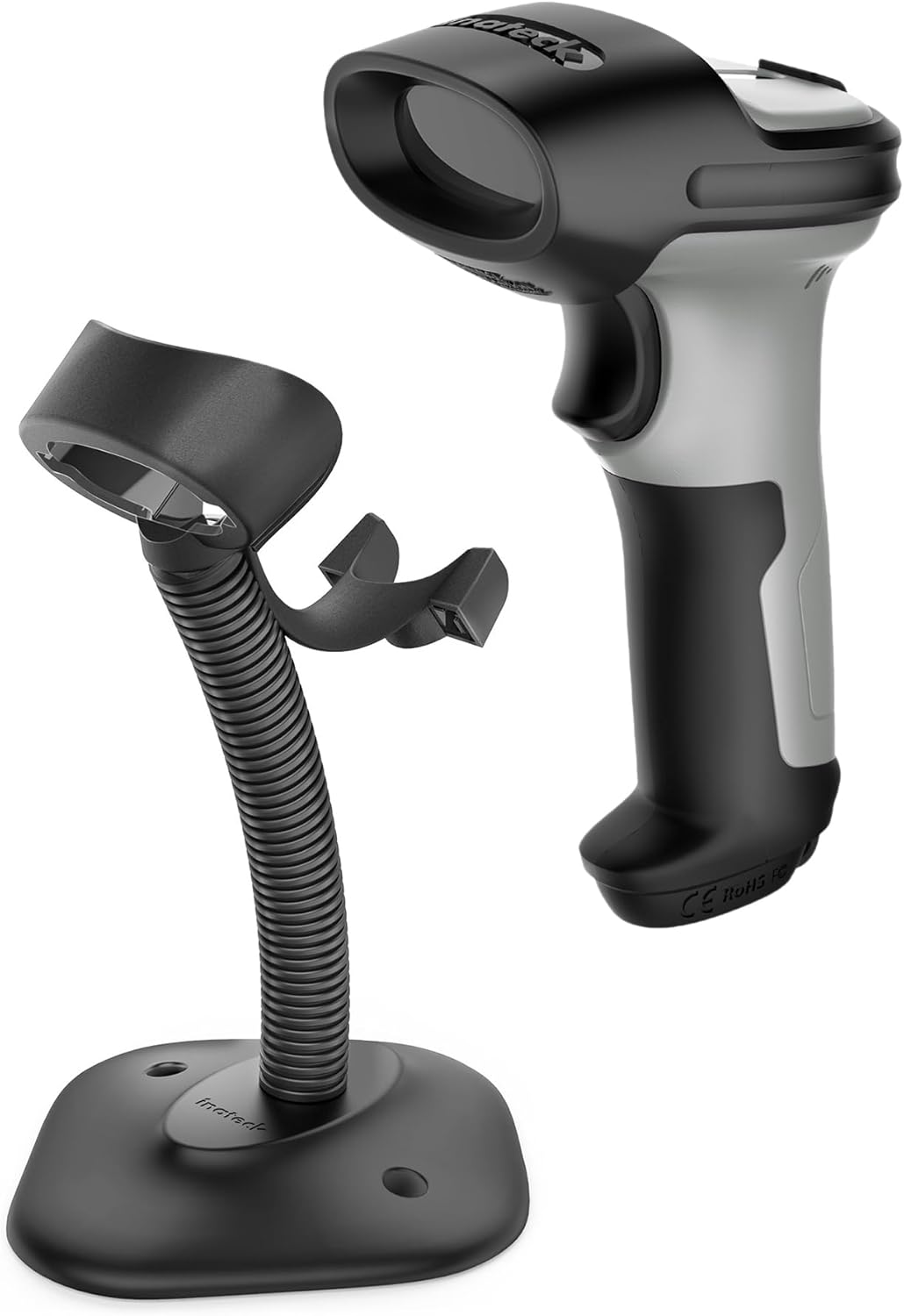
Image: The Inateck BCST-70 barcode scanner shown alongside its BCST-S adjustable stand, illustrating the complete bundle product.
Package Contents
Please verify that all items are present in your package:
- Inateck BCST-70 Barcode Scanner
- Inateck BCST-S Adjustable Stand
- USB Charging Cable
- User Manual (this document)
Setup
1. Charging the Barcode Scanner
Before first use, fully charge the barcode scanner. Connect the USB charging cable to the scanner's charging port and to a USB power source (e.g., computer USB port, USB wall adapter). The charging indicator light will show the charging status.

Image: An X-ray view of the Inateck BCST-70 barcode scanner highlighting its internal battery, which provides up to 180 days of standby time.
The scanner features a prolonged battery life, offering up to 180 days of standby time on a full charge, minimizing downtime.
2. Assembling the Adjustable Stand (BCST-S)
The BCST-S stand is designed for tool-free installation and provides a stable, hands-free scanning solution.
- Unpack the stand components: base and flexible arm with scanner holder.
- Align the flexible arm's threaded end with the hole in the stand's base.
- Secure the arm to the base using the provided wing nut from underneath. Tighten by hand until firm.

Image: A close-up view of hands demonstrating the tool-free assembly of the Inateck BCST-S stand, showing the wing nut attachment mechanism.
Once assembled, you can adjust the angle and height of the scanner holder to your preferred position for optimal scanning ergonomics.

Image: The Inateck BCST-S adjustable stand with arrows illustrating its flexibility to adjust angle and height for user convenience.
3. Connecting the Scanner
The Inateck BCST-70 scanner connects via Bluetooth and is designed for quick deployment.
- Turn on the scanner.
- Enable Bluetooth on your host device (Desktop, Laptop, Smartphone, POS system, etc.).
- Search for available Bluetooth devices and select "Inateck BCST-70" to pair.
- Connection typically completes within 3 seconds.
The scanner is compatible with various operating systems including iOS, Android, Windows, Mac OS, Linux, and Raspberry Pi.
Operating Instructions
1. Basic Scanning Operation
To scan a barcode, point the scanner's window at the barcode and press the trigger button. A successful scan will typically be indicated by a beep and/or a green light.

Image: The Inateck BCST-70 barcode scanner held in a typical scanning position, ready for use.
2. Hands-Free Scanning with Stand
For continuous or high-volume scanning, place the scanner in the adjustable stand. The scanner will automatically switch to continuous scanning mode (or can be configured to do so), allowing you to simply pass items under the scanner's beam.

Image: The Inateck BCST-S adjustable stand, designed to hold the barcode scanner for hands-free operation.
3. Barcode Recognition Ability
The BCST-70 scanner boasts strong recognition ability, capable of reading various types of 1D barcodes. It supports lightning scanning and can even read blurry or broken barcodes under various lighting conditions.

Image: A visual representation of the Inateck BCST-70's superb decoding ability, showing successful scans of various 1D barcodes, including those that are blurry or partially obscured.
4. Keyboard Language Support
The scanner supports multiple keyboard languages, including English, German, French, Italian, and Spanish. Refer to the scanner's programming guide (usually a separate document or a series of programming barcodes) to switch between languages if needed.
Maintenance
- Cleaning: Use a soft, dry cloth to clean the scanner's body and scanning window. Do not use abrasive cleaners or solvents.
- Storage: Store the scanner and stand in a cool, dry place away from direct sunlight and extreme temperatures.
- Durability: The scanner is molded from highly durable industrial-grade plastics, offering shock-resistance. However, avoid unnecessary drops or impacts to prolong its lifespan.
- Button Longevity: The trigger button is designed for durability, supporting millions of clicks.

Image: An illustration highlighting the durability features of the Inateck BCST-70 scanner, including its 1.8-meter drop resistance, enhanced TPU, and 40% softgel coverage for all-around protection.

Image: A close-up of the Inateck BCST-70's durable trigger button, emphasizing its metal and plastic combined design engineered to support millions of clicks.
Troubleshooting
| Problem | Possible Cause | Solution |
|---|---|---|
| Scanner not connecting via Bluetooth. | Bluetooth not enabled on host device; scanner not in pairing mode; out of range. | Ensure Bluetooth is on. Restart scanner and host device. Re-initiate pairing process. Move scanner closer to host device (connection distance up to 35 meters). |
| Scanner not reading barcodes. | Barcode damaged or blurry; incorrect barcode type; low battery. | Ensure barcode is clear and flat. Verify scanner supports the barcode type (1D barcodes are supported). Charge the scanner. |
| No data transmitted after scanning. | Not properly paired; application not ready to receive input. | Confirm successful Bluetooth pairing. Ensure the cursor is in a text field or the application is active and ready for input. |
| Short battery life. | Frequent use; battery degradation over time. | Ensure full charge before use. Battery life is rated for 180 days standby. If issues persist, contact support. |
Specifications
- Model: Inateck BCST-70 (Scanner) and BCST-S (Stand)
- Connectivity: Bluetooth
- Compatible Devices: Desktop, Laptop, Smartphone, POS systems, iOS, Android, Windows, Mac OS, Linux, Raspberry Pi
- Power Source: Battery Powered (Scanner)
- Battery Life (Scanner): Up to 180 days standby, 144 hours non-stop scanning (2600mAh)
- Recognition Ability: 1D Barcodes (supports blurry/broken barcodes)
- Connection Distance: Up to 35 meters (Bluetooth)
- Durability: Shock-resistant industrial plastics, 1.8M drop protection, enhanced TPU, 40% softgel coverage, durable button (millions of clicks)
- Keyboard Support: English, German, French, Italian, Spanish
Warranty and Support
For warranty information and technical support, please refer to the official Inateck website or contact their customer service directly. Details are typically provided on the product packaging or on the manufacturer's website.
Visit the Inateck Store on Amazon for more information and product updates.
Related documentsBCST-70 and BCST-S


Ask a question about this manual
Ask about setup, troubleshooting, compatibility, parts, safety, or missing instructions. Manuals+ will review the question and use this page’s manual context to help answer it.