
Introduction
Thank you for choosing the MAYTHANK Cordless Desk Table Lamp. This lamp is designed for reading, studying, and general illumination, featuring a rechargeable battery, touch control, multiple light modes, and dimmable brightness. Please read this manual thoroughly before use to ensure proper operation and maintenance.
Product Features
- Cordless and Portable: Equipped with two rechargeable batteries for use in areas without power outlets.
- 40 LED Light Board: Provides ample illumination for various tasks.
- Touch Sensor Control: Easy operation for power, light modes, and brightness adjustment.
- 3 Light Modes: Offers Warm White (3000K), Nature White (4000K), and Cool White (6000K) options.
- Stepless Dimming: Adjust brightness levels continuously within each light mode.
- Memory Function: Remembers the last brightness setting for each light mode.
- Eye-Caring LED: Designed to be flicker-free, reduce dizzy light, and filter blue light for comfortable use.
- Flexible Gooseneck: Allows for 360-degree adjustment of the light head.
- Dual Power Options: Can be powered by the internal rechargeable batteries or directly via a USB cable.
- Anti-glare Baffle Design: Prevents direct light from entering the eyes.

Image: The lamp features an anti-glare baffle design to protect eyes from direct light.
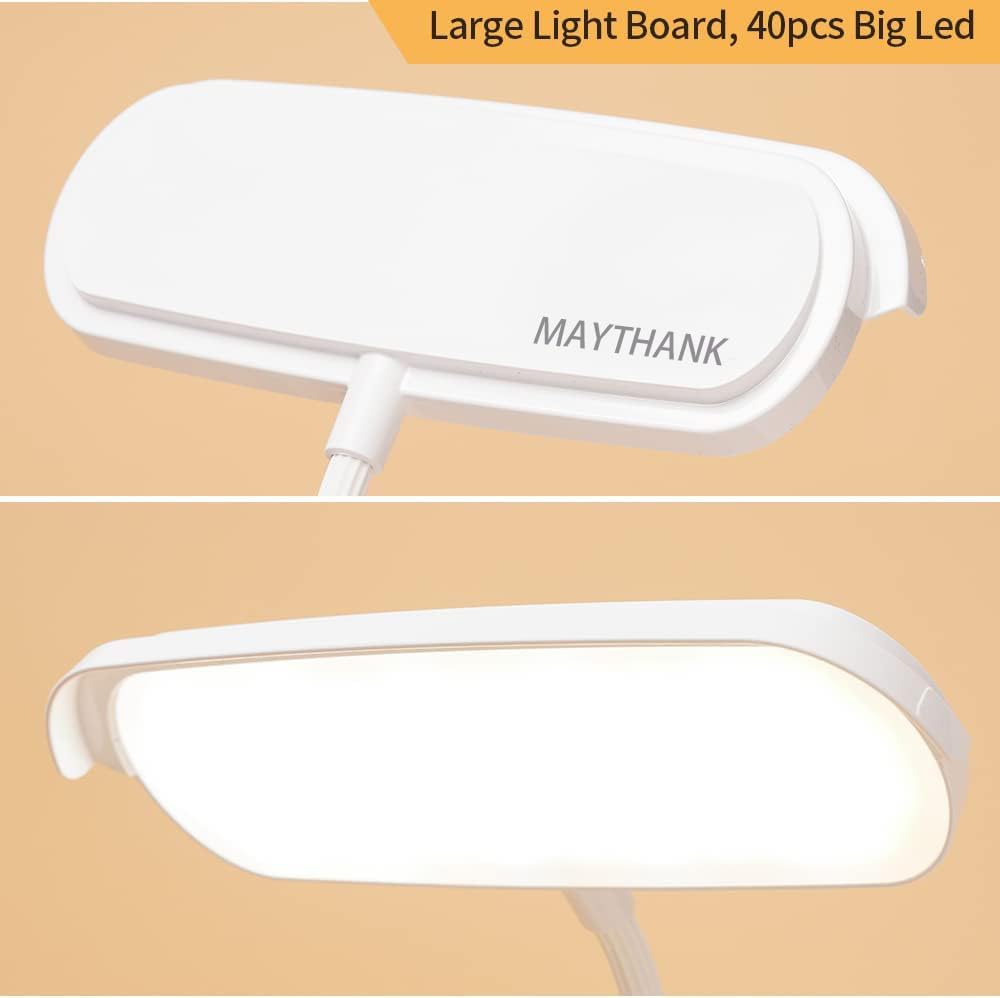
Image: Close-up view of the lamp's large light board, equipped with 40 LED lights for broad illumination.
Package Contents
Verify that all items are present in the package:
- MAYTHANK Cordless Desk Table Lamp (Model TAID-1109-321)
- Rechargeable Batteries (2 pcs, pre-installed or separate)
- USB Power Cable
- User Manual (this document)
Setup
- Unpack: Carefully remove all components from the packaging.
- Battery Installation (if not pre-installed): Open the battery compartment located on the underside of the lamp base. Insert the two rechargeable batteries, ensuring correct polarity (+/-). Close the compartment securely.
- Initial Charge: Before first use, fully charge the lamp. Connect the small end of the USB power cable to the charging port on the lamp base and the larger end to a USB power adapter (not included) or a computer USB port. The charging indicator light will typically show red while charging and turn green or off when fully charged.
- Positioning: Place the lamp on a stable, flat surface. Adjust the flexible gooseneck to your desired lighting angle.

Image: The cordless design allows for flexible placement, with the charging port and battery compartment located on the base.
Operating Instructions
Power On/Off
- To turn the lamp ON, lightly touch the power sensor button on the lamp base.
- To turn the lamp OFF, lightly touch the power sensor button again.
Light Modes and Dimming
The lamp offers three distinct light color temperatures and stepless brightness adjustment.
- Change Light Mode: With the lamp on, short-press the touch sensor button to cycle through the three light modes: Warm White (3000K), Nature White (4000K), and Cool White (6000K).
- Adjust Brightness (Stepless Dimming): While the lamp is on in any mode, press and hold the touch sensor button. The brightness will gradually increase or decrease. Release the button when the desired brightness level is reached. The lamp will remember the last brightness setting for each mode.

Image: Visual representation of the three available light color temperatures: Warm White (3000K), Nature White (4000K), and Cool White (6000K).

Image: Illustration of the stepless dimming feature, allowing adjustment from dim to brightest light output.
Gooseneck Adjustment
The lamp features a flexible gooseneck that can be bent and twisted 360 degrees to direct light precisely where needed. Gently adjust the neck to achieve your desired lighting angle.

Image: The lamp's flexible gooseneck allows for easy adjustment of the light head to various positions.
Charging the Lamp
The lamp can be charged using the provided USB cable.
- Connect the USB cable to the charging port on the lamp base.
- Plug the other end of the USB cable into a compatible USB power source (e.g., wall adapter, power bank, computer USB port).
- The charging indicator light will illuminate (typically red) to show that charging is in progress.
- Once fully charged, the indicator light will change color (typically green) or turn off.
- Disconnect the USB cable when charging is complete to preserve battery life.
Note: The lamp can be used while charging, but for optimal battery longevity, it is recommended to charge fully before extensive cordless use.

Image: The lamp's charging port and internal rechargeable batteries, highlighting its dual power capability.
Maintenance
- Cleaning: Disconnect the lamp from any power source before cleaning. Use a soft, dry cloth to wipe the lamp's surface. Do not use abrasive cleaners, solvents, or immerse the lamp in water.
- Storage: If storing the lamp for an extended period, ensure it is fully charged and store it in a cool, dry place. Recharge the lamp every 3-6 months to maintain battery health.
- Battery Care: Avoid fully depleting the battery frequently. Charge the lamp when the light output noticeably diminishes.
Troubleshooting
| Problem | Possible Cause | Solution |
|---|---|---|
| Lamp does not turn on. | Battery is depleted. | Charge the lamp using the USB cable. |
| USB cable or power adapter is faulty. | Try a different USB cable or power adapter. | |
| Light output is dim. | Battery is low. | Recharge the lamp. |
| Brightness setting is too low. | Press and hold the touch sensor to increase brightness. | |
| Lamp does not respond to touch. | Finger is not making proper contact. | Ensure direct contact with the touch sensor. |
| Lamp is completely discharged. | Charge the lamp for at least 30 minutes before attempting to use the touch controls. | |
| Charging indicator light does not work. | USB cable or power source issue. | Verify connections and try a different USB cable or power adapter. |
Specifications
| Feature | Detail |
|---|---|
| Model Number | TAID-1109-321 |
| Brand | MAYTHANK |
| Light Source Type | LED (40 pcs) |
| Power Source | Battery Powered / USB |
| Wattage | 5 watts |
| Voltage | 5 Volts |
| Control Method | Touch Sensor |
| Light Modes | 3 (Warm White, Nature White, Cool White) |
| Dimming | Stepless Dimmable |
| Product Dimensions (D x W x H) | 6.5" x 7.48" x 15.74" (16.5cm x 19cm x 40cm) |
| Item Weight | 0.33 Pounds (approx. 150g) |
| Material | Acrylonitrile Butadiene Styrene (ABS) |
| Included Components | Battery, Power Cable |

Image: The lamp's approximate height is 40 cm (15.74 inches).
Safety Information
- Do not disassemble or modify the lamp. This may cause damage or injury.
- Keep the lamp away from water and high humidity. This product is not waterproof.
- Avoid exposing the lamp to direct sunlight or extreme temperatures.
- Use only the provided USB cable or a certified equivalent for charging.
- Keep out of reach of children.
- If the lamp exhibits unusual behavior, smoke, or a burning smell, immediately disconnect it from the power source and discontinue use.
Warranty and Support
For warranty information or technical support, please refer to the product packaging or contact your retailer. Please have your model number (TAID-1109-321) and purchase date available when contacting support.