1. Introduction and Overview
The Funme USB Rechargeable Handheld Fan (Model FN-26GN) is a versatile and portable personal cooling device designed for convenience and efficiency. Its compact, foldable design makes it ideal for various settings, including travel, office use, camping, and outdoor activities. Enjoy a refreshing breeze with its powerful yet quiet operation.

Image 1: The Funme handheld fan shown in both its extended handheld form and its compact, folded desktop configuration.

Image 2: A person holding the Funme fan, demonstrating its ease of use and portability for personal cooling on the go.

Image 3: Examples of the fan's versatility, illustrating its use during physical activity, outdoor leisure, and by children.
2. Product Features
- Removable Battery Insulator: Features a protective insulator that must be removed before first use to enable charging and operation.
- Extended Battery Life: Provides 3 to 10 hours of continuous operation on a single charge, depending on the speed setting.
- Convenient USB Rechargeability: Easily recharges via any standard USB port, including laptops, power banks, and USB wall adapters.
- 3 Adjustable Speeds: Offers low, medium, and high-speed settings to customize airflow according to your preference.
- Foldable Design: Can be folded up to 180 degrees, allowing it to be used as a handheld fan or placed on a surface as a desktop fan.

Image 4: Visual representation of the fan's versatile design, illustrating how it can be held, folded for storage, or set upright on a surface.

Image 5: The compact size of the fan demonstrated by its ability to fit easily into a backpack pocket, highlighting its portability.
3. Package Contents
Please check the package contents upon opening to ensure all items are present:
- 1 x Funme USB Rechargeable Handheld Fan (Model FN-26GN)
- 1 x USB Charging Cable
- 1 x User Manual
4. Setup
- Remove Battery Insulator: Before first use, open the battery compartment cover and remove the small white insulator strip from the battery. Failure to do so will prevent the fan from charging or operating.
- Initial Charge: For optimal performance, fully charge the fan before its first use. Connect the provided USB charging cable to the fan's charging port and a compatible USB power source.
5. Operating Instructions
- Power On/Off: Press the power button located on the handle to turn the fan on. Press it again to cycle through the speed settings and to turn the fan off.
- Adjusting Fan Speeds: The fan has three speed levels:
- First press: Low speed (soft breeze)
- Second press: Medium speed (stronger breeze)
- Third press: High speed (cool in seconds)
- Fourth press: Turn off

Image 6: A visual guide demonstrating the three distinct fan speeds and their relative airflow intensity.
6. Charging Instructions
To charge your Funme fan:
- Connect the small end of the USB charging cable to the fan's charging port.
- Connect the larger end of the USB cable to a compatible 5V/0.5A USB power source, such as a wall adapter, computer USB port, car charger, or power bank.
- The charging indicator light will illuminate during charging and typically change color or turn off when fully charged.
- Important Note: The recommended charging time is approximately 4 hours. Avoid overcharging the device, as this may affect battery longevity. Using an adapter with specifications other than 5V/0.5A may cause damage and is not recommended.
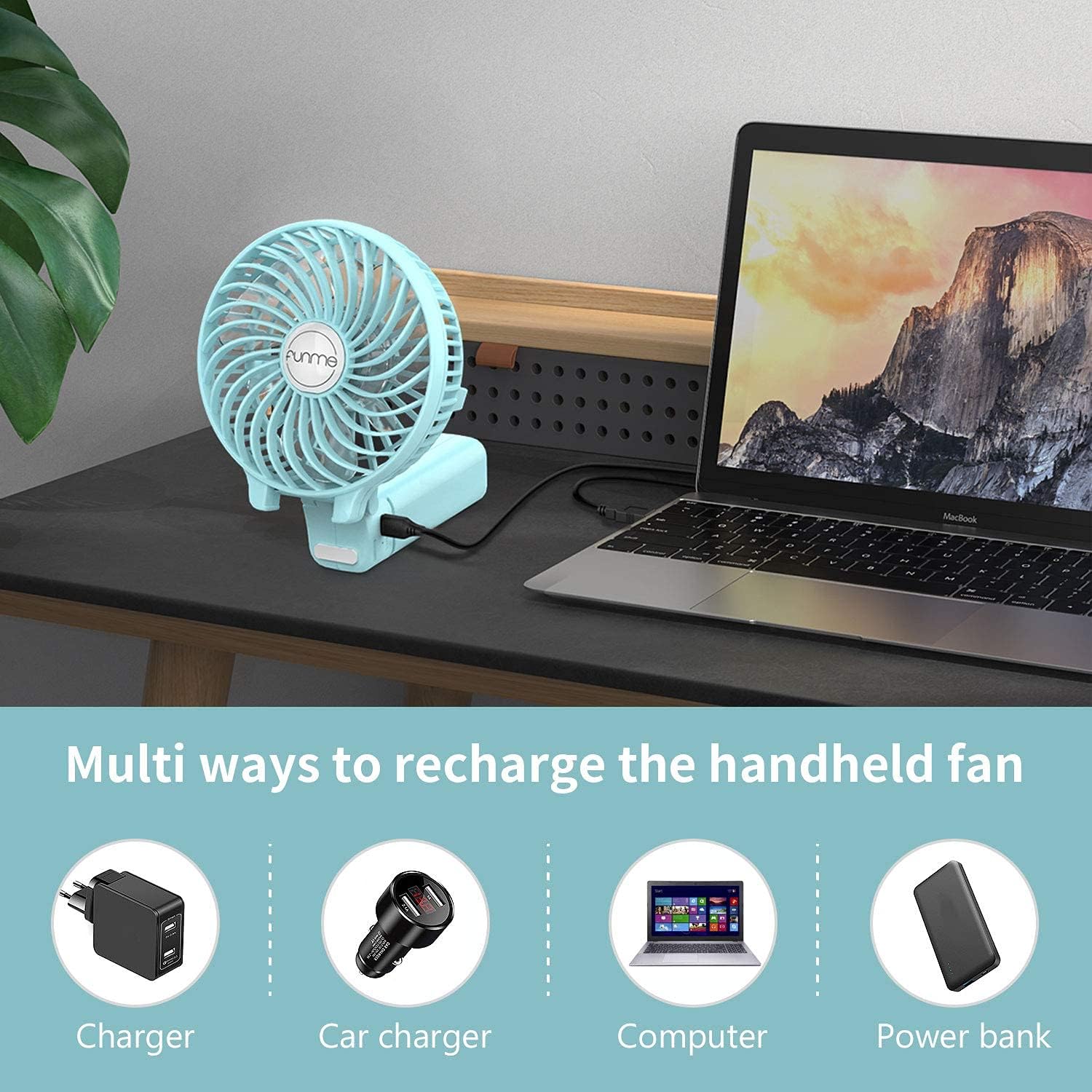
Image 7: Depiction of multiple convenient ways to recharge the fan, including standard wall chargers, car chargers, laptops, and portable power banks.
7. Maintenance
Proper maintenance ensures the longevity and optimal performance of your fan:
- Cleaning: Use a soft, dry cloth to wipe the fan's exterior. For dust accumulation on the fan blades, use a cotton swab or a soft brush to gently clean through the grilles. Do not use liquid cleaners or immerse the fan in water.
- Storage: When not in use for extended periods, store the fan in a cool, dry place. Ensure the battery is partially charged (around 50%) before storage to maintain battery health.
- Battery Care: Avoid completely draining the battery frequently. Recharge the fan when the battery level is low to prolong its lifespan.
8. Troubleshooting
| Problem | Possible Cause | Solution |
|---|---|---|
| Fan does not turn on or charge. |
|
|
| Fan runs for a short period only. |
|
|
| Fan makes unusual noise. |
|
|
9. Specifications
| Attribute | Detail |
|---|---|
| Brand | Funme |
| Model Number | FN-26GN |
| Color | Green |
| Product Dimensions (L x W x H) | 11 x 6 x 10.5 cm (4.33 x 2.36 x 4.13 inches) |
| Item Weight | 170 grams (0.37 pounds) |
| Power | 4 Watts |
| Voltage | 5 Volts |
| Material | Plastic |
| Number of Speeds | 3 |
| Special Features | Foldable |
| Battery Type | 1 Lithium-polymer battery (required) |
10. Safety Information
Please read and follow these safety guidelines to prevent injury or damage:
- Do not disassemble, repair, or modify the fan yourself. Contact qualified personnel for service.
- Keep the fan away from water, moisture, and high temperatures. Do not use it in wet environments.
- Do not insert fingers or any objects into the fan grille while it is operating.
- Keep out of reach of small children and pets. Adult supervision is recommended when children are using the device.
- Use only the provided USB charging cable or a compatible 5V/0.5A adapter for charging.
- Avoid dropping or subjecting the fan to strong impacts.
11. Warranty and Support
For any questions, technical support, or warranty inquiries regarding your Funme USB Rechargeable Handheld Fan, please contact the retailer or manufacturer directly. Please retain your proof of purchase for warranty claims.


