
1. Introduction
Thank you for purchasing the U`King 36 LED Stage Light. This manual provides essential information for the safe and efficient operation of your new lighting system. Please read these instructions thoroughly before use and retain them for future reference. This product is designed to create dynamic lighting effects for various indoor events and performances.
2. Safety Information
- Ensure the power supply voltage matches the product's requirements (AC110-240V, 50/60Hz).
- Do not expose the device to rain or moisture to prevent electric shock or fire hazards.
- Avoid direct eye exposure to the light source, as it can cause eye damage.
- Always disconnect the power before cleaning or performing any maintenance.
- Ensure proper ventilation around the unit to prevent overheating.
- Do not attempt to repair or modify the device yourself. Refer all servicing to qualified personnel.
- Keep the device away from flammable materials.
3. Package Contents
The package for Model ZQ01082X4JP typically includes the following items:
- Par Light Unit x 4
- Instruction Manual x 1
- Remote Control x 1
- Mounting Bracket x 2
- Screws x 2

Image: Contents of the U`King 36 LED Stage Light package.
4. Product Overview
The U`King 36 LED Stage Light is a compact and powerful lighting fixture designed for various event applications. It features 36 high-brightness RGB LED beads, offering a wide spectrum of colors and dynamic lighting effects. The unit is constructed with an Aluminum + PVC housing for durability and efficient heat dissipation.

Image: Front view of the U`King 36 LED Stage Light.
Key Features:
- 36 RGB LED Beads: Provides vibrant, multi-color lighting with high brightness and low power consumption.
- Multiple Operating Modes: Supports DMX512, Sound Active, Master/Slave, and Automatic modes for versatile control.
- Adjustable Effects: Offers static color, jump, gradual change, strobe, and scroll lighting effects with adjustable speed and brightness.
- Compact & Portable: Mini compact size with a durable Aluminum + PVC housing for easy transport and setup.
- User-Friendly Interface: Equipped with a digital display and MENU/UP/DOWN/ENTER buttons for convenient operation.
- Versatile Installation: Can be hung, mounted on walls, or placed on the floor using the included adjustable bracket.

Image: Product details including digital display, DMX ports, and adjustable bracket.
5. Setup
- Unpacking: Carefully remove all components from the packaging. Verify that all items listed in the "Package Contents" section are present and undamaged.
- Mounting:
- Floor Placement: Position the light on a stable, flat surface. Adjust the mounting bracket to direct the light as desired.
- Hanging/Wall Mounting: Use the included mounting bracket and screws to securely attach the light to a truss, ceiling, or wall. Ensure the mounting surface can support the weight of the fixture. The bracket allows for 360-degree adjustment to aim the light.
- Power Connection: Connect the power cable to the light fixture and then plug it into a standard AC outlet (110-240V, 50/60Hz).
- DMX Connection (Optional): If using DMX control, connect a DMX cable from your DMX controller to the DMX IN port of the first light. For multiple lights, connect DMX OUT of the first light to DMX IN of the next, and so on.
6. Operating Modes
The U`King 36 LED Stage Light offers four primary operating modes, selectable via the digital display buttons or the remote control.

Image: Stage light with remote and control mode indicators.
6.1. Automatic Mode
In Automatic mode, the light cycles through various pre-programmed lighting effects and color changes without external input. The speed of these effects can often be adjusted.
6.2. Sound Active Mode
The Sound Active mode allows the light to react to music or ambient sound. The built-in microphone detects sound, and the light effects change in sync with the beat. Sensitivity may vary.
6.3. Master/Slave Mode
This mode is used when linking multiple lights together. One light is designated as the "Master" unit, and the others as "Slave" units. The Slave units will mimic the Master unit's settings and effects, creating synchronized lighting across multiple fixtures.
6.4. DMX512 Mode
For professional control, the DMX512 mode allows external DMX controllers to manage individual light parameters such as color, brightness, strobe, and movement (if applicable). Refer to the DMX channel chart (if provided separately or on the device) for specific control values.
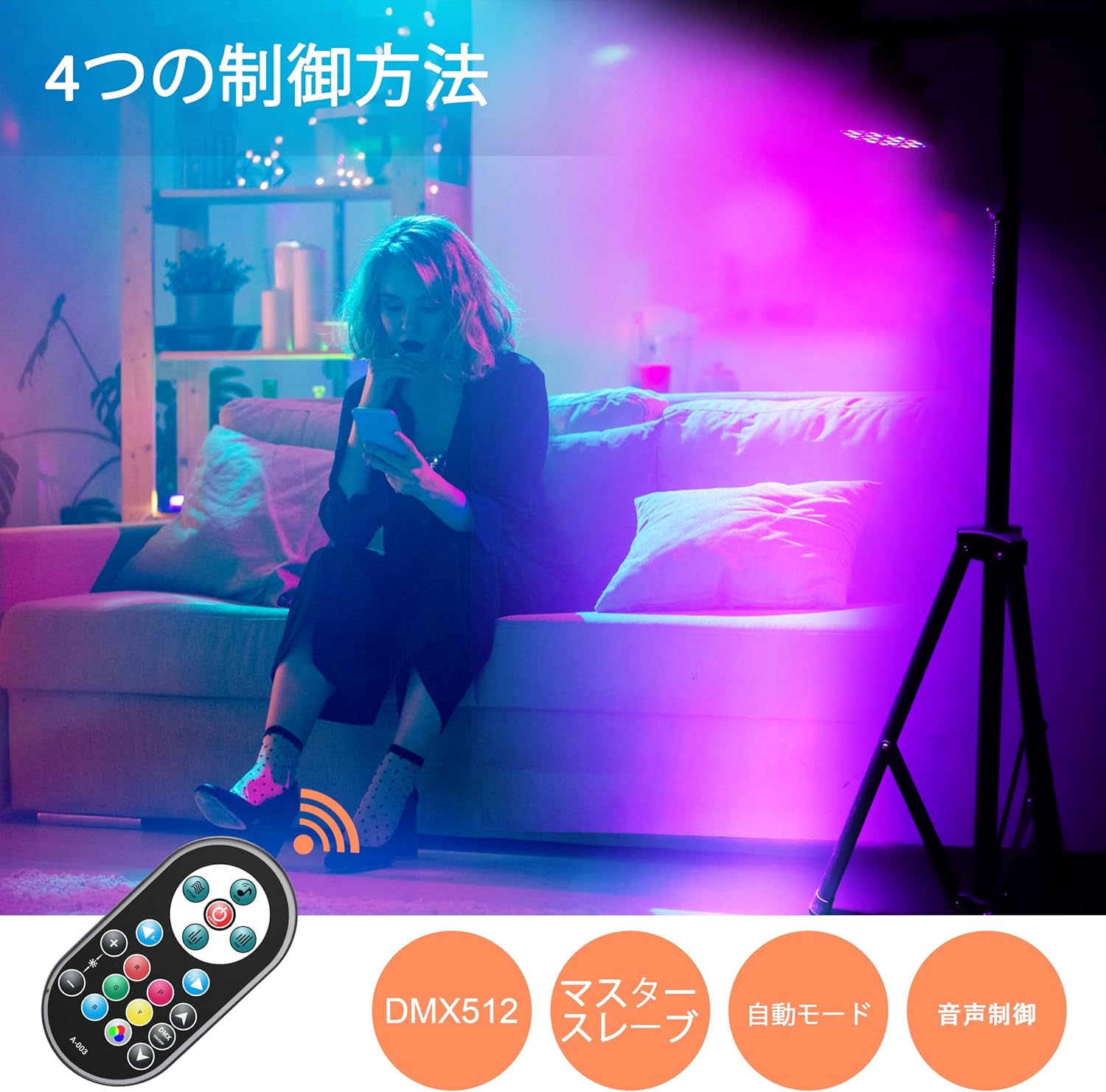
Image: Examples of various single-color outputs from the stage light.
7. Remote Control Operation
The included remote control provides convenient access to various functions of the stage light. Ensure the remote's battery (Alkaline button battery) is installed correctly.
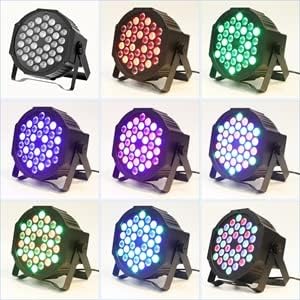
Image: Stage light with remote control and application examples.
Common Remote Functions:
- ON/OFF: Power the light on or off.
- Mode Selection: Switch between Automatic, Sound Active, and other pre-programmed modes.
- Color Selection: Directly select static colors (Red, Green, Blue, White, etc.).
- Brightness Adjustment: Increase or decrease the light intensity.
- Speed Adjustment: Control the speed of dynamic effects like jump, gradual, or strobe.
- Strobe: Activate or deactivate the strobe effect.
8. Maintenance
- Cleaning: Regularly clean the lens and housing with a soft, dry cloth to maintain optimal light output and appearance. Do not use abrasive cleaners or solvents.
- Inspection: Periodically check power cables and DMX cables for any signs of damage. Replace damaged cables immediately.
- Storage: When not in use, store the light in a dry, dust-free environment.
- Battery Replacement: If the remote control becomes unresponsive, replace its button battery.
9. Troubleshooting
| Problem | Possible Cause | Solution |
|---|---|---|
| Light does not turn on | No power supply; Faulty cable; Power switch off | Check power connection; Try a different outlet; Ensure power switch is ON. |
| Remote control not working | Dead battery; Obstruction; Out of range | Replace remote battery; Ensure clear line of sight to the light's sensor; Operate within effective range. |
| Lights not synchronized in Master/Slave mode | Incorrect DMX cabling; Incorrect mode setting | Verify DMX connections (Master OUT to Slave IN); Ensure all units are set to the correct Master/Slave mode. |
| Sound Active mode unresponsive | Low sound input; Microphone obstruction | Increase music volume; Ensure microphone is not covered. |
10. Specifications
| Feature | Specification |
|---|---|
| Model Number | ZQ01082X4JP |
| Power | 72W |
| Voltage | AC110-240V, 50/60Hz |
| Light Source | 36 x RGB LED Beads |
| Material | Aluminum + PVC |
| Color | Black |
| Shape | Round |
| Finish Type | Matte |
| Life Span | Approx. 100,000 hours |
| Remote Control Battery | Alkaline button battery (included) |
| Dimensions (Single Unit) | Approx. 17.5cm (6.9in) diameter, 6.5cm (2.6in) depth (excluding bracket) |
| Weight (Single Unit) | Approx. 480g |

Image: Product dimensions and specifications.
11. Warranty and Support
U`King products are designed for reliability and performance. For warranty information, technical support, or service inquiries, please refer to the contact details provided with your purchase documentation or visit the official U`King website. Please have your model number (ZQ01082X4JP) and purchase date ready when contacting support.
12. Application Examples
The U`King 36 LED Stage Light is versatile and suitable for enhancing the atmosphere of various events:
- Discos, Clubs, Bars, Pubs
- Karaoke, Concerts, Stage Performances
- Weddings, Birthdays, Banquets, Ceremonies
- Family Gatherings, Christmas, Halloween Decorations

Image: Stage lights illuminating a concert.

Image: Multiple stage lights in action at an event.


