
1. Introduction
Thank you for choosing the Tribesigns Modern Simple Computer Desk. This manual provides detailed instructions for assembly, operation, maintenance, and troubleshooting to ensure you get the most out of your new desk. Designed for home office, study, and general use, this desk combines modern aesthetics with robust construction.

Figure 1.1: Tribesigns Modern Simple Computer Desk (White, 47-inch)
2. Safety Information
- Always assemble the desk on a soft, clean surface to prevent scratches.
- Ensure all screws and bolts are securely tightened before use.
- Do not overload the desk. The maximum weight capacity is 900 lbs.
- Keep small parts away from children during assembly.
- Avoid placing hot items directly on the desk surface without protection.
- Do not stand or sit on the desk.
3. Package Contents
Before beginning assembly, please verify that all components are present and undamaged. If any parts are missing or damaged, please contact customer service.
- 1 x Desktop (0.98" thick laminated MDF)
- 4 x Metal Legs (1.57" x 1.57" width powder coated steel)
- 2 x Leg Bars
- Adjustable Leg Pads
- Assembly Hardware (screws, hex key)

Figure 3.1: Desk dimensions and components. The desk measures 47.24" (L) x 23.62" (W) x 29.13" (H).
4. Setup and Assembly
Assembly of your Tribesigns desk is designed to be quick and straightforward, typically taking less than 15 minutes. Only a hex key (included) is required.
- Carefully unbox all components and lay them out on a soft, clean surface to prevent damage.
- Attach the four metal legs to the desktop using the provided screws. Ensure the leg bars are correctly oriented and facing each other for proper alignment.
- Securely tighten all screws with the hex key. Do not overtighten.
- Adjust the leg pads at the bottom of each leg to ensure the desk is stable and level on uneven floors.

Figure 4.1: Simple 2-step assembly process. Attach legs and leg bars to the desktop.
Figure 4.2: Adjustable leg pads for stability on uneven surfaces.
5. Operating Instructions
The Tribesigns Modern Simple Computer Desk is designed for immediate use upon assembly. Its spacious 47.24" (L) x 23.62" (W) desktop provides ample room for your computer, monitor, printer, and other office essentials. The sturdy construction ensures a stable working surface for writing, studying, or general office activities.
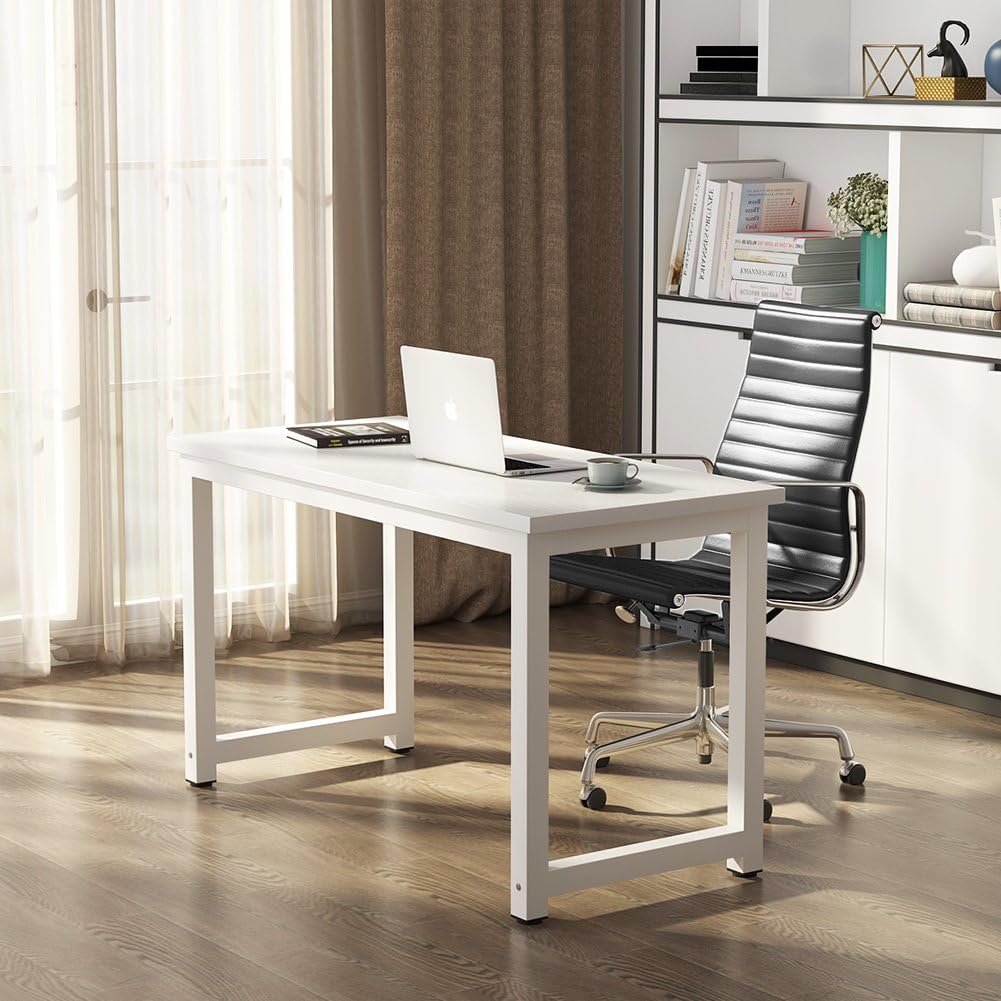
Figure 5.1: Desk in use, providing ample workspace.

Figure 5.2: The smooth, laminated surface is ideal for various tasks.
6. Maintenance
To maintain the appearance and longevity of your Tribesigns computer desk, follow these simple care instructions:
- Cleaning: Wipe the laminated surfaces with a damp cloth. For stubborn marks, use a mild soap solution and dry immediately with a clean cloth. Avoid abrasive cleaners or harsh chemicals.
- Protection: The desktop is waterproof and anti-scratch, but it is recommended to use coasters for drinks and protective pads for heavy or sharp objects to prevent potential damage.
- Stability: Periodically check all screws and connections to ensure they remain tight. Re-tighten if necessary.

Figure 6.1: The desk surface is designed to be easy to clean, anti-scratch, and waterproof.
7. Troubleshooting
| Problem | Possible Cause | Solution |
|---|---|---|
| Desk is wobbly or unstable. | Uneven floor surface or loose connections. | Adjust the leg pads at the bottom of each leg until the desk is stable. Check and tighten all assembly screws. |
| Scratches or marks on the surface. | Sharp objects or abrasive cleaning. | While the surface is anti-scratch, avoid dragging sharp objects. Use a soft, damp cloth for cleaning. |
| Difficulty during assembly. | Incorrect orientation of parts. | Refer to the assembly diagram (Figure 4.1). Ensure leg bars are facing each other as indicated in the instructions. |
8. Specifications
| Feature | Detail |
|---|---|
| Brand | Tribesigns |
| Model Number | HO-10066 |
| Product Dimensions | 47.24" (L) x 23.62" (W) x 29.13" (H) |
| Color | White |
| Style | Modern |
| Top Material Type | Engineered Wood (Laminated MDF) |
| Base Material | Powder Coated Steel |
| Item Weight | 46.1 Pounds |
| Maximum Weight Recommendation | 900 Pounds |
| Included Components | 1*Computer Desk (not include chair) |
| Required Assembly | Yes |

Figure 8.1: The Tribesigns desk is available in various sizes to meet different needs.
9. Warranty and Support
Tribesigns provides an 18-month warranty for this product, ensuring peace of mind regarding its quality and durability. We are committed to providing friendly and responsive customer service.
For any questions, concerns, or assistance with your product, please do not hesitate to contact Tribesigns customer support. Refer to your purchase documentation or the official Tribesigns website for contact details.