
1. Introduction
The BN-LINK WiFi Heavy Duty Smart Plug Outlet provides intelligent control over your home appliances. This device allows you to manage connected electronics remotely via a smartphone application, voice commands through Alexa or Google Assistant, and scheduled timers. It operates on a 2.4 GHz Wi-Fi network and requires no additional hub.

Image: Various applications of the BN-LINK Smart Plug in a home environment.
2. Important Safety Information
Please read and follow all safety instructions before using this product to prevent injury or damage.
- Do not connect electrical appliances that exceed the rated power of 15 Amps, 125 Volts, 1875 Watts. Overloading may cause overheating, fire, or electric shock.
- This device is designed for indoor use only. Do not expose to water, moisture, or damp environments.
- Do not attempt to disassemble, repair, or modify the device. Contact customer support for assistance.
- Keep out of reach of children.
- Ensure the smart plug is fully inserted into the wall outlet.
- Unplug the device from the outlet before cleaning. Clean only with a dry cloth.
3. Product Features
The BN-LINK Smart Plug offers a range of features for convenient home automation:
- Voice Control: Compatible with Amazon Alexa and Google Assistant for hands-free operation.
- Remote Control: Turn electronics on or off from anywhere using the BN-LINK app or Smart Life app on your smartphone.
- Scheduling & Timer: Set custom schedules, countdowns, and timers to automatically power devices on and off.
- Group Control: Control multiple smart plugs simultaneously by grouping them in the app.
- Share Control: Share device access and settings with family members.
- No Hub Required: Connects directly to your existing 2.4 GHz Wi-Fi network.
- Heavy Duty: Rated for 15A, 125V, 1875W.
- ETL Certified: Ensures safety and quality standards.

Image: Visual representation of the smart plug's key features.
4. Product Overview
Each BN-LINK Smart Plug features a compact design with an integrated power button and LED indicator.

Image: A pack of four BN-LINK Smart Plugs.

Image: Internal components of the smart plug, highlighting its construction.
Components:
- Power Outlet: Standard North American 3-prong outlet.
- ON/OFF Button: Manual control and pairing button.
- LED Indicator: Shows power status and pairing mode.
5. Setup Guide
5.1 App Installation
The BN-LINK Smart Plug can be controlled using either the BN-LINK Smart App or the Smart Life App.
- Download the BN-LINK Smart App or Smart Life App from the Apple App Store (for iOS devices) or Google Play Store (for Android devices).
- Register for a new account or log in with an existing one.

Image: BN-LINK Smart App and Smart Life App options for remote control.
5.2 Connecting to Wi-Fi
The smart plug requires a 2.4 GHz Wi-Fi network. It is not compatible with 5 GHz networks.
- Plug the smart plug into a wall outlet.
- Open the BN-LINK Smart App or Smart Life App.
- Tap the "+" icon (or similar) to add a device.
- Select "Electrical Outlet" or "Smart Plug" from the device list.
- Follow the in-app instructions to put the smart plug into pairing mode (usually by pressing and holding the ON/OFF button until the LED indicator blinks rapidly).
- Enter your 2.4 GHz Wi-Fi network name and password when prompted.
- Wait for the app to connect to the device. Once connected, you can rename the plug for easier identification.
5.3 Connecting with Voice Assistants (Alexa/Google Assistant)
To enable voice control, link your BN-LINK Smart App account with your Amazon Alexa or Google Home account.
For Amazon Alexa:
- Open the BN-LINK Smart App.
- Navigate to the device settings for your smart plug.
- Look for an option to connect with Alexa or a similar integration setting.
- Alternatively, open the Amazon Alexa app.
- Go to "Skills & Games" and search for "BN-LINK Smart".
- Enable the skill and link your BN-LINK Smart App account using your credentials.
- Discover devices in the Alexa app.

Image: Detailed steps for connecting the smart plug to Alexa.
For Google Assistant:
- Open the Google Home app.
- Tap "Add" (the "+" icon) and then "Set up device".
- Select "Works with Google" and search for "BN-LINK Smart".
- Link your BN-LINK Smart App account using your credentials.
6. Operating Instructions
6.1 Manual ON/OFF
Press the physical ON/OFF button on the smart plug to manually turn the connected appliance on or off.
6.2 App Control
The BN-LINK Smart App provides comprehensive control over your smart plugs.

Image: Overview of smart app control features.
- Remote ON/OFF: Tap the power icon in the app to toggle the connected device.
- Countdown: Set a timer for the plug to turn off after a specified duration.
- Scheduling: Create daily or weekly schedules for automatic power on/off.

Image: Smart plug controlling a humidifier with scheduling.

Image: Setting a schedule within the app.
- Circulate: Set a cycle for the plug to turn on and off repeatedly.
- Random: Randomize on/off times within a set period for security purposes (e.g., when away from home).
- Home Automation: Create custom scenes and automations based on conditions like time, weather, or other smart devices.
6.3 Voice Control
Once linked with Alexa or Google Assistant, use voice commands to control your smart plugs.
- Example Commands:
- "Alexa, turn on the coffee machine."
- "Hey Google, turn off the living room lamp."
- "Alexa, set the bedroom fan to 30 minutes."
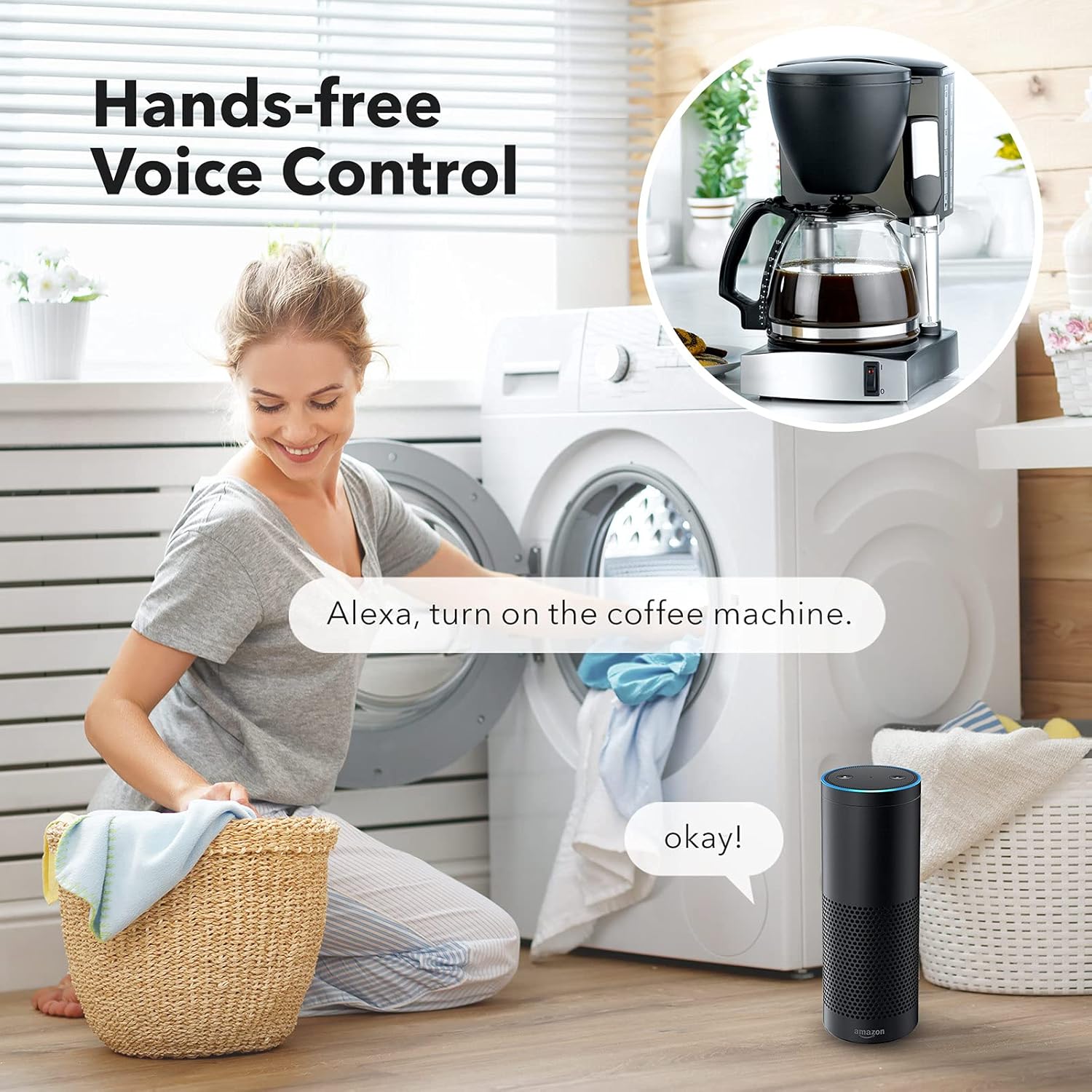
Image: Hands-free voice control with Alexa.

Image: Voice control for kitchen lights in a family setting.
6.4 Group & Share Control
Manage multiple plugs efficiently and allow others to control them.
- Group Control: In the app, select multiple smart plugs and create a group. This allows you to control all plugs in the group with a single command or tap.
- Share Control: Share access to individual plugs or groups with other users (e.g., family members) through the app's sharing features.
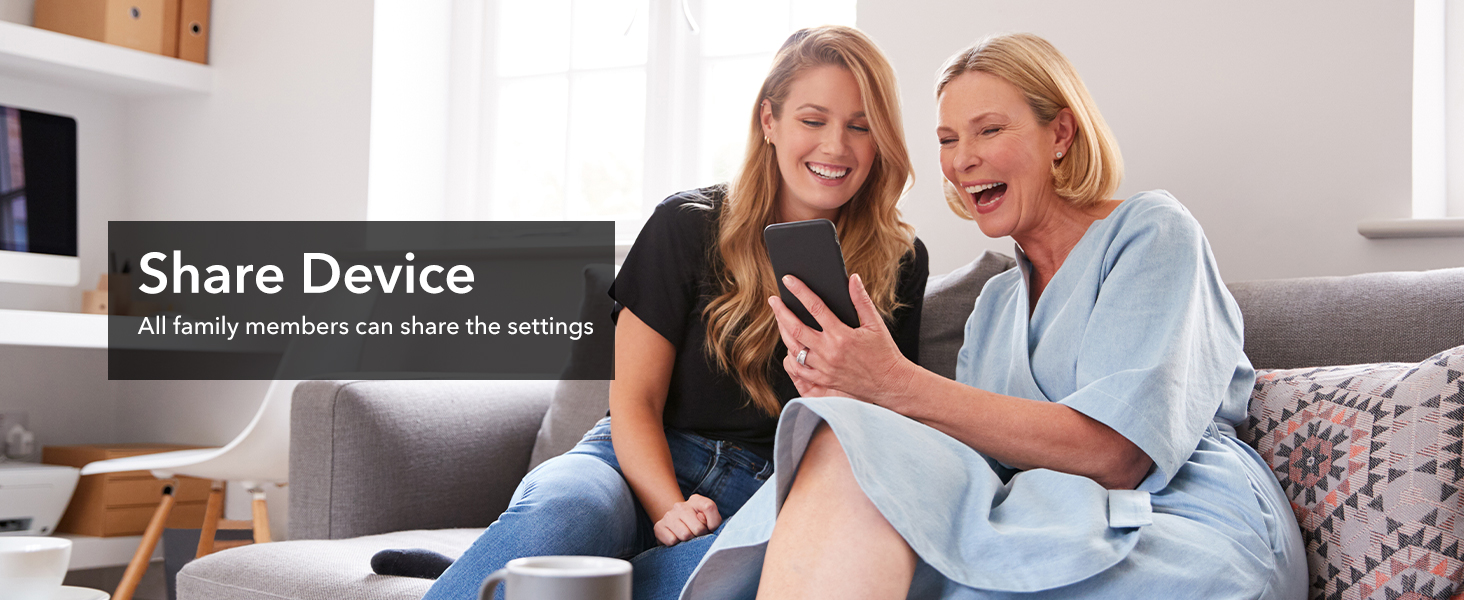
Image: Sharing device control among family members.
7. Maintenance
To ensure optimal performance and longevity of your smart plug:
- Keep the device clean and free from dust. Use a dry, soft cloth for cleaning.
- Do not use liquid cleaners or aerosols.
- Avoid exposing the smart plug to extreme temperatures or direct sunlight.
- Ensure the plug is securely seated in the outlet to prevent loose connections.
8. Troubleshooting
If you encounter issues with your BN-LINK Smart Plug, refer to the following common solutions:
| Problem | Possible Cause | Solution |
|---|---|---|
| Smart plug cannot connect to Wi-Fi. | Incorrect Wi-Fi band (5 GHz), wrong password, weak signal, or router issues. | Ensure your phone is connected to a 2.4 GHz Wi-Fi network during setup. Verify Wi-Fi password. Move the smart plug closer to the router. Restart your router. |
| Smart plug frequently disconnects. | Weak Wi-Fi signal, network congestion, or interference. | Improve Wi-Fi signal strength (e.g., use a Wi-Fi extender). Reduce network congestion. Check for sources of interference. |
| Voice control not working. | Incorrect linking with Alexa/Google Assistant, device name mismatch, or internet connectivity issues. | Ensure BN-LINK Smart skill/service is enabled and linked in your Alexa/Google Home app. Verify device names match. Check internet connection. |
| Appliance not turning on/off. | Appliance is off, smart plug is off, or appliance exceeds rated power. | Check if the appliance's own power switch is on. Verify the smart plug is powered on (LED indicator). Ensure the appliance's power consumption is within the smart plug's limits (1875W max). |
| Cannot pair multiple plugs. | Interference from already paired plugs. | If pairing multiple plugs, try unplugging already paired plugs before attempting to pair new ones. Re-plug them after all devices are paired. |
9. Product Specifications
| Attribute | Value |
|---|---|
| Model Number | BNC-60/U133T |
| Brand | BN-LINK |
| Operating Voltage | 125 Volts |
| Current Rating | 15 Amps |
| Max Power Load | 1875 Watts |
| Wi-Fi Frequency | 2.4 GHz only |
| Operation Mode | Automatically, Off |
| Product Dimensions (L x W x H) | 7.6 x 5.1 x 5.1 Centimetres (3 x 2 x 2 inches) |
| Material | Plastic |
| Switch Type | Push Button |
| Certifications | ETL Certified |
10. Warranty and Customer Support
BN-LINK products are designed with quality and reliability in mind. For warranty information or technical assistance, please contact BN-LINK customer support.
- Manufacturer: BN-LINK
- Place of Business: 12991 Leffingwell Rd Santa Fe Springs, Ca 90670 US
- Refer to the product packaging or the BN-LINK official website for the most current contact information and warranty details.