
Introduction
This manual provides essential information for the safe and effective use of your PK Power AC/DC Adapter. This power supply unit is designed to provide reliable power to compatible Pioneer XW-SMA, XWSMA3K, XW-SMA3-K, and A3 Airplay Wireless Sound Speaker Systems. Please read these instructions carefully before use and retain them for future reference.
Safety Information
- Ensure the adapter's voltage and current ratings match your device's requirements.
- Do not expose the adapter to water, moisture, or extreme temperatures.
- Avoid dropping or subjecting the adapter to strong impacts.
- Do not attempt to disassemble or repair the adapter yourself. Refer to qualified service personnel.
- Keep out of reach of children.
Package Contents
Verify that your package contains the following items:
- 1 x PK Power AC/DC Adapter
- 1 x AC Power Cord

Image: The PK Power AC/DC Adapter shown with its detachable AC power cord. The adapter is a black rectangular block, and the cords are black.
Setup Instructions
- Connect the AC Power Cord: Insert the AC power cord into the input port of the PK Power AC/DC Adapter. Ensure it is firmly seated.
- Connect to Speaker System: Plug the DC output connector of the adapter into the power input jack of your Pioneer XW-SMA series wireless sound speaker system.
- Connect to Power Outlet: Insert the AC power cord's plug into a standard wall power outlet (100-240V, 50-60Hz).
- Power On: Once connected, your speaker system should receive power. Refer to your speaker system's manual for specific power-on procedures.
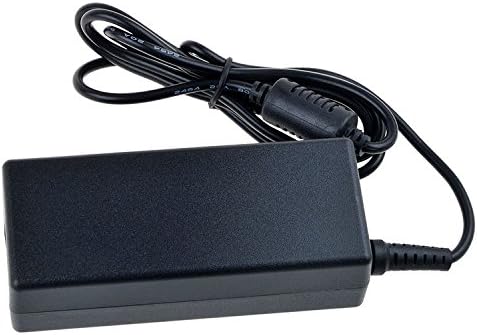
Image: A side view of the black rectangular PK Power AC/DC Adapter, showing the DC output cable extending from one end.
Operating Instructions
The PK Power AC/DC Adapter operates as a direct power supply for your compatible Pioneer speaker system. Once properly connected to both the speaker and a power outlet, it continuously supplies the necessary electrical current. There are no user-adjustable settings on the adapter itself.
- Ensure all connections are secure before powering on your speaker system.
- Disconnect the adapter from the power outlet when not in use for extended periods.
Maintenance
- Cleaning: Use a soft, dry cloth to clean the adapter. Do not use liquid cleaners or aerosols.
- Storage: Store the adapter in a cool, dry place when not in use. Avoid wrapping the cords too tightly.
- Inspection: Periodically inspect the adapter and cords for any signs of damage, such as frayed wires or cracked casing. Discontinue use if damage is found.
Troubleshooting
| Problem | Possible Cause | Solution |
|---|---|---|
| Speaker system does not power on. |
|
|
| Adapter feels unusually hot. |
|
|
Specifications
- Input: 100-240V AC, 50-60Hz
- Output: Matches or exceeds OEM specifications for compatible Pioneer devices
- Compatibility: Pioneer XW-SMA, XWSMA3K, XW-SMA3-K, A3 Airplay Wireless Sound Speaker Systems
- Protection Features: OVP (Over Voltage Protection), OCP (Over Current Protection), SCP (Short Circuit Protection)
- Certifications: CE, FCC, RoHS
- Connector Type: Standard DC Barrel Connector
- Power Source: Corded Electric
Warranty and Support
PK-Power products are designed for reliability. This adapter is CE, FCC, and RoHS certified, and tested to match or exceed OEM specifications.
For any questions, concerns, or support needs, our friendly and reliable customer service team is available to assist you. Please contact us through the retailer's platform or via the contact information provided with your purchase. We aim to respond within 24 hours.
For more information, you may visit the PKPOWER Store.