
1. Product Overview
The LEONLITE Motion Sensor Flood Light is an outdoor lighting fixture designed for security and general illumination. It features adjustable dual LED heads, a motion sensor, and multiple operating modes. This manual provides instructions for installation, operation, and maintenance.

Image 1.1: Front view of the LEONLITE Motion Sensor Flood Light, showing its dual adjustable heads and integrated motion sensor.
Package Contents:
- LEONLITE Motion Sensor Flood Light
- Remote Control (for setting adjustments)
- Mounting Hardware (screws, wire nuts, gasket)
- User Manual
2. Safety Information
WARNING: Risk of electric shock. Disconnect power at the fuse or circuit breaker before installation or servicing.
- Read all instructions carefully before installation.
- Ensure the power supply is 120V/60Hz AC.
- Installation should be performed by a qualified electrician if you are not familiar with electrical wiring.
- Do not attempt to modify the fixture.
- Ensure all connections are secure and properly insulated.
- This fixture is rated for outdoor wet locations.
3. Installation
This flood light is designed for flush mount, wall mount installation. No assembly is required for the light fixture itself.
Mounting Steps:
- Prepare the Installation Area: Ensure the power is turned off at the circuit breaker. Select a suitable wall location for mounting.
- Attach Mounting Bracket: Secure the mounting bracket to the junction box using the provided screws.
- Wire Connections: Connect the fixture's wires to the household wiring (black to black, white to white, ground to ground) using wire nuts. Ensure connections are tight and insulated.
- Secure the Fixture: Carefully align the fixture with the mounting bracket and secure it with the provided screws. Ensure the gasket is properly seated to maintain the waterproof seal.
- Adjust Light Heads and Sensor: Loosen the adjustment screws on the light heads and motion sensor. Position them to cover the desired area. Tighten the screws once adjusted.

Image 3.1: Illustration of the flexible light heads and motion sensor, showing 360-degree rotation for light heads and 180-degree adjustment for the sensor.
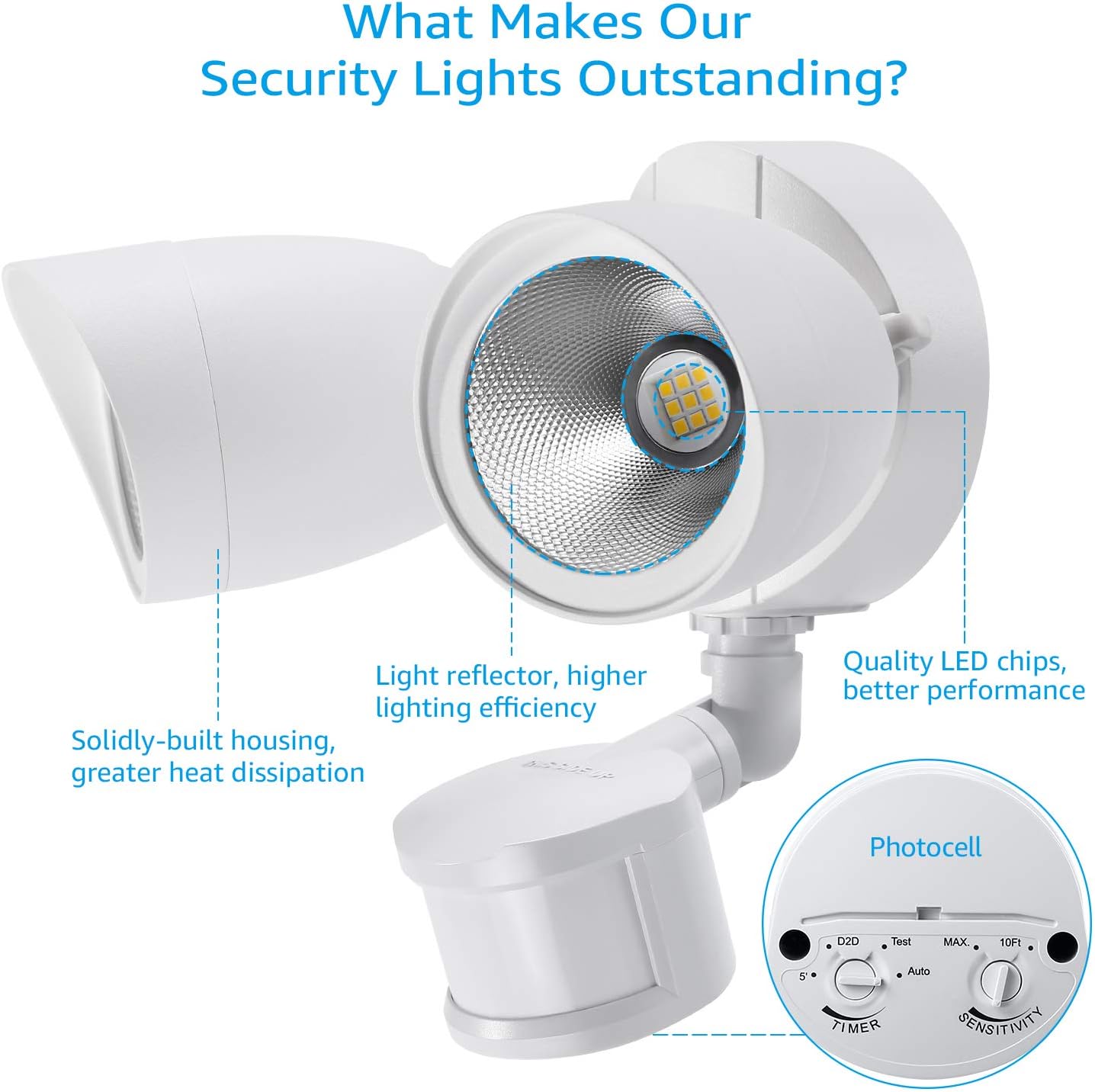
Image 3.2: Technical drawing displaying the dimensions of the flood light: 6.1 inches (154.94mm) deep, 10.5 inches (266.7mm) wide, and 9.6 inches (243.84mm) high.
4. Operating Instructions
The flood light features a motion sensor with a 180° sensing angle and a maximum detection range of 60 feet. It offers four distinct operating modes, adjustable via the controls on the sensor or the included remote control.
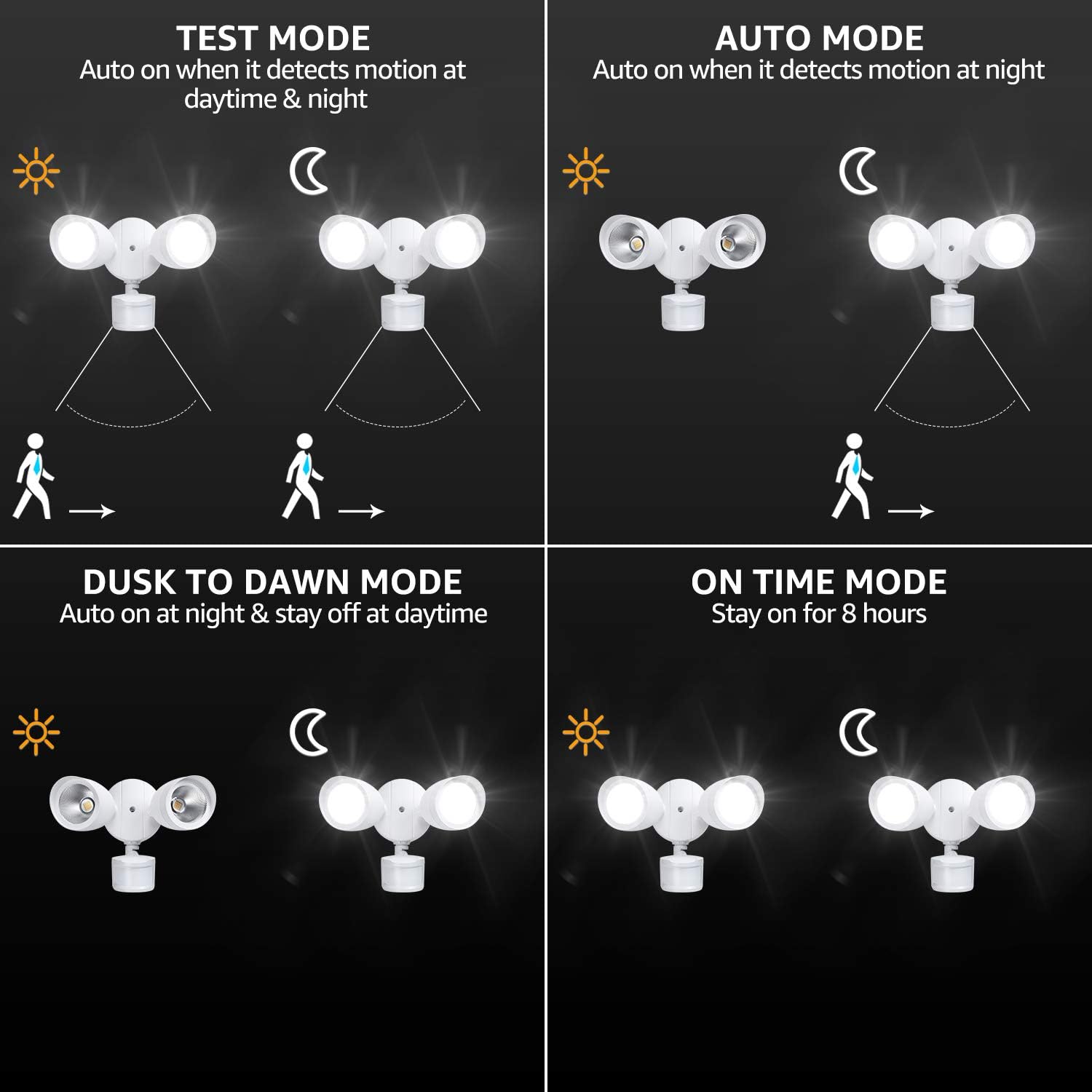
Image 4.1: Visual representation of the four operating modes: Test Mode, Auto Mode, Dusk-to-Dawn Mode, and On Time Mode (Manual Override).
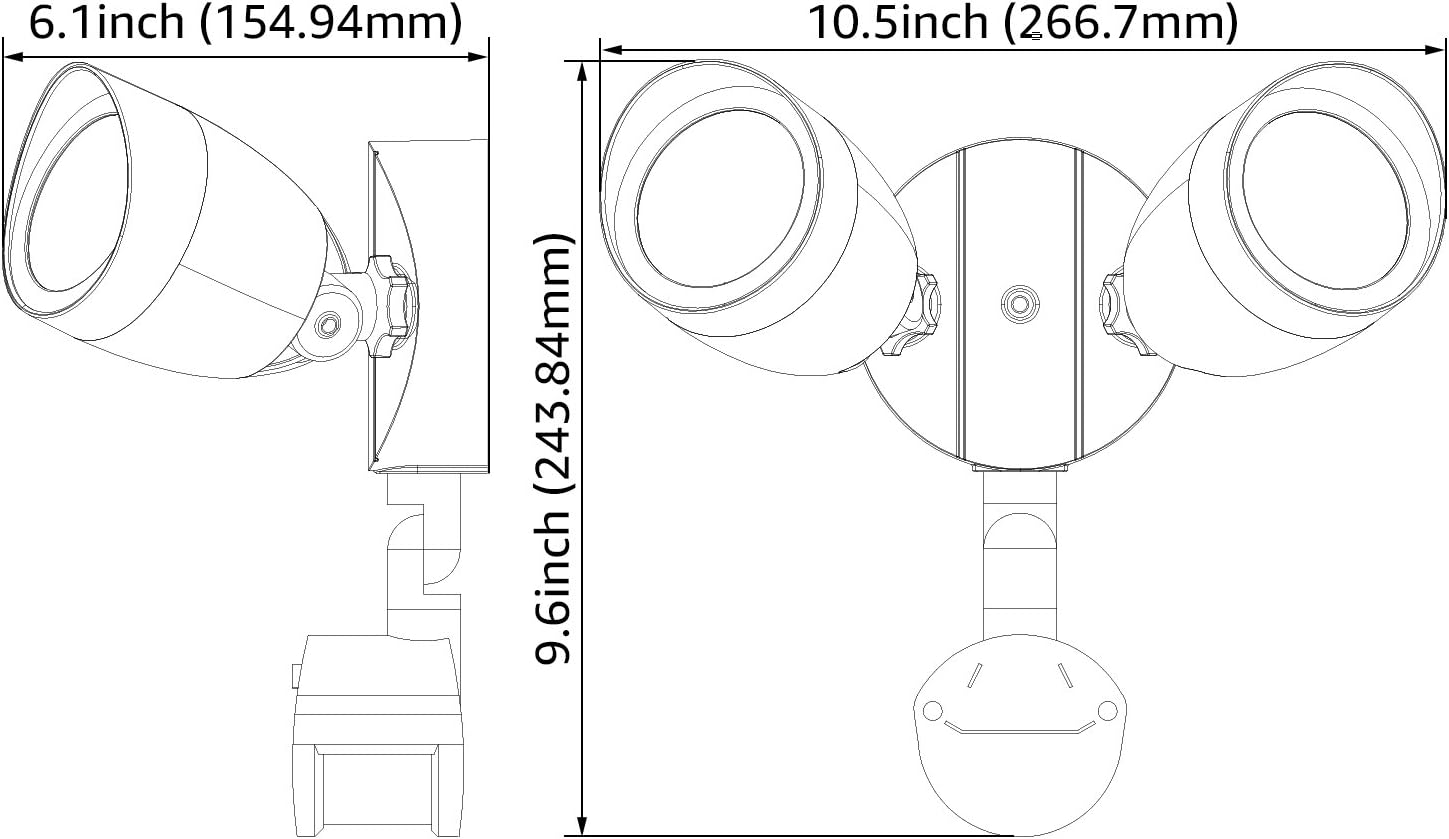
Image 4.2: Close-up of the motion sensor unit, highlighting the timer and sensitivity adjustment dials, and the photocell.
Operating Modes:
- Test Mode: The light turns on automatically when motion is detected, regardless of ambient light conditions (day or night). It turns off approximately 5 seconds after no further motion is detected. This mode is useful for testing sensor coverage.
- Auto Mode (Nighttime Operation): The light activates when motion is detected during nighttime hours. It remains on for an adjustable duration (10 seconds to 5 minutes) and then turns off if no further motion is detected.
- Dusk-to-Dawn Mode: The light automatically turns on at dusk and remains on until dawn. Motion detection is bypassed in this mode.
- Manual Override Mode (On Time Mode): When in Auto Mode at night, or if activated manually, the light can stay on continuously for up to 8 hours. After 8 hours or at dawn, the light automatically reverts to Auto Mode.
Adjusting Settings:
- Time Setting: Use the "TIMER" dial on the motion sensor to adjust how long the light stays on after motion detection in Auto Mode (from 10 seconds to 5 minutes).
- Sensitivity Setting: Use the "SENSITIVITY" dial to adjust the motion sensor's detection range. A higher setting increases the range up to 60 feet. Note that this adjustment may be coarse rather than fine.
- Photocell: The integrated photocell detects ambient light levels to determine day/night operation for Auto and Dusk-to-Dawn modes.

Image 4.3: Diagram illustrating the motion sensor's 180-degree high-sensitive sensing angle and maximum 60-foot detection range.
5. Maintenance
The LEONLITE Motion Sensor Flood Light is designed for long-term, low-maintenance operation with a lifespan of up to 50,000 hours.
- Cleaning: Periodically clean the fixture with a soft, damp cloth to remove dirt and debris. Do not use abrasive cleaners or solvents.
- Inspection: Regularly inspect the fixture for any signs of damage to the housing or wiring.
- Weather Resistance: The fixture has an IP65 waterproof rating and is suitable for wet locations, operating in temperatures from -4°F to 104°F.

Image 5.1: Depiction of the flood light operating effectively in rainy conditions, highlighting its weather-resistant design and suitability for wet locations.
6. Troubleshooting
If you encounter issues with your flood light, refer to the following common problems and solutions:
| Problem | Possible Cause | Solution |
|---|---|---|
| Light does not turn on. |
|
|
| Light stays on continuously. |
|
|
| Light flashes or flickers. |
|
|
7. Specifications
| Model Number | ZH3SCT-20WRSS30-WHT |
| Power Source | AC 120V / 60Hz |
| Wattage | 20 Watts |
| Luminous Flux | 1400 Lumens |
| Light Color Temperature | 3000K Warm White |
| Motion Sensor Angle | 180° |
| Motion Sensor Range | Max 60 ft |
| Time Setting | 10 seconds - 5 minutes |
| Operating Temperature | -4°F to 104°F (-20°C to 40°C) |
| Water Resistance Rating | IP65 (Wet Location) |
| Lifespan | 50,000 hours |
| Dimensions (L x W x H) | 6.1" x 10.5" x 9.6" |
| Material | Metal (Aluminum finish) |
| Certifications | ETL Listed, UL, Energy Star |
8. Warranty and Support
Warranty:
This LEONLITE Motion Sensor Flood Light is covered by a 3-year limited warranty from the date of purchase. This warranty covers defects in materials and workmanship under normal use.
The warranty does not cover damage caused by improper installation, misuse, abuse, accidents, or unauthorized modifications.
Customer Support:
For technical assistance, warranty claims, or any questions regarding your product, please contact LEONLITE customer service. Our professional lifetime customer service team is available to assist you.
Please refer to the product packaging or the official LEONLITE website for the most current contact information.
