Introduction
This manual provides comprehensive instructions for the safe and effective use of your Tanita BC-602 Segmental Body Composition Scale. The BC-602 utilizes Bioelectrical Impedance Analysis (BIA) technology to provide detailed insights into your body composition, including body fat percentage, muscle mass, and daily calorie intake, segmented for the trunk, arms, and legs. Please read this manual thoroughly before first use and keep it for future reference.
Important Safety Information
- Do not use this device if you have a pacemaker or other implanted electronic medical device.
- Pregnant women should consult their doctor before using this device.
- Ensure the scale is placed on a hard, flat surface for accurate measurements. Avoid carpets or uneven flooring.
- Do not use the scale on a wet surface, as it may cause slipping.
- Keep the scale clean and dry. Do not immerse it in water.
- This scale is designed for home use. It is not intended for medical diagnosis or treatment.
Package Contents
Verify that all items are present in the package:
- Tanita BC-602 Body Composition Monitor
- SD Card
- Instruction Manual
- 4 AA Batteries
Setup Guide
1. Battery Installation
Open the battery compartment on the underside of the scale. Insert the 4 AA batteries, ensuring correct polarity (+/-). Close the battery compartment securely.
2. Scale Placement
Place the Tanita BC-602 scale on a hard, flat, and stable surface. Avoid placing it on carpets, rugs, or uneven floors, as this can affect measurement accuracy.

Image: Tanita BC-602 scale dimensions. Ensure placement on a stable surface.
3. Initial User Programming
Before taking your first measurement, you must program your personal data. The scale can store data for up to 4 users. Follow the on-screen prompts to enter your:
- User Number: Select a user profile (1-4).
- Age: Enter your age.
- Gender: Select male or female.
- Height: Enter your height.
Refer to the on-screen instructions for navigation using the scale's buttons.
Operating Instructions
1. Taking a Measurement
For accurate readings, follow these steps:
- Ensure your feet are clean and dry. Step onto the scale barefoot.
- Hold the retractable hand electrodes firmly with both hands, ensuring your thumbs are on the top electrodes and fingers are wrapped around the bottom electrodes. Extend your arms slightly away from your body.
- Stand still and remain calm until the measurement is complete and your results are displayed.

Image: Proper posture for segmental measurement, holding hand electrodes.

Image: The scale's display showing various body composition readings.
2. Understanding Your Readings
The Tanita BC-602 provides a comprehensive analysis of your body composition. Key measurements include:
- Weight: Your total body weight.
- Body Fat Percentage: The proportion of fat in your body.
- Muscle Mass: The total weight of muscle in your body.
- Visceral Fat Rating: An indicator of the fat surrounding your internal organs.
- Total Body Water Percentage: The amount of water in your body.
- Bone Mass: The estimated weight of your bone mineral content.
- Basal Metabolic Rate (BMR): The minimum calories your body needs at rest.
- Metabolic Age: Compares your BMR to the average BMR for your age group.
- Daily Calorie Intake (DCI): An estimate of the calories you need to maintain your current weight.
- Body Mass Index (BMI): A ratio of your weight to height.

Image: Visual representation of the various body composition metrics measured by the scale.
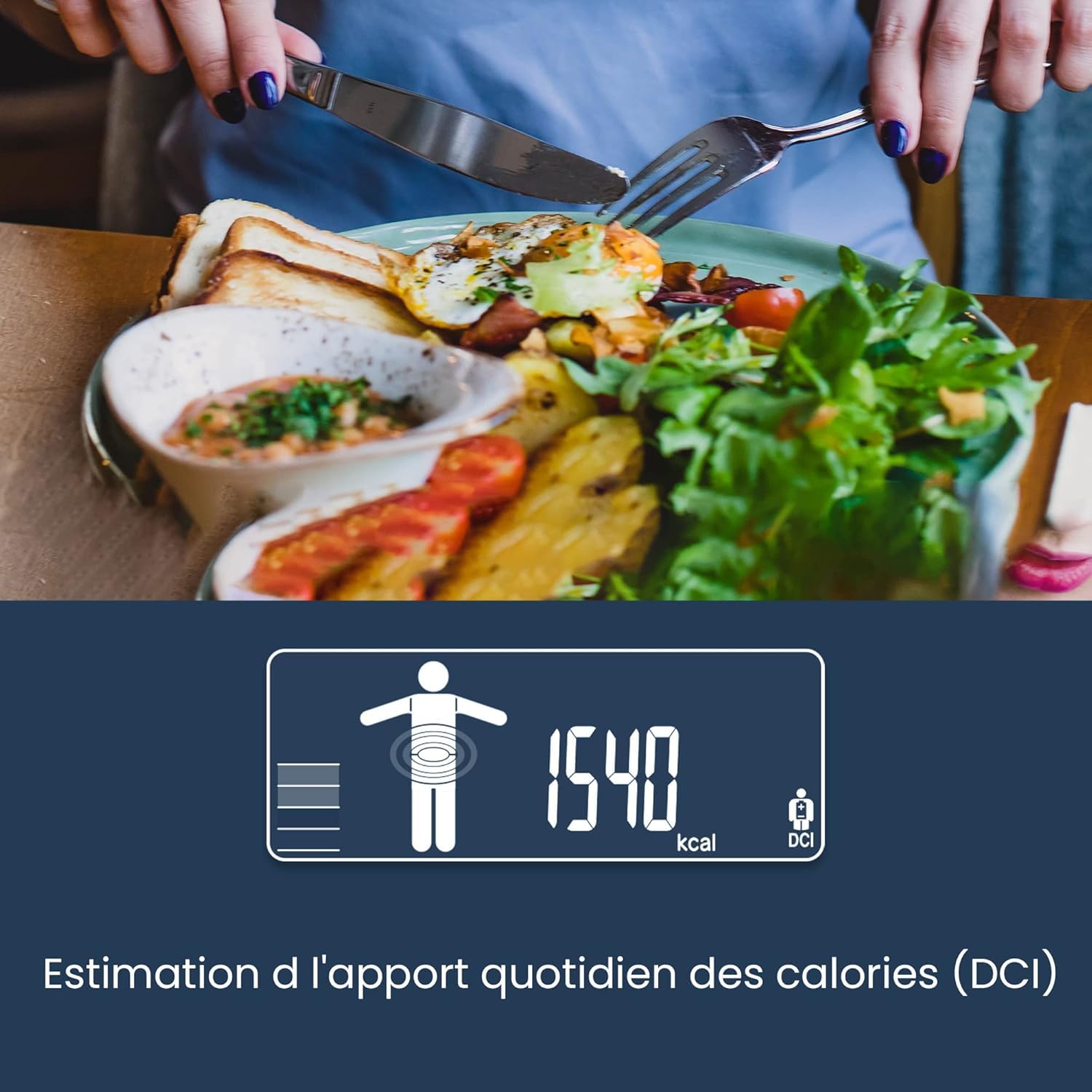
Image: Example of Daily Calorie Intake (DCI) display.
3. Segmental Analysis
The unique segmental analysis feature provides individual readings for your trunk, left arm, right arm, left leg, and right leg. This allows you to monitor muscle mass and body fat distribution in specific body parts, helping to identify imbalances or track targeted progress.

Image: Segmental measurements for torso, arms, and legs.
4. Data Transfer (SD Card)
The BC-602 includes an SD card to store your measurement data. This allows for easy transfer to a personal computer for tracking and analysis. The data can be viewed in a Microsoft Excel spreadsheet or with the optional Tanita GMon Consumer Software (sold separately) for more detailed analysis and long-term tracking.

Image: SD card for data transfer to PC.
Maintenance
- Cleaning: Wipe the scale surface with a soft, damp cloth. Do not use abrasive cleaners or immerse the scale in water.
- Storage: Store the scale in a cool, dry place. Avoid areas with high humidity, such as bathrooms, to prevent damage to electronic components.
- Battery Replacement: Replace all 4 AA batteries when the low battery indicator appears on the display.

Image: Important usage and maintenance tips for your scale.
Translated Usage Tips from Image:
- Measure once a week, at the same time of day.
- Place your scale on a firm and solid surface, not on a mat.
- Wait a moment after physical exercise before measuring, as physical activity may impact your body and cause inconsistency in results.
- Wait 2 to 3 hours after eating and avoid caffeine/alcohol for accurate weighing results.
- Stand barefoot on the scale with as little clothing as possible and empty pockets, without electronic devices.
- Remain still during the measurement. Extend your arms when measuring on a Tanita segmental body composition scale with hand electrodes.
- Keep the body composition scale in a cool and dry room, not in the bathroom due to humidity.
- Finally, keep your scale clean and free of dust.
Troubleshooting
| Problem | Possible Cause | Solution |
|---|---|---|
| Inaccurate or inconsistent readings | Scale not on a flat surface; feet not clean/dry; movement during measurement; recent food/drink/exercise. | Ensure scale is on a hard, flat floor. Stand barefoot with clean, dry feet. Remain still. Measure at a consistent time, ideally in the morning before eating or exercising. |
| Display shows "Error" or no reading | Poor contact with electrodes; low batteries; exceeding weight limit. | Ensure firm contact with both foot and hand electrodes. Replace batteries. Check weight limit (150 kg). |
| SD card data transfer issues | SD card not inserted correctly; card full or corrupted; incorrect file format. | Reinsert SD card. Check card capacity. Ensure card is formatted correctly (FAT32). Consult manual for specific data transfer steps. |
| Scale does not turn on | Dead or incorrectly installed batteries. | Check battery polarity. Replace all 4 AA batteries with new ones. |
Specifications
- Brand: TANITA
- Model: BC-602
- Color: Blue
- Special Features: Body Fat, Bone Mass, Calorie Consumption, Segmental Analysis
- Display Type: LED
- Weight Limit: 150 Kilograms (330 lbs)
- Material: Alloy Steel, Aluminum, Plastic
- Product Dimensions: 13.54 x 12.6 x 2.13 inches (34.4 x 32.0 x 5.4 cm)
- Item Weight: Approximately 3.1 Grams (0.109 ounces) - Note: This weight seems unusually low and likely refers to a component, not the full scale. Actual scale weight is typically higher.
- Batteries: 4 AA batteries (included)
- Data Storage: SD Card
Warranty and Support
For warranty information and customer support, please refer to the official TANITA website or contact their customer service department. Keep your purchase receipt as proof of purchase.
Online Resources: www.tanita.com


