
Introduction
This manual provides comprehensive instructions for the Zerone Universal Remote Control, designed as a replacement for various Smart TV models including AA59-00582A, AA59-00580A, AA59-00581A, AA59-00638A, and AA59-00583A. Please read this manual carefully to ensure proper setup and operation of your new remote control.
Setup
1. Battery Installation
The remote control requires two AAA batteries (not included). Follow these steps to install them:
- Locate the battery compartment on the back of the remote control.
- Slide the battery compartment cover downwards to open it.
- Insert two AAA batteries, ensuring the positive (+) and negative (-) terminals match the diagrams inside the compartment.
- Slide the battery compartment cover back into place until it clicks securely.

Image: Back of the remote control with the battery compartment visible. This shows where to open the cover to insert batteries.

Image: The remote control with its battery compartment open, revealing the slots for two AAA batteries. This illustrates the correct orientation for battery insertion.
2. No Programming Required
This remote control is designed to work immediately with compatible Smart TV models without any programming or setup. Simply insert the batteries, and it is ready for use.
Operating Instructions
The Zerone Universal Remote Control features dedicated buttons for various functions. The remote operates within a distance of up to 10 meters (approximately 33 feet) with stable performance.
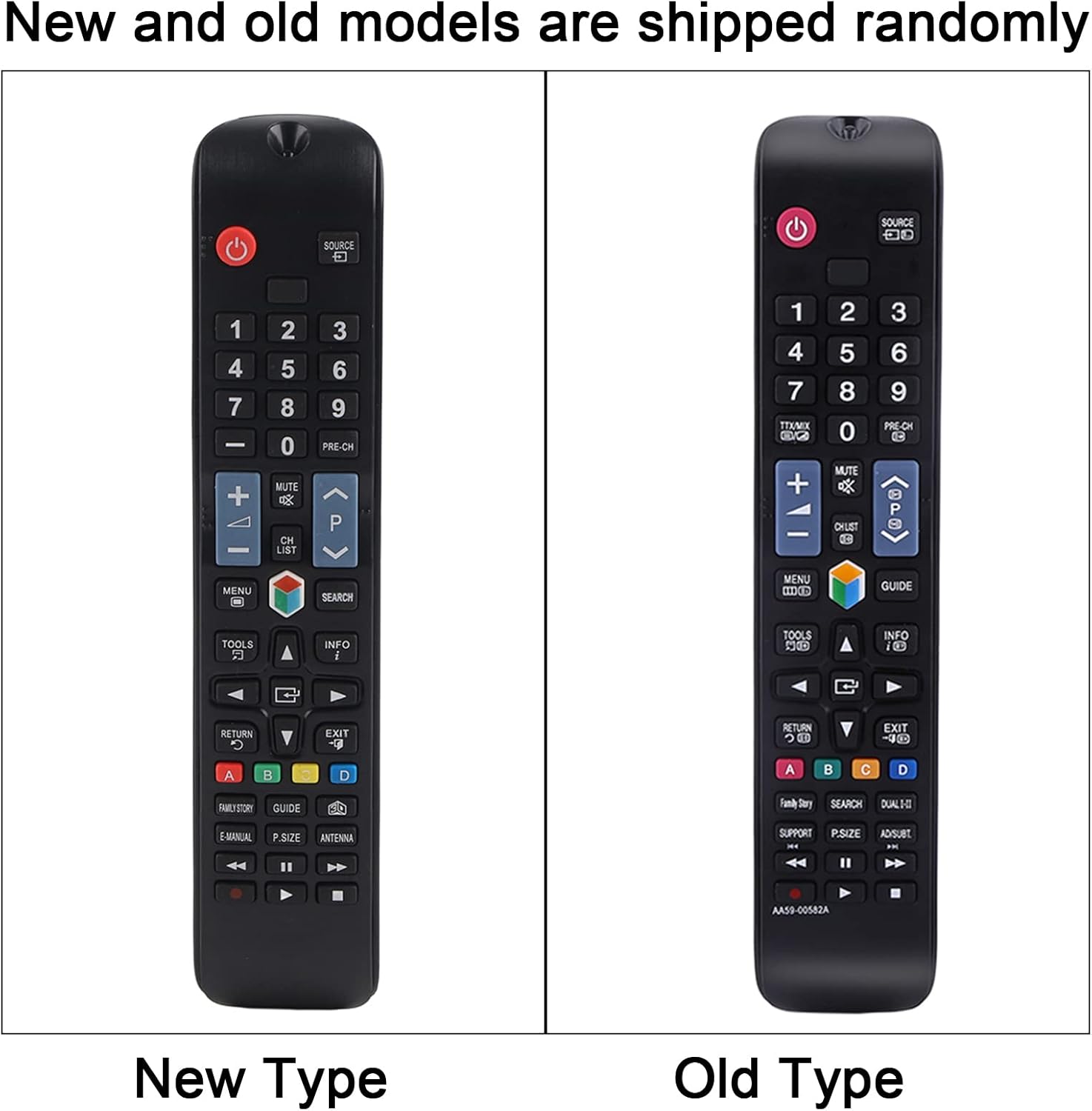
Image: A clear front view of the remote control, displaying all its buttons and their labels. This provides a visual guide to the remote's layout.
Key Functions:
- Power Button (●): Turns the TV on or off.
- Number Buttons (0-9): Direct channel access.
- Volume Up/Down (+/-): Adjusts the TV volume.
- Channel Up/Down (CH +/-): Changes TV channels.
- Mute Button: Mutes or unmutes the TV sound.
- Menu Button: Accesses the TV's main menu.
- Navigation Buttons (Up, Down, Left, Right, Enter): Navigates through menus and selections.
- Source/Input Button: Changes the input source (HDMI, AV, etc.).
- Exit Button: Exits the current menu or function.
- Guide Button: Displays the electronic program guide.
- Color Buttons (A, B, C, D): Functionality varies depending on the TV model and current application.
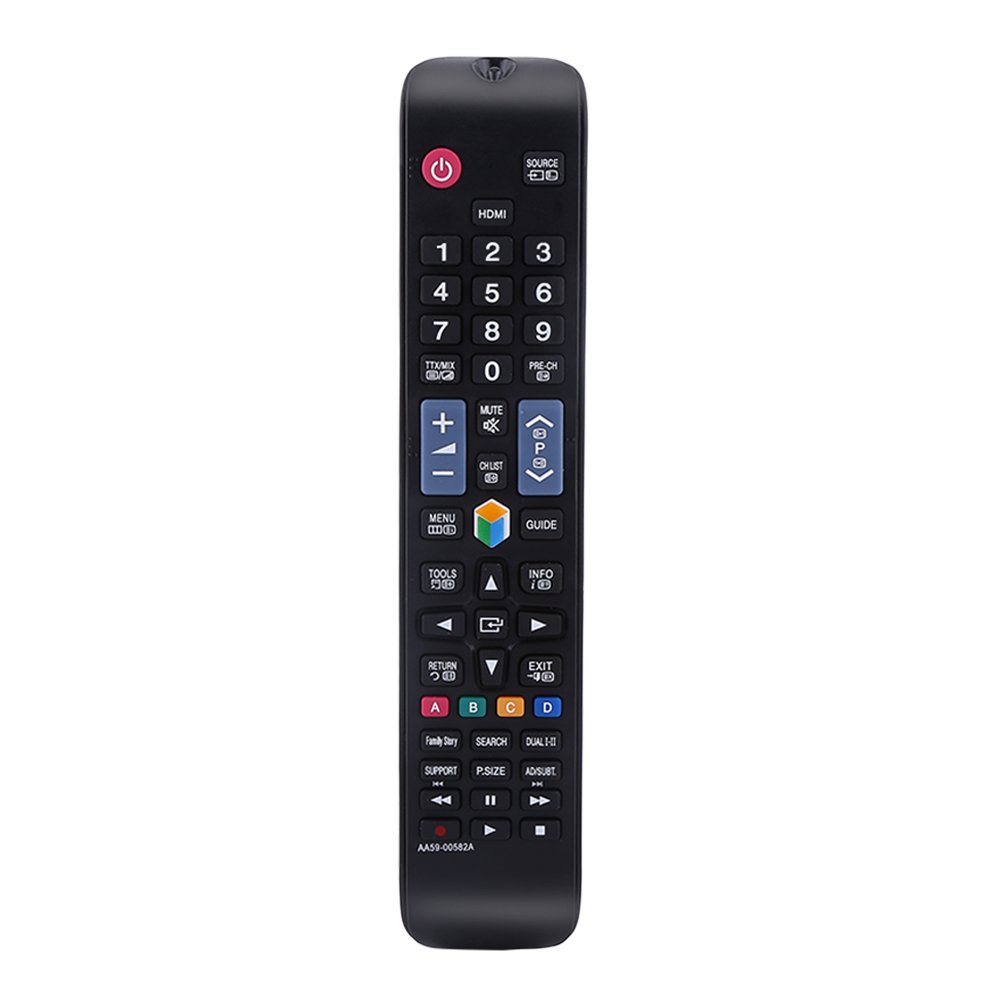
Image: The remote control being held, highlighting the power button, number pad, and the infrared emitter at the top. This demonstrates typical usage and the remote's design.
Maintenance
Battery Replacement:
When the remote control's performance degrades or it stops responding, replace the AAA batteries. Always replace both batteries at the same time with new ones. Do not mix old and new batteries, or different types of batteries.
Cleaning:
To clean the remote control, use a soft, dry cloth. Do not use liquid cleaners, sprays, or abrasive materials, as these can damage the remote's surface or internal components.
Troubleshooting
- Remote not responding:
- Check if the batteries are installed correctly with the correct polarity.
- Replace the batteries with new ones.
- Ensure there are no obstructions between the remote control and the TV's infrared receiver.
- Make sure you are within the operating distance of 10 meters.
- Buttons are sticky or unresponsive:
- This may indicate dirt or debris under the buttons. Clean the remote as described in the Maintenance section.
Specifications
| Product Name | Remote Controller |
| Type | TV Remote Controller |
| Model | AA59-00582A (Compatible with AA59-00580A, AA59-00581A, AA59-00638A, AA59-00583A) |
| Power Source | 2 x AAA Batteries (Not Included) |
| Operating Distance | Within 10 meters (33 feet) |
| Material | ABS |
| Color | Black |
| Dimensions (L x W x H) | 23 x 4.7 x 2 cm (9 x 1.85 x 0.79 inches) |
| Connectivity Technology | Infrared |
| Controller Type | Button Control |

Image: The remote control displayed with its length, width, and height measurements indicated. This provides a visual reference for the physical dimensions of the device.
Warranty and Support
For any questions or concerns regarding your Zerone Universal Remote Control, please contact our customer support. We are committed to providing assistance and follow-up services to ensure your satisfaction.