
1. Introduction
This manual provides essential information for the safe and efficient use of your GIANDEL 4000W Pure Sine Wave Power Inverter. This device converts 12V DC battery power into 120V AC household power, suitable for a wide range of electronic devices and appliances. Please read this manual thoroughly before installation and operation.

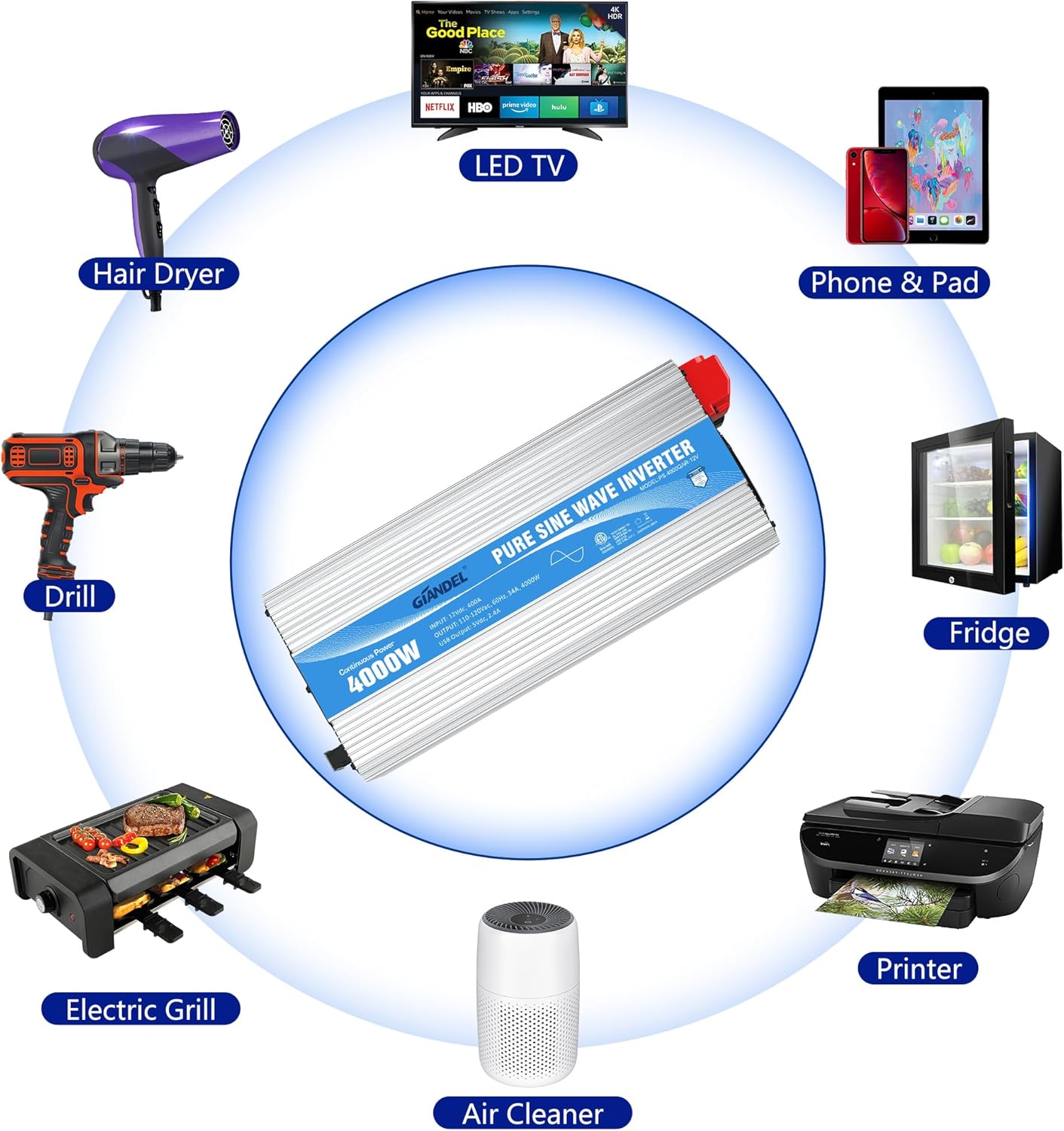
The GIANDEL 4000W Pure Sine Wave Power Inverter is designed for applications requiring clean, stable power, such as RVs, marine vessels, trucks, and solar power systems. It features an 8000W peak power capability, four AC outlets, a hardwire terminal block for high-wattage loads, and a 2.4A USB port.
2. Safety Information
WARNING: Failure to follow these safety instructions may result in serious injury or property damage.
- Ensure the inverter is connected to a 12V DC battery system. Connecting to a different voltage system may damage the inverter and connected devices.
- Always ensure the battery is fully charged before using the inverter for optimal performance and to prevent low voltage shutdowns.
- Install the inverter in a well-ventilated area, away from flammable materials, moisture, and direct sunlight.
- Do not open the inverter casing. There are no user-serviceable parts inside. Refer all servicing to qualified personnel.
- Ensure proper grounding of the inverter to prevent electrical shock.
- Disconnect the battery before performing any wiring or maintenance on the inverter.

2.1 Integrated Safety Protections
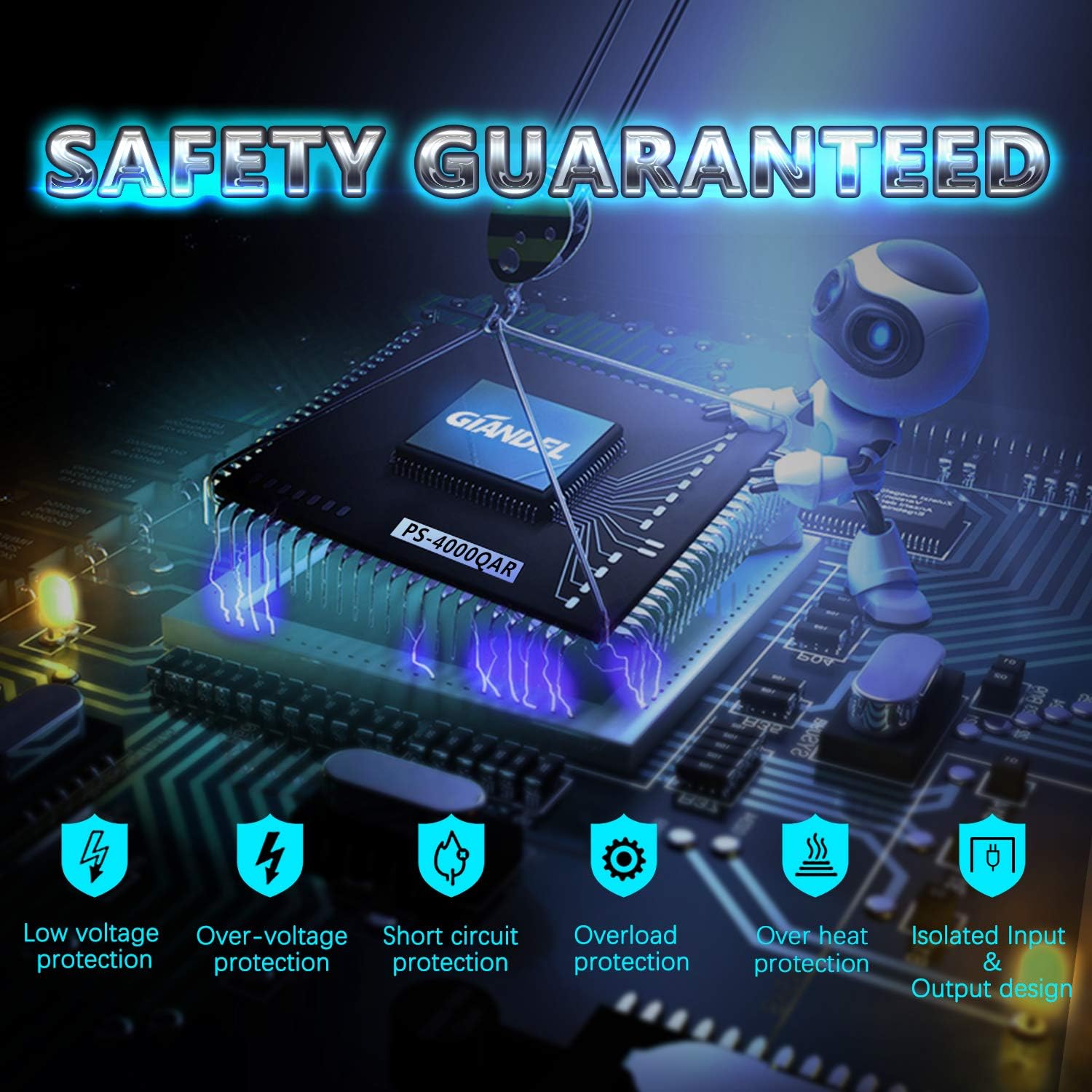
The inverter incorporates multiple safety features to protect itself and connected devices:
- Low Voltage Protection: Automatically shuts down if input voltage drops too low.
- Over-voltage Protection: Shuts down if input voltage exceeds safe limits.
- Overload Protection: Shuts down if the connected load exceeds the inverter's capacity.
- Short Circuit Protection: Protects against short circuits in the output.
- Over Heat Protection: Shuts down if internal temperature becomes too high.
- Polarity Reverse Protection: (Fuse blown to protect inverter) Prevents damage from incorrect battery terminal connection.
- Isolated Input/Output Design: Enhances safety by separating input and output circuits.
3. Package Contents
Verify that all items are present in the package:
- GIANDEL 4000W Pure Sine Wave Power Inverter
- 3 pairs of 4 AWG battery cables (red for positive, black for negative)
- 1 meter ground wire
- 30ft wired remote control
- Professional designed shock-proof pads (4 pieces)
- User Manual (this document)

4. Setup and Installation
4.1 Mounting the Inverter
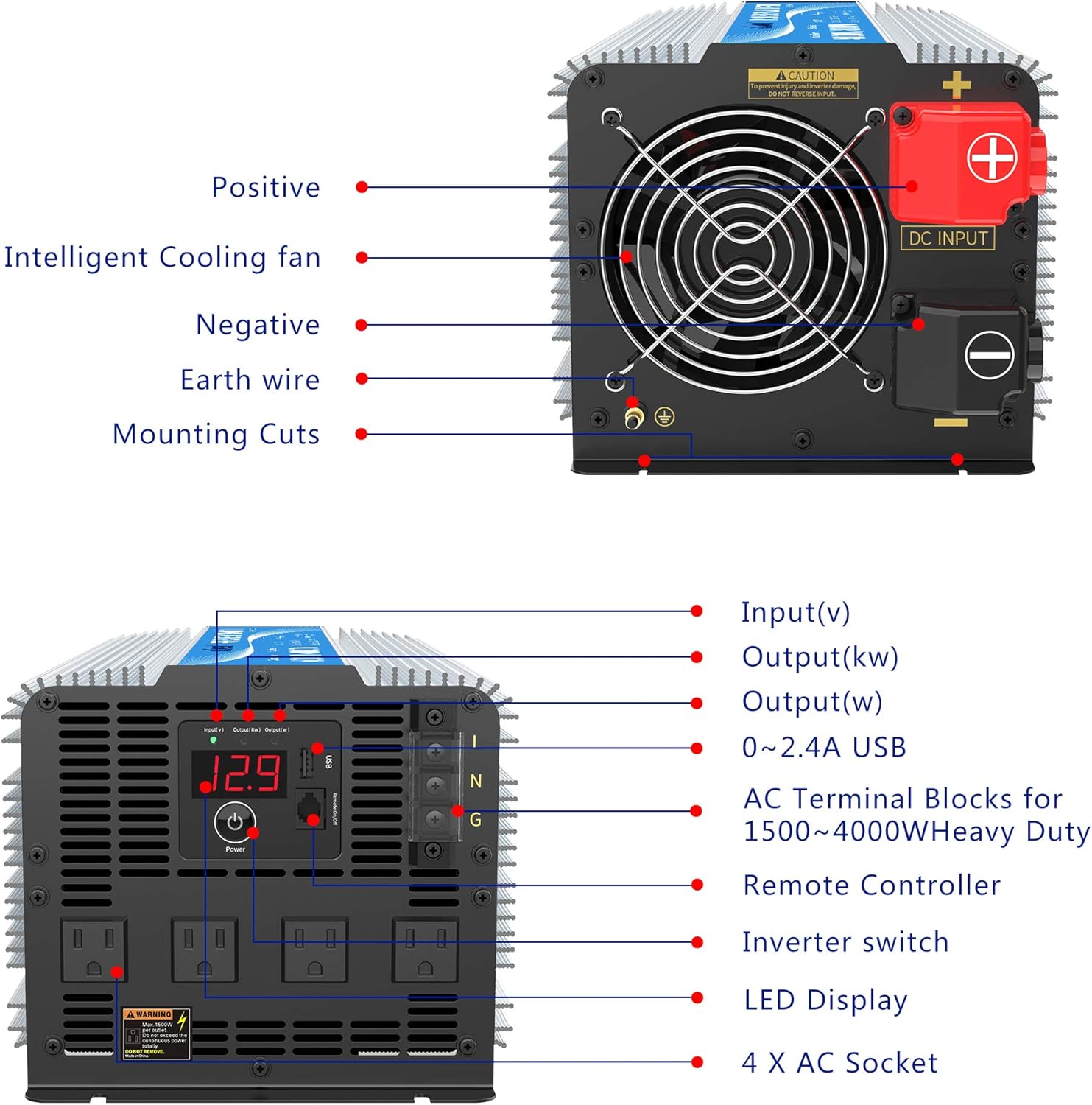
Choose a dry, cool, and well-ventilated location for mounting the inverter. Ensure there is sufficient space around the unit for airflow, especially around the cooling fan. Use the provided mounting cuts to secure the inverter to a stable surface.
4.2 DC Input Connections
Connect the inverter to a 12V DC battery bank. Use the provided 4 AWG cables. For optimal performance and safety, ensure cable lengths are minimized and connections are secure.
- Connect the positive (+) red cables to the positive (+) terminal of the inverter and the positive (+) terminal of the battery.
- Connect the negative (-) black cables to the negative (-) terminal of the inverter and the negative (-) terminal of the battery.
- Ensure all connections are tight to prevent loose connections, which can cause overheating and power loss.

4.3 Grounding the Inverter
Connect the provided ground wire from the inverter's ground terminal to a reliable earth ground point (e.g., vehicle chassis, ground rod). This is crucial for safety.
4.4 AC Output Connections
The inverter features four standard AC outlets and a hardwire terminal block for high-power applications.
- AC Outlets: Plug your 120V AC appliances directly into the four AC outlets.
- Hardwire Terminal Block: For loads between 1500W and 4000W, use the hardwire terminal block. Consult a qualified electrician for proper hardwiring installation.
4.5 Remote Control Connection
Connect the 30ft wired remote control to the RJ10 port on the inverter's front panel. This allows for convenient power control from a distance.
5. Operating Instructions
5.1 Powering On/Off
Press the power button on the inverter's front panel or on the remote control to turn the unit on or off. The LED display will illuminate when the inverter is active.
5.2 Using AC Outlets and USB Port
- Once the inverter is on, plug your AC appliances into the 120V AC outlets.
- Connect USB-powered devices to the 2.4A USB port for charging.
- Ensure the total wattage of all connected devices does not exceed the inverter's continuous power rating of 4000W.

5.3 LED Display
The LED display provides real-time information about the inverter's status, including input voltage (V), output power (kW), and output wattage (W). It also indicates error codes for troubleshooting.
5.4 Remote Control
The wired remote control allows you to power the inverter on or off from a convenient location. It typically includes a power indicator and a fault indicator.
6. Maintenance
To ensure the longevity and optimal performance of your GIANDEL inverter, follow these maintenance guidelines:
- Keep Clean: Regularly clean the exterior of the inverter with a dry cloth. Do not use liquids or solvents.
- Ventilation: Ensure the cooling fan and ventilation openings are free from dust and obstructions. The intelligent cooling fan helps dissipate heat and prevents shortages.
- Connections: Periodically check all electrical connections (DC input, AC output, ground) to ensure they remain tight and free from corrosion.
- Storage: If storing the inverter for an extended period, disconnect it from the battery and store it in a cool, dry place.
7. Troubleshooting
If the inverter is not functioning correctly, refer to the following common issues and solutions:
| Problem | Possible Cause | Solution |
|---|---|---|
| No power output / Inverter not turning on | Loose battery connections, low battery voltage, blown fuse, inverter switch off. | Check battery connections, charge battery, check internal fuses (if accessible by qualified personnel), ensure inverter switch is on. |
| Overload (OL) error on display | Connected load exceeds 4000W continuous rating or 8000W peak rating. | Reduce the total wattage of connected appliances. Disconnect some devices and restart the inverter. |
| Low Voltage (LO) error on display | Battery voltage is too low (below 10.5V). | Recharge or replace the battery. |
| High Voltage (HI) error on display | Battery voltage is too high (above 15V). | Check battery charging system. Disconnect inverter if voltage remains high. |
| Overheat error / Fan running constantly | Inverter is too hot due to heavy load or poor ventilation. | Reduce load, ensure adequate ventilation, clear any obstructions from cooling fan. Allow inverter to cool down. |
| Short Circuit error | Short circuit detected in the output wiring or connected appliance. | Disconnect all appliances and check wiring for shorts. Test appliances individually. |
If the problem persists after attempting these solutions, please contact GIANDEL customer support.
8. Specifications
| Feature | Specification |
|---|---|
| Model Name | PS-4000QAR |
| Continuous Power | 4000 Watts |
| Peak Power | 8000 Watts |
| Input Voltage | 12V DC |
| Output Voltage | 120V AC |
| Output Waveform | Pure Sine Wave |
| Efficiency | Up to 91% |
| THD (Total Harmonic Distortion) | Less than 3% |
| AC Outlets | 4 |
| USB Port | 1 x 2.4A |
| Hardwire Terminal Block | Yes (for 1500W-4000W loads) |
| Remote Control | 30ft Wired Remote Control |
| Product Dimensions | 18.9 x 7.8 x 6.1 inches (48 x 20 x 15.5 cm) |
| Item Weight | 24.3 pounds (11 kg) |
| Certifications | ETL Listed (UL 458 STD) |
9. Warranty and Support
9.1 Warranty Information
The GIANDEL 4000W Pure Sine Wave Power Inverter comes with an 18-month warranty service. This warranty covers manufacturing defects and ensures the product meets its specified performance standards under normal use.
9.2 Customer Support
For technical assistance, warranty claims, or any questions regarding your inverter, please contact GIANDEL customer support. Technical support is available online, and real technician support is available via call. GIANDEL has service centers located in Illinois (IL), Texas (TX), and Tennessee (TN).
You can also refer to the official GIANDEL website or the provided user guide PDF for additional resources.


