
1. Introduction
Thank you for choosing the EDM 00780 Remote Control. This manual provides essential information for the proper setup, operation, and maintenance of your remote control, specifically designed for use with EDM Model 07214. Please read these instructions carefully before using the product to ensure optimal performance and longevity.
Important Safety Information: Always handle batteries with care. Do not mix old and new batteries, or different types of batteries. Remove batteries if the remote will not be used for an extended period.
2. Product Overview
2.1 Components
The EDM 00780 remote control features an ergonomic design for comfortable handling and intuitive push-button operation. Key components include:
- Control Buttons: Various buttons for specific functions of the EDM Model 07214.
- Infrared Emitter: Located at the front, transmits signals to the device.
- Battery Compartment: Located on the back, for battery installation.
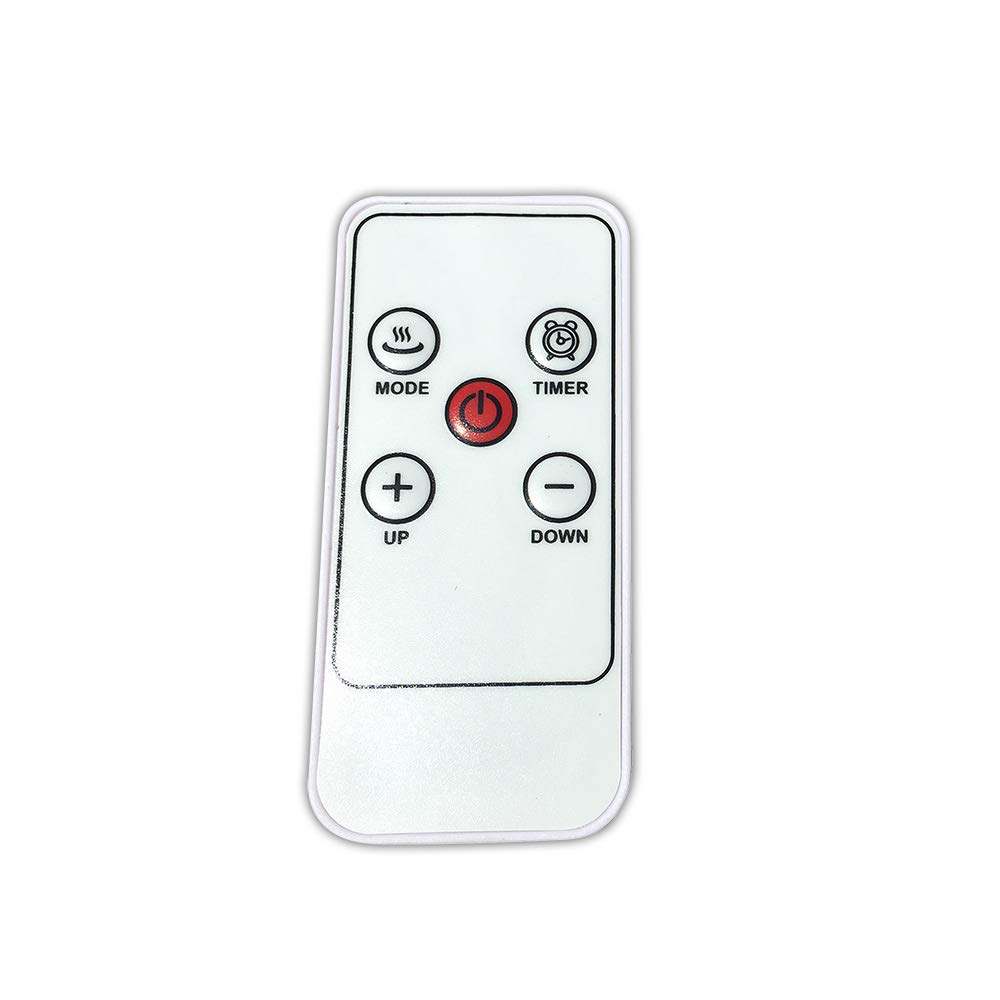
Image 1: Front view of the EDM 00780 Remote Control, showing its ergonomic shape and button layout.
3. Setup
3.1 Battery Installation
- Locate the battery compartment cover on the back of the remote control.
- Slide or gently press and lift the cover to open the compartment.
- Insert the required batteries (typically AAA, refer to the compartment for specific type and polarity) ensuring the positive (+) and negative (-) terminals align correctly with the markings inside the compartment.
- Replace the battery compartment cover, ensuring it clicks securely into place.
3.2 First Use
After installing the batteries, the remote control is ready for use. Point the infrared emitter directly towards the EDM Model 07214 device you wish to control. Ensure there are no obstructions between the remote and the device.
4. Operation
4.1 Basic Functions
The EDM 00780 remote control operates via infrared technology, providing a maximum range of 10 meters under optimal conditions. To operate, simply press the desired button while pointing the remote at the EDM Model 07214.
4.2 Button Functions
Specific button functions will correspond to the features of your EDM Model 07214. Common button types include:
- Power Button: To turn the device on or off.
- Function Buttons: For specific operations (e.g., mode selection, timer, light control).
- Navigation Buttons: If applicable, for menu navigation.
Refer to the user manual of your EDM Model 07214 for detailed descriptions of each button's function.
5. Maintenance
5.1 Cleaning
To clean the remote control, use a soft, dry cloth. For stubborn dirt, slightly dampen the cloth with water or a mild cleaning solution. Do not use abrasive cleaners, alcohol, or solvents, as these can damage the surface or internal components.
5.2 Battery Replacement
Replace batteries when the remote control's response becomes sluggish or stops working. Follow the battery installation steps outlined in Section 3.1. Always replace all batteries at the same time with new ones of the same type.
5.3 Storage
Store the remote control in a cool, dry place away from direct sunlight and extreme temperatures. If storing for an extended period, remove the batteries to prevent leakage and potential damage.
6. Troubleshooting
6.1 Common Issues
| Problem | Possible Cause | Solution |
|---|---|---|
| Remote not responding | Dead or incorrectly installed batteries. | Replace batteries, ensuring correct polarity. |
| Limited range or intermittent response | Weak batteries, obstruction, or remote not pointed correctly. | Replace batteries. Ensure a clear line of sight to the device. Point directly at the device. |
| Specific button not working | Button malfunction or device not recognizing command. | Clean the remote. Test other buttons. If only one button fails, contact support. |
7. Specifications
| Feature | Specification |
|---|---|
| Model Number | 00780 |
| Brand | EDM |
| Connectivity Technology | Infrared |
| Controller Type | Push-button Control |
| Maximum Range | 10 Meters |
| Special Feature | Ergonomic Design |
| Dimensions (L x W x H) | 10 x 10 x 10 cm |
| Weight | 20 g |
| Color | Multicolor |
| Country of Origin | Spain |
8. Warranty and Support
This product is covered by a standard manufacturer's warranty. For specific warranty terms and conditions, please refer to the documentation provided with your EDM Model 07214 device or contact EDM customer support directly. For technical assistance or further inquiries, please visit the official EDM website or contact their customer service department.


