
Introduction
This manual provides essential instructions for the safe operation, maintenance, and troubleshooting of your Best Choice Products 3-in-1 Robot Vacuum Cleaner, Model SKY4719. This device is designed to vacuum, sweep, and mop various floor types, offering automated cleaning with smart features.
Please read this manual thoroughly before using the product and retain it for future reference.
Package Contents
Carefully unpack the box and ensure all items listed below are present and in good condition. If any items are missing or damaged, please contact customer support.

This image displays the complete package contents, including the robot vacuum, remote control, mop pads, HEPA filters, water tank, dust bin, power adapter, cleaning brush, and charging dock station.
- 1 x BCP Cleaning Robot
- 1 x Remote Control
- 2 x Mop Pads
- 1 x Water Tank
- 3 x HEPA Filters
- 1 x Dust Bin
- 6 x Side Brushes
- 1 x Power Adapter
- 1 x Instruction Manual
- 1 x Charging Dock Station
- 1 x Cleaning Brush
Product Overview
The Best Choice Products SKY4719 robot vacuum is a versatile cleaning device designed for efficiency and convenience. It integrates vacuuming, sweeping, and mopping functionalities into one compact unit.
The robot vacuum cleaner features a sleek black design with a central control panel and a lift-up cover for the dustbin.
Key Features:
- 3-in-1 Cleaning: Sweeps, vacuums, and mops for comprehensive floor care.
- Self-Charging: Automatically returns to its charging base when battery is low.
- Multiple Cleaning Modes: Includes Spot, Zig-Zag, Auto, and Edge cleaning.
- Smart Sensors: Equipped with anti-collision and fall prevention technology.
- Low Noise Operation: Designed for quiet cleaning.
- Remote & Voice Control: Convenient control options for ease of use.

A view of the robot's underside reveals the main brush, side brushes for sweeping, and the removable mop pad, designed for effective cleaning on various surfaces.
Setup
1. Charging Base Placement
Place the charging base against a wall in an open, uncluttered area. Ensure there is at least 1 meter (3 feet) of clear space in front of the base and 0.5 meters (1.5 feet) on either side. Plug the power adapter into the charging base and then into a wall outlet.
2. Initial Charging
Before first use, fully charge the robot vacuum. Place the robot onto the charging base, ensuring the charging contacts align. The indicator lights on the robot will show charging status. A full charge typically takes 4-5 hours.
3. Attaching Side Brushes
Snap the two side brushes onto the posts on the bottom of the robot. Ensure they are securely attached.
4. Filling Water Tank (for Mopping)
If using the mopping function, remove the water tank from the robot. Open the water tank cap, fill it with clean water (do not use cleaning solutions that may clog the nozzle), and securely close the cap. Reinsert the water tank into the robot until it clicks into place. Attach a clean mop pad to the bottom of the water tank.
Operating Instructions
Powering On/Off
Press and hold the power button on the robot or the remote control to turn the device on or off.
Cleaning Modes
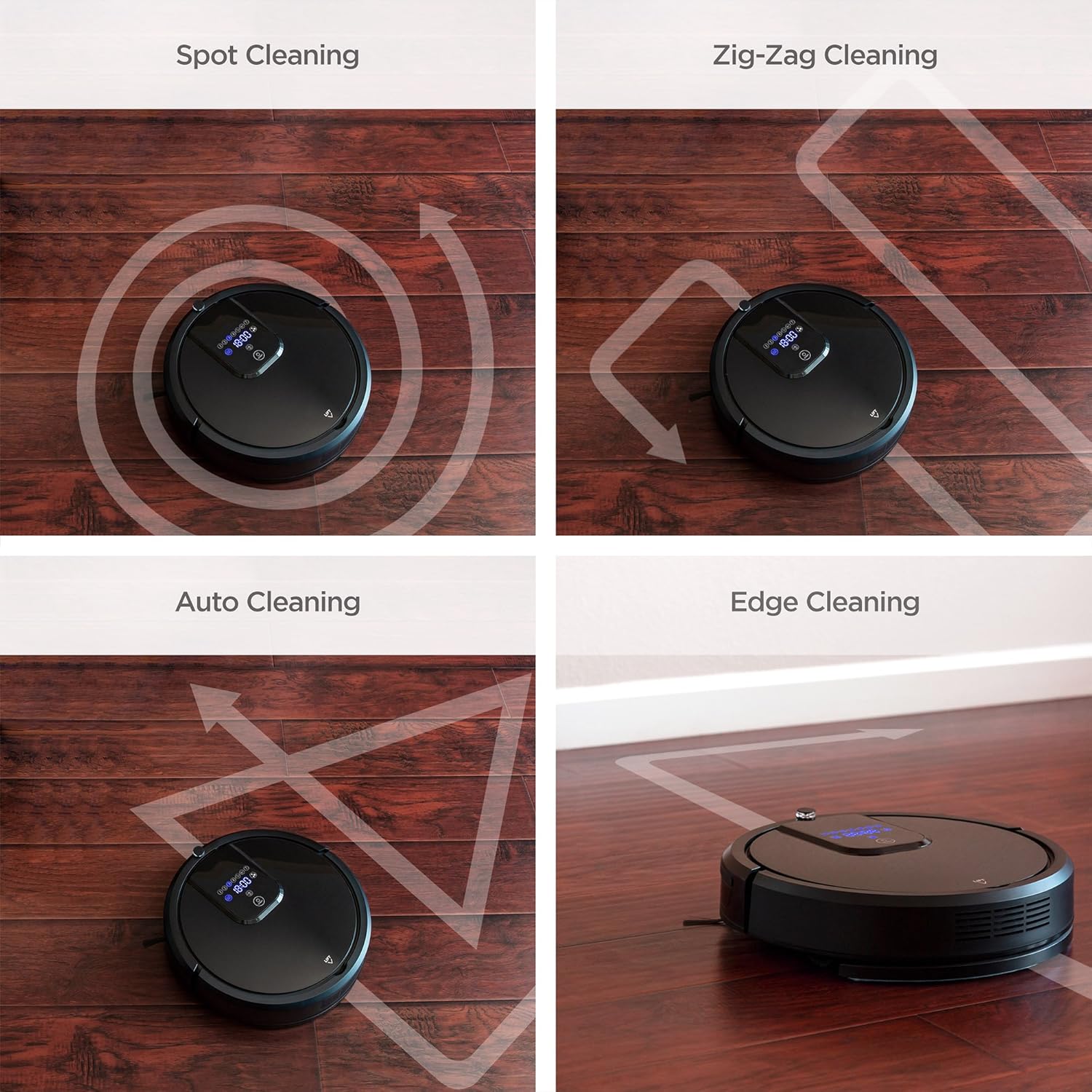
The robot vacuum offers several cleaning modes to suit different needs. These can be selected via the remote control or the control panel on the robot.

Four distinct cleaning patterns are illustrated: Spot cleaning for concentrated areas, Zig-Zag for systematic coverage, Auto cleaning for general use, and Edge cleaning for walls and corners.
- Auto Cleaning: The robot automatically navigates and cleans the entire floor area.
- Spot Cleaning: Concentrates cleaning on a specific dirty area. The robot will clean in a spiral pattern.
- Edge Cleaning: The robot cleans along walls and furniture edges.
- Zig-Zag Cleaning: The robot cleans in a systematic back-and-forth pattern, ideal for large, open spaces.

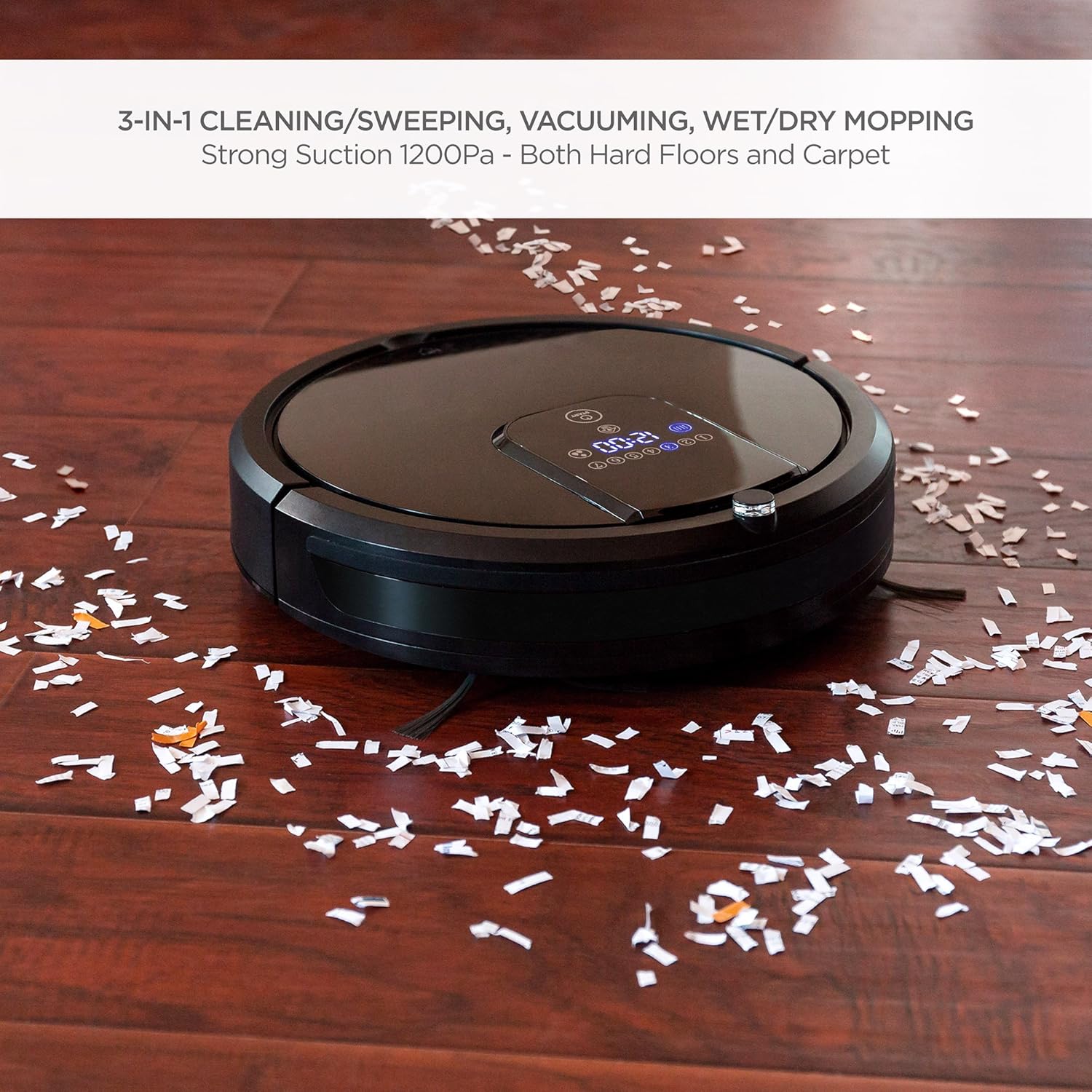
The robot vacuum is shown effectively collecting small debris from a hardwood floor, demonstrating its powerful vacuuming capability.
The robot vacuum is shown actively mopping a hardwood floor, highlighting its wet/dry mopping capability.
Remote Control
Use the included remote control to start/stop cleaning, select cleaning modes, direct the robot manually, set cleaning schedules, and send the robot back to its charging base.
Voice Control
The robot vacuum is compatible with Amazon Echo devices. Follow the instructions in your Amazon Echo app to connect and enable voice commands for your robot vacuum.
Self-Charging
When the battery level is low, the robot will automatically return to its charging base to recharge. Ensure the charging base is accessible and unobstructed.
Safety Features

This image illustrates the robot vacuum's intelligent features: automatic return to charging base, obstacle avoidance, ability to climb over small thresholds, and sensors to prevent falls down stairs.
- Anti-Collision: Built-in sensors detect obstacles and allow the robot to navigate around them, preventing damage to furniture and the robot itself.
- Climbing: The robot can climb over small thresholds and carpets up to a certain height.
- Fall Prevention: Cliff sensors prevent the robot from falling down stairs or off elevated surfaces.
This video provides a visual guide to the robot vacuum's capabilities, including its 3-in-1 cleaning functions, self-charging, remote control, and voice control integration.
Maintenance
Regular maintenance ensures optimal performance and extends the lifespan of your robot vacuum.
1. Emptying the Dust Bin
After each cleaning cycle, or when the dust bin is full, remove it from the robot and empty its contents into a trash receptacle. Clean the dust bin with a dry cloth.
2. Cleaning Filters
The HEPA filters should be cleaned regularly. Tap them gently to remove dust. Replace filters every 1-3 months depending on usage. Do not wash HEPA filters with water.
3. Cleaning Side Brushes
Periodically check the side brushes for tangled hair or debris. Use the included cleaning brush or scissors to remove any obstructions. Replace worn brushes as needed.
4. Cleaning Mop Cloths
After each mopping session, remove the mop cloth and wash it with water. Allow it to air dry completely before reattaching or storing.
5. Cleaning Sensors and Charging Contacts
Wipe the cliff sensors, anti-collision sensors, and charging contacts on both the robot and the charging base with a clean, dry cloth to ensure proper function.
Troubleshooting
If you encounter issues with your robot vacuum, refer to the following common problems and solutions:
| Problem | Possible Cause | Solution |
|---|---|---|
| Robot does not turn on. | Low battery; power switch off. | Charge the robot; ensure the main power switch is in the 'ON' position. |
| Robot gets stuck frequently. | Obstacles (cables, rugs); narrow spaces. | Clear the cleaning area of small obstacles; use boundary strips if available. |
| Poor cleaning performance. | Full dust bin; dirty filters/brushes. | Empty dust bin; clean or replace filters and brushes. |
| Robot does not return to charging base. | Charging base obstructed; base not powered. | Ensure clear path to base; check power connection to base. |
| Remote control not working. | Dead batteries; out of range. | Replace remote batteries; operate within range of the robot. |
If the problem persists after trying these solutions, please contact Best Choice Products customer support.
Specifications
| Feature | Detail |
|---|---|
| Brand | Best Choice Products |
| Model Number | SKY4719 |
| Surface Recommendation | Hardwood, Tile, Laminate, Carpet |
| Special Feature | Programmable, Self-Charging, Anti-Collision, Fall Prevention |
| Color | Black |
| Controller Type | Remote Control, Voice Control |
| Filter Type | Cartridge (HEPA Type) |
| Battery Life | Up to 1.5 Hours |
| Battery Type | Lithium Ion |
| Dust Bin Capacity | 0.9 Liters |
| Power Source | Corded Electric (Charging Base) |
| Item Weight | 10.8 Pounds |
| Noise Level | 60 Decibels |
| Compatible Devices | Amazon Echo |
| Form Factor | Robotic |
Warranty and Support
For warranty information or technical support, please refer to the warranty card included in your package or visit the official Best Choice Products website. Please have your model number (SKY4719) and purchase details ready when contacting support.