
VIOFO A129GPS
Contents
VIOFO A129 Duo Dual Lens Dash Cam Instruction Manual
Model: A129 Duo
1. Product Overview
The VIOFO A129 Duo is a dual-lens dash camera system designed to provide comprehensive video recording for both the front and rear of your vehicle. It features Full HD 1080P recording, a wide-angle lens, GPS logging, and advanced night vision capabilities.

Included Components:
- Front Camera Unit (with integrated GPS Logger)
- Rear Camera Unit
- Rear Camera Cable (6-meter standard)
- Car Charger Adapter
- USB Data Cable
- Quick Release Mount
- Suction Mount
- Adhesive Mounts (extra sets)
- Cable Clips
- Trim Removal Tool
2. Setup and Installation
Proper installation is crucial for the optimal performance of your dash camera. Please follow these steps carefully.
2.1 Initial Setup (Before Vehicle Installation)
- SD Card Preparation: An SD card is not included. Please format your microSD card (FAT32 format recommended) before first use. VIOFO industrial grade memory cards are recommended for best compatibility and performance.
- Power On & Configuration: Temporarily connect the dash cam to a power source (e.g., a regular USB cable with an iPad charger). Ensure the black opaque adhesive covering the lenses is removed for testing.
- Firmware Update: Visit the VIOFO official website to download and install the latest firmware. Follow the provided instructions for the update procedure.
- App Connection: Download the VIOFO app on your smartphone. Configure Wi-Fi settings (password, SSID) and learn basic functions, including switching camera previews, through the app.
- Bluetooth Button (Optional): If you have a Bluetooth emergency remote, sync it with the dash cam during this initial setup phase.
2.2 Vehicle Installation
Plan your cable routing before adhering the cameras. The included trim removal tool and cable clips can assist in neatly tucking away cables.
- Front Camera Placement: Choose a spot on your windshield, ideally behind the center mirror, that does not obstruct your view or interfere with the vehicle's safety features. Ensure the camera is positioned to capture the road clearly, avoiding any factory tint at the top of the windshield. Clean the area thoroughly before applying the adhesive mount.
- Power Cable Routing: Route the power cable from the front camera (which integrates the GPS module) to your vehicle's 12V power outlet. Ensure enough slack for USB port access if needed.
- Rear Camera Placement: Mount the rear camera on your rear windshield. Before final adhesion, temporarily connect the thick rear camera cable to both units and power them on. Use the VIOFO app to check the rear camera's framing and adjust its angle. Ensure the camera's view is not obstructed by anti-fog stripes, especially the lower part where license plates would be visible.
- Rear Camera Cable Routing: Route the rear camera cable from the front unit to the rear unit. For larger vehicles like SUVs or trucks, an 8-meter rear cable (sold separately) may be required instead of the standard 6-meter cable. Carefully tuck the cable along the headliner, A-pillars, and door frames. If your vehicle has side curtain airbags, ensure the cable is routed behind them to avoid interference.
3. Operating Instructions
Once installed, your VIOFO A129 Duo is ready for operation. Familiarize yourself with its key features.
3.1 Recording Modes
- Standard Recording: The dash cam automatically begins recording when powered on. Both front and rear cameras record in Full HD 1080p at 30 frames per second (fps).
- Single Channel Recording: If only the front camera is used, it can record at higher frame rates (e.g., 60fps) for smoother video. This can be configured in the camera settings.

3.2 Display and Controls
- 2.0" HD Screen: Use the integrated HD LCD screen for instant playback of recorded video and audio files, or to adjust camera settings directly on the device.
- Control Buttons: Navigate menus and control recording functions using the physical buttons located below the screen. Note that buttons may not function when Wi-Fi is active.
3.3 Advanced Features
- Sony STARVIS Image Sensor: Enhances day and night recording with vibrant and clear quality, capturing details even in low light conditions.
- F1.6 Aperture 7 Elements Glass Lens: Provides superior light gathering for improved image clarity.

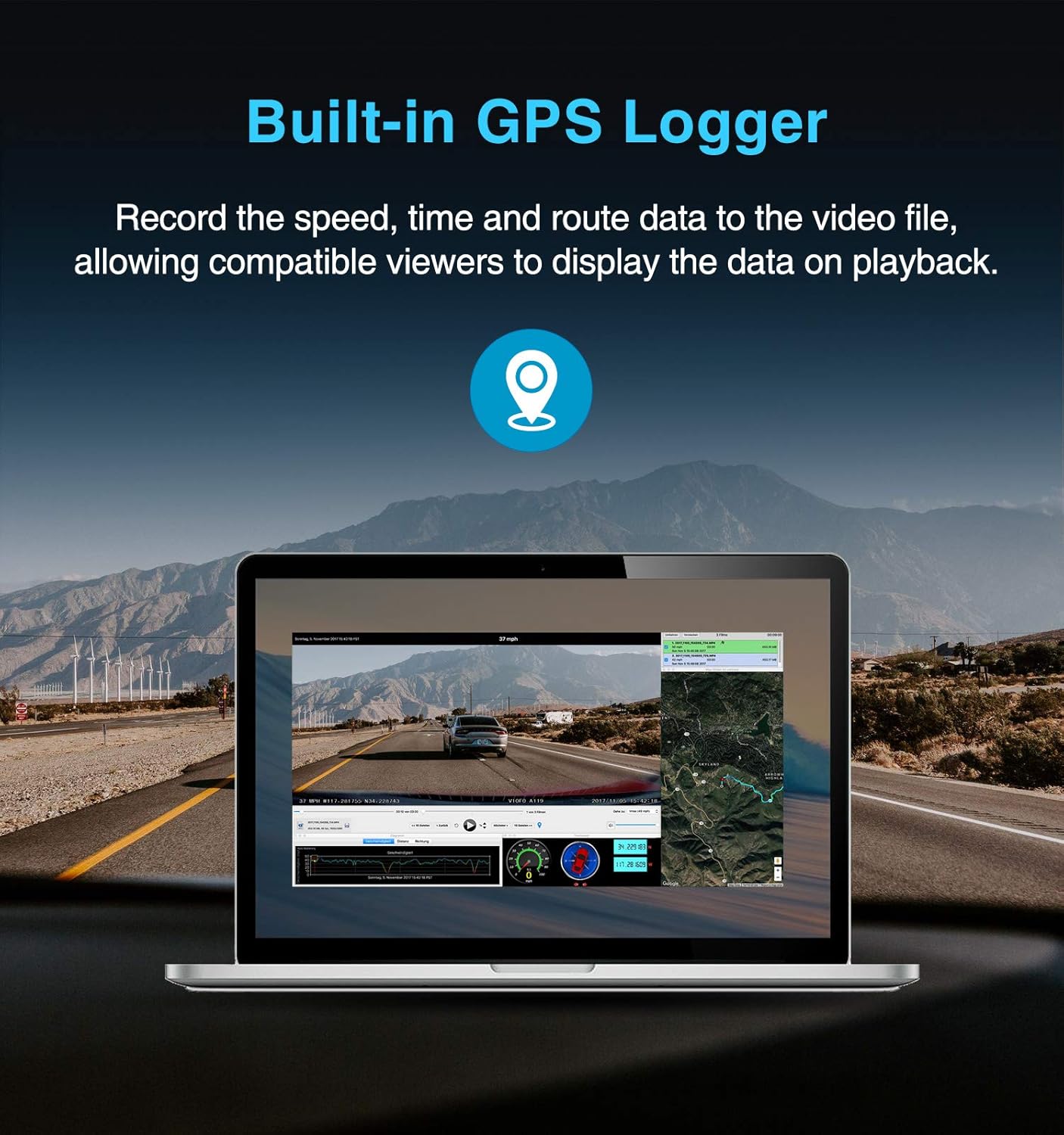
- Built-in GPS Logger: Records speed, time, and route data directly into the video files. Compatible viewers can display this data during playback.
- Dual Band Wi-Fi (2.4GHz & 5GHz): Provides a stable and faster connection for viewing live footage, downloading recorded videos, and sharing content directly to your smartphone via the VIOFO app.

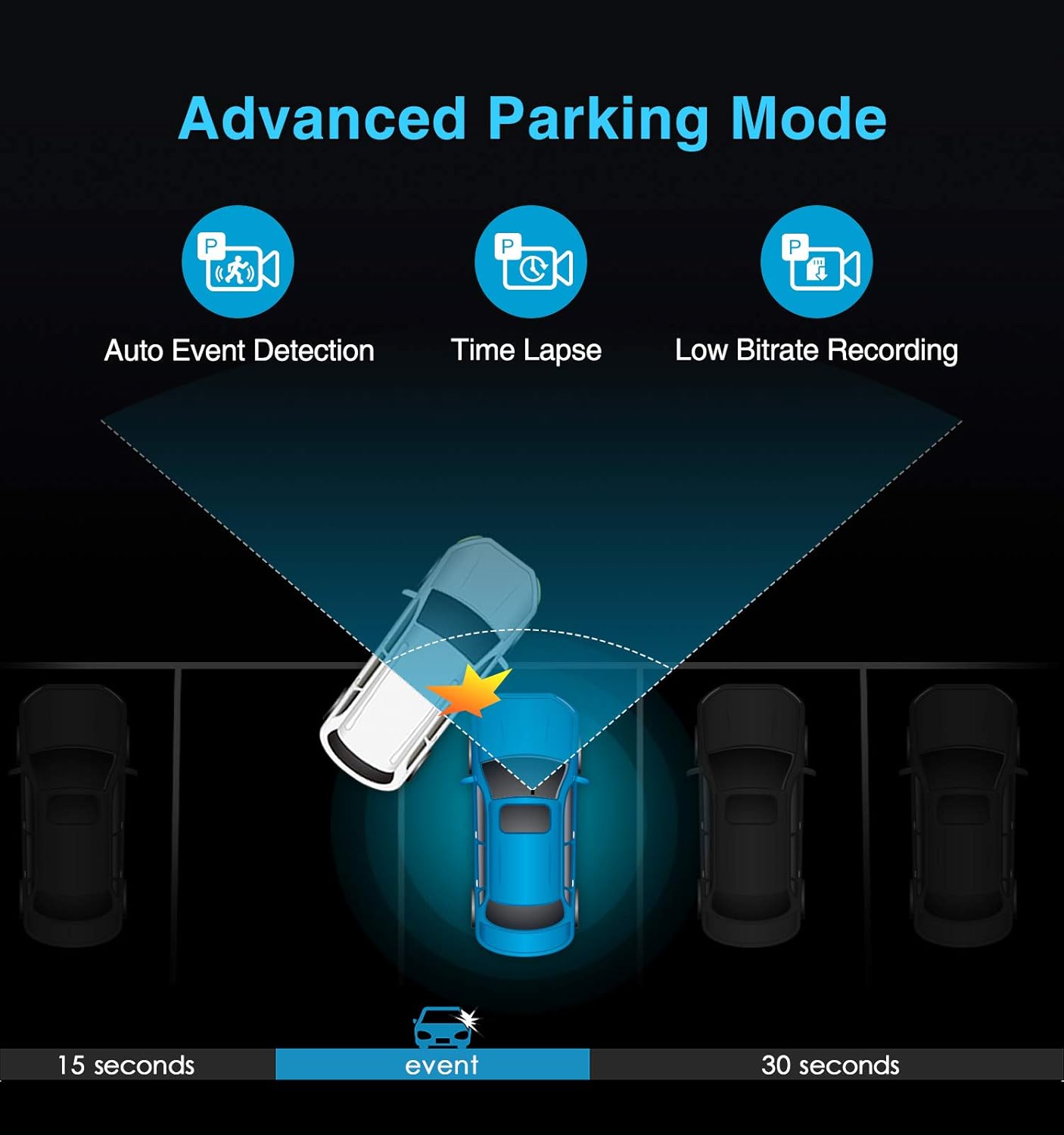
- Advanced Parking Mode: Offers various options for monitoring your vehicle while parked, including Auto Event Detection, Time Lapse recording, and Low Bitrate Recording.
4. Maintenance
Regular maintenance ensures the longevity and reliable performance of your VIOFO A129 Duo dash cam.
- SD Card Formatting: It is recommended to regularly format your microSD card (e.g., once a month) to prevent data corruption and ensure continuous recording. This can be done through the camera's menu or the VIOFO app.
- Lens Cleaning: Periodically clean the camera lenses with a soft, lint-free cloth to ensure clear video quality. Avoid abrasive materials that could scratch the lens.
- Firmware Updates: Check the VIOFO official website periodically for new firmware releases. Updating the firmware can improve performance, add new features, and resolve potential issues.
5. Troubleshooting
If you encounter issues with your VIOFO A129 Duo, refer to the following common solutions.
- Camera Not Powering On: Ensure the car charger is properly connected to both the dash cam and the vehicle's power outlet. Verify the vehicle's power outlet is functioning. Use the original VIOFO power adapter as it is designed for optimal power output.
- Recording Issues (e.g., gaps, corrupted files): Format the microSD card regularly. Ensure you are using a high-quality, high-endurance microSD card recommended by VIOFO. Replace the SD card if issues persist.
- Wi-Fi Connection Problems: Ensure the Wi-Fi function is enabled on the dash cam. Try restarting both the dash cam and your smartphone. If buttons on the camera are unresponsive when Wi-Fi is on, this is normal behavior; control via the app.
- Poor Video Quality: Ensure lenses are clean and free from smudges or dirt. Check that the protective film has been removed from the lenses. Verify that the recording resolution settings are appropriate for your needs (1080p 30fps for dual-channel, higher for front-only).
- GPS Not Working: Ensure the GPS module (integrated into the front camera mount) has a clear view of the sky. Check GPS settings in the camera menu.
Safety Information: It is not safe to adjust camera or camera settings while operating a motor vehicle. Always keep your eyes on the road.
6. Specifications
| Feature | Detail |
|---|---|
| Brand | VIOFO |
| Model Name | A129 Duo |
| Item Model Number | A129GPS |
| Product Dimensions | 1.62 x 2 x 3.25 inches |
| Item Weight | 0.64 ounces |
| Display Type | LCD |
| Orientation | Front & Rear |
| Video Capture Resolution | 1080p |
| Connectivity Technology | Wi-Fi |
| Mounting Type | Windshield Mount or Dashboard Mount |
| Color | black |
| Special Feature | Dual Channel Full HD Video Recording, Sony Starvis Image Sensor (Same for Rear Camera), F1.6 Aperture 7 Elements Glass Lens (Same for Rear Camera), 140 Degree Wide Viewing Angle, 2.0 inch HD LCD Display |
7. Warranty and Support
VIOFO is committed to providing high-quality products and customer satisfaction. For detailed warranty information, product registration, and technical support, please visit the official VIOFO website.
Official Website: www.viofo.com
The website provides access to:
- Latest firmware updates
- User manuals and guides
- Frequently Asked Questions (FAQ)
- Contact information for customer service
Ask a question about this manual
Ask about setup, troubleshooting, compatibility, parts, safety, or missing instructions. Manuals+ will review the question and use this page’s manual context to help answer it.