Introduction
This user manual provides comprehensive instructions for the safe and efficient operation, maintenance, and troubleshooting of your JTC OmniBlend Professional Blender, Model TM-800A. Please read this manual thoroughly before using the appliance and retain it for future reference.
The JTC OmniBlend TM-800A is a heavy-duty professional blender designed for various food preparation tasks, including blending, puréeing, grinding, and crushing ice. Its robust construction and powerful motor ensure consistent performance.
Important Safety Instructions
To reduce the risk of fire, electric shock, or injury, always follow basic safety precautions when using any electrical appliance. Read all instructions carefully before operating the blender.
- Always ensure the blender is unplugged before assembling, disassembling, or cleaning.
- Do not immerse the motor base in water or other liquids.
- Keep hands and utensils out of the container while blending to prevent severe injury and damage to the blender. Use the tamper only when the lid is securely in place.
- Avoid contact with moving parts.
- Do not operate any appliance with a damaged cord or plug, or after the appliance malfunctions or has been dropped or damaged in any manner.
- Close supervision is necessary when any appliance is used by or near children.
- Do not use outdoors.
- Always operate the blender on a flat, stable surface.
- Do not blend hot liquids in a sealed container. Allow hot ingredients to cool before blending, or use caution and ensure the lid insert is removed to allow steam to escape.
Product Components and Functions
Familiarize yourself with the various parts of your JTC OmniBlend Professional Blender TM-800A.

Figure 1: Exploded view of the JTC OmniBlend TM-800A blender components, highlighting the motor base, container (jar/jug), lid, lid insert, tamper (mixing rod), drive socket, cutting unit, and control panel buttons.
- Motor Base: Houses the heavy-duty 3 HP motor and control panel.
- Container (Jar/Jug): 1.5 L capacity, made from US-sourced Eastman Tritan BPA-free Copolyester. Features measurement markings.
- Cutting Unit: Integrated 2-in-1 stainless steel 6-blade configuration for both wet and dry ingredients.
- Lid: Secures to the container to prevent spills during operation.
- Lid Insert (Lid Plug): Removable part of the lid, allowing for the addition of ingredients or use of the tamper during blending.
- Tamper (Mixing Rod): Used to push ingredients towards the blades for smoother blending, especially with thick mixtures.
- Drive Socket: Connects the container's cutting unit to the motor base.
- Control Panel: Features the main power switch, speed buttons, and auto-timer buttons.
Setup
- Unpacking: Carefully remove all components from the packaging. Retain packaging for storage or future transport.
- Initial Cleaning: Before first use, wash the container, lid, lid insert, and tamper with warm, soapy water. Rinse thoroughly and dry. Wipe the motor base with a damp cloth.
- Placement: Place the motor base on a clean, dry, and level surface. Ensure there is adequate ventilation around the unit.
- Assembly:
- Ensure the cutting unit is securely attached to the container.
- Place the container onto the motor base, ensuring it is seated firmly on the drive socket.
- Place the lid onto the container and insert the lid plug.
- Power Connection: Plug the power cord into a grounded electrical outlet (120 Volts).

Figure 2: The JTC OmniBlend TM-800A blender fully assembled and ready for use.
Operating Instructions
Follow these steps for safe and effective blending:
- Prepare Ingredients: Cut ingredients into appropriate sizes to facilitate blending. Do not overfill the container beyond the maximum fill line.
- Secure Lid: Place the lid firmly on the container and insert the lid plug.
- Power On: Flip the ON/OFF main power switch to the 'ON' position.
- Select Speed or Program:
- Manual Speed Control: Press the LOW, MED, or HIGH buttons for continuous blending at desired speeds.
- Pulse Function: Press and hold the PULSE button for short bursts of high-speed blending. Release to stop.
- Pre-programmed Auto Timers: For convenience, select one of the pre-set timers: 35" AUTO, 60" AUTO, or 90" AUTO. The blender will run for the specified duration and then automatically stop.
- Blending: Begin blending. If ingredients are not circulating, use the tamper through the lid opening to push them towards the blades. Do not remove the lid while the blender is operating.
- Stop Blending: For manual speeds, press the selected speed button again or flip the ON/OFF switch to 'OFF'. Auto-timers will stop automatically.
- Serve: Once blending is complete, turn off the blender, unplug it, and carefully remove the lid and container to pour out the contents.
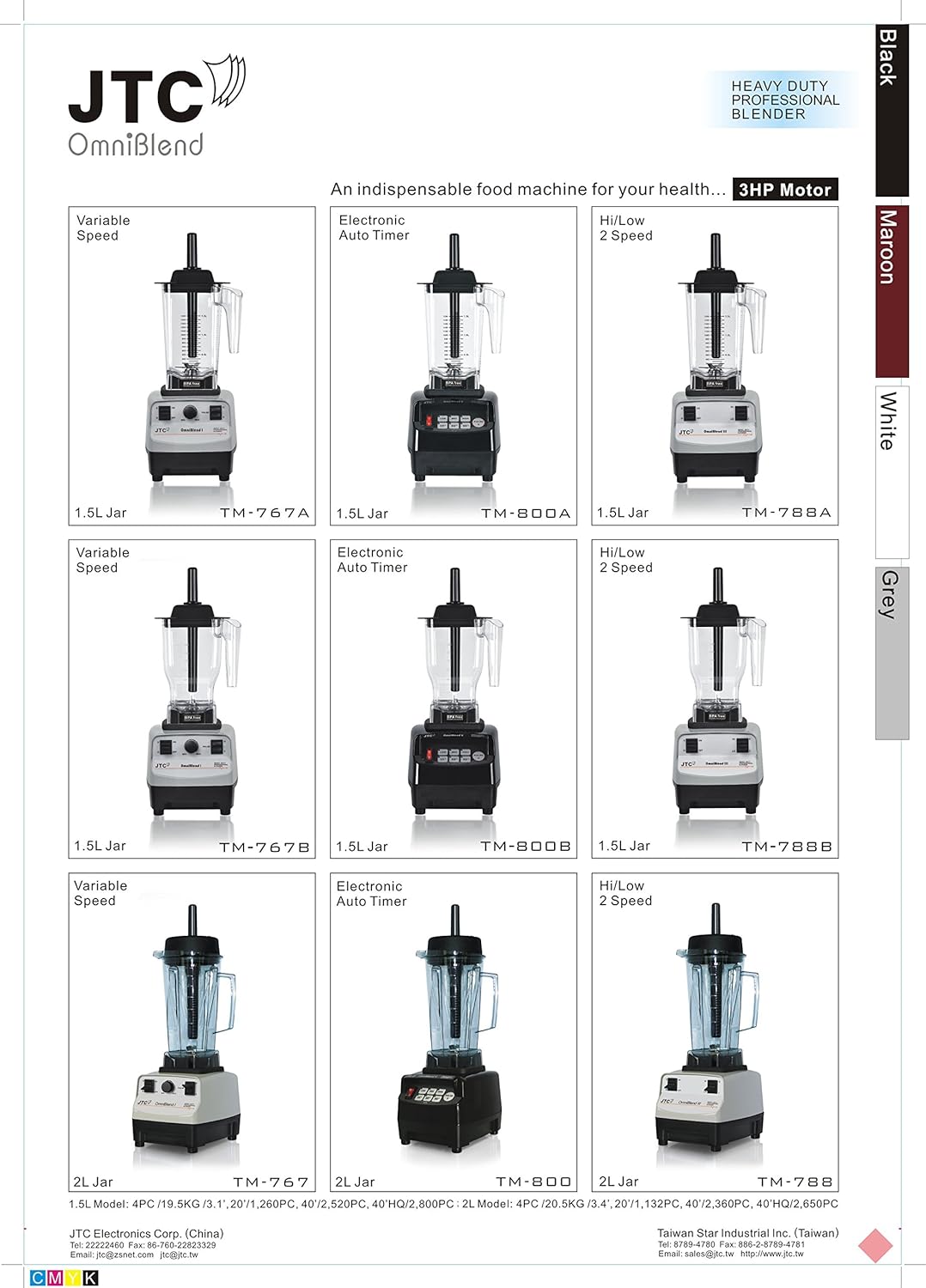
Figure 3: Detailed view of the control panel, showing the main power switch and various blending function buttons.
Maintenance and Cleaning
Regular cleaning and maintenance will ensure the longevity and optimal performance of your blender.
- Always Unplug: Before cleaning, always ensure the blender is unplugged from the power outlet.
- Container Cleaning:
- For quick cleaning, fill the container halfway with warm water and a drop of dish soap. Secure the lid and run the blender on LOW speed for 30-60 seconds. Rinse thoroughly.
- For thorough cleaning, disassemble the container, lid, lid insert, and tamper. Wash them with warm, soapy water using a brush for the blades. Rinse and dry completely.
- Motor Base Cleaning: Wipe the motor base with a damp cloth. Do not immerse the motor base in water or any other liquid. The control panel is moisture-proof, but direct water exposure should be avoided.
- Storage: Store the blender in a clean, dry place with the container assembled on the motor base or stored separately.
Troubleshooting
Refer to this section for common issues and their solutions.
| Problem | Possible Cause | Solution |
|---|---|---|
| Blender does not turn on. | Not plugged in; power switch off; circuit breaker tripped. | Ensure power cord is securely plugged in. Turn ON/OFF switch to 'ON'. Check household circuit breaker. |
| Motor stops during operation or smells burnt. | Overheating due to heavy load; automatic overload protection activated. | Turn off and unplug the blender. Allow it to cool down for at least 15-20 minutes. Press the Overload Reset Button (located on the bottom of the motor base). Reduce load or add more liquid for future blends. A slight burning smell during initial uses is normal and will dissipate. |
| Ingredients are not blending smoothly or remain chunky. | Too little liquid; ingredients too large; air pocket around blades. | Add more liquid. Cut ingredients into smaller pieces. Use the tamper to push ingredients towards the blades. Increase speed. |
| Loud noise or vibration. | Container not seated properly; foreign object in container. | Turn off and unplug. Re-seat the container firmly on the motor base. Check for any foreign objects and remove them. |
Specifications
Technical specifications for the JTC OmniBlend Professional Blender TM-800A.
| Brand | JTC OmniBlend |
| Model Number | TM-800A (also referred to as TM 767 A OMNIBLEND V) |
| Color | Maroon |
| Motor Power | Heavy Duty 3 HP (peak 2,238 watts @ 35,000 rpm, efficient 950 watts for regular usage) |
| Capacity | 1.5 Liters (1500 Milliliters) |
| Voltage | 120 Volts |
| Blade Material | Stainless Steel |
| Container Material | US-sourced Eastman Tritan BPA-free Copolyester |
| Number of Speeds | 3 (Low, Med, High) plus Pulse and 3 Auto-Timers |
| Special Features | Multiple Speeds, Automatic Overload Protection, Moisture-proof Control Panel, NSF Certified |
| Included Components | 1 x Blender Jug, 1 x Lockable Lid, 1 x Tamper |
| Product Dimensions | 9.45 x 7.8 x 17.1 inches |
| Item Weight | 9.02 pounds |
| UPC | 628250841022 |
Warranty and Support
The JTC OmniBlend Professional Blender TM-800A comes with a 7-year limited warranty for residential use and a 2-year commercial warranty. This warranty covers defects in materials and workmanship under normal use.
For warranty claims, technical support, or replacement parts, please contact JTC OmniBlend USA directly. It is recommended to keep your proof of purchase for warranty validation.
For more information, you may visit the official JTC OmniBlend store on Amazon: JTC OmniBlend Store.


