Introduction
This manual provides comprehensive instructions for the installation, operation, programming, and maintenance of your Honeywell Home RTH7460D1018/E 5-1-1 Day Programmable Thermostat. Please read this manual thoroughly before beginning installation or operation to ensure proper functionality and safety.
Safety Information
Always turn off power to the heating/cooling system at the circuit breaker or fuse box before installing or servicing the thermostat. Improper wiring can cause damage to the thermostat or the heating/cooling system. Installation should be performed by a qualified technician if you are unsure about any steps. Do not use this thermostat with electric baseboard heat (120-240V) systems.
Package Contents
Verify that your package contains the following items:
- Honeywell Home RTH7460D1018/E Thermostat
- UWP Mounting System
- Mounting Hardware (screws and wall anchors)
- Quick Start Guide
Compatibility
The Honeywell Home RTH7460D1018/E thermostat is compatible with a variety of heating and cooling systems. Refer to the table below to confirm compatibility with your specific system.

Image: A table detailing system compatibility. It shows 'Yes' for Single Stage Heating & Cooling, Multistage Heating & Cooling, Heating Only, Furnace/Forced Air (Heat), Cooling Only, Heat Pump w/o Auxiliary Heat, Heat Pump with Auxiliary Heat, Hot Water, Steam or Gravity Radiant Heat, 750 Millivolt, and Gas Fireplaces (24 Volt or 750 Millivolt). It shows 'No' for Electric Baseboard Heat (120-240 Volts), Convectors, Radiant Ceiling Heat, Mini Split Systems, More Than 2 Cool Stages, More Than 1 Compressor Stage, More Than 2 Heat Stages, and More Than 1 Aux/E stage for systems with more than 1 heating equipment type.
This thermostat is compatible with:
- Forced air (gas, oil or electric)
- Hot water and steam systems
- Heat pumps with electric backup
It is NOT compatible with electric baseboard heat (120-240V).
Installation (Setup)
Follow these general steps for installing your thermostat. Refer to the detailed Quick Start Guide included with your product for specific wiring diagrams and instructions.
- Turn off Power: Before beginning, ensure power to your heating and cooling system is completely off at the circuit breaker or fuse box.
- Remove Old Thermostat: Carefully remove your old thermostat from the wall. Take a picture of the wiring connections for reference.
- Mount the UWP System: Use the provided mounting hardware to secure the UWP (Universal Wiring Plate) to the wall. Ensure it is level.
- Wire the Thermostat: Connect the wires from your heating/cooling system to the appropriate terminals on the UWP. Match the labels from your old thermostat or refer to the Quick Start Guide.
- Install Batteries: Insert two fresh AA alkaline batteries (not included) into the battery compartment of the thermostat.
- Attach Thermostat to UWP: Align the thermostat with the UWP and snap it into place.
- Restore Power: Turn the power back on at the circuit breaker or fuse box.

Image: A clear front view of the Honeywell Home RTH7460D1018/E programmable thermostat, showing its large digital display and control buttons.
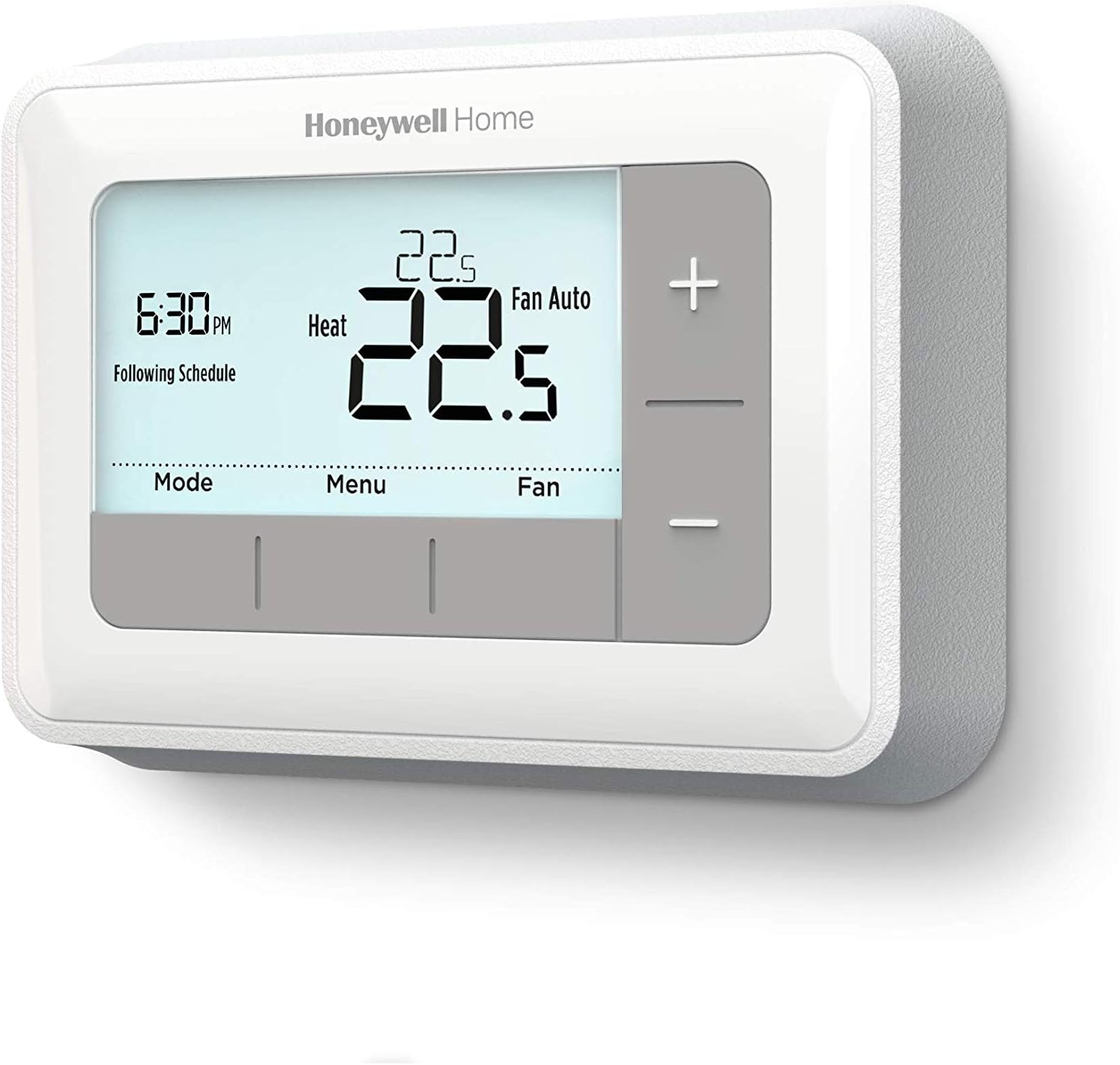
Image: A side profile view of the Honeywell Home RTH7460D1018/E thermostat, illustrating its depth and how it sits when mounted on a wall.
Initial Setup and Configuration
After installation and restoring power, the thermostat will guide you through an initial setup process. This typically involves:
- System Type Selection: You will need to select your heating/cooling system type (e.g., conventional furnace, heat pump).
- Date and Time Setting: Set the current date and time. The thermostat automatically adjusts for Daylight Savings Time.
- Smart Response Technology: This feature learns your heating/cooling cycle times to deliver the desired temperature at the programmed time.
Operating the Thermostat
The thermostat features an extra-large backlit display for easy readability and intuitive controls.

Image: A detailed view of the Honeywell Home RTH7460D1018/E thermostat's digital display, showing the current time, temperature, system mode (Heat), and fan setting (Fan Auto).
Display Information:
- Current Room Temperature: Displays the actual temperature in the room.
- Set Point Temperature: Shows the desired temperature.
- Time and Day: Current time and day of the week.
- System Mode: Indicates whether the system is in Heat, Cool, or Off mode.
- Fan Setting: Shows if the fan is set to Auto or On.
- Schedule Status: Indicates if the thermostat is following a programmed schedule.
Basic Controls:
- Temperature Adjustment (+/- buttons): Press the '+' or '-' buttons on the right side of the thermostat to increase or decrease the set point temperature.
- Mode Button: Press the 'Mode' button to cycle through system modes: Heat, Cool, Off, Auto. Auto changeover automatically switches between heating and cooling as needed.
- Fan Button: Press the 'Fan' button to cycle through fan settings: Auto (fan runs only when heating/cooling is active) or On (fan runs continuously).
- Menu Button: Accesses advanced settings and programming options.
Programming (5-1-1 Day Schedule)
The RTH7460D1018/E thermostat offers 5-1-1 day programming, allowing you to set one schedule for weekdays, a separate schedule for Saturday, and another for Sunday.
Setting a Schedule:
To program your thermostat, press the 'Menu' button and navigate to the scheduling options. You can set up to four time periods per day (Wake, Leave, Return, Sleep) with different temperature settings for each. The Smart Response Technology will learn your system's cycle times to reach your desired temperature at the start of each programmed period.
Hold Options:
- Temporary Hold: Adjusting the temperature manually will temporarily override the schedule until the next programmed period begins.
- Permanent Hold: To maintain a temperature indefinitely, press the 'Hold' button (accessible via 'Menu' or by pressing +/- and then 'Hold' if available on screen). This will override the schedule until you cancel the hold.
Maintenance
Battery Replacement:
The thermostat requires two AA batteries (not included) for power. When the battery icon appears on the display, replace the batteries promptly to ensure continuous operation. The program is retained in memory during a power outage or battery change.
Filter Change Reminders:
The thermostat can be configured to remind you when it's time to change your furnace filter. Follow the instructions in the Quick Start Guide to set up or reset this reminder.
Daylight Savings Time:
The thermostat automatically adjusts for Daylight Savings Time, eliminating the need for manual adjustments.
Troubleshooting
If you experience issues with your thermostat, try the following basic troubleshooting steps:
- No Display/No Power: Check if the batteries are installed correctly and are fresh. Ensure power to your heating/cooling system is on at the circuit breaker.
- Incorrect Temperature Reading: Ensure the thermostat is not exposed to direct sunlight, drafts, or heat sources that could affect its sensor.
- System Not Responding: Verify that the system mode (Heat/Cool/Off) and fan setting (Auto/On) are correctly selected. Check wiring connections if recently installed.
For more detailed troubleshooting or persistent issues, refer to the complete user manual or contact Honeywell customer support.
Specifications
- Model Name: Honeywell Home RTH7460D1018/E
- Product Dimensions: 2.7D x 13.6W x 9.8H Centimetres
- Item Weight: 204 g
- Power Source: Battery Powered (2 AA batteries required, not included)
- Controller Type: Push Button
- Special Feature: Smart Response Learning
- Temperature Control Type: Heating and Cooling
- Specific Uses for Product: Air Conditioner, Furnace, Heat Pump
- Color: White
Warranty Information
This Honeywell Home RTH7460D1018/E Thermostat comes with a 1 Year Limited Warranty. Please retain your proof of purchase for warranty claims. For specific terms and conditions, refer to the warranty documentation included with your product or visit the Honeywell Home website.
Support
For further assistance, technical support, or to view detailed product documentation, please visit the official Honeywell Home website or contact their customer service department. Contact information can typically be found on the product packaging or the Honeywell Home website.


