
1. Introduction
Thank you for choosing the Taurus Centurion Juicer. This appliance is designed to extract fresh juice from various fruits and vegetables efficiently. Please read this manual thoroughly before first use to ensure safe operation and optimal performance. Keep this manual for future reference.

Image: The Taurus Centurion Juicer fully assembled, ready for use, with its main unit, pulp container, and juice jug visible.
2. Important Safety Instructions
When using electrical appliances, basic safety precautions should always be followed to reduce the risk of fire, electric shock, and/or injury to persons, including the following:
- Read all instructions before operating the juicer.
- Do not immerse the motor base in water or other liquids.
- Ensure the appliance is switched off and unplugged before assembling, disassembling, or cleaning.
- Keep hands and utensils out of the feed chute during operation to prevent injury. Use the food pusher provided.
- Do not operate the appliance if the cord or plug is damaged, or if the appliance malfunctions or has been dropped or damaged in any manner.
- This appliance is for household use only. Do not use outdoors.
- Always ensure the cover is properly locked in place before operating the juicer.
- Do not process frozen fruits or vegetables, or fruits with hard seeds/pits.
3. Product Components
Familiarize yourself with the parts of your Taurus Centurion Juicer:
- Motor Base: Contains the 500W motor and control dial.
- Cover with Feed Chute: Top part where fruits and vegetables are inserted.
- Food Pusher: Used to guide food down the feed chute.
- Stainless Steel Filter: Separates juice from pulp.
- Pulp Container: Collects discarded pulp.
- Juice Jug (550ml): Collects extracted juice, includes a lid.
- Clamping Bar: Secures the cover to the motor base.
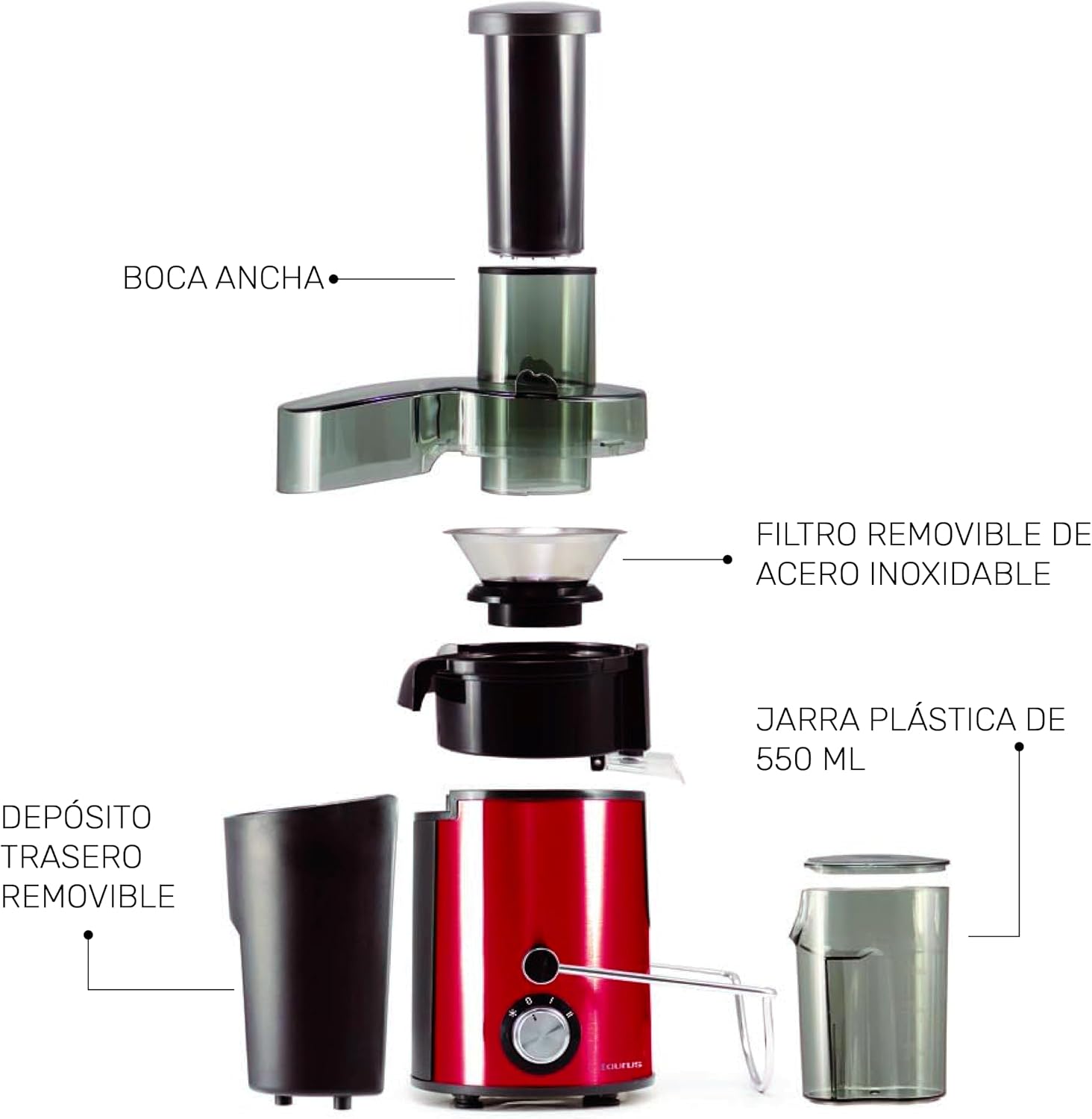
Image: An exploded diagram illustrating all the individual components of the Taurus Centurion Juicer, such as the wide mouth feeder, stainless steel filter, 550ml plastic jug, and removable pulp container.
4. Setup and Assembly
Before first use, wash all removable parts (except the motor base) in warm, soapy water, rinse, and dry thoroughly.
- Place the motor base on a stable, flat, and dry surface.
- Insert the stainless steel filter securely onto the motor base.
- Place the cover over the filter and align it with the motor base.
- Lift the clamping bar and lock it into the grooves on the cover. Ensure it clicks into place, indicating the cover is securely fastened. The juicer will not operate if the clamping bar is not locked.
- Position the pulp container under the pulp spout.
- Place the juice jug under the juice spout.
- Insert the food pusher into the feed chute.
Your juicer is now assembled and ready for use.
5. Operating Instructions
Preparing Ingredients
- Wash all fruits and vegetables thoroughly.
- Peel fruits with thick or inedible skins (e.g., oranges, pineapples, melons).
- Remove large seeds or pits from fruits (e.g., peaches, plums, cherries).
- Cut ingredients into pieces small enough to fit into the feed chute.
Juicing Process
- Ensure the juicer is properly assembled and the juice jug and pulp container are in place.
- Plug the power cord into an electrical outlet.
- Turn the control dial to the desired speed setting (1 or 2). Use speed 1 for softer fruits and vegetables, and speed 2 for harder ingredients. The 'P' (Pulse) setting provides short bursts of maximum power.
- Gradually feed the prepared ingredients into the feed chute using the food pusher. Do not force ingredients down; apply gentle, even pressure.
- The fresh juice will flow into the juice jug, and the pulp will collect in the pulp container.
- Once juicing is complete, turn the control dial to the '0' (Off) position and unplug the appliance.
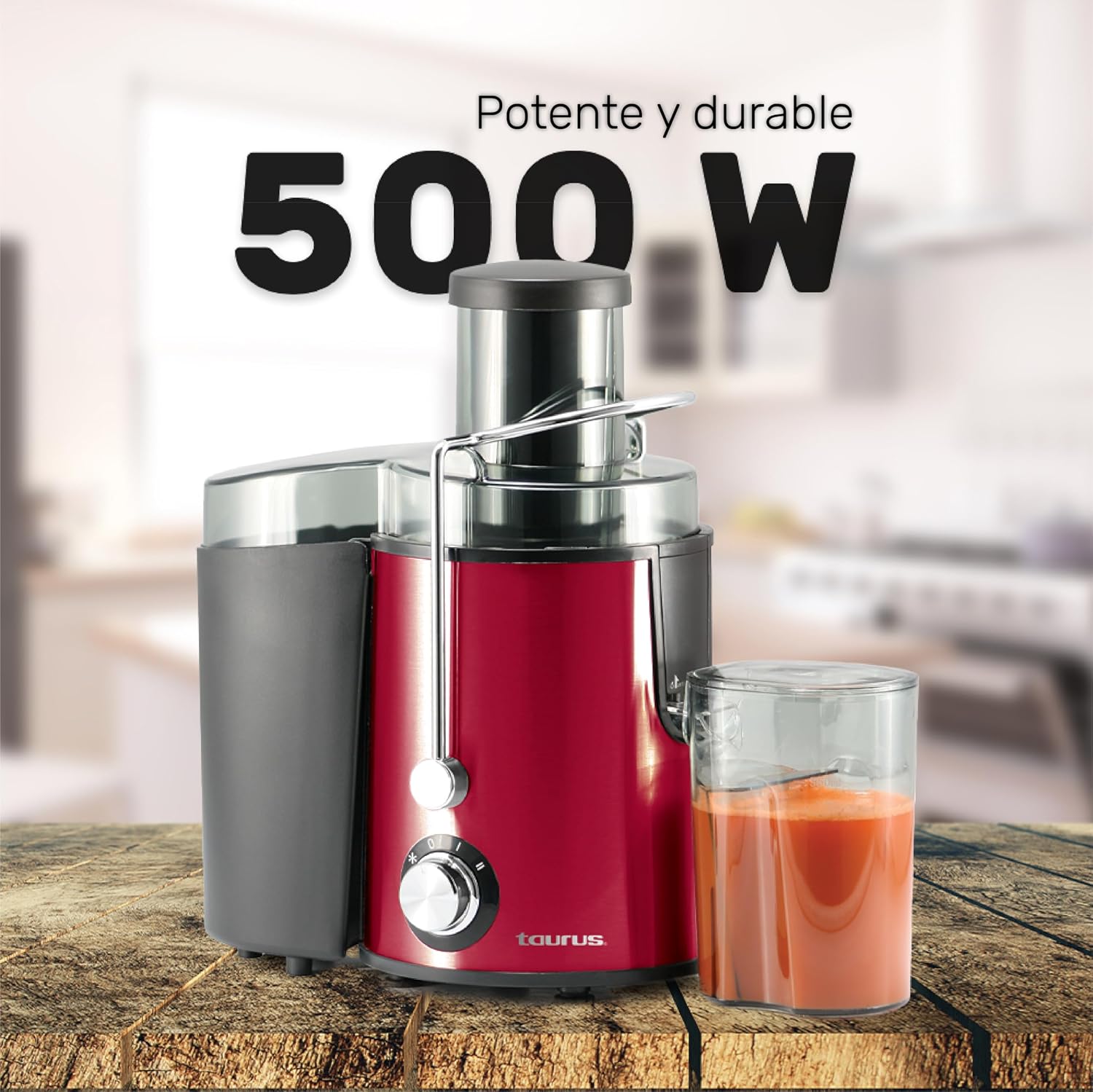
Image: The Taurus Centurion Juicer, showcasing its 500W power, positioned on a wooden surface with a glass of juice and carrots.

Image: A close-up of the control dial on the Taurus Centurion Juicer, clearly indicating the two speed settings and the pulse function for versatile juicing.
Operation Demonstration Video
Video: This demonstration illustrates the general process of using a juicer to extract juice from fruits and vegetables like carrots. Please note that the specific model shown in this video may differ from the Taurus Centurion, but the operational principles are similar.
6. Cleaning and Maintenance
Proper cleaning and maintenance will extend the life of your juicer.
Cleaning Steps
- Always unplug the juicer from the power outlet before cleaning.
- Disassemble the juicer by unlocking the clamping bar and removing the cover, filter, pulp container, and juice jug.
- Empty the pulp container and rinse it.
- Wash the cover, food pusher, stainless steel filter, pulp container, and juice jug in warm, soapy water. Use a brush to clean the mesh of the stainless steel filter thoroughly to remove any pulp residue.
- Rinse all parts with clean water and dry them completely.
- Wipe the motor base with a damp cloth. Never immerse the motor base in water or any other liquid.
- Reassemble the juicer or store the parts in a dry place.
Important: The juicer components are not dishwasher safe. Hand wash only.

Image: A detailed close-up of the removable stainless steel filter, emphasizing its fine mesh for efficient juice extraction and the need for thorough cleaning.
7. Troubleshooting
If you encounter issues with your juicer, refer to the following common problems and solutions:
| Problem | Possible Cause | Solution |
|---|---|---|
| Juicer does not turn on. | Not plugged in; Clamping bar not locked; Power outage. | Ensure plug is firmly in outlet; Lock clamping bar securely; Check household circuit breaker. |
| Motor stops during operation. | Overload protection activated; Too much pressure on food pusher; Filter clogged. | Turn off, unplug, and let cool for 15-30 minutes; Reduce pressure; Clean filter. |
| Low juice yield or excessive pulp in juice. | Filter clogged; Incorrect speed setting for ingredients; Ingredients not fresh. | Clean filter thoroughly; Use appropriate speed setting; Use fresh, firm produce. |
| Vibration or loud noise. | Improper assembly; Unstable surface; Damaged filter. | Reassemble correctly; Place on a stable surface; Inspect filter for damage, replace if necessary. |
8. Specifications
| Feature | Detail |
|---|---|
| Brand | Taurus |
| Model Name | CENTURION |
| Power | 500 W |
| Speeds | 2 speeds + Pulse function |
| Filter Material | Stainless Steel |
| Juice Jug Capacity | 550 ml |
| Product Dimensions (D x W x H) | 20.5 cm x 29 cm x 35 cm |
| Weight | 1.5 Kilograms |
| Care Instructions | Hand wash only |
| Special Feature | Manual operation (control dial) |
| Included Components | Extractor, Collector tray, Extractor lid, Plunger, Pulp container, Jug, Jug lid |
9. Warranty and Support
Warranty Information
The Taurus Centurion Juicer comes with a 2-year manufacturer's warranty. This warranty covers defects in materials and workmanship under normal household use. Please retain your proof of purchase for warranty claims.
The warranty does not cover damage resulting from misuse, neglect, accident, alteration, or improper installation or operation. For specific terms and conditions, please refer to the warranty card included with your product or contact Taurus customer service.
Customer Support
For technical assistance, spare parts, or warranty service, please contact Taurus customer support through their official website or the retailer where the product was purchased. Have your model number (CENTURION) and proof of purchase ready when contacting support.


