Introduction
The RovyVon A1 Gen 4 is a compact and powerful rechargeable EDC (Everyday Carry) keychain flashlight, designed for convenience and reliability in various situations. With its high lumen output and durable construction, it's an ideal illumination source for daily use, outdoor adventures, and emergency scenarios.

Image: The RovyVon A1 Gen 4 flashlight in gray, showcasing its compact design.
Setup and Initial Use
Unlocking the Flashlight
Upon first use, the RovyVon A1 Gen 4 flashlight may be in a locked mode to prevent accidental activation during shipping. When the button is pressed in locked mode, the flashlight will respond with two quick flashes.
- To UNLOCK the flashlight for initial use, either charge the flashlight or rapidly click the power button five times.
- To LOCK the flashlight, rapidly click the power button five times. This prevents unintentional activation and conserves battery life.
Charging the Battery
The flashlight is equipped with an upgraded 300mAh rechargeable battery. To charge:
- Locate the USB-C charging port on the side of the flashlight, covered by a rubber hinge.
- Gently pull up the rubber cover using your nail to expose the USB-C port.
- Connect a USB-C charging cable (not included) to the port and a power source.
- During charging, a breathing blue light will indicate the charging status. A solid blue light signifies a full charge.
- A red light indicates that the battery is low and requires charging.

Image: Instructions for accessing the USB-C charging port and indicators for charging status.
Operating Instructions
Power On/Off and Mode Selection
- Momentary On (High Mode): Press and hold the power button for instant high brightness (650 lumens). Release the button to turn off the light.
- Constant On (Cycle Modes): Rapidly double-click the power button to turn the flashlight on in the last used mode. Subsequent single clicks will cycle through the daily use settings: Moonlight (0.5 lm) → Low (25 lm) → Medium (200 lm) → High (650 lm).
- Turn Off: Press and hold the power button for approximately 0.5 seconds to turn off the flashlight from any constant-on mode.
- Strobe Mode: Triple-click the power button to activate the emergency strobe setting. Triple-click again to exit strobe mode.
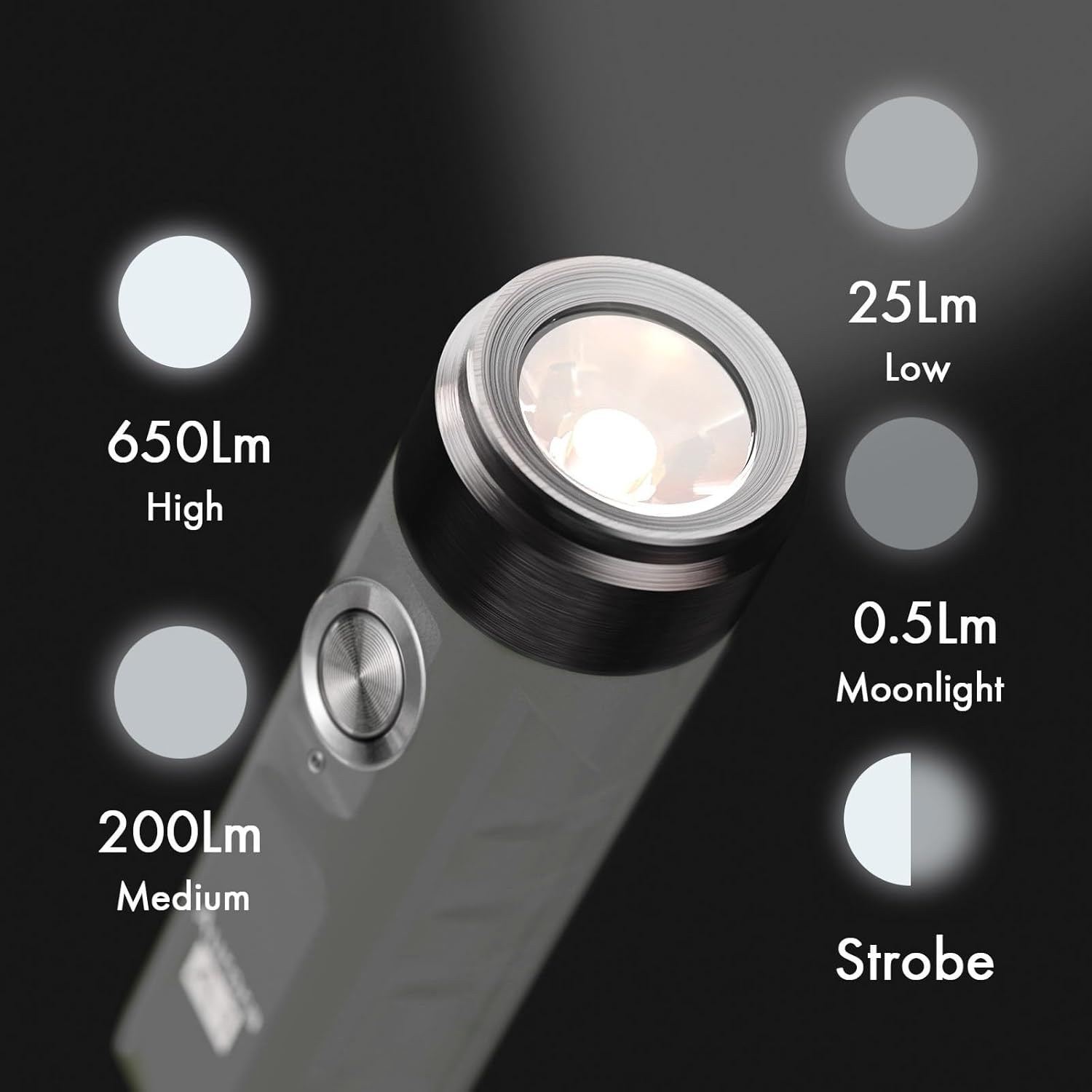
Image: Visual representation of the different brightness levels: Moonlight (0.5lm), Low (25lm), Medium (200lm), High (650lm), and Strobe mode.

Image: Demonstrates the rapid double-click action to activate constant-on modes.
Maintenance
Water Resistance
The RovyVon A1 Gen 4 flashlight has an IPX6 water resistance rating. This means it is protected against powerful water jets and splashes from any direction. It is suitable for use in rain or wet conditions but cannot be submerged in water.

Image: The RovyVon A1 Gen 4 flashlight being splashed with water, illustrating its IPX6 water resistance.
General Care
- Keep the flashlight clean and free from dust and debris. Use a soft, dry cloth for cleaning.
- Ensure the USB-C port cover is securely closed when not charging to maintain water resistance.
- Store the flashlight in a cool, dry place when not in use for extended periods.
- Avoid direct exposure to extreme temperatures.
Troubleshooting
Flashlight Not Turning On / Responding
If the flashlight does not turn on or only flashes twice when the button is pressed, it is likely in LOCK mode.
- Solution: To unlock, either connect the flashlight to a charger or rapidly click the power button five times.
Dim Light or Short Runtime
If the light appears dim or the battery life is shorter than expected, the battery may be low.
- Solution: Recharge the flashlight using a USB-C cable. A red indicator light confirms a low battery.
Specifications
| Feature | Detail |
|---|---|
| Brand | RovyVon |
| Model | A1GYZ |
| Max Brightness | 650 Lumens |
| Light Source | LED |
| Power Source | Battery Powered (Rechargeable) |
| Battery Type | 300mAh Lithium Polymer (included) |
| Charging Port | USB-C |
| Max Runtime | Up to 56 hours (Moonlight mode) |
| Beam Distance | 110 Meters |
| Water Resistance | IPX6 (Water Resistant) |
| Material | Polycarbonate (PA material) |
| Dimensions | 2.38" x 0.61" x 0.61" (approx. 0.59"D x 0.59"W x 2.36"H) |
| Weight | 0.59 oz (approx. 11.2 Grams / 0.395 ounces) |
| UPC | 192836000016 |

Image: Size comparison of the RovyVon A1 Gen 4 flashlight next to an AA battery, highlighting its compact size.
Warranty and Support
Warranty Information
The RovyVon A1 Gen 4 Flashlight comes with an Extended Warranty. For specific details regarding warranty coverage and claims, please refer to the official RovyVon website or contact their customer service.
Customer Support
For any questions, technical assistance, or support, please contact RovyVon customer service. You can also refer to the official User Manual (PDF) for more detailed information:
Manufacturer: RovyVon
Seller: RovyVon® Direct


