
Move2Play TS104
Move2Play Interactive Soccer Ball Instruction Manual
Model: TS104
Brand: Move2Play
1. Safety Information
The Move2Play Interactive Soccer Ball is designed for children aged 0+ months. It is made from soft, plush, lead-free, and phthalate-free materials, meeting USA & EU toy safety standards. Adult supervision is recommended during play.
2. Product Overview
The Move2Play Interactive Soccer Ball is a multi-sensory toy featuring intelligent motion sensors that respond to various movements. It includes over 30 engaging sound effects, melodies, and songs designed to encourage active play and support motor skill development.
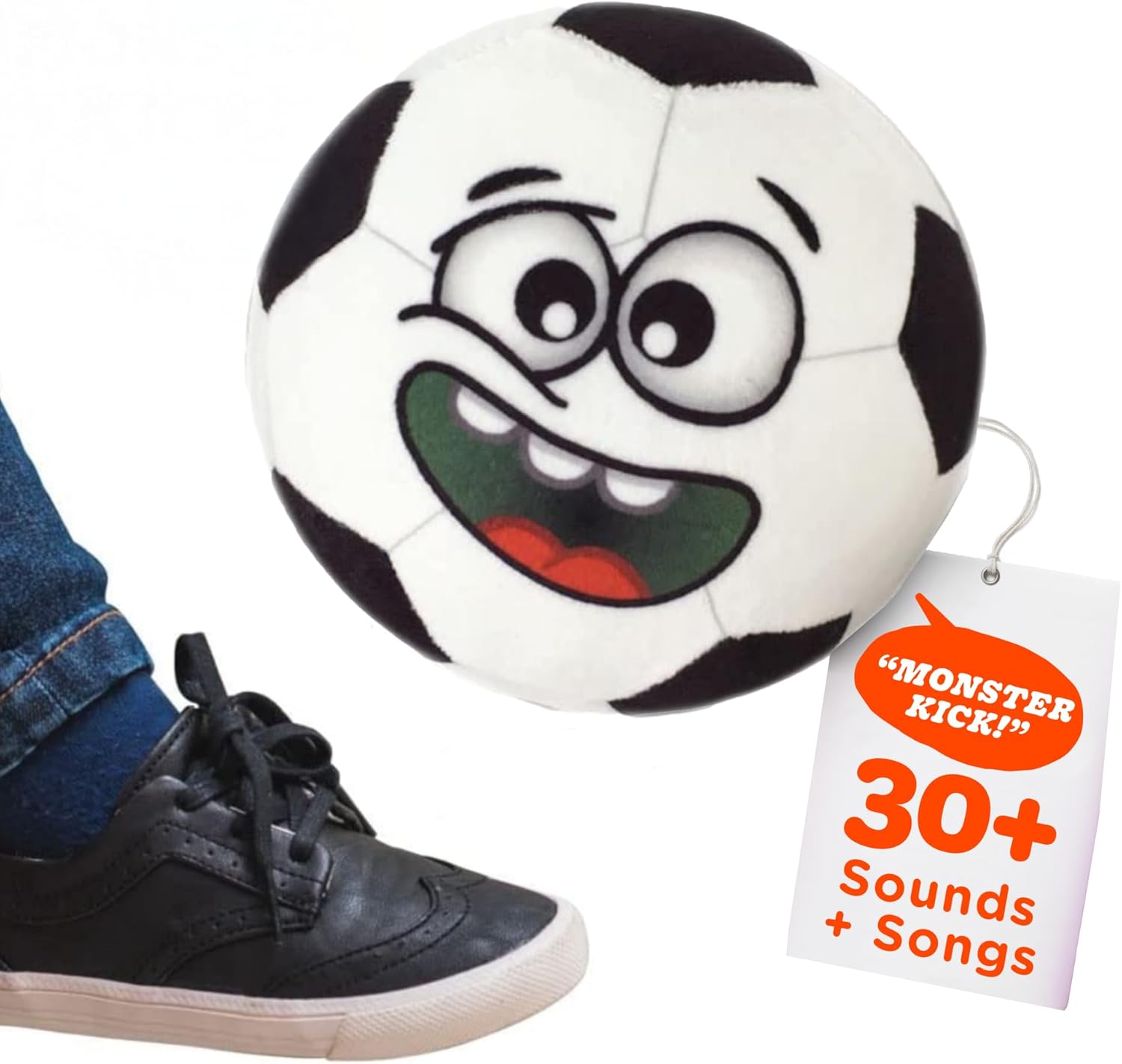
Figure 2.1: The Move2Play Interactive Soccer Ball, a plush toy with a friendly face.
Key features include:
- Smart Reactions: Intelligent sensors detect movement such as passing, shooting, tapping, or shaking.
- Interactive Sounds: Over 30 sound effects and songs, including animal sounds and sports-related phrases.
- Soft & Safe Materials: Constructed from plush fabric made from recycled water bottles, ensuring a safe play experience.
- Multi-Sensory Design: Features unique textures and a baby-safe mirror to stimulate sensory exploration.
- Machine-Washable: Easy to clean for both indoor and outdoor use.
Video 2.1: Official explainer video demonstrating the interactive features of the Move2Play Soccer Ball.
3. Setup
3.1 Battery Installation
The Interactive Soccer Ball requires 3xAAA batteries, which are included with the product. To install or replace batteries:
- Locate the Velcro opening on the ball.
- Open the Velcro to access the sound module.
- Carefully remove the sound module.
- Open the battery compartment on the module using a small screwdriver (not included).
- Insert 3xAAA batteries, ensuring correct polarity.
- Close the battery compartment and reinsert the module into the ball.
- Secure the Velcro closure.

Figure 3.1: Accessing the sound module for battery installation or replacement.
3.2 Volume Control
The sound module includes a switch for HIGH/LOW volume control. Adjust to your preference after battery installation.
Video 3.1: Unboxing and initial setup instructions for the Interactive Soccer Ball, including battery access.
4. Operating Instructions
The Interactive Soccer Ball features "SMART REACTIONS" that respond to various movements. Simply interact with the ball to activate sounds and phrases.
- Toss: Throw the ball to hear fun sayings and sounds.
- Shake: Shake the ball to activate silly songs and melodies.
- Roll: Roll the ball to trigger interactive responses.
- Tap/Kick: Tap or kick the ball to hear sports-related phrases like "Monster Kick!" or "Goal!".
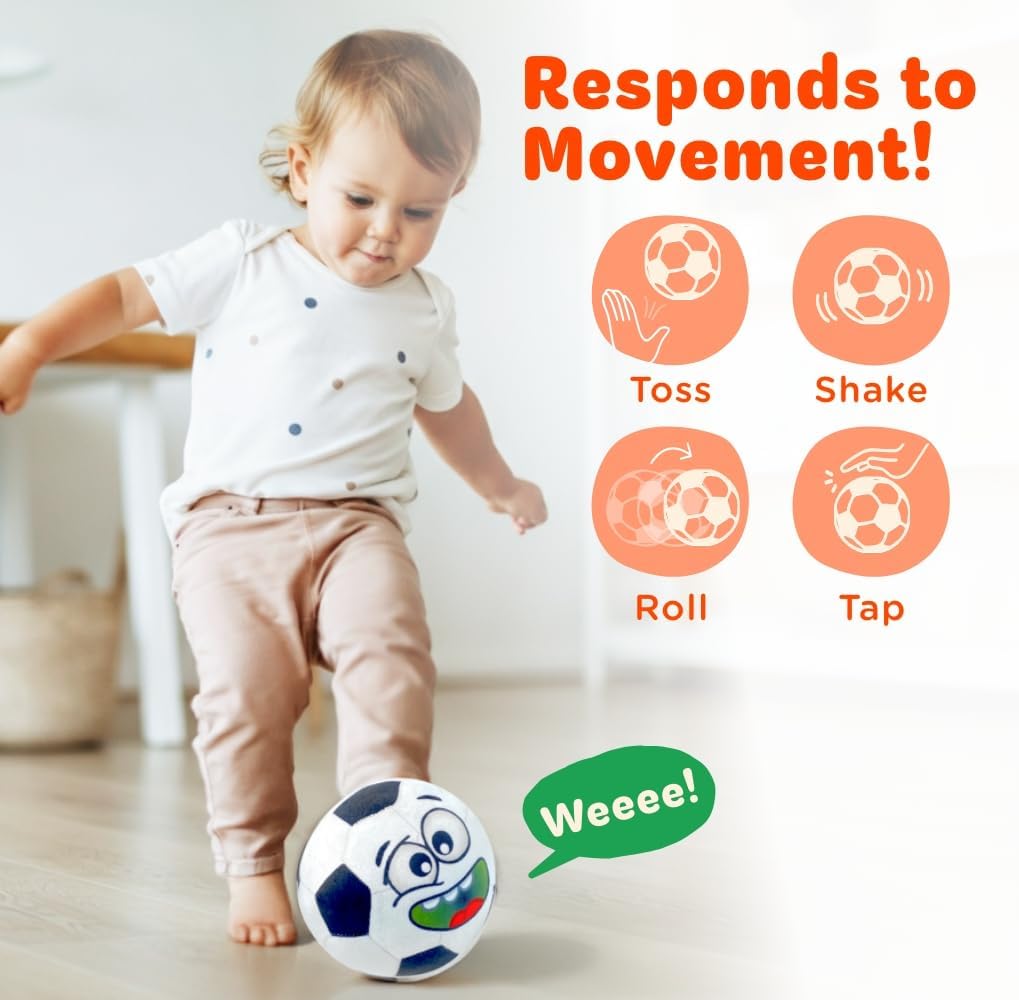
Figure 4.1: The ball responds to various movements, encouraging interactive play.
Video 4.1: Demonstration of the "Talkin' Sports" features and interactive sounds.
5. Maintenance
The Move2Play Interactive Soccer Ball is designed for easy cleaning.
- Before washing, remove the sound module from the ball through the Velcro opening.
- The plush cover is fully machine-washable. Use a gentle cycle with cold water.
- Air dry the plush cover completely before reinserting the sound module.
- Do not wash the sound module. Wipe it clean with a damp cloth if necessary.

Figure 5.1: The durable and machine-washable design allows for both indoor and outdoor play.
6. Troubleshooting
6.1 Sound Distortion
If the sound from the Interactive Soccer Ball becomes distorted, it may indicate low battery power. Replace the 3xAAA batteries in the sound module as described in Section 3.1.
7. Specifications
| Feature | Detail |
|---|---|
| Brand | Move2Play |
| Model Name | Hilariously Interactive Soccer Ball |
| Model Number | TS104 |
| Material | Plush (from recycled water bottles) |
| Color | Soccer Ball (Black and White) |
| Age Range | 0+ Months |
| Item Weight | 8 ounces |
| Item Dimensions (LxWxH) | 6 x 6 x 6 inches |
| Batteries | 3xAAA (included) |
| UPC | 652118607789 |
8. Warranty
This product comes with no stated warranty.
9. Support
For further assistance or inquiries regarding your Move2Play Interactive Soccer Ball, please visit the official Move2Play website or contact their customer support.
You can find more information at the Move2Play Store on Amazon.