
Gigaset S30852-H2802-K106
Gigaset A170 Portable Phone User Manual
Model: S30852-H2802-K106
1. Introduction
This manual provides essential information for setting up, operating, and maintaining your Gigaset A170 portable phone. Please read these instructions carefully to ensure proper use and to take full advantage of all features.
The Gigaset A170 is a reliable and user-friendly cordless phone designed for analog telephone lines. It features an illuminated display, an ergonomic keypad, and ECO Mode Plus for reduced radiation.
2. Package Contents
Before you begin, please check the contents of your package. Ensure all items listed below are present:
- 1x Gigaset A170 Base Station
- 1x Gigaset A170H Handset
- 1x Power Adapter for Base Station
- 1x Telephone Connection Cable
- 2x AAA Rechargeable Batteries (NiMH, 400 mAh)
- 1x Battery Compartment Cover
- 1x User Guide (this manual)
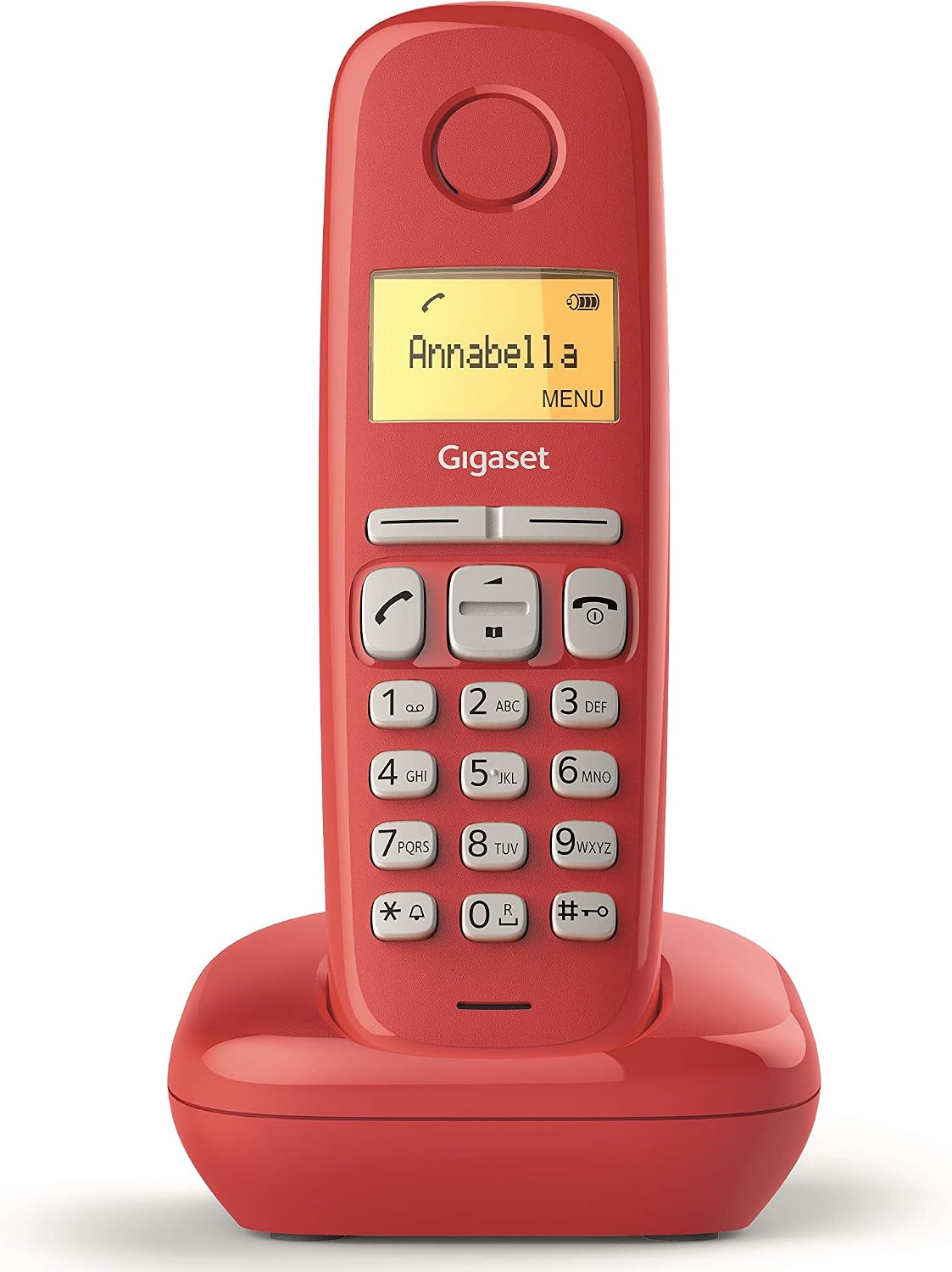
Image: Gigaset A170 portable phone and base station, red color.
3. Setup
3.1 Connecting the Base Station
- Connect the power adapter to the base station and plug it into a power outlet.
- Connect the telephone connection cable to the base station and plug the other end into your analog telephone wall socket.
3.2 Inserting Batteries and Charging the Handset
- Open the battery compartment cover on the back of the handset.
- Insert the two AAA rechargeable batteries according to the polarity markings.
- Close the battery compartment cover.
- Place the handset on the base station. The handset will beep, and the battery icon on the display will indicate charging.
- Allow the handset to charge for at least 6 hours before initial use to ensure optimal battery performance.
3.3 Initial Registration (if required)
Your handset is usually pre-registered to the base station. If not, or if you are registering an additional handset:
- Place the handset on the base station.
- Press and hold the registration key on the base station (usually a small button on the side or bottom) for approximately 3 seconds.
- Within 60 seconds, press the menu key on the handset and navigate to the "Register Handset" option. Follow the on-screen prompts.
4. Operating Instructions
4.1 Making and Receiving Calls
- Making a Call: Dial the number and press the green call key (📞).
- Receiving a Call: When the phone rings, press the green call key (📞).
- Ending a Call: Press the red end call key (☎️) or place the handset back on the base station.
4.2 Phonebook
The phonebook can store up to 50 contacts.
- Adding a Contact: Navigate to the phonebook menu, select "New Entry," enter the name and number, then save.
- Calling from Phonebook: Open the phonebook, select the desired contact, and press the green call key (📞).
4.3 Call Lists
The Gigaset A170 keeps a record of missed, received, and dialed calls.
- Access the call list menu to view recent calls. You can redial numbers directly from these lists.

Image: Close-up of the Gigaset A170 handset display showing an incoming call and the ergonomic keypad.
4.4 Adjusting Volume and Ringtones
- Call Volume: During a call, use the navigation keys to adjust the earpiece volume.
- Ringtone Volume: Navigate to the settings menu, select "Audio" or "Ringtone," and adjust the volume level (5 levels available). You can also choose from 10 different ringtones.
4.5 Alarm Function
The phone includes an alarm function.
- To set an alarm, go to the menu, select "Alarm," set the time, and activate it.
4.6 ECO Mode Plus
The Gigaset A170 features ECO Mode Plus, which reduces the transmitting power to virtually zero when the handset is in standby and placed in the base station, provided all registered handsets support ECO Mode Plus.
5. Maintenance
5.1 Cleaning
- Clean the handset and base station with a soft, damp cloth.
- Do not use abrasive cleaners or solvents.
5.2 Battery Care
- Only use the recommended rechargeable AAA NiMH batteries.
- If the phone will not be used for an extended period, remove the batteries to prevent leakage.
- Dispose of old batteries according to local regulations.
6. Troubleshooting
| Problem | Possible Cause | Solution |
|---|---|---|
| No dial tone / Cannot make calls | Base station not connected to phone line or power. | Check all cable connections to the base station and power outlet. |
| Handset not charging | Handset not correctly placed on base, dirty charging contacts, or faulty batteries. | Ensure handset is properly seated. Clean charging contacts. Replace batteries if necessary. |
| Low ringtone volume | Ringtone volume set too low in settings. | Adjust ringtone volume in the settings menu to a higher level. |
| Poor sound quality / Interference | Handset too far from base station, or interference from other electronic devices. | Move closer to the base station. Move base station away from other electronics (e.g., Wi-Fi routers, microwaves). |
| Display difficult to read | Viewing angle or display contrast settings. | Adjust the viewing angle. Check if there are display contrast settings in the menu (if available). |
7. Specifications
- Brand: Gigaset
- Model: A170 (S30852-H2802-K106)
- Color: Red (for this variant)
- Display: 1.5" Black/White Illuminated Matrix Display
- Keypad: Ergonomic
- Phonebook Capacity: Up to 50 contacts
- Ringtones: 10 selectable melodies
- Talk Time: Up to 18 hours
- Standby Time: Up to 200 hours
- Batteries: 2x AAA NiMH rechargeable (included)
- Dimensions (Handset HxWxD): 159 x 48 x 27 mm
- Material: Plastic
- Special Features: ECO Mode Plus (zero radiation), Call List (missed, received, dialed), Alarm function, Hearing aid compatible.
- Compatibility: Designed for analog telephone lines.
8. Warranty and Support
8.1 Warranty Information
Your Gigaset A170 portable phone comes with a 2-year manufacturer's warranty from the date of purchase. Please retain your proof of purchase for warranty claims.
8.2 Customer Support
For further assistance, technical support, or to check product compatibility, please visit the official Gigaset website or contact their customer service department. You can find more information and support resources at the Gigaset Store on Amazon or the manufacturer's official website.
Related documentsS30852-H2802-K106

Ask a question about this manual
Ask about setup, troubleshooting, compatibility, parts, safety, or missing instructions. Manuals+ will review the question and use this page’s manual context to help answer it.