
Important Safety Information
Please read all instructions carefully before using this product. Keep this manual for future reference.
- Do not expose the speaker to extreme temperatures or direct sunlight for prolonged periods.
- While water-resistant, do not submerge the speaker in water.
- Do not attempt to disassemble or modify the speaker. This will void the warranty and may cause damage.
- Use only the specified charging cable and power adapter (not included) to charge the device.
- Keep the speaker away from strong magnetic fields.
- Clean the speaker with a soft, dry cloth. Do not use abrasive cleaners or solvents.
Package Contents
Verify that all items are present in your package:
- QFX BT-920 Bluetooth Speaker
- Micro USB Charging Cable
- Auxiliary Audio Cable
- User Manual (this document)
Product Overview
The QFX BT-920 is a versatile, water-resistant Bluetooth speaker designed for portable audio enjoyment. It features vibrant LED lights, an FM radio, and multiple input options including USB, TF card, and auxiliary ports.
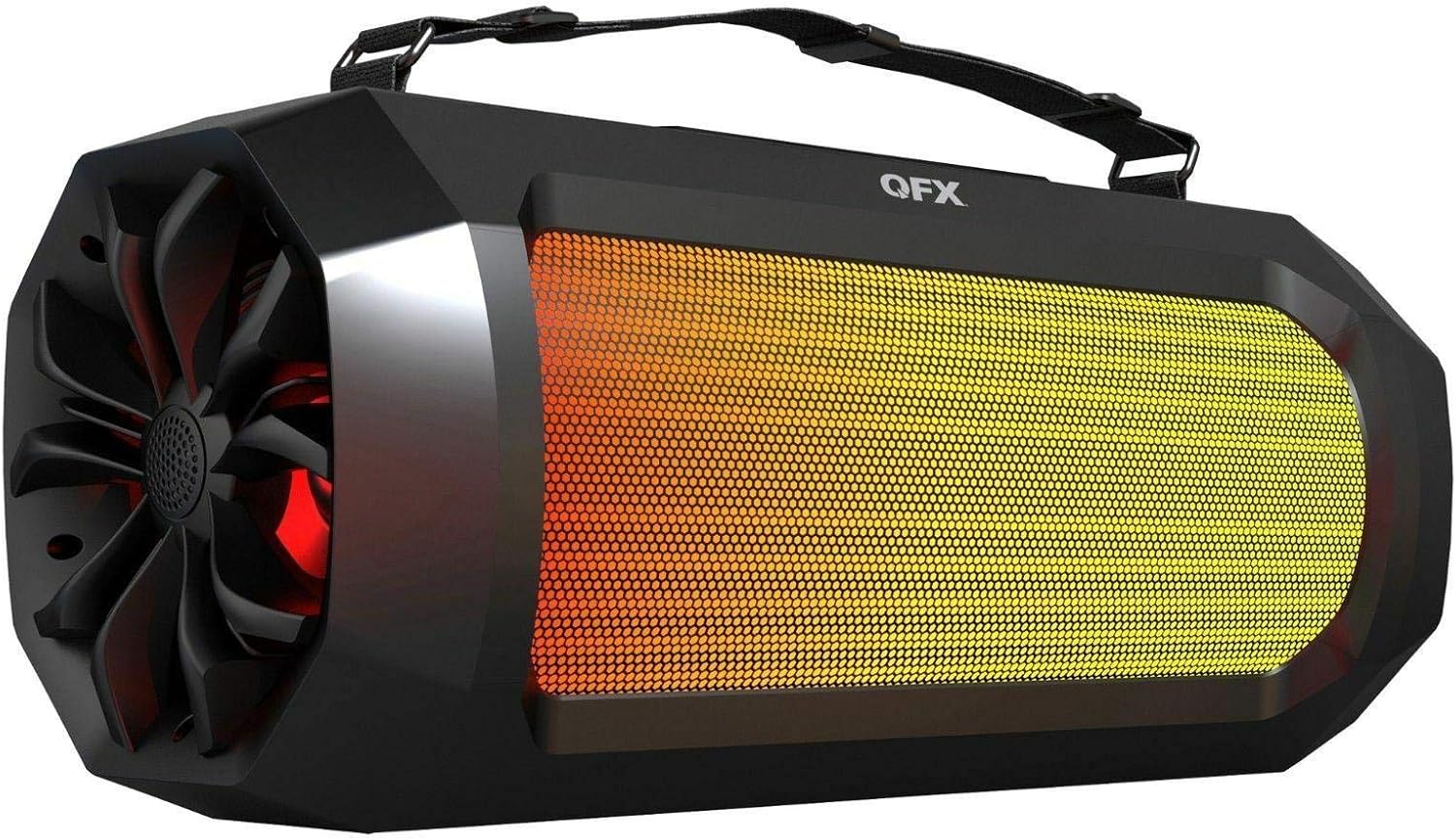
Figure 1: Front view of the QFX BT-920 speaker, showcasing the illuminated LED lights behind the front grille and the speaker's rugged design. A carrying strap is visible at the top.
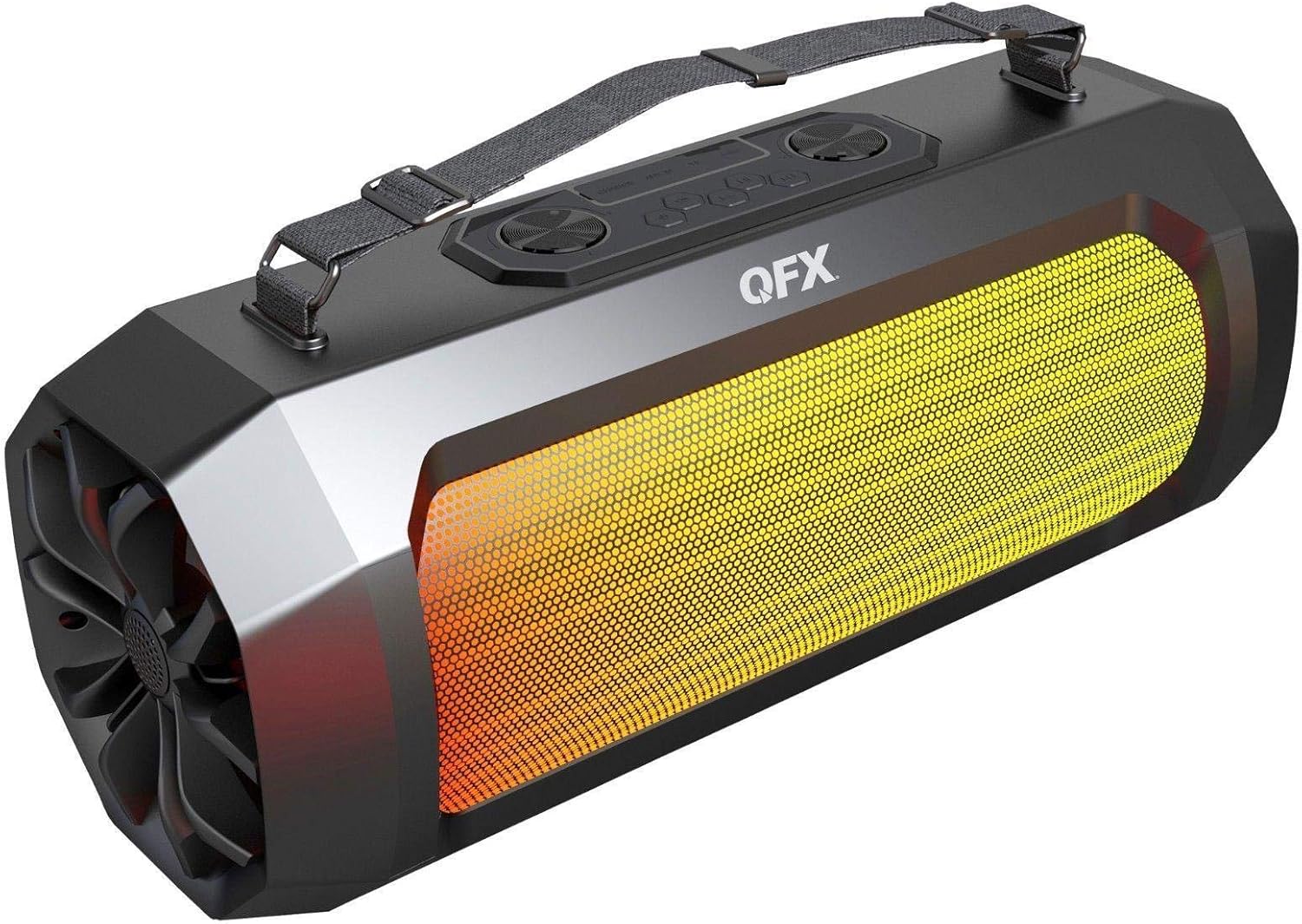
Figure 2: Top view of the QFX BT-920 speaker, highlighting the control panel with buttons for power, mode, volume, track control, and LED light functions. The carrying strap is also visible.

Figure 3: Side view of the QFX BT-920 speaker, showing the circular speaker grille on the left side with green LED lights active. The overall robust construction is evident.
Controls and Ports (Refer to Figure 2)
- Power Button: Turns the speaker on or off.
- Mode Button: Switches between Bluetooth, FM Radio, USB, TF Card, and AUX modes.
- Play/Pause Button: Plays or pauses audio. In FM mode, short press to auto-scan.
- Volume Up/Next Track: Short press for next track/station, long press for volume up.
- Volume Down/Previous Track: Short press for previous track/station, long press for volume down.
- LED Light Button: Toggles LED light effects.
- Micro USB Port: For charging the speaker.
- USB Port: For playing audio from a USB flash drive.
- TF Card Slot: For playing audio from a TF (MicroSD) card.
- AUX Input (2 ports): For connecting external audio devices via a 3.5mm audio cable.
Setup
1. Charging the Speaker
- Before first use, fully charge the speaker.
- Connect the Micro USB charging cable to the speaker's Micro USB port.
- Connect the other end of the cable to a USB power adapter (5V/1A recommended, not included) or a computer's USB port.
- The charging indicator light will illuminate during charging and turn off when fully charged.
2. Powering On/Off
- To power on, press and hold the Power Button for approximately 3 seconds.
- To power off, press and hold the Power Button for approximately 3 seconds again.
Operating Instructions
Bluetooth Pairing
- Power on the speaker. It will automatically enter Bluetooth pairing mode, indicated by a flashing LED light and an audible prompt.
- On your mobile device (smartphone, tablet, etc.), enable Bluetooth and search for available devices.
- Select "BT-920" from the list of devices.
- Once paired, the speaker will emit an audible confirmation, and the LED light will stop flashing.
- You can now play audio from your device through the speaker.
FM Radio Mode
- Press the Mode Button repeatedly until you hear the FM radio prompt.
- Short press the Play/Pause Button to initiate an automatic scan for FM stations. The speaker will save all found stations.
- Use the Previous Track and Next Track buttons to navigate between saved stations.
USB/TF Card Playback
- Insert a USB flash drive or TF (MicroSD) card into the corresponding port.
- The speaker will automatically switch to USB or TF card mode and begin playing audio files. If it does not, press the Mode Button to select the correct mode.
- Use the Play/Pause, Previous Track, and Next Track buttons to control playback.
AUX Input Mode
- Connect one end of the 3.5mm auxiliary audio cable to your external audio device (e.g., MP3 player, turntable).
- Connect the other end of the cable to one of the AUX Input ports on the speaker.
- Press the Mode Button repeatedly until you hear the AUX mode prompt.
- Control playback and volume directly from your connected audio device.
LED Light Control
- Press the LED Light Button to cycle through different light modes or to turn the lights off.
Maintenance
- Cleaning: Use a soft, dry, lint-free cloth to clean the speaker's exterior. Do not use liquid cleaners or aerosols.
- Storage: When not in use for extended periods, store the speaker in a cool, dry place, away from direct sunlight and extreme temperatures.
- Battery Care: To prolong battery life, avoid fully discharging the battery frequently. Charge the speaker regularly, even if not in use.
Troubleshooting
| Problem | Possible Solution |
|---|---|
| Speaker does not power on. | Ensure the speaker is charged. Connect it to a power source using the Micro USB cable. |
| No sound. |
|
| Bluetooth pairing fails. |
|
| FM radio reception is poor. |
|
Specifications
| Model: | BT-920 |
| Brand: | QFX |
| Connectivity: | Bluetooth, Auxiliary, USB |
| Power Source: | Battery Powered |
| Water Resistance: | Yes (Water-resistant) |
| Audio Channels: | 2.0 Surround Sound Channel Configuration |
| Dimensions (L x W x H): | 19.42 x 8.14 x 7.75 inches (approximate) |
| UPC: | 606540035535 |
Warranty and Support
For warranty information or technical support, please refer to the warranty card included with your product or visit the official QFX website. You may also contact QFX customer service directly for assistance.
Please retain your proof of purchase for any warranty claims.


