1. Introduction
This manual provides essential information for the safe and effective operation of your BETOPPER LC200W-H 200W RGB 3-in-1 COB Stage Light. Please read these instructions thoroughly before installation and use, and retain them for future reference. This professional stage light is designed for various applications including gigs, mobile DJ setups, church events, weddings, and general stage lighting, offering high-intensity, uniform, and saturated light output with low heat and power consumption.
2. Safety Information
- Electrical Safety: Always connect the unit to a grounded power outlet. Ensure the voltage matches the product's requirements (AC100-240V, 50/60Hz). Disconnect power before any service or maintenance.
- Heat Management: Ensure adequate ventilation around the fixture. Do not block cooling vents. Avoid operating in excessively hot environments.
- Eye Protection: Do not look directly into the light source when the fixture is operating, as it can cause eye damage.
- Installation: Mount the fixture securely using appropriate hardware. Ensure the mounting surface or truss can support the weight of the fixture.
- Moisture: This fixture is not waterproof. Do not expose it to rain or moisture.
- Maintenance: Refer all servicing to qualified personnel. Do not attempt to repair the unit yourself.
3. Package Contents
Upon opening the package, verify that all listed items are present and undamaged:
- BETOPPER LC200W-H 200W RGB 3-in-1 COB Stage Light Unit
- Power Cable
- Mounting Bracket (pre-attached or separate)
- Screws for installation (2 pieces)
- User Manual (this document)
If any items are missing or damaged, contact your retailer immediately.
4. Product Overview
The BETOPPER LC200W-H is a high-performance stage light featuring advanced COB (Chip on Board) technology. This design integrates multiple LED chips directly onto a single substrate, resulting in a powerful, uniform, and highly saturated light output with improved thermal performance and extended lifespan.

Figure 4.1: Front view of the BETOPPER LC200W-H 200W RGB 3-in-1 COB Stage Light, showcasing its robust black casing and bright light source.

Figure 4.2: Detailed view of the COB (Chip on Board) LED lamp, highlighting the integrated RGB chips for versatile color mixing.
4.1 Control Panel and Connections

Figure 4.3: Rear panel of the light, showing the digital display, control buttons, and power/DMX input/output connections.
The rear panel of the fixture features a digital display and control buttons for easy navigation through settings and operating modes. It also includes standard power and DMX connections for integration into larger lighting systems.
- Digital Display: Shows current mode, DMX address, and other settings.
- MENU Button: Accesses the main menu and navigates through options.
- UP/DOWN Buttons: Adjust values or scroll through menu options.
- ENTER Button: Confirms selections.
- POWER IN/OUT: Standard power connections for daisy-chaining multiple units.
- DMX IN/OUT: 3-pin XLR connectors for DMX512 control.
5. Setup
- Unpacking: Carefully remove the fixture from its packaging and inspect for any damage.
- Mounting: The fixture can be placed on a flat surface using its integrated stand or mounted to a truss using the provided mounting bracket and screws. Ensure the fixture is securely fastened and stable.
- Power Connection: Connect the power cable to the 'POWER IN' port on the fixture and then to a suitable grounded power outlet (AC100-240V, 50/60Hz).
- DMX Connection (Optional): If using DMX control, connect a DMX cable from your DMX controller's output to the 'DMX IN' port of the first fixture. For multiple fixtures, daisy-chain them by connecting the 'DMX OUT' of the first fixture to the 'DMX IN' of the next, and so on.
6. Operating Modes
The BETOPPER LC200W-H offers several operating modes to suit various lighting needs:
- Auto Mode: The fixture cycles through pre-programmed lighting effects automatically.
- Sound Activated Mode: The light reacts to ambient sound, changing colors and patterns in sync with music.
- DMX Control Mode: Provides full control over the fixture's functions (color, intensity, strobe, etc.) via a DMX512 controller. This model supports 7 DMX channels.
- Master/Slave Mode: Link multiple fixtures together. One fixture acts as the master, controlling all other slave units, ensuring synchronized lighting effects.
Video 6.1: Demonstration of the BETOPPER LC200W-H COB Stage Light's color mixing capabilities and strobe effects, showcasing its versatility for dynamic lighting displays.
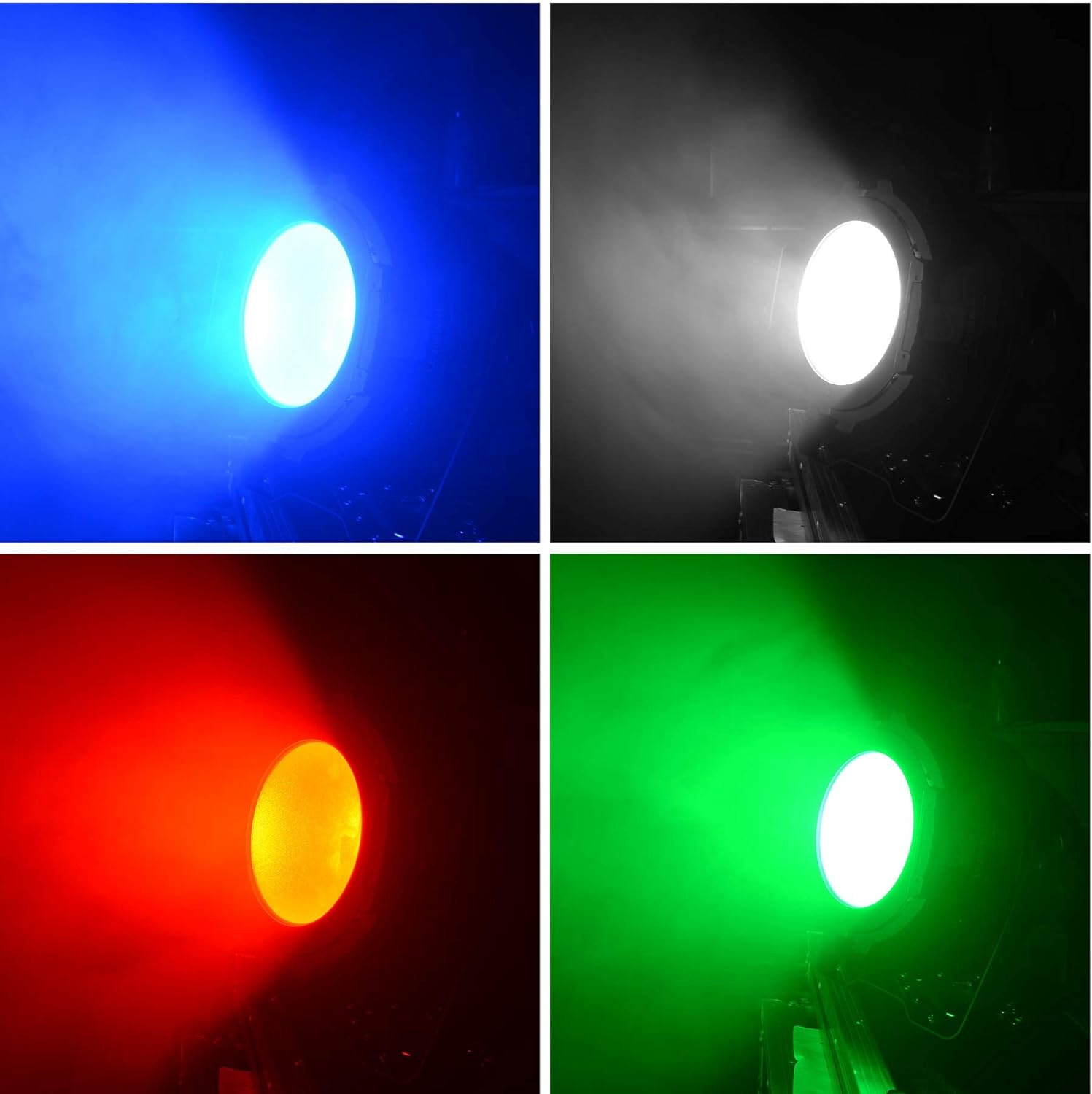
Figure 6.2: Examples of individual color outputs (blue, white, red, green) from the 200W RGB 3-in-1 COB light, demonstrating its vibrant color range.

Figure 6.3: Illustration of the light's color blending capabilities, projecting multiple colors onto a surface to create dynamic visual effects.
7. Maintenance
Regular maintenance ensures the longevity and optimal performance of your stage light.
- Cleaning: Periodically clean the lens and exterior casing with a soft, lint-free cloth. For stubborn dirt, use a mild glass cleaner. Ensure the fixture is powered off and cooled before cleaning.
- Fan and Vents: Keep the cooling fan and ventilation openings free from dust and debris to prevent overheating. Use compressed air to clear any blockages.
- Cable Inspection: Regularly check power and DMX cables for any signs of wear, cuts, or damage. Replace damaged cables immediately.
- Storage: When not in use, store the fixture in a dry, dust-free environment, preferably in its original packaging or a protective case.
8. Troubleshooting
If you encounter issues with your BETOPPER LC200W-H, refer to the table below for common problems and solutions.
| Problem | Possible Cause | Solution |
|---|---|---|
| Light does not turn on | No power supply; Faulty cable; Unit malfunction | Check power connection and outlet; Replace power cable; Contact support if issue persists. |
| No DMX control | Incorrect DMX address; Faulty DMX cable; Incorrect DMX mode | Verify DMX address on fixture and controller; Check DMX cable connections; Ensure fixture is in DMX mode. |
| Light flickers or behaves erratically | Loose connection; DMX signal interference; Overheating | Check all cable connections; Ensure DMX termination is used; Check for proper ventilation. |
| Fan is excessively noisy | Dust in fan; Fan malfunction | Clean fan and vents; Contact support if noise persists. |
9. Specifications
Technical specifications for the BETOPPER LC200W-H 200W RGB 3-in-1 COB Stage Light:
| Feature | Detail |
|---|---|
| Model Number | LC200W-H |
| Light Source Type | COB LED (RGB 3-in-1) |
| Wattage | 200 Watts |
| Brightness | 1000 Lumens |
| Power Source | Corded Electric (AC100-240V, 50/60Hz) |
| Material | Metal, Plastic |
| Color | Black |
| Item Weight | 7.76 pounds (3.53 Kilograms) |
| Beam Angle | 25 Degrees |
| Mounting Type | Floor mount or Truss mount |
| DMX Channels | 7-CH |

Figure 9.1: Diagram illustrating the beam angle and illumination distance of the BETOPPER LC200W-H light.
10. Warranty and Support
BETOPPER products are manufactured to high-quality standards. For warranty information, technical support, or service inquiries, please refer to the contact details provided with your purchase documentation or visit the official BETOPPER website. Keep your proof of purchase for any warranty claims.