
Introduction
This manual provides essential information for the safe and effective use of your Hubei B21N1329 Li-ion laptop battery. It includes product specifications, installation instructions, safety guidelines, and maintenance advice. Please read this manual thoroughly before installing or using the battery.
Safety Information
- Do not attempt to disassemble or reassemble the battery pack. Unauthorized modifications can lead to hazards.
- Keep the battery away from extreme heat or cold. High temperatures (above 60°C/140°F) or freezing temperatures can damage the battery and pose a fire risk.
- Avoid short-circuiting the battery terminals. This can cause severe damage to the battery and potentially lead to fire or explosion.
- Do not dispose of the battery in fire or water. Follow local regulations for proper battery disposal.
- Use only with compatible chargers. Using an incompatible charger may damage the battery or the laptop.
- If the battery shows signs of damage, swelling, or leakage, discontinue use immediately.
The battery is CE-, FCC-, and RoHS-Certified for safety.
Product Specifications
| Battery Type | Li-ion |
| Model Number | B21N1329 |
| Voltage | 7.6V |
| Capacity | 30Wh |
| Color | Black |
| Compatible Part NO. | B21N1329, 0B200-00840000 |
| Compatible Laptop Series | Asus X403, X403M, X403MA, X503M, X502CA, X453, X453MA, X553, X553M, F453, F453MA, F553M, P553, D553M, P553MA |
The battery features high-quality materials and an upgraded Battery Management System (BMS) for intelligent protection, ensuring safety and efficiency.
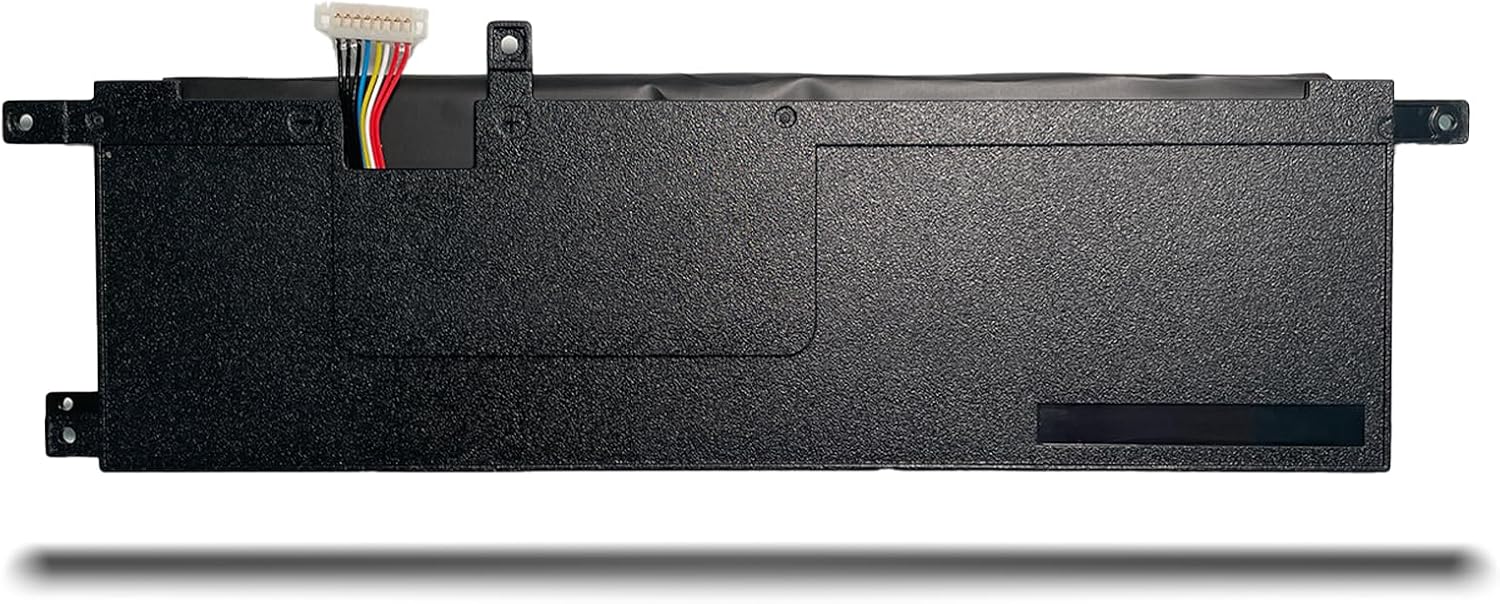
Figure 1: Product information label on the battery.
Installation Guide
Replacing a laptop battery can vary depending on whether your laptop uses an external or internal battery. Always ensure your laptop is powered off and disconnected from the power adapter before beginning any installation.
External Battery Replacement
- Turn off your laptop and disconnect the AC adapter.
- Locate the battery release latches on the underside of your laptop.
- Push all battery clasps to the unlocked state.
- Gently slide the old battery out of its compartment.
- Insert the new Hubei B21N1329 battery into the compartment until it clicks into place.
- Ensure all latches are in the locked state to secure the battery.
Internal Battery Replacement
For internal batteries, the process involves opening the laptop casing. If you are not comfortable performing this, seek professional assistance. The following steps are a general guide; specific laptop models may have slight variations.
- Turn off your laptop and disconnect the AC adapter.
- Carefully unfix the screws on the back cover of your laptop. Use appropriate tools to avoid damage.
- Gently open the back cover to expose the internal components.
- Locate the old battery. It will typically be secured with screws and connected via a cable to the motherboard.
- Unfix any screws securing the old battery.
- Carefully disconnect the laptop battery cable from the motherboard. Apply gentle pressure to release the connector.
- Remove the old battery.
- Place the new Hubei B21N1329 battery into position.
- Connect the new battery cable to the motherboard, ensuring a secure fit.
- Secure the new battery with the screws previously removed.
- Carefully close the back cover and tighten all screws.
Video 1: General guide on how to replace an internal laptop battery. While the video features a B31N1912 battery, the installation steps are broadly applicable to many internal laptop batteries like the B21N1329.

Figure 2: Top view of the Hubei B21N1329 battery.

Figure 3: Interface and connection details of the battery.

Figure 4: Side view of the battery, showing its structural elements.
Operating Instructions
- Initial Use: For optimal performance, fully charge the new battery before its first use.
- Charging: Charge the battery using your laptop's original or a certified compatible AC adapter.
- Discharging: It is generally recommended to allow the battery to discharge to a low level (e.g., 10-20%) before recharging, but avoid complete discharge to 0% frequently.
- Temperature: Operate your laptop in moderate temperatures. Extreme heat or cold can affect battery life and performance.
Maintenance
- Regular Calibration: Periodically (every 2-3 months) allow the battery to fully discharge and then fully recharge to recalibrate the battery meter.
- Storage: If storing the battery for an extended period, ensure it is charged to about 50-70% and stored in a cool, dry place. Avoid storing a fully charged or completely discharged battery.
- Cleaning: Keep the battery contacts clean and free from dust or debris. Use a dry, soft cloth for cleaning.
- Software Updates: Keep your laptop's operating system and drivers updated, as power management features can impact battery efficiency.
Troubleshooting
- Battery Not Charging:
- Ensure the AC adapter is properly connected to both the laptop and a working power outlet.
- Verify that the battery is correctly seated in its compartment (for external batteries) or properly connected internally (for internal batteries).
- Check if the AC adapter itself is functioning correctly.
- Update or reinstall battery drivers in your operating system.
- Short Battery Life:
- Adjust power settings in your operating system to optimize for battery life.
- Close unnecessary applications running in the background.
- Reduce screen brightness.
- Ensure the laptop's cooling system is clean and functioning to prevent overheating, which can degrade battery performance.
- Battery Not Recognized:
- Remove and reinsert the battery (if external) or check internal connections (if internal).
- Restart your laptop.
- Update your laptop's BIOS/UEFI firmware.
Warranty and Support
Your Hubei B21N1329 laptop battery comes with a 12 Months Manufacturer Warranty. For any questions, technical assistance, or warranty claims, please contact the seller or manufacturer directly. We are committed to 100% satisfaction.