1. Introduction
This manual provides detailed instructions for the installation, operation, and maintenance of your SANNCE 960H Dome Security Camera. Please read this manual thoroughly before using the product to ensure proper functionality and safety.
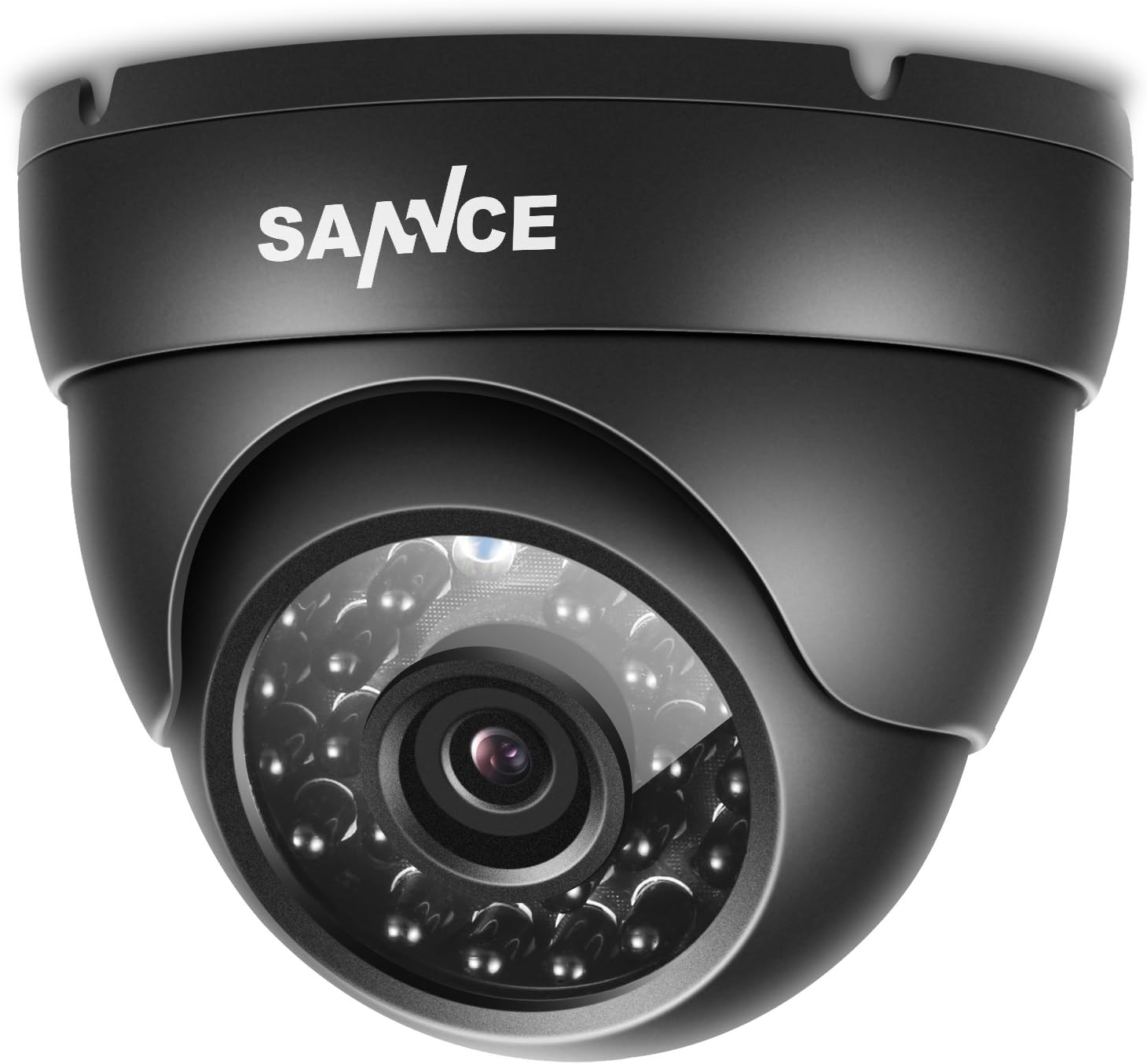
Image 1.1: Front view of the SANNCE 960H Dome Security Camera.
Product Features:
- 800TVL Video Resolution: Delivers clear video images.
- Day & Night Monitoring: Equipped with infrared LEDs for up to 100ft (30m) night vision.
- Smart IR Cut: Ensures accurate color reproduction during the day and enhanced brightness in low-light conditions.
- High Compatibility: Works with most analog DVRs (960H, 720P, 1080P, 5MP, 4K).
- IP66 Weatherproof: Durable housing suitable for both indoor and outdoor use.
2. Package Contents
Please check the package contents upon receipt. If any items are missing or damaged, contact your retailer.
- SANNCE 960H Dome Security Camera
- Mounting Screws and Plugs
- User Manual (this document)
Note: Power supply and video cable are not included and must be purchased separately.
3. Setup and Installation
3.1 Camera Components

Image 3.1: Exploded view showing camera components including IP66 metal housing, 4.6mm HD lens, 24 LEDs for night vision, glass cover, video output, power port, and IR-CUT filter.
- IP66 Metal Housing: Durable and weatherproof for outdoor use.
- 4.6mm HD Lens: Provides a wider viewing angle.
- 24 LEDs: For night vision up to 100ft.
- Glass Cover: Protects the lens from environmental elements.
- Video Output: BNC connector for high definition video output.
- Power Port: 12V DC power input.
- IR-CUT Filter: For accurate color during the day and enhanced night vision.
3.2 Mounting the Camera
The camera is designed for wall mounting and can be used both indoors and outdoors due to its IP66 weatherproof rating.
- Choose a suitable location for installation, ensuring optimal viewing angle and coverage.
- Use the camera base as a template to mark the screw holes on the mounting surface.
- Drill pilot holes and insert the provided wall plugs if mounting on masonry.
- Secure the camera base to the surface using the mounting screws.
- Adjust the camera's angle to achieve the desired field of view.

Image 3.2: The compact design allows for easy handling during installation.
3.3 Connecting the Camera
The SANNCE 960H Dome Security Camera requires a 12V DC power supply and a BNC video cable for connection to a compatible DVR.

Image 3.3: Typical connection diagram showing camera, power access, video cable, DVR, and monitor.
- Connect the camera's power input to a 12V DC power supply (not included).
- Connect the camera's BNC video output to a BNC input port on your DVR using a video cable (not included).
- Ensure all connections are secure.
- Power on the DVR and monitor to verify the camera feed.
3.4 Video Format Switching (OSD Menu)
This camera supports multiple video formats (AHD, TVI, CVI, CVBS) to ensure compatibility with various DVRs. You can switch between formats using the OSD (On-Screen Display) joystick located on the camera's cable.

Image 3.4: OSD joystick for selecting video output format (AHD, TVI, CVI, CVBS).
To switch formats:
- Up: CVBS
- Down: CVI
- Left: AHD
- Right: TVI
Press and hold the joystick in the desired direction for approximately 5 seconds until the video format changes on your monitor.

Image 3.5: The camera supports AHD, TVI, CVI, and CVBS formats for broad DVR compatibility.
4. Operation
4.1 Day and Night Vision
The camera automatically switches between day (color) and night (black and white infrared) modes based on ambient light conditions. The Smart IR Cut filter ensures optimal image quality in both modes.

Image 4.1: Example of night vision capability, showing clear infrared illumination.
4.2 Video Recording and Playback
Video recording and playback are managed through your connected DVR system. Refer to your DVR's user manual for specific instructions on configuring recording schedules, motion detection, and accessing recorded footage.
The camera provides an 800TVL resolution feed. When connected to a compatible DVR, it can be integrated into systems supporting 960H, 720P, 1080P, 5MP, or 4K resolutions, depending on the DVR's capabilities and the selected camera output format.

Image 4.2: Illustrative comparison of video resolutions, demonstrating clarity differences.
5. Maintenance
5.1 Cleaning the Camera
Regular cleaning of the camera's glass cover is recommended to ensure clear image quality. Use a soft, damp cloth to gently wipe the lens and housing. Avoid abrasive cleaners or solvents that could damage the camera's finish or lens coating.
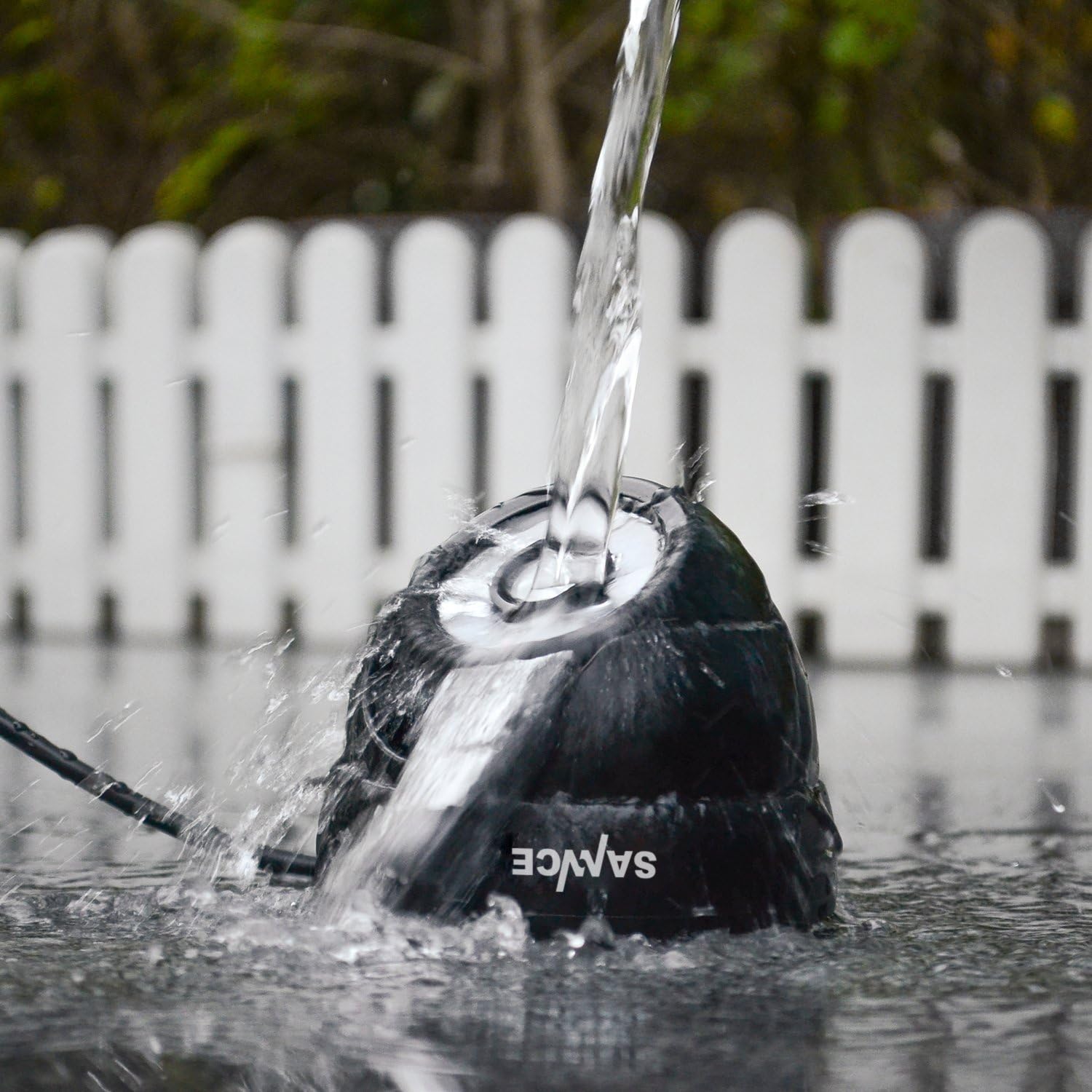
Image 5.1: The camera's IP66 rating ensures protection against water and dust, simplifying outdoor maintenance.

Image 5.2: The camera is designed to withstand various weather conditions, including snow.

Image 5.3: The IP66 rating also ensures protection during rainy conditions.
5.2 Environmental Considerations
While the camera is IP66 rated, avoid directing it towards direct sunlight or strong light sources for extended periods, as this can affect image sensor longevity and performance. Ensure proper ventilation if installed in an enclosed space, though its primary design is for open indoor/outdoor environments.
6. Troubleshooting
| Problem | Possible Cause | Solution |
|---|---|---|
| No video signal |
|
|
| Poor image quality (blurry/distorted) |
|
|
| Night vision not working or poor |
|
|
For further assistance, please contact SANNCE customer support or refer to the support section on the SANNCE website.
7. Specifications
| Feature | Detail |
|---|---|
| Model Number | 3216559295 |
| Video Resolution | 800TVL (compatible with 960H, 720P, 1080P, 5MP, 4K DVRs) |
| Night Vision Range | Up to 100 feet (30 meters) |
| IR LEDs | 24 LEDs |
| Lens | 4.6mm HD Lens |
| Field Of View | 80 Degrees |
| Connectivity | Analog (BNC) |
| Supported Video Formats | AHD, TVI, CVI, CVBS (switchable via OSD) |
| Power Source | 12V DC (Corded Electric) |
| Weatherproof Rating | IP66 |
| Mounting Type | Wall Mount |
| Material | Plastic (Housing) |
| Item Weight | 10.8 ounces |
| Dimensions | 3.86 x 3.82 x 3.11 inches (Package Dimensions) |
| Operating Environment | Indoor, Outdoor |

Image 7.1: Approximate dimensions of the SANNCE Dome Security Camera.
8. Support and Contact Information
For technical support, warranty information, or further inquiries, please visit the official SANNCE website or contact their customer service department.
SANNCE Official Website: www.sannce.com
Note: Specific contact details may vary by region. Please check the website for the most up-to-date information.


