
1. Product Overview
The COZOO Dimmable USB Bedside Table Lamp is designed to provide versatile lighting and convenient charging capabilities for various indoor settings. It features a touch-sensitive base for brightness control and integrated USB-A, USB-C, and AC outlets.
Key Features:
- 3-Way Smooth Dimmable Touch Control: Easily adjust brightness levels (low, medium, high) with a simple touch.
- Integrated Charging Ports: Equipped with 2 USB-A ports, 1 USB-C port, and 2 AC outlets for charging multiple devices simultaneously.
- Modern Minimalist Design: Features a sleek fabric shade and a fireproof plastic charger base, suitable for various room decors.
- Safety Features: Built-in multi-protection system against overload, short-circuits, over-current, and over-temperature.
- Included LED Bulb: Comes with a standard E26/E27 LED bulb.
Components:
- Lamp Base with integrated charging ports and touch control
- Lamp Shade (White Fabric)
- Lamp Post
- LED Bulb (E26/E27)

Figure 1.1: Overview of the COZOO Dimmable USB Bedside Table Lamp with a phone connected for charging.

Figure 1.2: Close-up view of the lamp base, highlighting the 2 AC outlets, USB-A port, and USB-C port for device charging.
2. Setup Instructions
Assembly is required for this lamp. Please follow these steps carefully:
- Unpack all components from the packaging. Ensure all parts listed in the 'Components' section are present.
- Screw the lamp post firmly into the lamp base.
- Attach the lamp shade to the lamp post. Ensure it is securely seated.
- Carefully screw the provided LED bulb into the lamp's E26/E27 socket. Do not overtighten.
- Place the assembled lamp on a stable, flat surface.
- Plug the lamp's power cord into a standard 110-120V AC wall outlet.
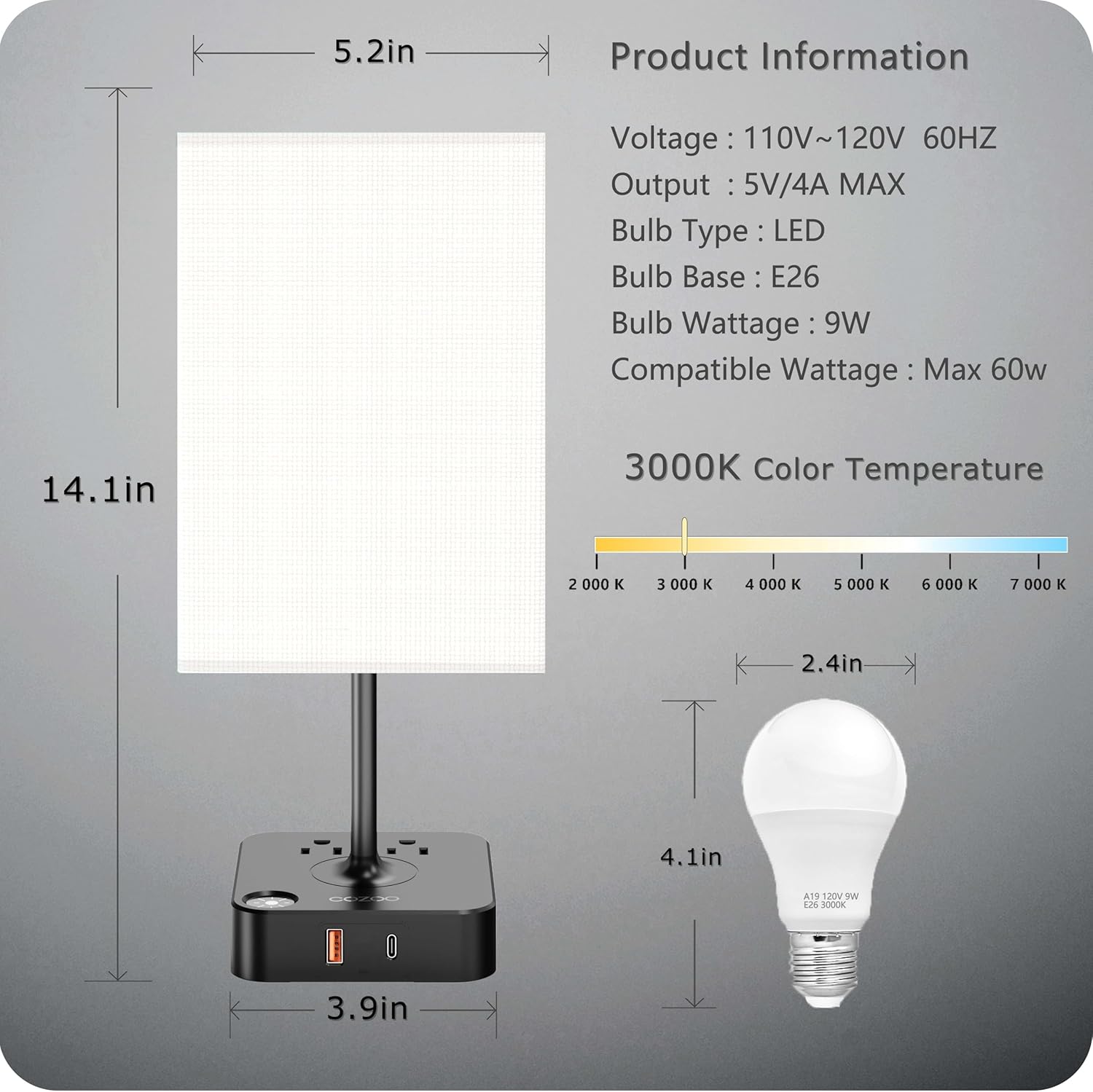
Figure 2.1: Product dimensions and bulb specifications for assembly reference.
3. Operating Instructions
Lamp Operation:
The lamp features a touch-sensitive control for power and brightness adjustment.
- To Turn On/Off: Lightly tap any metal part of the lamp base or the designated touch area.
- To Adjust Brightness: After turning on, tap the touch area repeatedly to cycle through the three brightness levels: Low, Medium, and High. Tapping again after High will turn the lamp off.

Figure 3.1: Visual representation of the three dimmable brightness levels: Low, Medium, and High.
Charging Ports Operation:
The USB-A, USB-C, and AC outlets on the lamp base function independently of the lamp's light being on or off, as long as the lamp is plugged into a wall outlet.
- USB Charging: Connect your device's USB-A or USB-C charging cable to the corresponding port on the lamp base.
- AC Outlets: Plug any standard electronic device into the two AC outlets on the lamp base.

Figure 3.2: The lamp base providing power through USB-A, USB-C, and American Standard Sockets for various devices.
4. Maintenance
- Cleaning: Disconnect the lamp from the power outlet before cleaning. Use a soft, dry cloth to wipe the lamp base and shade. Do not use abrasive cleaners or solvents.
- Bulb Replacement: Ensure the lamp is unplugged and the bulb has cooled down before attempting to replace it. Unscrew the old bulb and screw in a new E26/E27 LED bulb (maximum 60W equivalent).
- General Care: Avoid placing the lamp in excessively humid environments or near heat sources. Do not expose the lamp to direct sunlight for prolonged periods.
5. Troubleshooting
| Problem | Possible Cause | Solution |
|---|---|---|
| Lamp does not turn on. | Not plugged in; power outage; loose bulb; faulty bulb. | Ensure lamp is securely plugged in. Check power outlet. Tighten bulb. Replace bulb if necessary. |
| Touch control is unresponsive. | Power interruption; dirty touch surface. | Unplug the lamp for 30 seconds, then plug it back in. Clean the touch surface with a dry cloth. |
| Devices not charging via USB/AC outlets. | Lamp not plugged in; device cable faulty; device not compatible. | Ensure lamp is plugged into a live outlet. Try a different charging cable or device. |
| Lamp flickers or dims unexpectedly. | Loose bulb; unstable power supply. | Tighten bulb. Try plugging the lamp into a different outlet. |
6. Specifications
| Feature | Detail |
|---|---|
| Model Number | MC003 |
| Product Dimensions | 5.2"D x 5.2"W x 13.65"H |
| Item Weight | 1.43 pounds (650 Grams) |
| Input Voltage | 110-120V, 60Hz |
| USB Output | 5V/4A MAX (2 USB-A, 1 USB-C) |
| AC Outlets | 2 Standard American Sockets |
| Bulb Type | LED (included) |
| Bulb Base | E26/E27 |
| Compatible Wattage | Max 60W (equivalent) |
| Color Temperature | 2700 Kelvin |
| Brightness | 800 Lumen |
| Switch Type | Touch Control |
| Material | Linen, Metal, Plastic |
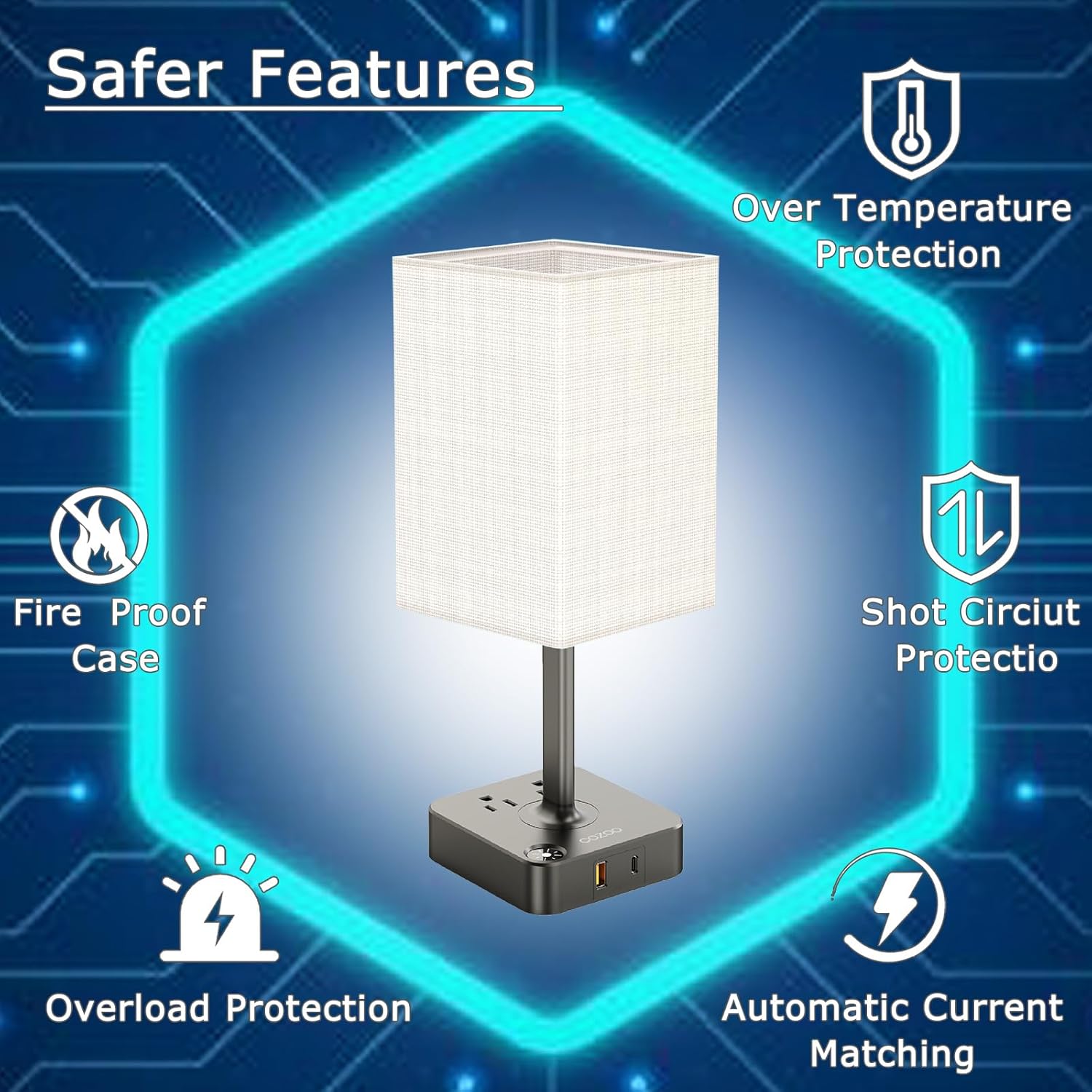
Figure 6.1: Overview of the lamp's integrated safety features.
7. Safety Information
Please read and follow these safety precautions to prevent injury or damage:
- Do not use this lamp in wet or damp locations. For indoor use only.
- Ensure the lamp is unplugged before cleaning, replacing the bulb, or performing any maintenance.
- Do not exceed the maximum wattage for the bulb (60W equivalent).
- Keep the lamp away from flammable materials.
- Do not disassemble or modify the lamp. Refer all servicing to qualified personnel.
- Keep out of reach of children and pets.
- If any damage occurs to the power cord or plug, discontinue use immediately and contact customer support.
8. Warranty and Support
COZOO is committed to providing high-quality products and an exceptional purchasing experience. While specific warranty details are not provided in this manual, we encourage you to contact us directly if you encounter any issues or have questions regarding your dimmable nightstand lamp.
Our customer support team is available to assist you with any problems or suggestions to improve our products and services.
For support, please visit the official COZOO store on Amazon or refer to your purchase documentation for contact information.
Online Support: COZOO Amazon Store