1. Introduction
This manual provides essential instructions for the proper use and maintenance of your KECHAODA K115 basic mobile phone. Please read this guide thoroughly before operating your device to ensure optimal performance and longevity.
2. Package Contents
Verify that all items are present in your product package:
- KECHAODA K115 Handset
- USB Cable
- Lithium-ion Battery (800mAh)
3. Device Overview
Familiarize yourself with the physical components of your KECHAODA K115 phone.

Figure 3.1: Front View. This image displays the front of the KECHAODA K115 phone, highlighting its 1.44-inch display and the well-spaced numeric keypad.
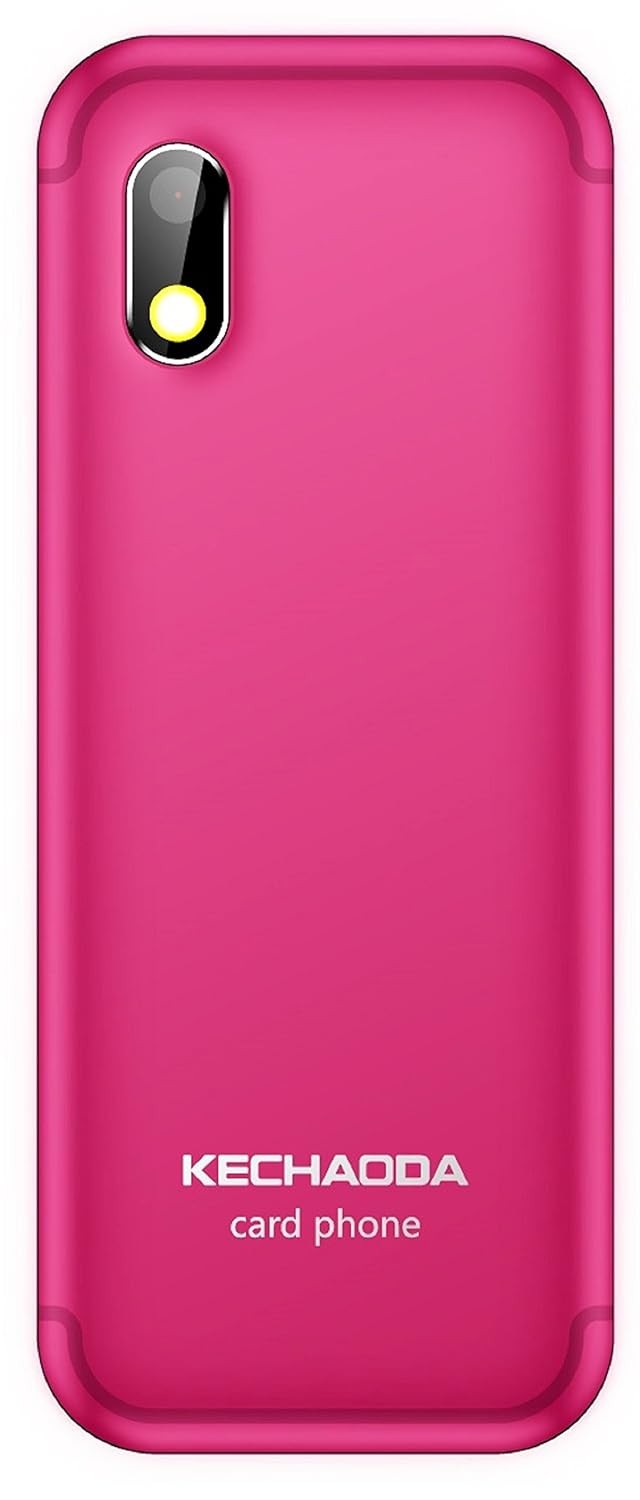
Figure 3.2: Back View. This image shows the rear of the KECHAODA K115, featuring the 0.3MP primary camera lens and the KECHAODA branding.

Figure 3.3: Top and Bottom Views. This image illustrates the top and bottom edges of the KECHAODA K115, indicating the location of the 3.5mm audio jack and the USB charging port.
4. Setup
4.1. Battery Installation
- Remove the back cover of the phone by gently prying it from the designated notch.
- Align the battery contacts with the terminals inside the battery compartment.
- Press the battery down firmly until it is securely in place.
- Replace the back cover, ensuring it clicks into position.
4.2. SIM Card Installation
The KECHAODA K115 supports dual SIM cards.
- With the battery removed, locate the SIM card slots.
- Insert your SIM card(s) into the respective slots, ensuring the gold contacts face downwards and the cut corner aligns correctly.
- Gently push the SIM card(s) until they are fully seated.
4.3. Memory Card Installation (MicroSD)
The device supports a microSD card up to 32GB for expanded storage.
- Locate the microSD card slot, usually adjacent to the SIM card slots.
- Insert the microSD card with the gold contacts facing downwards, pushing it gently until it locks into place.
4.4. Initial Power On and Charging
- After installing the battery and SIM card(s), press and hold the Power/End Call button until the screen illuminates.
- To charge the phone, connect the USB cable to the phone's charging port and the other end to a compatible USB power adapter or computer.
- A charging indicator will appear on the screen.
5. Operating Instructions
5.1. Basic Functions
- Making Calls: Enter the phone number using the keypad and press the Call button.
- Answering Calls: Press the Call button when the phone rings.
- Sending Messages: Navigate to the 'Messages' menu, select 'Write Message', enter your text, and choose a recipient.
- Speed Dialing: Assign frequently called numbers to specific keys for quick dialing. Refer to the phone's menu for speed dial setup.
5.2. Bluetooth Connectivity
The KECHAODA K115 supports Bluetooth for connecting to compatible devices, including a BT Dialer function.
- Go to the 'Settings' menu and select 'Bluetooth'.
- Turn Bluetooth 'On' and search for available devices.
- Select the desired device from the list and follow the on-screen prompts to pair.
5.3. Media Playback
The phone supports various audio (AMR/WAV/MP3) and video (3GP/MP4/AVI) formats.
- Access the 'Multimedia' or 'File Manager' menu to locate and play your media files stored on the memory card.
- Use the 3.5mm audio jack to connect headphones for private listening.
5.4. Language Settings
The device supports English, Hindi, Tamil, and Kannada languages.
- Navigate to 'Settings' and then 'Phone Settings' or 'Language Settings'.
- Select your preferred language from the available options.
6. Maintenance
- Cleaning: Use a soft, dry cloth to clean the phone's screen and body. Avoid liquid cleaners.
- Battery Care: Avoid extreme temperatures. Do not overcharge or fully discharge the battery regularly.
- Storage: Store the phone in a cool, dry place when not in use for extended periods.
7. Troubleshooting
7.1. Phone Does Not Power On
- Ensure the battery is correctly installed and charged.
- Connect the charger and wait a few minutes before attempting to power on again.
7.2. Cannot Make or Receive Calls
- Check if the SIM card(s) are properly inserted and activated.
- Verify that you have network signal.
- Ensure your account balance is sufficient (for prepaid services).
7.3. Poor Audio Quality
- Check the volume settings during a call.
- Ensure the speaker/earpiece is not obstructed.
- If using a headset, ensure it is properly connected.
8. Specifications
| Feature | Specification |
|---|---|
| Model Number | K115 |
| Operating System | Thread X |
| RAM | 32 MB |
| Internal Memory | 64 MB |
| Expandable Memory | Up to 32 GB (MicroSD) |
| Display | 1.44-inch TFT, 128 x 128 pixels resolution |
| Camera | 0.3 MP Rear |
| Battery | 800 mAh Lithium-ion (Removable) |
| Talk Time | Approximately 4 Hours |
| Connectivity | GSM (900/1800 MHz), Bluetooth |
| SIM Support | Dual SIM |
| Audio Jack | 3.5 mm |
| Product Dimensions | 27.9 x 12.7 x 15.2 cm |
| Item Weight | 100 g |
9. Warranty and Support
9.1. Warranty Information
Your KECHAODA K115 device comes with a 1-year manufacturer warranty from the date of purchase. In-box accessories, including batteries, are covered by a 6-month manufacturer warranty from the date of purchase. This warranty covers manufacturing defects under normal use conditions.
9.2. Customer Support
For technical assistance, warranty claims, or further inquiries, please contact KECHAODA customer support through the details provided on your purchase receipt or the official KECHAODA website.


