1. Introduction
Thank you for choosing the HUANUO HNDPS Printer Stand. This versatile and space-saving solution is designed to organize your office or home workspace efficiently. Featuring cable management, a storage drawer, and locking wheels, this printer stand offers convenience and durability. Please read this manual carefully before assembly and use to ensure proper installation and optimal performance.
2. Safety Information
- Ensure all parts are present and undamaged before assembly. Do not use if any parts are missing or broken.
- Do not exceed the maximum weight capacity of 38.5 lbs for the tabletop and bottom shelf.
- Do not move the printer stand with a printer or other heavy items placed on it, especially if the wheels are not locked.
- Keep small parts away from children to prevent choking hazards.
- Assemble on a soft, clean surface to prevent scratches.
3. Package Contents
The HUANUO HNDPS Printer Stand package includes:
- 1x Printer Stand (unassembled components)
- 1x Instruction Manual
- All necessary hardware for assembly (screws, connecting blocks, optional wheels)
4. Setup and Assembly
The HUANUO HNDPS Printer Stand features a simple stackable design for quick and easy assembly without the need for any tools.
4.1 Assembly Steps
- Unpack all components and verify against the package contents list.
- Connect the vertical support posts to the bottom shelf using the provided connecting blocks. Ensure they are securely fitted.
- Attach the top platform to the vertical support posts, ensuring a stable connection.
- Insert the storage drawer into its designated slot.
- Optional: If using the stand with wheels, attach the four locking caster wheels to the bottom of the stand. Ensure they are tightened securely. If a shorter height is desired, use fewer extension pieces during assembly.
For a visual guide on assembly, please refer to the video below:
Video: HNDPS - Rolling Printer Stand. This video demonstrates the step-by-step assembly process for the HUANUO HNDPS Printer Stand, including attaching the shelves and optional locking wheels.
4.2 Height Adjustment
The stand offers adjustable height options. To achieve a shorter height (e.g., 11.61 inches instead of 14.17 inches), simply use fewer extension pieces during the assembly process. This allows for flexible placement under various desks or tables.

Image: Two height adjustment modes for the printer stand, illustrating the difference between 14.17 inches and 11.61 inches by using different numbers of extension pieces.
5. Operating Instructions
5.1 Placement and Usage
The HUANUO HNDPS Printer Stand is designed to fit under most desks, tables, or counters, freeing up valuable desktop space. The top platform (17.2” x 13.2”) is suitable for most standard printers, including 3D printers.

Image: The HUANUO HNDPS Printer Stand positioned under a desk with a printer on its top platform, demonstrating its space-saving design.
5.2 Storage Features
- Storage Drawer: The integrated drawer includes dividers, making it ideal for organizing office supplies, stationery, and small accessories.
- Bottom Shelf: The lower shelf provides additional space for storing paper reams, reference books, files, or folders, keeping them easily accessible.
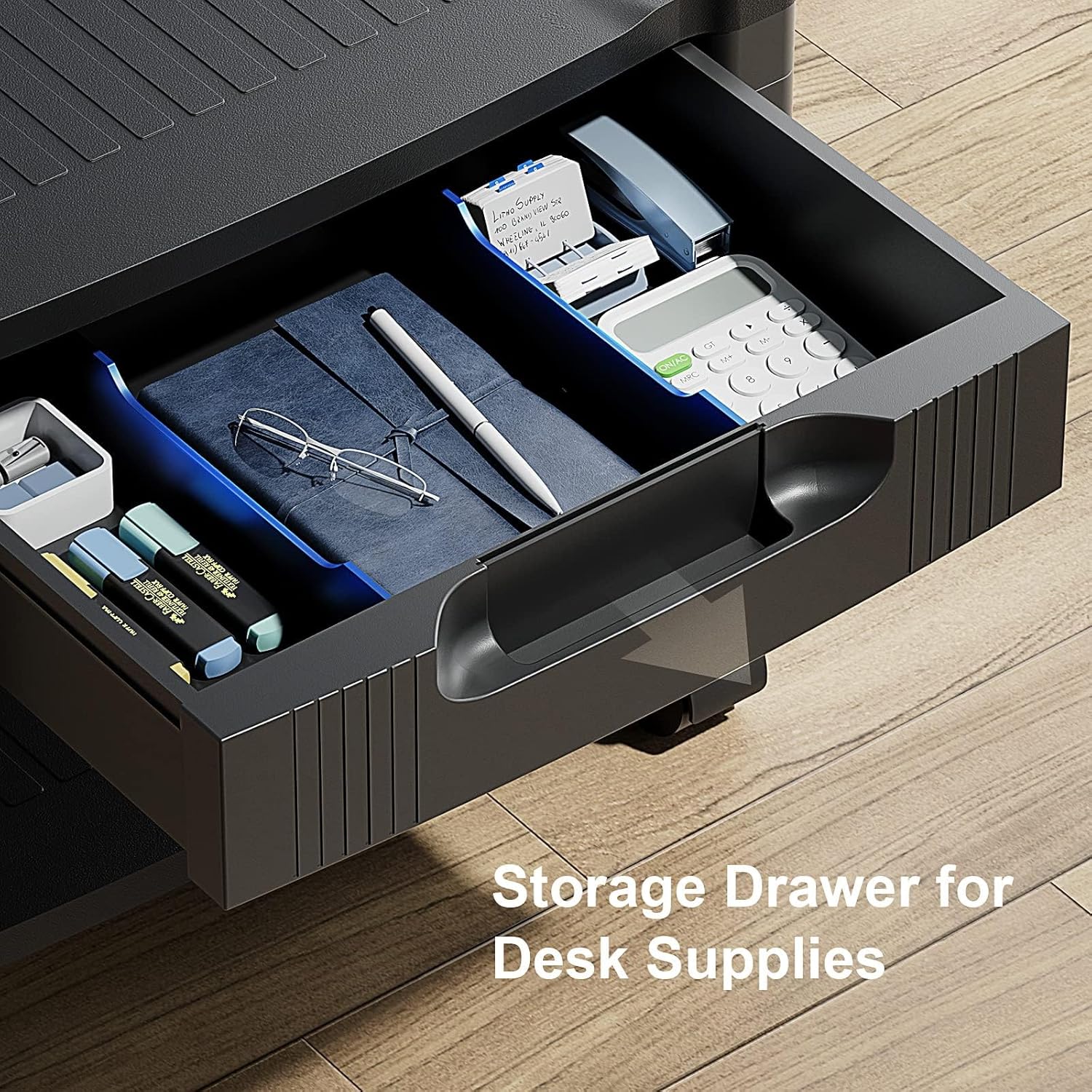
Image: A detailed view of the printer stand's storage drawer, showcasing its internal dividers and capacity for organizing desk supplies.
5.3 Mobility and Stability
The stand is equipped with four smooth-rolling caster wheels, each featuring a 360° swivel and a locking mechanism. This allows for easy repositioning of the stand when needed and secure placement once in its desired location. The wheels are optional and can be omitted if the stand is intended for stationary use on a desktop or shelf.

Image: The printer stand demonstrating its smooth-rolling wheels and the locking mechanism on one of the casters, highlighting its mobility and stability features.
5.4 Cable Management
The design incorporates features for cable management, helping to keep your workspace tidy and free from tangled wires. Utilize the designated cable holder to route printer and power cables neatly.

Image: A view of the printer stand with a printer on top, illustrating how cables can be managed and routed through the stand's design to maintain a tidy workspace.
6. Maintenance
To ensure the longevity and appearance of your HUANUO HNDPS Printer Stand, follow these simple maintenance guidelines:
- Cleaning: Wipe the surfaces with a soft, damp cloth. Avoid using harsh chemicals or abrasive cleaners, which can damage the plastic material.
- Inspection: Periodically check all connections and screws to ensure they remain tight. Retighten if necessary.
- Wheel Care: Keep the caster wheels free of dust and debris to ensure smooth rolling.
7. Troubleshooting
If you encounter any issues with your printer stand, refer to the following common solutions:
| Problem | Possible Cause | Solution |
|---|---|---|
| Stand is wobbly/unstable | Loose connections or uneven surface. | Check and tighten all connecting blocks and screws. Ensure the stand is on a flat, level surface. |
| Wheels not rolling smoothly | Debris in wheels or wheels are locked. | Clean any debris from the wheels. Ensure the locking mechanism is disengaged. |
| Drawer is sticking | Misalignment or obstruction. | Ensure the drawer is inserted correctly. Check for any items obstructing its movement. |
8. Specifications
| Feature | Detail |
|---|---|
| Model Number | HNDPS |
| Dimensions (L x W x H) | 17.1 x 13.2 x 13.2 inches (Maximum Height) |
| Item Weight | 6.23 pounds |
| Material Type | Plastic |
| Weight Capacity (Tabletop) | 38.5 lbs |
| Weight Capacity (Bottom Shelf) | 38.5 lbs |
| Number of Tiers | 2 |
| Wheels | 4 Locking Caster Wheels (360° Swivel) |
| Features | Cable Management, Storage Drawer with Dividers, Adjustable Height |
9. Warranty and Support
For warranty information, product support, or to purchase protection plans, please refer to the product's original purchase documentation or contact HUANUO customer service. Protection plans are available for 3-Year, 4-Year, and Complete Protect options.
Contact Information: Please refer to your product packaging or the official HUANUO website for the most up-to-date customer support contact details.
10. Additional Resources
For more visual demonstrations of the HUANUO HNDPS Printer Stand, including customer showcases, please see the video below:
Video: Buyers Show for HNDPS. This video features various users demonstrating the HUANUO HNDPS Printer Stand in different settings, offering practical insights into its use and benefits.


