
1. Introduction
The TempPro TP01S is a digital kitchen thermometer designed for accurate and rapid temperature measurement of various food items and liquids. Its long stainless steel probe ensures safe usage, while the clear backlit display provides easy readability in any lighting condition. This manual provides essential information for the proper setup, operation, and maintenance of your thermometer.
2. Product Features
- Instant Read: Provides temperature readings within 1-3 seconds.
- High Accuracy: Measures with a precision of ±0.5°C.
- Long Probe: Features a 13.5 cm (5.35 inch) stainless steel probe for safe handling.
- Backlit LCD Display: Ensures clear visibility in low-light conditions.
- Hold Function: Locks the current temperature reading on the display.
- Automatic Shut-off: Powers off automatically after 10 minutes of inactivity to conserve battery.
- Temperature Range: Measures from -50°C to 300°C (-58°F to 572°F).
- Unit Conversion: Easily switch between Celsius (°C) and Fahrenheit (°F).
3. Package Contents
- 1 x TempPro TP01S Digital Meat Thermometer
- 2 x LR44 Batteries (pre-installed or included separately)
- 1 x User Manual
4. Setup
4.1 Battery Installation
The TempPro TP01S thermometer uses two LR44 batteries. If the display is dim or not functioning, replace the batteries:
- Locate the battery compartment on the back of the thermometer.
- Open the battery cover.
- Insert two new LR44 batteries, ensuring correct polarity (+/-).
- Close the battery cover securely.

Figure 1: Battery compartment and LR44 batteries.
5. Operating Instructions
5.1 General Operation
- Clean the Probe: Before first use and after each use, clean the stainless steel probe with a damp cloth.
- Power On/Off: Press the ON/OFF button to turn the thermometer on or off.
- Select Temperature Unit: Press the °C/°F button to switch between Celsius and Fahrenheit.
- Insert Probe: Carefully insert the stainless steel probe into the thickest part of the food or liquid, avoiding bone or gristle. Ensure the probe tip is fully immersed for accurate readings.
- Read Temperature: The temperature will be displayed on the LCD screen within 1-3 seconds.
- Hold Function: Press the HOLD button to lock the current temperature reading on the display. Press again to release.
- Backlight: Press the LIGHT button to activate the backlight for 15 seconds.

Figure 2: Easy steps for using the thermometer.
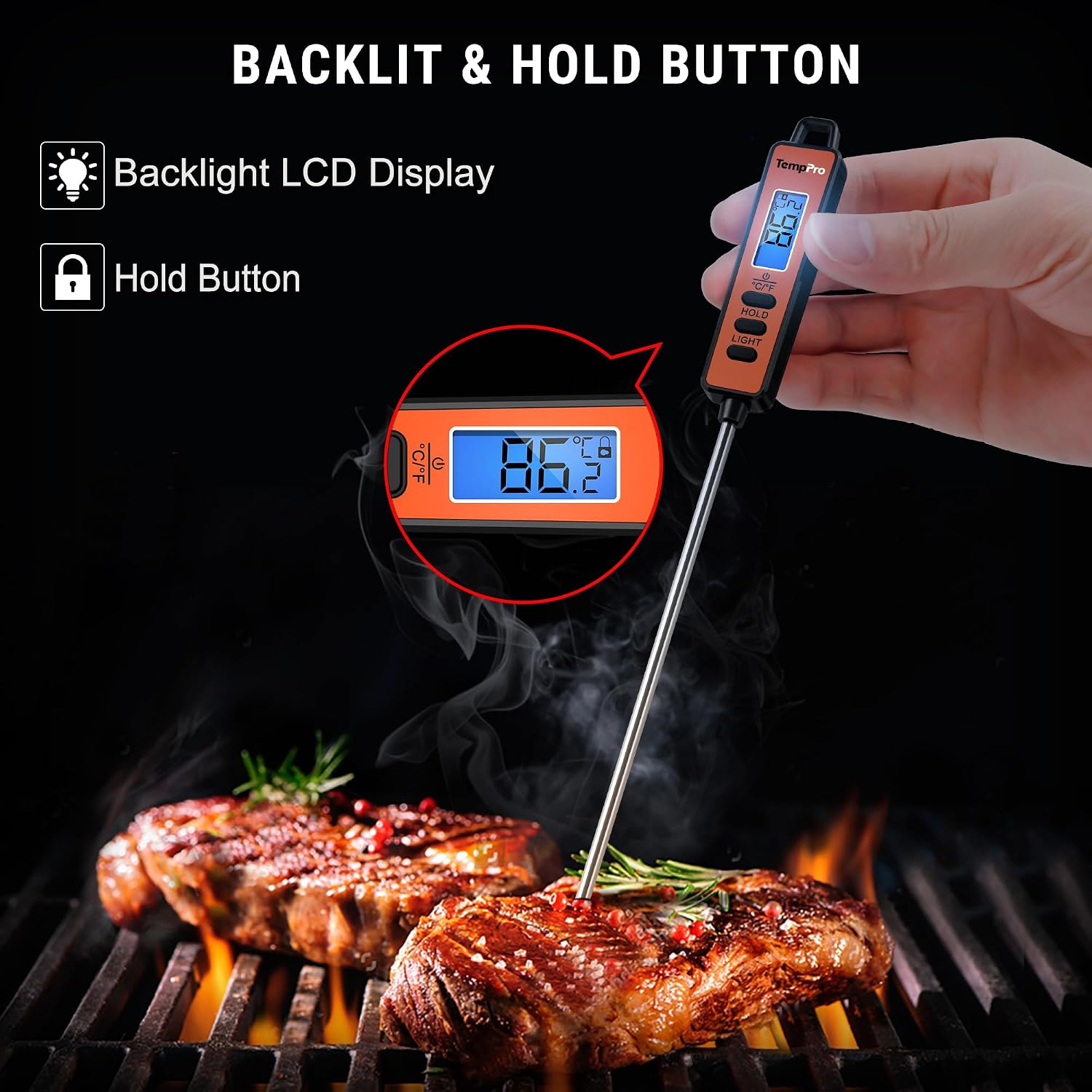
Figure 3: Backlit display and Hold button.
5.2 Recommended Temperature Guidelines
For safe cooking, always refer to official food safety guidelines. Below are general recommendations:
| Food Type | Minimum Internal Temperature |
|---|---|
| Beef, Pork, Veal, Lamb (steaks, roasts, chops) | 63°C (145°F) with 3-minute rest |
| Ground Meats (beef, pork, veal, lamb) | 71°C (160°F) |
| Poultry (chicken, turkey, duck) | 74°C (165°F) |
| Fish | 63°C (145°F) |
| Egg Dishes | 71°C (160°F) |
| Leftovers & Casseroles | 74°C (165°F) |

Figure 4: Versatile applications of the thermometer.
6. Care and Maintenance
- Cleaning: Always clean the stainless steel probe after each use with a damp cloth or mild soapy water. Do not immerse the entire thermometer in water, as the main unit is not waterproof.
- Storage: Store the thermometer in a dry place at room temperature. The probe can be folded for compact storage.
- Battery Replacement: Replace batteries when the display becomes dim or unresponsive.
- Avoid Extreme Temperatures: Do not leave the thermometer in an oven or on a hot surface for extended periods, as this can damage the plastic housing and electronic components. The probe is designed for insertion into food, not for continuous exposure to high oven temperatures.

Figure 5: Storage options for the thermometer.
7. Troubleshooting
- Display shows "HH" or "LL": This indicates the temperature is outside the measurable range (-50°C to 300°C). Remove the probe from the extreme temperature source.
- Inaccurate Readings: Ensure the probe is inserted correctly into the thickest part of the food, avoiding bone. Calibrate if necessary (refer to manufacturer's website for specific calibration instructions if available, as this model does not have a user-accessible calibration function).
- Display is Dim or Blank: Replace the LR44 batteries.
- Thermometer does not turn on: Check battery installation and ensure batteries are new or fully charged.
8. Specifications
| Specification | Value |
|---|---|
| Brand | TempPro |
| Model Name | TP01S |
| Temperature Range | -50°C to 300°C (-58°F to 572°F) |
| Accuracy | ±0.5°C |
| Response Time | 1-3 seconds |
| Probe Length | 13.5 cm (5.35 inches) |
| Display Type | LCD with Backlight |
| Power Source | 2 x LR44 Batteries |
| Automatic Shut-off | 10 minutes |
| Material | Plastic (housing), Stainless Steel (probe) |
| Weight | 50 Grams |
| Dimensions (Length) | 22.2 Centimeters |
9. Warranty and Support
TempPro products are designed for reliability and performance. For warranty information, technical support, or customer service inquiries, please refer to the contact information provided on the product packaging or visit the official TempPro website. Please retain your proof of purchase for warranty claims.


