
MaximalPower VF SHARK NV22L
Maximal Power Shark NV22L Foam and Felt Filters Kit User Manual
Model: VF SHARK NV22L
Brand: MaximalPower
Product Overview
This Maximal Power Foam and Felt Filters Kit is designed as a replacement for Shark Navigator Swivel Upright Vacuum models NV22, NV22S, NV26, NV27, and UV400, replacing Shark part # XF22. The kit includes all necessary foam and felt filters to maintain optimal performance of your vacuum cleaner.
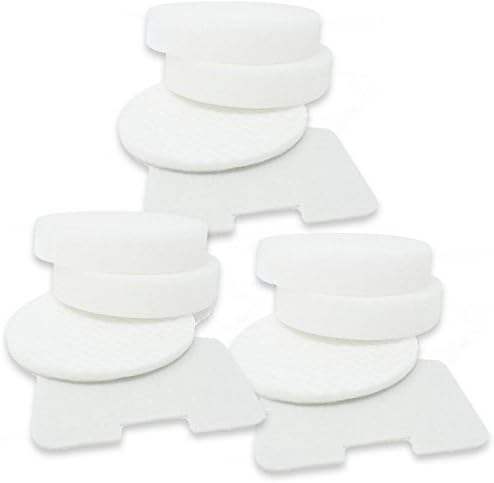
Image: Three complete sets of Maximal Power replacement filters, each set containing two circular foam filters, one circular felt filter, and one exhaust felt filter.
What's Included
Each kit contains the following components:
- Two (2) Foam Circular Filters
- One (1) Felt Circular Filter
- One (1) Exhaust Filter
This specific product package includes 3 sets of these filters, totaling 6 Foam Circular Filters, 3 Felt Circular Filters, and 3 Felt Exhaust Filters.

Image: A single set of replacement filters, showing the distinct shapes of the circular foam filters, circular felt filter, and the rectangular exhaust felt filter.
Setup and Installation
Proper installation of the replacement filters is crucial for maintaining your vacuum's suction power and air filtration efficiency. Follow these general steps for filter replacement:
- Power Off and Unplug: Before beginning, ensure your Shark Navigator vacuum is turned off and unplugged from the power outlet to prevent accidental activation.
- Locate Filter Compartments: Refer to your Shark Navigator vacuum's original user manual to identify the locations of the pre-motor (foam and felt) and post-motor (exhaust) filters. These are typically located near the dust cup and at the base of the vacuum.
- Remove Old Filters: Carefully remove the existing foam, felt, and exhaust filters. Note their orientation and placement for correct installation of the new filters. Dispose of old filters responsibly.
- Install New Filters: Insert the new Maximal Power foam and felt filters into their respective compartments. Ensure the circular foam filters and circular felt filter are stacked correctly in the pre-motor section, and the rectangular exhaust filter is securely placed in the post-motor section. The filters are designed for a precise fit.
- Secure Compartments: Close and secure all filter compartments according to your vacuum's design.

Image: A close-up view of the rectangular exhaust filter and one of the circular felt filters, highlighting their texture and shape for identification during installation.
Operating with New Filters
Once the new Maximal Power filters are installed, your Shark Navigator vacuum is ready for operation. These filters are designed to capture dust, allergens, and other airborne particles, ensuring cleaner exhaust air and maintaining strong suction power.
- The foam and felt filters work together to trap larger particles before they reach the motor, protecting it from damage.
- The exhaust filter provides final filtration, releasing cleaner air back into your home environment.
You should notice an immediate improvement in your vacuum's performance, including restored suction and reduced dust emission, similar to when the vacuum was new.
Maintenance
Regular maintenance of your Maximal Power filters is essential for extending their lifespan and ensuring your vacuum operates at peak efficiency. These filters are reusable and washable.
Washing Instructions:
- Remove Filters: Carefully remove the foam and felt filters from your vacuum.
- Rinse: Rinse the filters under running tap water until the water runs clear. For foam filters, gently squeeze to remove excess water and dirt. Do not twist or wring.
- Air Dry: Allow the filters to air dry completely for at least 24 hours before reinserting them into the vacuum. Do not use a dryer or heat source, as this can damage the filter material. Ensure they are completely dry to prevent mold or mildew growth and to protect your vacuum's motor.
Replacement Schedule:
Even with regular washing, filters will eventually degrade and lose their effectiveness. It is recommended to replace your Maximal Power filters every 3 to 6 months, depending on usage, to ensure your Shark NV22L Navigator vacuum runs at peak performance and maintains its durability.
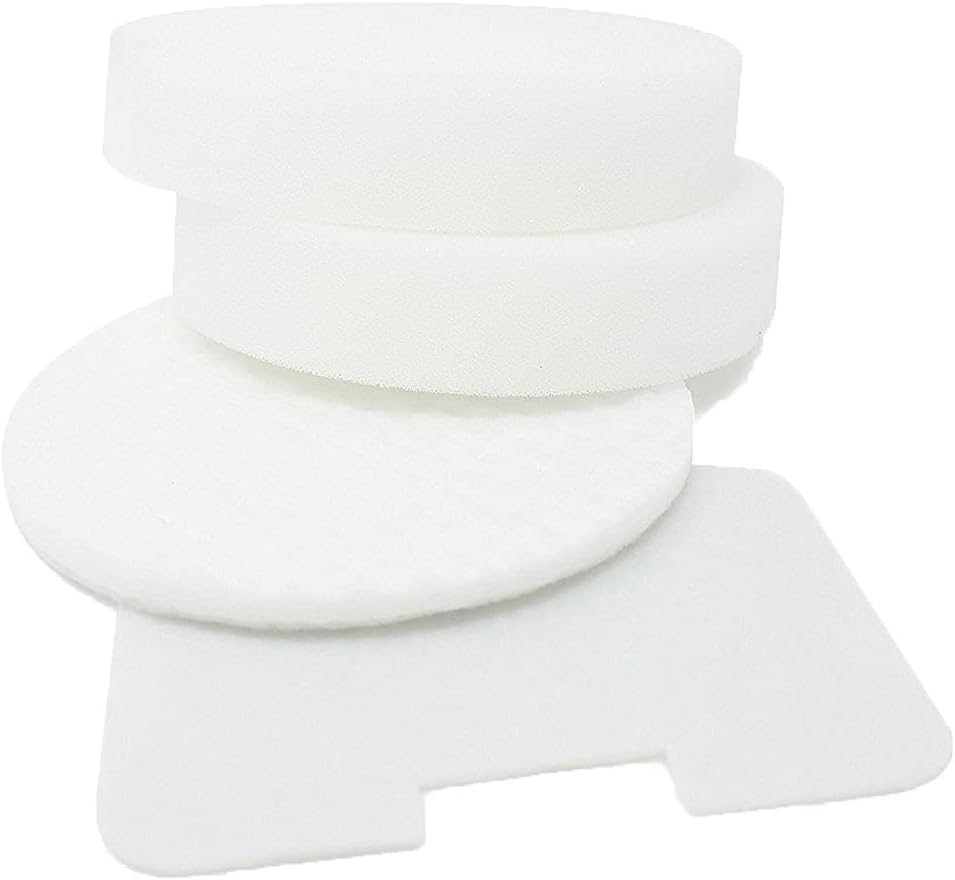
Image: A close-up view of a circular foam filter, illustrating its clean state after proper washing and drying.
Troubleshooting
If you experience issues with your vacuum after replacing the filters, consider the following common troubleshooting steps:
- Reduced Suction:
- Ensure all filters are installed correctly and securely.
- Check if filters are completely dry after washing. Damp filters can restrict airflow.
- Verify that the dust cup is empty and properly seated.
- Inspect the vacuum hose and attachments for blockages.
- Unusual Odor:
- This often indicates filters need washing or replacement. Wash and thoroughly dry filters.
- Ensure no moisture is trapped within the filter compartments.
- Dust Escaping Vacuum:
- Confirm all filters are correctly seated and filter compartments are sealed.
- Filters may be old and require replacement if they are no longer effectively trapping particles.
If problems persist, consult your Shark Navigator vacuum's original user manual or contact the vacuum manufacturer's support.
Specifications
| Attribute | Detail |
|---|---|
| Product Name | Maximal Power Shark NV22L Foam and Felt Filters Kit |
| Model Number | VF SHARK NV22L |
| Brand | MaximalPower |
| Compatibility | Shark Navigator Swivel Upright Vacuum NV22, NV22S, NV26, NV27, UV400 (Replaces Shark part # XF22) |
| Material | Foam, Felt |
| Reusability | Reusable, Washable |
| Kit Contents (per set) | 2 x Foam Circular Filters, 1 x Felt Circular Filter, 1 x Exhaust Filter |
| Foam Circular Filter Dimensions | 4.5 Inches Diameter x 0.9 Inch Thickness |
| Felt Circular Filter Dimensions | 4.5 Inch Diameter x 1/8 Inch Thickness |
| Felt Exhaust Filter Dimensions | 4.3 Inch x 3 Inch x 1/8 Inch |
| UPC | 650785925922 |
Warranty and Support
This product is manufactured by MaximalPower. For any inquiries regarding the product's performance, compatibility, or general support, please refer to the contact information provided on the product packaging or the official MaximalPower website.
Please note that this is an aftermarket replacement product and not an OEM (Original Equipment Manufacturer) product from Shark. Any brand names or logos mentioned are for demonstrating compatibility only and are registered trademarks of their respective owners.
Ask a question about this manual
Ask about setup, troubleshooting, compatibility, parts, safety, or missing instructions. Manuals+ will review the question and use this page’s manual context to help answer it.