
Fjiangyi FJY2019D-6W
Fjiangyi Smart LED Light Bulbs User Manual
Model: FJY2019D-6W
Introduction
Thank you for choosing the Fjiangyi 6W E27 Smart LED Light Bulbs with 2.4GHz Wireless 3-Zone Remote Control. This manual provides detailed instructions for setting up, operating, and maintaining your new smart lighting system. Please read this manual thoroughly before use to ensure proper function and safety.
Product Overview and Components
Your package includes the following items:
- 2 x E27 Smart LED Bulbs
- 1 x 3-Zone Wireless Remote Control

Image: The complete Fjiangyi Smart LED Light Bulb set, including two E27 bulbs and the accompanying 3-zone wireless remote control.
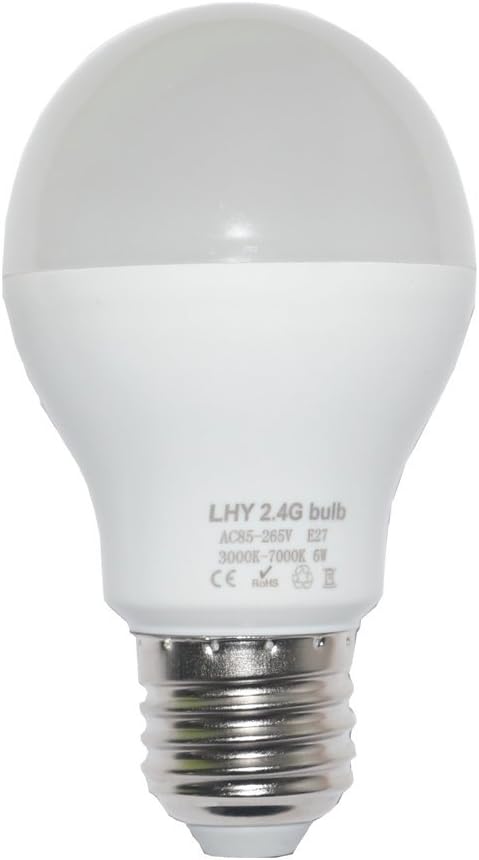
Image: A detailed view of a single Fjiangyi E27 Smart LED Light Bulb, highlighting its standard E27 screw base and frosted dome.
Specifications
| Feature | Detail |
|---|---|
| Brand | Fjiangyi |
| Model Number | FJY2019D-6W |
| Light Type | LED |
| Base Type | E27 |
| Power | 6W |
| Input Voltage | 85V-265V AC |
| Color Temperature | 3000K (Warm Yellow) - 7000K (White) |
| Brightness | 450 Lumens |
| Lifetime | >50,000 hours |
| Remote Control Frequency | 2.4GHz |
| Remote Control Distance | 20-30m |
| Remote Battery Model | 2 x AAA batteries (not included) |
| Material | Aluminum + PC Plastic |
| Dimensions | 60mm x 105mm (2.36inch x 4.13inch) |
Setup
1. Remote Control Battery Installation
The 3-Zone Remote Control requires 2 AAA batteries (not included). Open the battery compartment on the back of the remote and insert the batteries, ensuring correct polarity.
2. Bulb Installation
Screw the E27 Smart LED Bulbs into any standard E27 light fixture. Ensure the fixture's power is off before installation.
3. Pairing the Remote with Bulbs
The bulbs are typically pre-paired with the remote (one bulb to Group 1, the other to Group 2). If re-pairing is needed or for new bulbs, follow these steps:
- Ensure the bulb is installed and the light fixture's switch is ON, allowing the bulb to light up.
- Turn the light fixture's switch OFF. Wait for approximately 10 seconds.
- Turn the light fixture's switch ON again.
- Immediately after the bulb lights up, press the "ON" button 3 times on the specific group (e.g., Group 1, Group 2, or Group 3) on the remote control that you wish to pair the bulb with.
- The bulb will twinkle 3 times to confirm successful pairing.

Image: Visual guide for pairing the smart LED bulb with the remote control, illustrating the sequence of turning power on/off and pressing the remote's 'ON' button.
Unpairing the Remote from Bulbs
To unpair a bulb from the remote:
- Ensure the bulb is installed and the light fixture's switch is ON, allowing the bulb to light up.
- Turn the light fixture's switch OFF. Wait for approximately 10 seconds.
- Turn the light fixture's switch ON again.
- Immediately after the bulb lights up, press the "OFF" button 5 times on the remote control.
- The bulb will twinkle 5 times to confirm successful unpairing.
Video: Official Fjiangyi demonstration of pairing and unpairing smart LED light bulbs with the remote control, showcasing the process and light responses.
Operating Instructions
The 3-Zone Remote Control allows for versatile control over your smart LED bulbs. Familiarize yourself with the remote's layout:
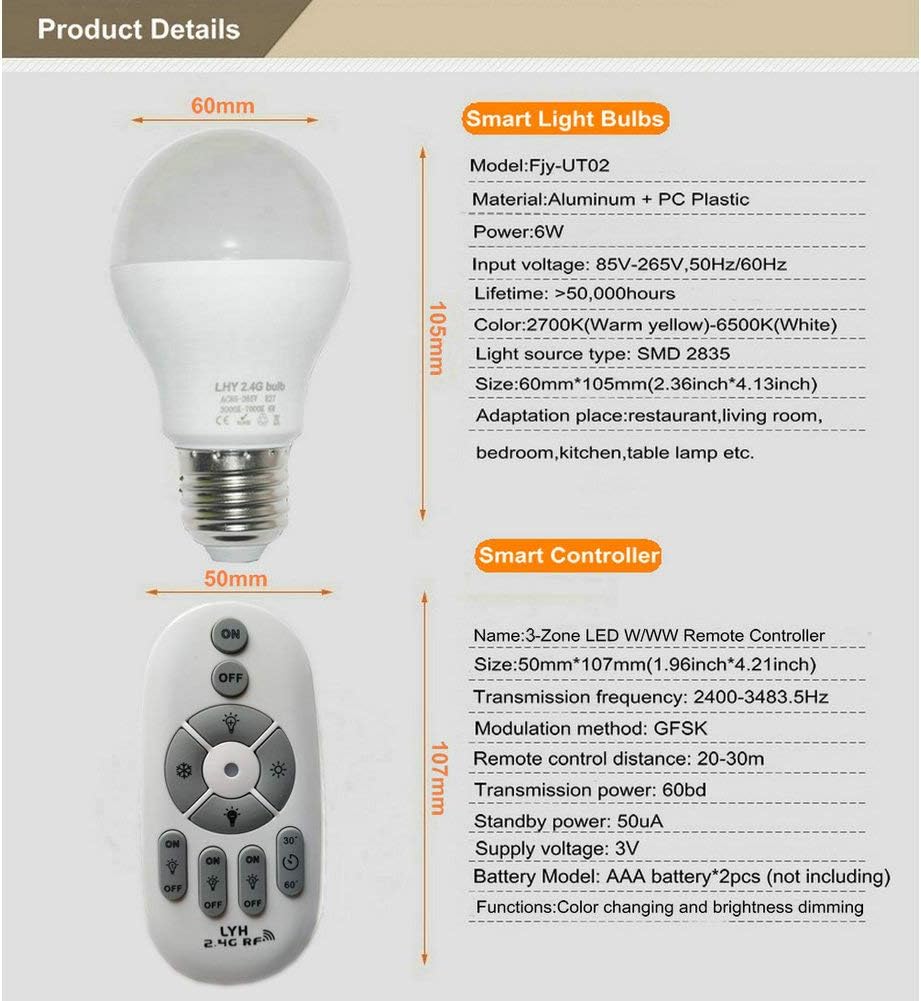
Image: A detailed diagram of the 3-Zone Remote Control, indicating the function of each button for light control, grouping, and special modes.
Basic Functions:
- Master ON/OFF: Use the large "ON" and "OFF" buttons at the top to control all paired bulbs simultaneously.
- Brightness Adjustment: Use the "Brightness +" (sun icon up arrow) and "Brightness -" (sun icon down arrow) buttons to increase or decrease the light intensity.
- Color Temperature Adjustment: Use the "Warm White +" (snowflake icon) and "Cool White -" (sun icon) buttons to adjust the color temperature from warm yellow (3000K) to cool white (7000K).
Group Control:
The remote features three independent groups (Group 1, Group 2, Group 3). Each group has its own "ON" and "OFF" buttons. You can pair multiple bulbs to a single group and control them together, or assign bulbs to different groups for individual control.
- Press the "ON" button for a specific group to turn on the bulbs in that group.
- Press the "OFF" button for a specific group to turn off the bulbs in that group.
- Adjust brightness and color temperature for the selected group using the respective buttons.
Special Modes:
- Night Light Mode: Press and hold the "Master OFF" button or a specific "Zone OFF" button to activate the energy-saving night light mode for all or selected bulbs.
- Timing Function: Use the "30 minute" or "60 minute" buttons to set a timer for the lights to turn off automatically. Press any other key to cancel this function.
Maintenance
To ensure the longevity and optimal performance of your Fjiangyi Smart LED Light Bulbs:
- Clean the bulbs and remote control with a soft, dry cloth. Do not use liquid cleaners or abrasive materials.
- Avoid exposing the remote control to moisture or extreme temperatures.
- Replace remote control batteries when the indicator light on the remote no longer illuminates or the remote's range decreases.
- These bulbs are not rechargeable.
Troubleshooting
If you encounter issues with your Fjiangyi Smart LED Light Bulbs, please refer to the following common solutions:
- Bulbs not responding to remote:
- Check if the remote control batteries are correctly installed and have sufficient power. Replace if necessary.
- Ensure the bulb is properly screwed into the fixture and the fixture's power switch is ON.
- Re-pair the bulb with the remote control following the "Pairing the Remote with Bulbs" instructions in the Setup section.
- If the remote suddenly stops working properly, try canceling pairing with all bulbs by pressing the "Master ON" button repeatedly (as if trying to pair, but it will reset connections). Then re-pair individual bulbs.
- Bulb flickering or abnormal operation:
- Ensure you are not using a dimmer switch with these bulbs. Dimmer switches can cause abnormal operation or damage to smart LED bulbs. These bulbs are dimmable via their remote control, not external dimmer switches.
- Check the power supply to the fixture.
- Limited remote control range:
- Replace the AAA batteries in the remote control.
- Ensure there are no significant obstructions (e.g., thick walls, large metal objects) between the remote and the bulbs.
Safety Information
- Do not use these bulbs with external dimmer switches. Use only the provided remote control for dimming.
- Ensure power is off before installing or removing bulbs.
- Do not disassemble or modify the bulbs or remote control.
- Keep the remote control and batteries out of reach of children.
- Dispose of used batteries according to local regulations.
Warranty and Support
For warranty information or technical support, please refer to the documentation included with your purchase or contact Fjiangyi customer service directly. Details are typically available on the manufacturer's official website or through your retailer.
Ask a question about this manual
Ask about setup, troubleshooting, compatibility, parts, safety, or missing instructions. Manuals+ will review the question and use this page’s manual context to help answer it.