
Introduction
Thank you for choosing the Armitron Sport Digital Chronograph Watch, Model 40/8423. This watch features a quartz movement with a digital multifunctional display, offering time, date, chronograph, lap time, alarm, military time, and a backlight. Designed for durability and functionality, it is water-resistant up to 165 feet (50 meters). This manual provides comprehensive instructions to help you set up and operate your watch effectively.
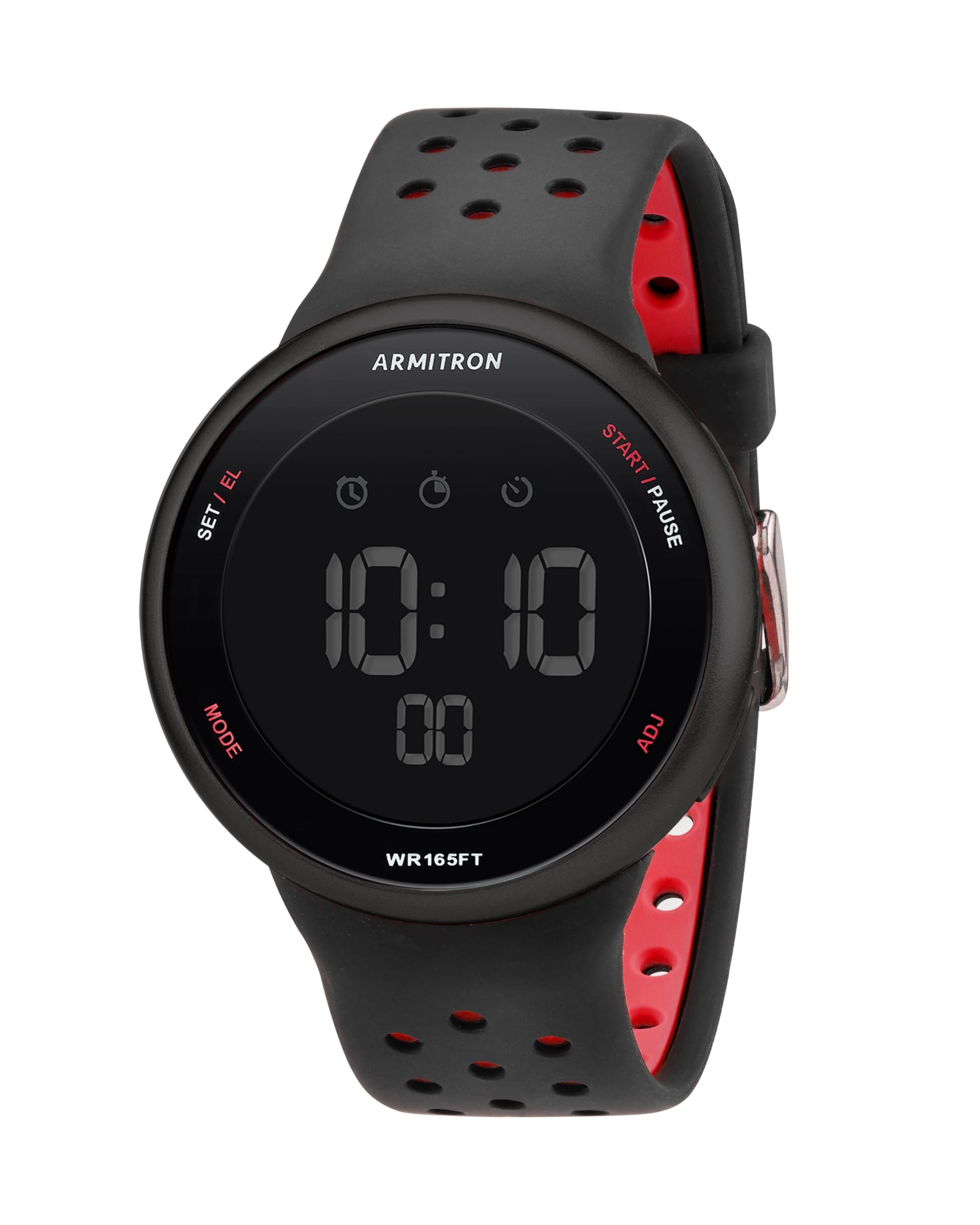
Image: Armitron Sport Digital Chronograph Watch, Black/Red variant, showcasing its digital display and silicone strap.
Setup
Your watch comes with a pre-installed Lithium Metal battery. Follow these steps to set the time and date.
Button Functions:
- MODE Button: Cycles through display modes (Time, Chronograph, Alarm).
- ADJ (Adjust) Button: Used to enter and confirm setting modes.
- START/STOP Button: Adjusts values up during setting, starts/stops chronograph.
- LIGHT Button: Activates the backlight.
Setting Time and Date:
- In normal time display mode, press and hold the ADJ button until the seconds begin to flash. This indicates you are in setting mode.
- Press the MODE button to cycle through the settings: Seconds → Hours → Minutes → Month → Date → Day of Week.
- While a value is flashing, press the START/STOP button to increase the value. Hold it down for faster adjustment.
- To switch between 12-hour and 24-hour (military) time format, adjust the hours. The display will indicate AM/PM for 12-hour format.
- Once all settings are correct, press the ADJ button again to exit the setting mode.
Operating Instructions
Using the Chronograph:
- From the normal time display, press the MODE button once to enter Chronograph mode. The display will show "0:00:00".
- Press the START/STOP button to start the chronograph.
- Press the START/STOP button again to pause the chronograph.
- To resume, press START/STOP again.
- To reset the chronograph to zero, ensure it is paused, then press the ADJ button.
Setting and Using the Alarm:
- From the normal time display, press the MODE button twice to enter Alarm mode. The display will show the alarm time.
- Press and hold the ADJ button until the alarm hours begin to flash.
- Press the START/STOP button to adjust the alarm hour.
- Press the MODE button to select minutes, then use START/STOP to adjust.
- Press the ADJ button to confirm the alarm time.
- To turn the alarm ON/OFF, in Alarm mode, press the START/STOP button. An alarm icon will appear/disappear on the display.
- When the alarm sounds, press any button to silence it.
Backlight Function:
Press the LIGHT button to illuminate the display for approximately three seconds. This feature is useful in low-light conditions.
Maintenance
Water Resistance:
This watch is water-resistant to 165 feet (50 meters). This means it is suitable for swimming and snorkeling. It is not recommended for diving or high-impact water sports. Do not operate buttons while the watch is submerged in water.
Cleaning:
To clean your watch, wipe it with a soft, damp cloth. For the silicone strap, mild soap and water can be used. Avoid harsh chemicals or abrasive materials that could damage the watch case or strap.
Battery Replacement:
The watch uses one Lithium Metal battery. When the display dims or functions become erratic, it may be time to replace the battery. It is recommended to have the battery replaced by a qualified watch technician to ensure proper sealing and maintain water resistance.
Troubleshooting
- Display is dim or blank: The battery may be low or depleted. Replace the battery.
- Difficulty setting time/date: Ensure you are pressing and holding the ADJ button to enter setting mode. Follow the steps precisely, pressing MODE to advance to the next setting and START/STOP to change values. If the seconds counter is an issue, try to finalize the setting quickly after adjusting minutes.
- Alarm not sounding: Verify that the alarm function is activated (check for the alarm icon on the display). Ensure the alarm time is set correctly.
- Watch not responding to button presses: The watch might be in a locked mode (unlikely for this model but possible for some digital watches) or the battery is extremely low. Try replacing the battery.
Specifications
| Model Number | 40/8423 |
| Movement Type | Quartz |
| Display Type | Digital |
| Case Material | Resin |
| Case Diameter | 43.5 mm |
| Case Thickness | 13 mm |
| Band Material | Silicone |
| Band Length | 9.5 inches |
| Water Resistance Depth | 165 feet (50 meters) |
| Battery Type | 1 Lithium Metal (included) |
| Functions | Time, Seconds, Day, Date, Chronograph, Lap Time, Alarm, Military Time, Backlight |
Warranty and Support
This Armitron watch is covered by a manufacturer's warranty. For specific details regarding warranty coverage, duration, and terms, please refer to the warranty information included with your purchase or visit the official Armitron website.
For technical assistance, troubleshooting not covered in this manual, or service inquiries, please contact Armitron customer support directly. Contact information can typically be found on the manufacturer's website or in the packaging materials.


