
Introduction
This manual provides instructions for the GONLEN KL-P01 Wireless Mini PIR Motion Detector. This device is designed to detect human motion by sensing infrared heat and transmit a wireless signal to a compatible KONLEN WiFi GSM alarm panel.
Product Overview
What is a PIR Sensor?
PIR stands for Passive Infra-Red. A Passive Infra-red sensor is an electronic device that detects the motion or movement of a human body by sensing the heat emitted from the body. When motion is detected within its range, the PIR detector activates to send a wireless signal to the KONLEN WiFi GSM alarm panel, which then triggers an alarm.
Key Features
- Wireless operation at 433MHZ frequency.
- Designed for use with KONLEN WiFi GSM Alarm Systems.
- Detection range of approximately 6 to 10 meters.
- Wide detection angle: Horizontal 110°, Vertical 45° to 60°.
- Easy installation with recommended height of 1.8 to 2.5 meters.
Package Contents
The package typically includes:
- 2 x GONLEN KL-P01 Wireless Mini PIR Motion Detectors
- 2 x Installation Brackets
- 1 x User Manual (this document)

Image: The GONLEN KL-P01 PIR Detector box and one sensor unit, showing the product as packaged.
Specifications
| Parameter | Value |
|---|---|
| Model Number | KL-P01 |
| Power Supply | AAA 7# 1.5V * 2pcs (Batteries not included) |
| Wireless Frequency | 433 MHZ |
| Chip Code | 1527 |
| Timing Resistor | 330k |
| Transmission Distance | About 20 to 50M indoor; 120m in open area (no obstacle) |
| Detective Range | Horizontal 110°, Vertical 45° to 60° |
| Detection Distance | About 6 to 10M |
| Installation Height | 1.8 to 2.5m (2.2m is recommended) |
| Working Condition Temperature | -10°C to 50°C |
| Working Condition Humidity | ≤ 90% RH |
| Dimensions (L*W*H) | 10CM * 4CM * 2.4CM (3.94 * 1.57 * 0.94 Inch) |
| Compatibility | KONLEN WIFI GSM Alarm System |
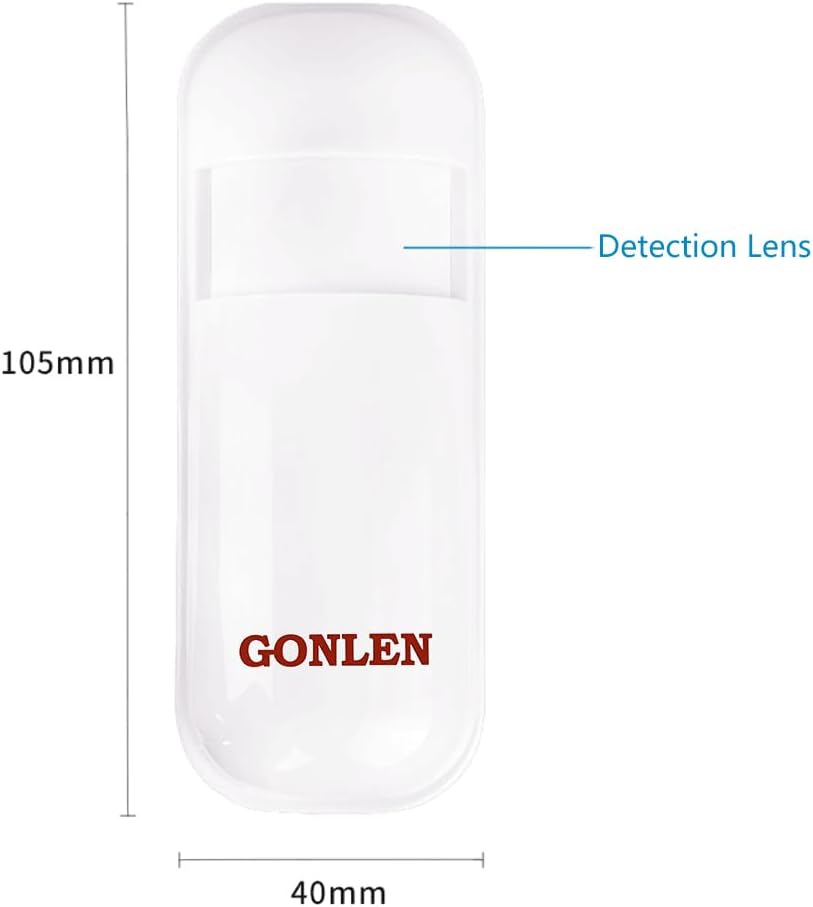
Image: Front view of the GONLEN KL-P01 PIR Detector showing its length (105mm) and width (40mm), with the detection lens indicated.
Setup and Installation
Battery Installation
The detector requires two AAA 1.5V batteries. Open the battery compartment, insert the batteries according to the polarity markings, and close the compartment securely.
Mounting Location
The infrared sensor should be installed at a height of approximately 2.2 meters (recommended range 1.8 to 2.5 meters) above the ground. Ensure the sensor is aligned to the desired detection region. Avoid installing the PIR sensor directly facing sunlight, strong air currents, or in windy areas, as these can cause false alarms. It is recommended to install the sensor in a room or hall.

Image: Diagram illustrating the recommended installation height and the 110-degree horizontal detection angle of the PIR sensor within a room environment.
Mounting the Detector
- Select an appropriate wall location, ensuring it meets the height and environmental requirements.
- Use the provided installation bracket to mark the drilling points on the wall.
- Drill holes and insert wall plugs if necessary.
- Secure the installation bracket to the wall using screws.
- Attach the PIR detector to the installation bracket.
- Adjust the direction and angle of the detector to cover the desired detection area.
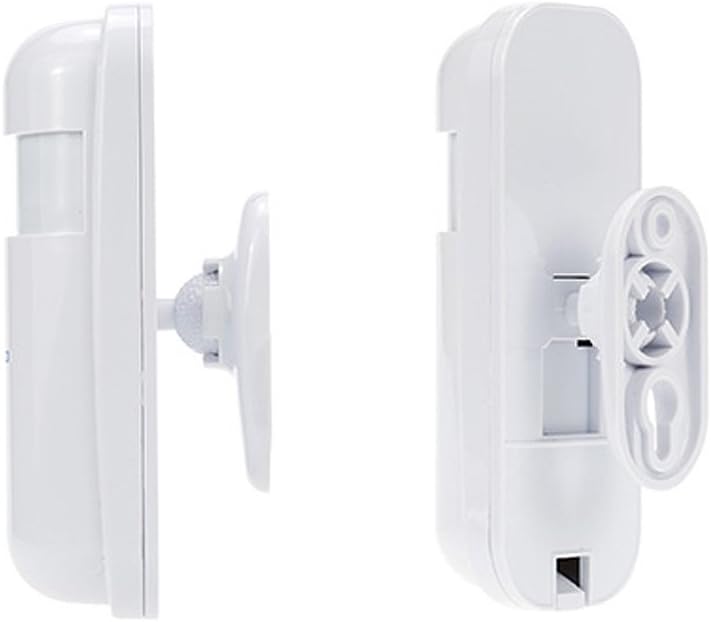
Image: Side view of the PIR detector showing how it connects to the wall-mounted bracket.
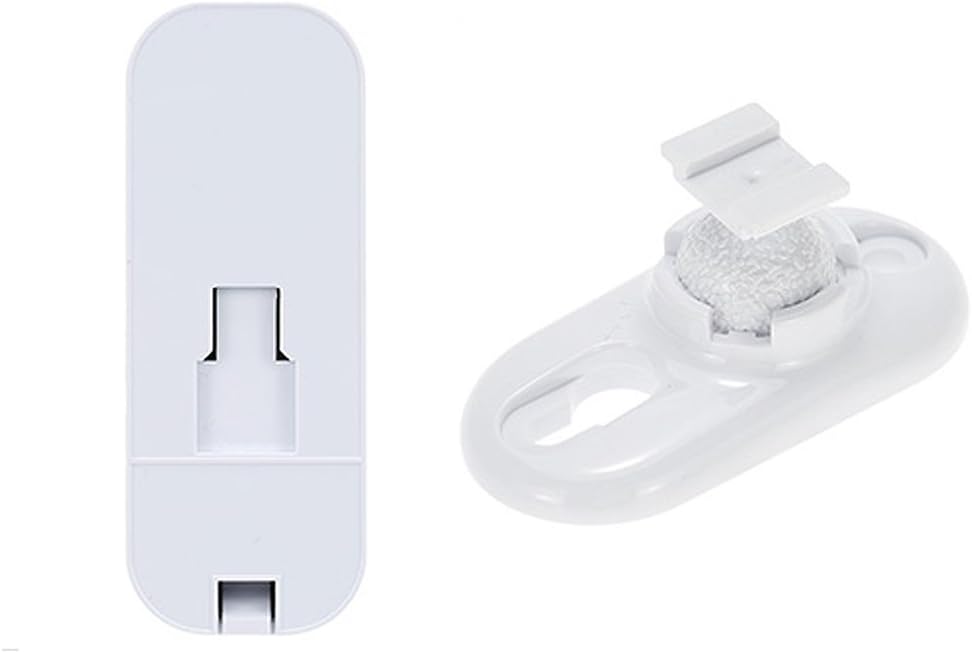
Image: The back of the PIR detector and its separate mounting bracket, illustrating the components for installation.
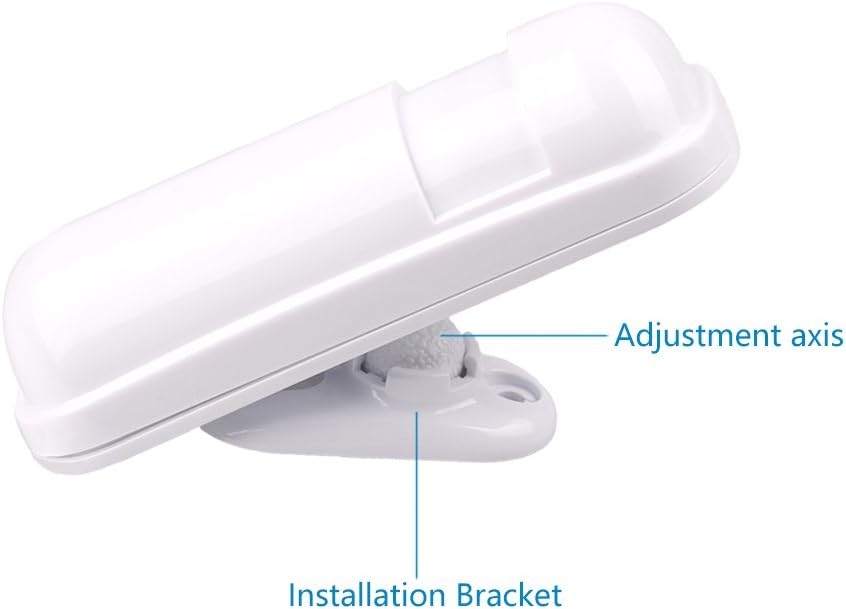
Image: The PIR detector mounted on its bracket, highlighting the adjustment axis for precise positioning.
Pairing with KONLEN Alarm System
This PIR detector is designed specifically for the KONLEN WIFI GSM Alarm System. It cannot work standalone. After installing the detector, refer to your KONLEN alarm system's manual for instructions on how to pair new wireless sensors. Typically, this involves putting the alarm panel into a learning or pairing mode and then triggering the PIR detector (e.g., by moving in front of it) to send a signal.
Operation
Once successfully paired with your KONLEN alarm system, the PIR detector will continuously monitor its detection area for motion. When a human body's infrared heat signature is detected, the sensor will transmit a wireless signal to the alarm panel. The alarm panel will then process this signal according to its programmed settings, which may include sounding an alarm, sending notifications, or activating other security measures.
Detection Principles
The PIR sensor works by detecting changes in infrared radiation. When a warm body, such as a person, moves into the sensor's field of view, it causes a change in the infrared energy detected, triggering the alarm.
Maintenance
- Battery Replacement: When the battery level is low, the detector may send a low battery signal to the alarm panel (if supported by the alarm system). Replace both AAA 1.5V batteries promptly to ensure continuous operation.
- Cleaning: Periodically clean the sensor lens with a soft, dry cloth to remove dust or debris that might obstruct its detection capabilities. Do not use abrasive cleaners or solvents.
- Environmental Considerations: Ensure the sensor remains free from direct sunlight, strong air currents, or significant temperature fluctuations, as these can affect performance.
Troubleshooting
False Alarms
- Cause: Incorrect installation location (e.g., facing sunlight, near heat sources, or in windy areas).
- Solution: Re-evaluate the installation location. Ensure it adheres to the recommended guidelines (away from direct sunlight, strong drafts, and heat sources).
- Cause: Pets or small animals triggering the sensor.
- Solution: Adjust the sensor's angle or consider a pet-immune PIR sensor if false alarms persist due to pets.
No Detection
- Cause: Low or dead batteries.
- Solution: Replace the AAA batteries.
- Cause: Sensor not properly paired with the alarm panel.
- Solution: Re-pair the sensor with your KONLEN alarm system following the alarm panel's instructions.
- Cause: Obstruction in the detection path.
- Solution: Ensure there are no large objects blocking the sensor's field of view.
Poor Wireless Range
- Cause: Excessive obstacles (walls, metal objects) between the sensor and the alarm panel.
- Solution: Try relocating the sensor or the alarm panel to improve line-of-sight or reduce obstructions.
- Cause: Interference from other wireless devices.
- Solution: Identify and minimize sources of wireless interference.
Warranty and Support
Specific warranty information for the GONLEN KL-P01 Wireless PIR Motion Sensor Alarm is not provided in this manual. Please refer to the purchase documentation or contact GONLEN customer support for details regarding warranty coverage and technical assistance.
For further support, please visit the official GONLEN store or contact your retailer.
GONLEN Store: GONLEN Official Store on Amazon