
Noctua NF-A12x25PWM
Contents
Noctua NF-A12x25 PWM Fan Instruction Manual
Brand: Noctua | Model: NF-A12x25PWM
Product Overview
The Noctua NF-A12x25 PWM is a highly optimized 120mm fan engineered for quiet cooling performance. It incorporates advanced aerodynamic features and high-precision manufacturing using a novel liquid-crystal polymer (LCP) compound. This fan is versatile, suitable for various applications including case cooling, CPU coolers, and watercooling radiators. The PWM version allows for automatic speed control, and it comes with a Low-Noise Adaptor for reduced maximum speed.
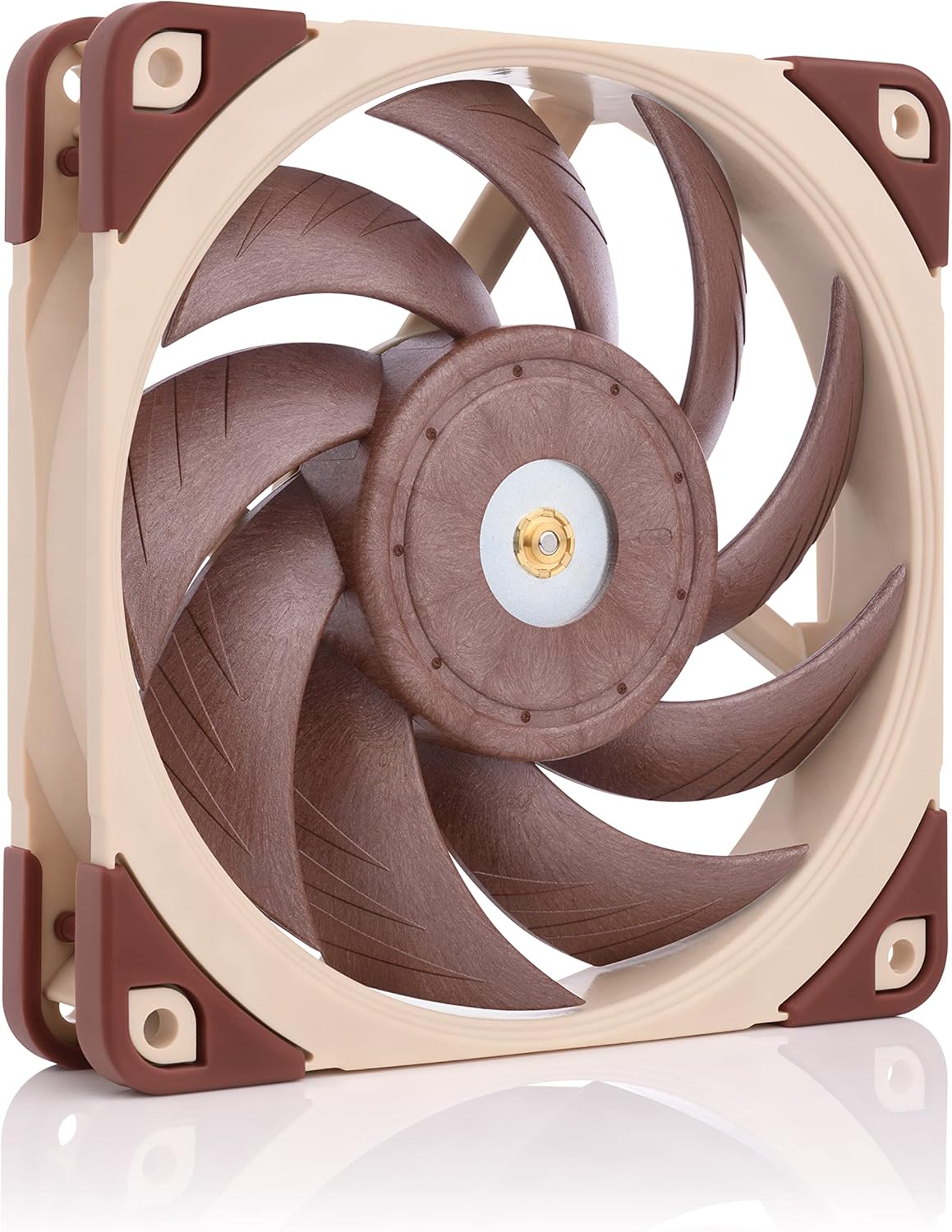
Figure 1: Front view of the Noctua NF-A12x25 PWM fan, showcasing its distinctive brown and beige color scheme.
Key Features
- Premium Quiet Operation: 120x120x25mm fan with a maximum noise level of 22.6 dB(A) for silent performance.
- Advanced Aerodynamic Design: Features next-gen A-series design, AAO (Advanced Acoustic Optimisation) frame, and Flow Acceleration Channels for superior airflow and static pressure.
- Sterrox LCP Material: Constructed with novel liquid-crystal polymer (LCP) for record-tight 0.5mm tip clearance and ultimate precision.
- 4-Pin PWM Control: Supports automatic speed control via PWM fan headers, with a maximum speed of 2000 RPM (1700 RPM with Low-Noise Adaptor).
- SSO2 Bearing: Equipped with Noctua's reference-class SSO2 bearing for exceptional running smoothness and long-term stability.
- Comprehensive Accessory Bundle: Includes anti-vibration mounts, radiator gasket, fan screws, extension cable, and Y-cable for versatile installation.
What's in the Box
The Noctua NF-A12x25 PWM fan package includes:
- 1 x NF-A12x25 PWM Fan
- 4 x NA-AV2 Anti-Vibration Mounts
- 1 x NA-RC7 Low-Noise Adaptor (L.N.A.)
- 1 x NA-YC1 4-pin Y-Cable
- 1 x NA-EC1 30cm Extension Cable
- 4 x Fan Screws
- 1 x Radiator Gasket (for watercooling radiators)

Figure 2: Contents of the Noctua NF-A12x25 PWM fan retail box, including the fan, various cables, anti-vibration mounts, and screws.
Specifications
| Specification | Value |
|---|---|
| Product Dimensions | 4.72"L x 4.72"W x 0.98"H (120x120x25mm) |
| Power Connector Type | 4-Pin PWM |
| Voltage | 12 Volts |
| Maximum Rotational Speed | 2000 RPM |
| Noise Level | 22.6 dB(A) |
| Air Flow Capacity | 102.1 CFM |
| Material | Sterrox LCP |
| MTTF (Mean Time To Failure) | >150,000 hours |
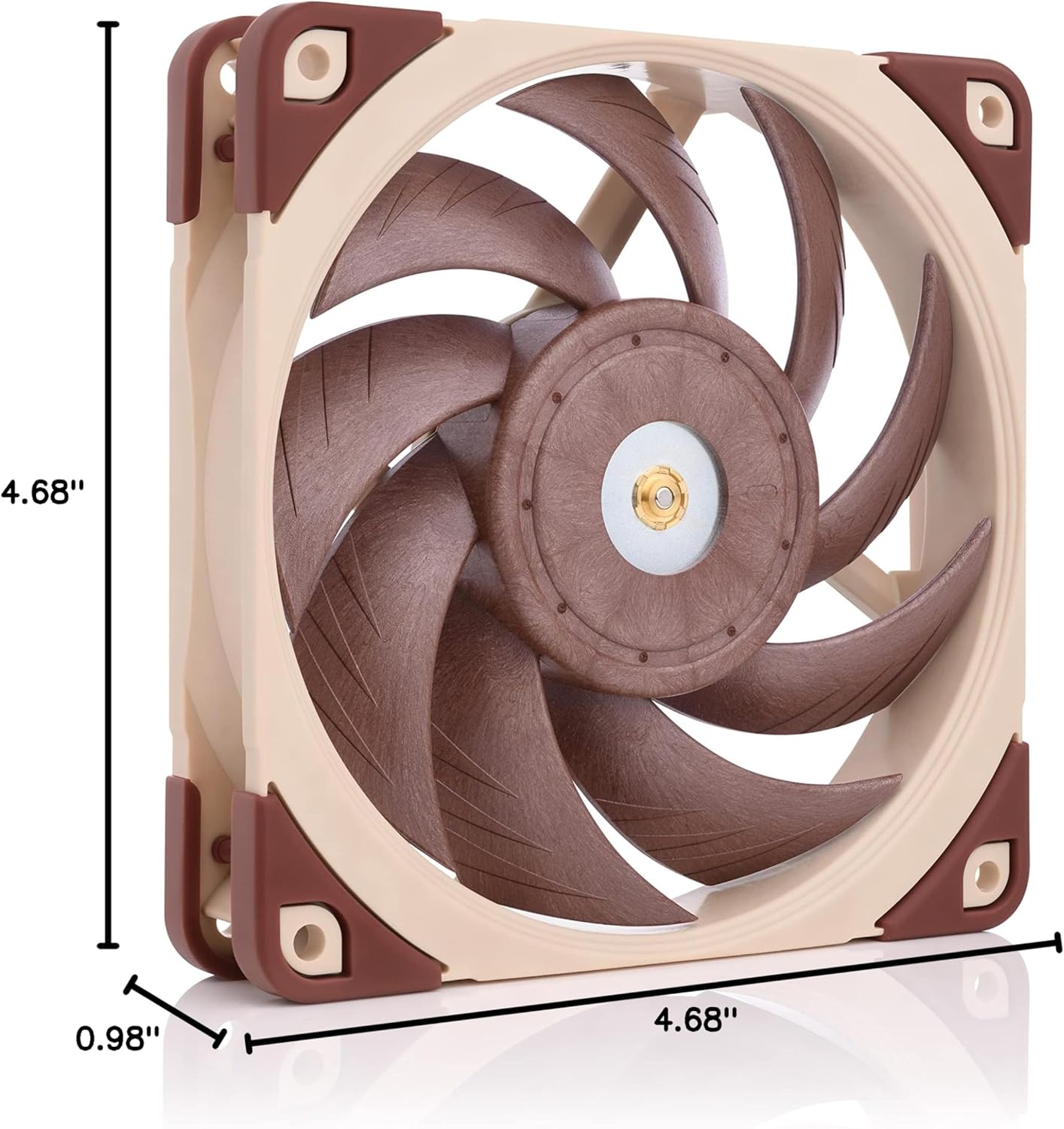
Figure 3: Detailed dimensions of the Noctua NF-A12x25 PWM fan.
Setup Guide
1. Prepare for Installation
Before beginning, ensure your computer system is powered off and unplugged from the wall outlet. Open your PC case to access the fan mounting locations.
2. Choose Mounting Location
Identify where you want to install the fan (e.g., case front, rear, top, or on a CPU cooler/radiator). Consider airflow direction: typically, front and bottom fans are intake, while rear and top fans are exhaust.
3. Mount the Fan
Use the provided fan screws or NA-AV2 anti-vibration mounts to secure the fan to the desired location. If using anti-vibration mounts, pull them through the fan holes and then through the case/radiator holes until snug.

Figure 4: Close-up of the fan's mounting corners, designed for easy installation with either screws or anti-vibration mounts.
4. Connect the Fan
Locate a 4-pin PWM fan header on your motherboard. Connect the fan's 4-pin cable directly to this header. If the cable is too short, use the provided NA-EC1 30cm Extension Cable. If connecting multiple PWM fans to a single header, use the NA-YC1 4-pin Y-Cable.

Figure 5: The 4-pin PWM connector of the Noctua NF-A12x25 PWM fan, allowing for precise speed control.
Operating the Fan
The NF-A12x25 PWM fan supports automatic speed control via your motherboard's PWM fan headers. The fan speed will automatically adjust based on CPU temperature or other system parameters configured in your motherboard's BIOS/UEFI or through software utilities.
Using the Low-Noise Adaptor (L.N.A.)
For even quieter operation, you can use the supplied NA-RC7 Low-Noise Adaptor. This adaptor reduces the maximum fan speed from 2000 RPM to 1700 RPM, resulting in lower noise levels. Simply connect the L.N.A. between the fan and the motherboard's fan header.
Maintenance
Regular maintenance ensures optimal performance and longevity of your Noctua fan.
Cleaning
Dust accumulation can impede airflow and increase noise. Periodically clean the fan blades and frame using a soft brush, compressed air, or a damp cloth. Ensure the fan is powered off and unplugged before cleaning.
Bearing Care
The SSO2 bearing is self-lubricating and maintenance-free. No additional lubrication is required.
Troubleshooting
Fan Not Spinning
- Check if the 4-pin connector is securely plugged into the motherboard fan header.
- Ensure the fan header is enabled in your motherboard's BIOS/UEFI settings.
- Verify that the fan is receiving sufficient power (12V).
- If using the L.N.A., try connecting the fan directly to the motherboard to rule out the adaptor as the cause.
Excessive Noise
- Check for dust accumulation on the fan blades and clean if necessary.
- Ensure the fan is securely mounted and not vibrating against the PC case or other components.
- Adjust fan speed settings in your motherboard's BIOS/UEFI or fan control software to a lower RPM.
- Consider using the provided Low-Noise Adaptor (L.N.A.) to reduce maximum speed and noise.
Warranty and Support
The Noctua NF-A12x25 PWM fan comes with a 6-year manufacturer's warranty, ensuring long-term reliability and peace of mind.
For technical support, warranty claims, or further assistance, please visit the official Noctua website or contact their customer support directly.
Official Noctua Website: www.noctua.at
Documents and downloads
Ask a question about this manual
Ask about setup, troubleshooting, compatibility, parts, safety, or missing instructions. Manuals+ will review the question and use this page’s manual context to help answer it.