
1. Introduction
The PAJ GPS Power Finder 4G is a real-time GPS tracking device designed for monitoring vehicles, equipment, and other assets. It offers precise location data, route history, and various alert functions to enhance security and provide peace of mind. This manual provides essential information for setting up, operating, and maintaining your device.
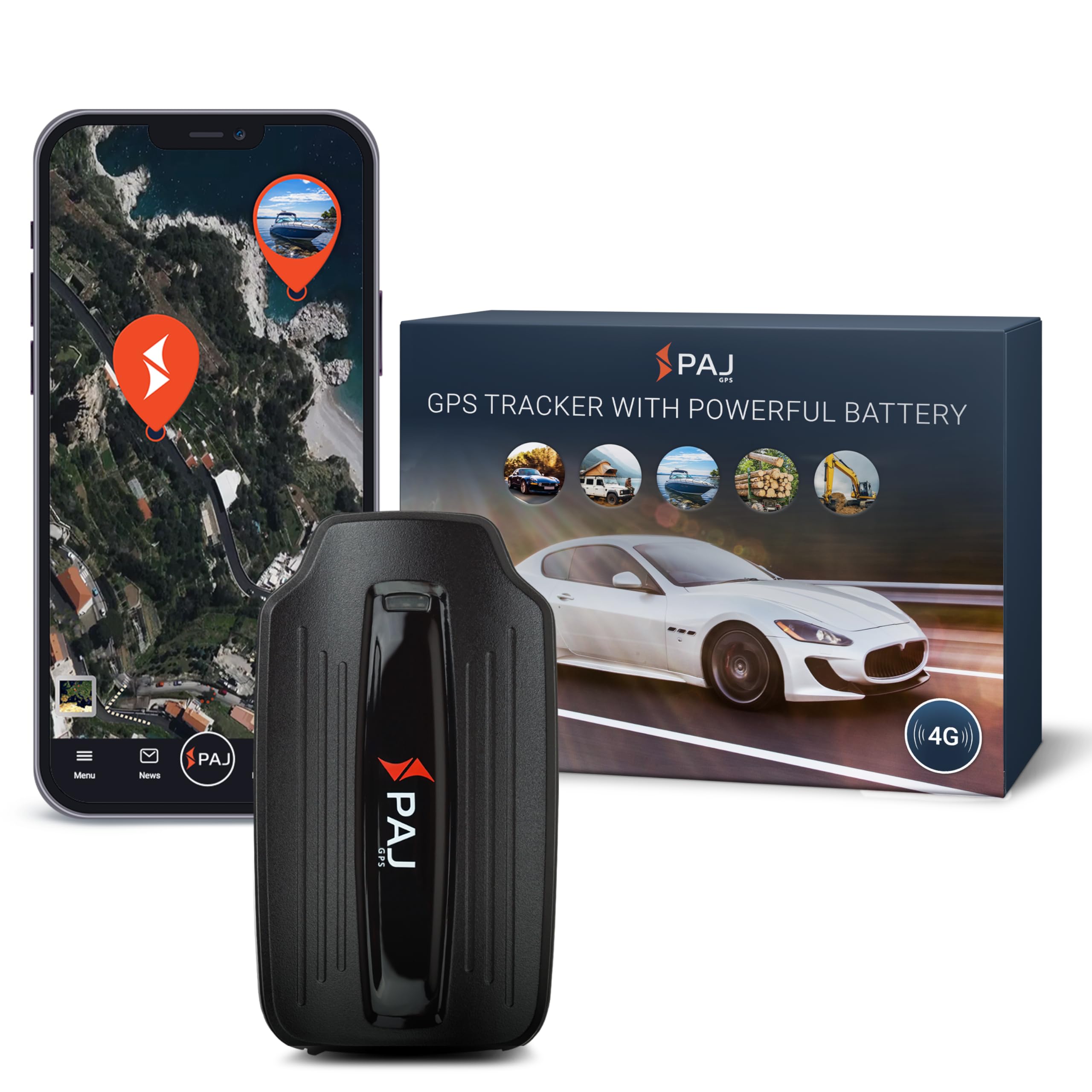
Image 1: The PAJ GPS Power Finder 4G device, a compact black unit with a magnetic base.
2. What's in the Box
Please ensure all the following items are included in your package:
- POWER Finder 4G device
- Magnet Mount (pre-attached or separate)
- SIM Card (pre-installed)
- User Manual (this document)
- USB charging cable and wall plug adapter

Image 2: Illustration showing the contents of the PAJ GPS Power Finder 4G package, including the tracker, charging cable, and manual.
3. Setup
- Charge the Device: Before first use, fully charge the Power Finder 4G device using the provided USB cable and wall adapter. The indicator LED will show charging status.
- Activate Subscription: A subscription is required for the device to function. Visit the PAJ GPS website or use the mobile app to activate your service plan. The SIM card is pre-installed.
- Download the App: Download the free PAJ GPS app from the Apple App Store (for iOS) or Google Play Store (for Android).
- Log In and Add Device: Log into the app using your credentials. Follow the on-screen instructions to add your Power Finder 4G device by scanning the QR code or entering the IMEI number found on the device.
- Initial GPS Signal Acquisition: For optimal performance, place the device in an open area with a clear view of the sky for the first 20-30 minutes of operation to allow it to acquire a strong GPS signal.
Video 1: An unboxing video of the PAJ GPS Power Finder 4G, demonstrating the initial setup and contents.
4. Key Features
- Real-Time Tracking: Monitor the precise location of your asset in real time via the mobile app or web portal.
- Route History: Access and review up to 365 days of route history, including location, speed, and time stamps.
- Virtual Fence (Geo-Fence): Set up custom security zones and receive instant alerts when the tracker enters or exits these predefined areas.
- Smart Alerts: Receive notifications for various events, including motion detection, collision alerts, speed limit violations, low battery, and device removal.
- 4G Network Connectivity: Utilizes a robust 4G network for reliable and fast data transmission, ensuring smooth tracking performance.
- Magnetic Mount: Equipped with a powerful magnetic base for quick, secure, and discreet installation on any metallic surface.
- Splash-Proof Design: Durable construction makes the device suitable for versatile indoor and outdoor use, protecting it from splashes.

Image 3: The PAJ GPS app displaying live tracking of a vehicle and a virtual fence set around a 'Home' location.

Image 4: The PAJ GPS app interface showing alerts for low battery and shock detection, indicating movement while parked.
5. Installation
The PAJ GPS Power Finder 4G features a strong magnetic mount for easy and secure attachment. Consider the following for installation:
- Magnetic Surfaces: Attach the device to any flat, clean metallic surface on your vehicle or asset. Ensure the surface is free of dirt, rust, or debris for maximum magnetic adhesion.
- Discreet Placement: For anti-theft purposes, choose a discreet location that is not easily visible or accessible to unauthorized individuals. Common locations include under the vehicle chassis, inside bumpers, or within equipment compartments.
- Signal Strength: Avoid placing the tracker in enclosed metal spaces, as this can interfere with GPS and 4G signal reception. Ensure the device has a clear line of sight to the sky for optimal GPS performance.
- Temperature Considerations: Do not place the tracker near high-temperature areas like engine components, as extreme heat can affect battery life and device functionality.

Image 5: The PAJ GPS Power Finder 4G shown attached to various vehicles and equipment, including cars, caravans, boats, trucks, and wood.
Video 2: A promotional video highlighting the PAJ GPS Power Finder 4G's ability to protect assets and provide real-time tracking.
6. Operating the Device
- Accessing Tracking Data: Open the PAJ GPS app or log into the web portal. Your device's current location, route history, and battery status will be displayed.
- Setting Alerts: Configure various alerts (motion, speed, geo-fence, low battery) through the app's settings menu. You will receive push notifications or emails when an alert is triggered.
- Viewing Route History: Select the desired date range in the app to view past routes, including detailed information on speed and stops.
- Power Saving Mode: The device automatically enters a power-saving mode when stationary to conserve battery life. It will resume active tracking upon movement.
Video 3: An overview of the Power Finder 4G GPS Tracker's capabilities, including real-time tracking and alert features.
7. Battery Management
The PAJ GPS Power Finder 4G is equipped with a long-lasting lithium-ion battery. To maximize battery life and ensure continuous tracking:
- Battery Life: The device offers up to 90 days of battery life in standby mode and approximately 40 days with 1 hour of daily active tracking. Actual battery life may vary based on usage frequency, signal strength, and environmental conditions.
- Charging: Recharge the device using the provided USB cable and wall adapter. A full charge typically takes 6-8 hours.
- Remote Battery Monitoring: Check the current battery level of your device directly from the PAJ GPS app or web portal.
- Low Battery Alert: Set up a low battery alert in the app to receive notifications when the device's battery level is critical, allowing you to recharge it promptly.

Image 6: Details on subscription plans and the impressive battery life of the PAJ GPS Power Finder 4G.
8. Subscription Required
The PAJ GPS Power Finder 4G requires an active subscription plan to enable its real-time tracking and communication features. The device includes a pre-installed SIM card.
- SIM Card: A dedicated SIM card is included with the device, ensuring seamless 4G network connectivity.
- Flexible Plans: Choose from various Premium or Basic subscription plans, starting from $5.50/month, with options up to 2 years. Plans offer different levels of route history storage and support.
- Lifetime Device Replacement: Active subscribers benefit from lifetime device replacement in case of malfunction.
- 24/7 Customer Support: Access multilingual customer support around the clock for any queries or issues.
9. Specifications
| Feature | Detail |
|---|---|
| Product Dimensions | 4.65 x 2.64 x 1.46 inches |
| Item Weight | 10.2 ounces |
| Batteries | 1 Lithium Ion batteries required (included) |
| Connectivity Technology | 4G Cellular |
| Special Features | Alert Notification, Anti-Theft, Geo-Fence, Real Time Tracking, Rechargeable |
| Human Interface Input | Buttons |
| Color | Black (MAGNETIC - Battery up to 90 day) |
| Manufacturer | PAJ GPS |
| Supported Application | GPS |
| Specific Uses For Product | Anti-theft GPS tracker, Remote vehicle surveillance, Asset and equipment protection |

Image 7: Visual representation of the PAJ GPS Power Finder 4G dimensions and key features like 4G LTE, robustness, splash-proof design, and magnetic installation.
10. Troubleshooting
- Device Not Tracking: Ensure the device is fully charged and has an active subscription. Verify it's placed in an area with good GPS and 4G cellular signal reception.
- Inaccurate Location: This can occur in areas with poor GPS signal (e.g., indoors, dense urban areas). Move the device to an open area. The device may also use Wi-Fi positioning in some cases, which can be less precise than GPS.
- Battery Draining Quickly: Frequent updates (e.g., every minute) consume more battery. Adjust the update interval in the app settings to a longer duration (e.g., every 10 minutes or hourly) to extend battery life.
- No Alerts Received: Check your app's notification settings and ensure they are enabled. Verify that the alert conditions (e.g., geo-fence boundaries, speed limits) are correctly configured.
Video 4: A comparison between the POWER Finder GPS Tracker and a Bluetooth Tracker, highlighting the superior range and reliability of GPS.
11. Warranty and Support
PAJ GPS is committed to providing high-quality products and excellent customer service.
- Lifetime Device Replacement: With an active subscription, your PAJ GPS Power Finder 4G is eligible for lifetime device replacement in the event of a manufacturing defect or malfunction.
- Customer Support: For any questions, technical assistance, or warranty claims, please contact our 24/7 multilingual customer support team via the app, web portal, or dedicated support channels.