
Introduction
Thank you for purchasing the WS-267BT Portable Bluetooth Speaker. This manual provides essential information for setting up, operating, and maintaining your speaker. Please read it thoroughly before use to ensure optimal performance and safety.
The WS-267BT is a versatile portable speaker designed in the shape of a classic bus, featuring Bluetooth connectivity, FM radio, USB and TF card playback, and integrated LED lights. It is ideal for enjoying music on the go.
Safety Information
- Do not expose the speaker to water, moisture, or extreme temperatures.
- Avoid dropping or subjecting the speaker to strong impacts.
- Do not disassemble, repair, or modify the speaker yourself. Refer all servicing to qualified personnel.
- Keep the speaker away from direct sunlight and heat sources.
- Use only the provided USB cable for charging.
- Do not operate the speaker at excessively high volumes for prolonged periods to prevent hearing damage.
- Dispose of the product and its battery responsibly according to local regulations.
Package Contents
Please check the package for the following items:
- WS-267BT Portable Bluetooth Speaker
- USB Charging Cable
- User Manual (this document)
Note: A Micro SD card is mentioned in specifications but is not typically included in the package. It is an optional accessory for media playback.
Product Overview

Figure 1: Front view of the WS-267BT speaker, showcasing its bus design with a clear top and green and white body. The "WSTER" logo is visible on the front.

Figure 2: Rear view of the WS-267BT speaker, highlighting the control panel. From left to right, visible elements include the power switch, mode button, previous track/volume down, Micro SD card slot, USB port, next track/volume up, play/pause button, and a 3.5mm AUX input.
Controls and Ports:
- Power Switch: Located on the rear panel, used to turn the speaker ON/OFF.
- Mode Button (M): Cycles through available modes: Bluetooth, FM Radio, USB, TF Card, AUX.
- Previous Track / Volume Down (-): Short press for previous track, long press to decrease volume.
- Next Track / Volume Up (+): Short press for next track, long press to increase volume.
- Play/Pause Button (►⏸): Plays or pauses audio playback. In FM mode, long press to auto-scan stations.
- Micro SD Card Slot: Insert a TF (Micro SD) card for direct audio playback.
- USB Port: Insert a USB flash drive for direct audio playback. Also used for charging.
- AUX Input (3.5mm): Connect external audio devices using a 3.5mm audio cable (not included).
- Charging Port: Integrated with the USB port for charging the internal battery.
Setup
1. Charging the Speaker
Before first use, fully charge the speaker. Connect the supplied USB charging cable to the speaker's USB port and the other end to a USB power adapter (e.g., phone charger, computer USB port). The charging indicator light (if present, usually red) will illuminate during charging and turn off or change color when fully charged.
A full charge typically takes 2-3 hours.
2. Powering On/Off
To turn the speaker ON, slide the Power Switch on the rear panel to the "ON" position. You will hear an audible prompt indicating the speaker is powered on and ready for use.
To turn the speaker OFF, slide the Power Switch to the "OFF" position.
Operating Instructions
Mode Selection
Press the Mode (M) button on the rear panel to cycle through the available playback modes: Bluetooth, FM Radio, USB, TF Card, and AUX Input.
1. Bluetooth Mode
- Turn on the speaker. It will automatically enter Bluetooth pairing mode if no other media is inserted. An audible prompt will indicate "Bluetooth Mode" or "Pairing".
- Enable Bluetooth on your smartphone, tablet, or laptop.
- Search for available Bluetooth devices. You should find "WS-267BT" in the list.
- Select "WS-267BT" to connect. Once connected, an audible prompt will confirm the successful pairing.
- You can now play audio from your device through the speaker.
- Use the Play/Pause, Previous Track (-), and Next Track (+) buttons on the speaker to control playback, or control directly from your connected device.
2. FM Radio Mode
- Press the Mode (M) button until you hear "FM Radio Mode".
- To auto-scan and save available FM stations, long press the Play/Pause button. The speaker will scan and store stations automatically.
- Once scanning is complete, use the Previous Track (-) and Next Track (+) buttons to navigate between saved stations.
- For better FM reception, ensure the speaker is in an open area. The USB cable can sometimes act as an antenna when plugged in for charging, potentially improving reception.
3. USB / TF Card Mode
- Insert a USB flash drive or a TF (Micro SD) card into the corresponding slot on the rear panel.
- The speaker will automatically switch to USB or TF Card mode and begin playing audio files (MP3 format recommended). If it doesn't switch automatically, press the Mode (M) button until the correct mode is selected.
- Use the Play/Pause, Previous Track (-), and Next Track (+) buttons to control playback.
4. AUX Input Mode
- Connect one end of a 3.5mm audio cable (not included) to the AUX input port on the speaker and the other end to the audio output jack of your external device (e.g., MP3 player, computer).
- Press the Mode (M) button until you hear "AUX Input Mode".
- Play audio from your external device. Volume can be controlled via the speaker or the external device.
5. Volume Control
Long press the Previous Track (-) button to decrease the volume.
Long press the Next Track (+) button to increase the volume.
6. LED Light Control
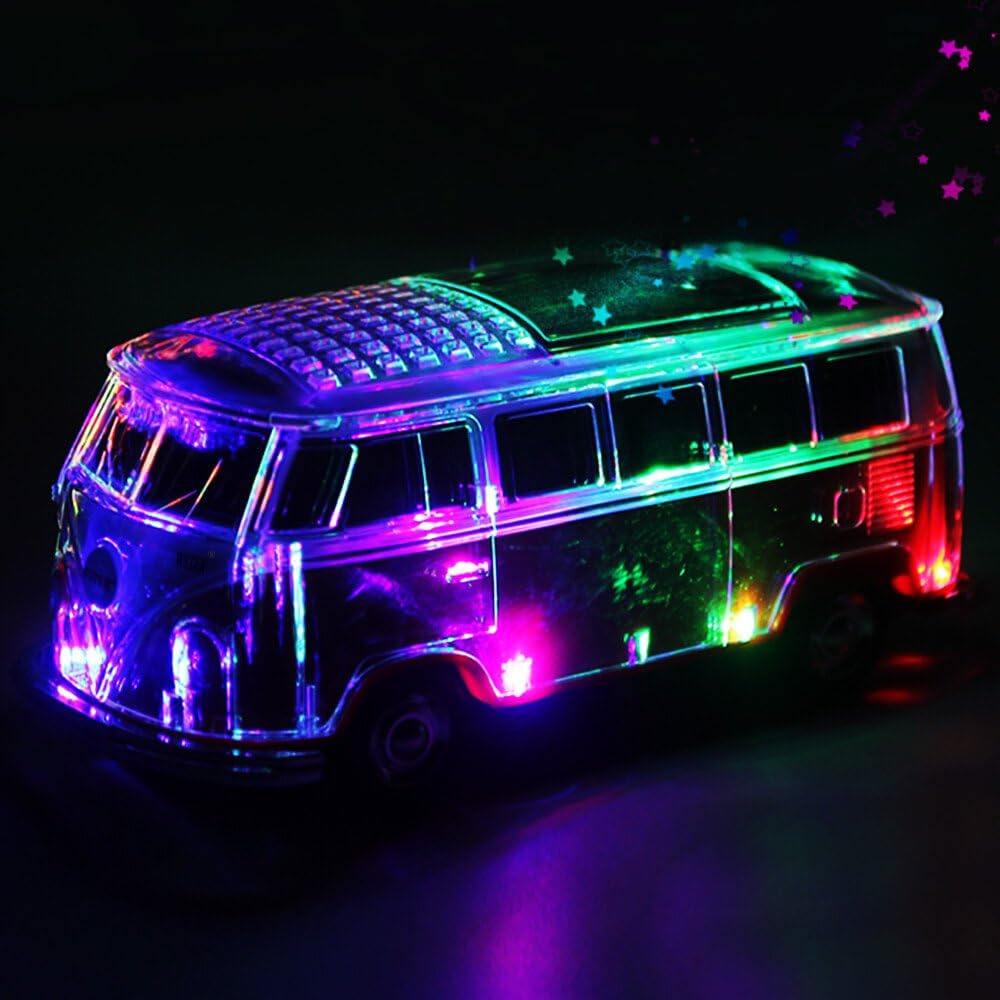
Figure 3: The WS-267BT speaker displaying its vibrant, multi-colored LED light effects, which illuminate the clear top and sides of the bus model.
The WS-267BT speaker features integrated LED lights. These lights typically activate automatically when the speaker is powered on. There is no dedicated button for light control mentioned in the product specifications, suggesting they are either always on or controlled automatically by the device's internal programming.
Maintenance
- Cleaning: Use a soft, dry cloth to clean the speaker's surface. Do not use abrasive cleaners or solvents.
- Storage: Store the speaker in a cool, dry place away from direct sunlight and extreme temperatures when not in use for extended periods.
- Battery Care: To prolong battery life, avoid fully discharging the battery frequently. Charge the speaker regularly, even if not in use, to maintain battery health.
- Ports: Keep all ports free from dust and debris.
Troubleshooting
| Problem | Possible Cause | Solution |
|---|---|---|
| Speaker does not power on. | Battery is depleted. | Charge the speaker using the provided USB cable. |
| No sound. | Volume is too low or muted. Incorrect mode selected. | Increase volume on speaker and/or connected device. Press Mode button to select correct input. |
| Cannot pair via Bluetooth. | Speaker not in pairing mode. Device Bluetooth is off. Too far from speaker. | Ensure speaker is in Bluetooth mode. Turn on Bluetooth on your device. Move device closer to speaker (within 10 meters). |
| Poor FM radio reception. | Weak signal. Interference. | Relocate the speaker to an area with better reception. Try connecting the USB charging cable (it can act as an antenna). |
| USB/TF card not playing. | Unsupported file format. Card/drive not inserted correctly. Corrupted files. | Ensure files are in MP3 format. Reinsert the card/drive. Try a different card/drive. |
Specifications
| Model Name | WS-267BT |
| Brand | 107WS267BT-Verde-AM1 |
| Connectivity | Bluetooth, USB, TF Card, AUX (3.5mm) |
| Speaker Output Power | 6 Watts |
| Power Source | Battery Powered (Rechargeable via USB) |
| Compatible Devices | Laptop, Tablet, Smartphone |
| Product Dimensions (L x W x H) | 23.5 x 10.01 x 11.51 cm |
| Item Weight | 830 g |
| Special Features | Bluetooth, Portable, FM Radio, LED Light |
Warranty and Support
For warranty information or technical support, please refer to the retailer or contact the manufacturer directly using the contact details provided at the point of purchase. Keep your purchase receipt as proof of purchase.