
Product Overview
The BN-LINK BNC-U13L Outdoor Power Stake Timer is designed to provide convenient and automated control for your outdoor electrical devices. Featuring 6 grounded outlets, a 6-foot extension cord, and a photocell sensor, this timer is ideal for managing outdoor lighting, holiday decorations, and other appliances. Its weatherproof design and ETL listing ensure safe and reliable operation in various outdoor conditions.
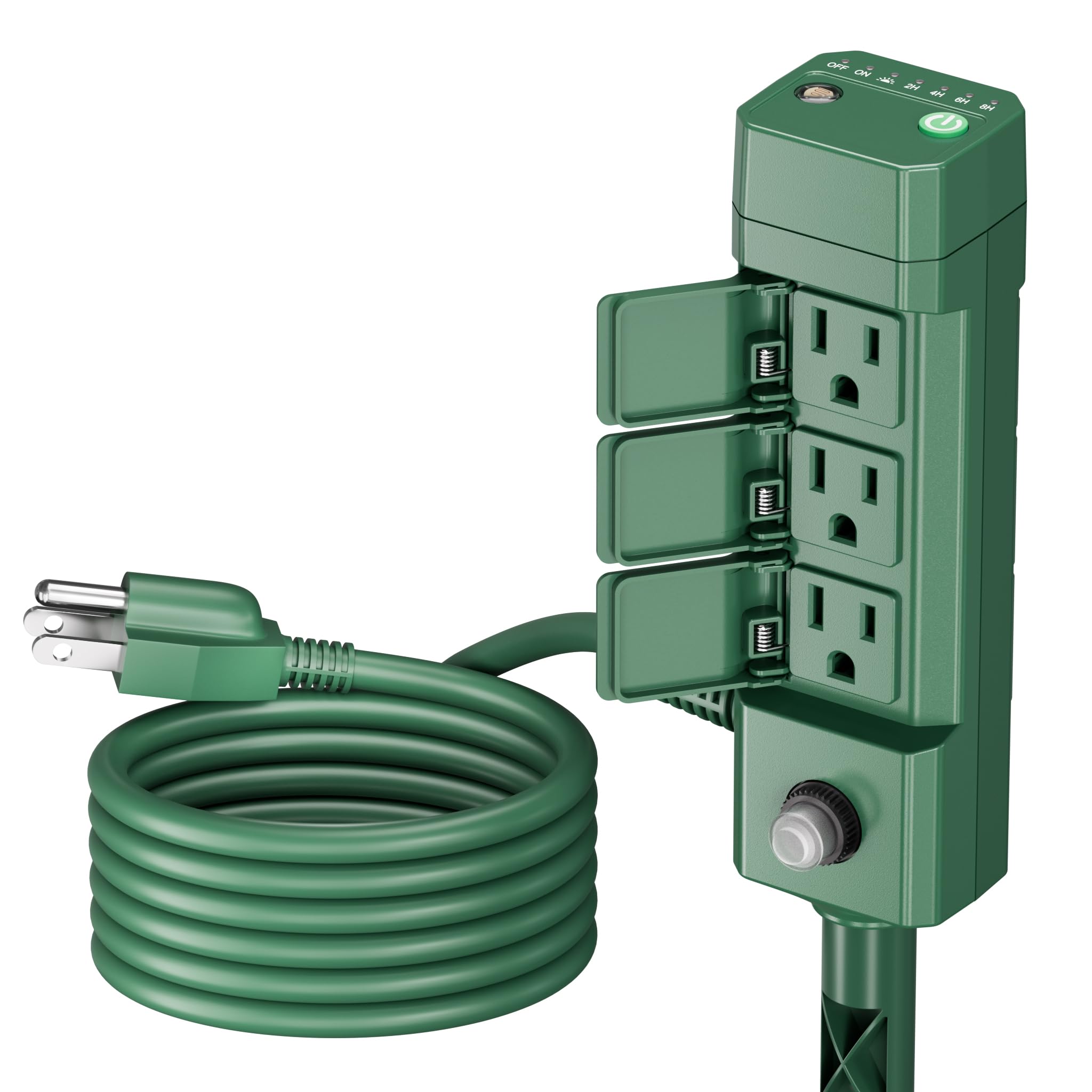
Image: BN-LINK Outdoor Power Stake Timer, showcasing its compact design and multiple outlets.
Important Safety Instructions
- Read all instructions carefully before using the product.
- Do not immerse the unit in water. This product is designed to be weather-resistant, not submersible.
- Ensure the timer is plugged into a grounded outdoor receptacle.
- Do not exceed the maximum electrical ratings: 15A/1875W for resistive or general purpose loads, 8A/1000W for tungsten & electronic ballast loads, and 1/2Hp for motor loads.
- Keep children and pets away from the unit during operation.
- Unplug the timer from the power source when not in use, before cleaning, or before performing any maintenance.
- The unit features a built-in overload protection switch. If tripped, unplug all devices, reset the switch, and reduce the load.
Package Contents
Verify that all items are present in the package:
- 1 x BN-LINK Outdoor Power Stake Timer (Model: BNC-U13L)
- 1 x Ground Stake (two parts for assembly)
- 1 x Instruction Manual

Image: The timer unit, its power cord, and the two-part ground stake.
Installation Guide
Follow these steps to set up your outdoor power stake timer:
- Assemble the Ground Stake: Screw the two parts of the ground stake together firmly.
- Attach Timer to Stake: Securely attach the main timer unit to the assembled ground stake by screwing it into the designated slot at the bottom of the timer.
- Position the Timer: Insert the pointed end of the stake firmly into the ground in your desired outdoor location. Ensure the photocell sensor on top of the unit is unobstructed by objects or other light sources for accurate dusk-to-dawn detection.
- Connect to Power: Plug the timer's 6-foot power cord into a suitable grounded outdoor electrical receptacle.
Operating Instructions
The BN-LINK Outdoor Power Stake Timer offers multiple operating modes for automated control of your outdoor devices. Use the settings button on the top of the unit to cycle through the available modes.
Mode Selection
Press the power/mode button on the top of the unit repeatedly to select your desired operating mode. The indicator lights will illuminate to show the active mode:
- OFF: All connected outlets are continuously off.
- ON: All connected outlets are continuously on.
- Dusk to Dawn (Photocell): The outlets will automatically turn on when it gets dark (dusk) and turn off when it gets light (dawn).
- Dusk + 2H/4H/6H/8H Countdown: The outlets will turn on automatically at dusk and remain on for the selected duration (2, 4, 6, or 8 hours), then turn off.

Image: The easy one-button operation panel with light sensor and mode indicators.

Image: Visual representation of the Dusk to Dawn sensor in action.
Maintenance
Proper maintenance ensures the longevity and safe operation of your timer:
- Inspection: Regularly inspect the timer unit, power cord, and plugs for any signs of damage, fraying, or corrosion. Discontinue use if damage is found.
- Outlet Covers: Always keep the individual safety covers on unused outlets closed to protect them from rain, dust, and debris.
- Cleaning: Clean the unit with a soft, damp cloth. Do not use abrasive cleaners, solvents, or immerse the unit in water.
- Storage: When not in seasonal use, store the timer in a cool, dry place away from direct sunlight and extreme temperatures.

Image: The weatherproof design with individual flip covers protecting the outlets.
Troubleshooting
If you encounter issues with your timer, refer to the following common problems and solutions:
- Device not turning on:
- Check that the timer's power cord is securely plugged into a live, grounded outdoor outlet.
- Verify that the overload protection switch (located at the bottom of the stake) has not tripped. If it has, unplug all devices, reset the switch, and reduce the connected load.
- Ensure the correct operating mode (ON, Dusk to Dawn, or a countdown mode) is selected.
- Lights not turning on at dusk:
- Confirm that the photocell sensor on top of the unit is clean and free from obstructions (e.g., leaves, dirt, or artificial light sources).
- Test the unit in a completely dark environment to ensure the sensor is functioning.
- Timer not functioning correctly (e.g., incorrect timing):
- Unplug the timer from the power source for a few minutes, then plug it back in to perform a soft reset.
- Re-select your desired operating mode to ensure it is properly set.
Product Specifications
| Model Number | BNC-U13L |
| Voltage | 125 Volts |
| Frequency | 60Hz |
| Max Load (Resistive/General) | 15A/1875W |
| Max Load (Tungsten/Ballast) | 8A/1000W |
| Motor Load | 1/2Hp |
| Total Power Outlets | 6 |
| Cord Length | 6 feet |
| Dimensions | 2 x 2 x 8 inches |
| Item Weight | 1.24 pounds |
| Certifications | ETL Listed |
Warranty and Customer Support
For detailed warranty information regarding your BN-LINK Outdoor Power Stake Timer, please refer to the warranty card included in your product packaging or visit the official BN-LINK website. If you require technical assistance, have questions about product operation, or need to report an issue, please contact BN-LINK customer support through the contact methods provided on the product packaging or the official website. Our support team is available to help you with any concerns.

