
1. Introduction
The Inateck BCST-60 is a versatile wireless barcode scanner designed for efficient and accurate data collection. It offers seamless connectivity via a 2.4GHz USB adapter, ensuring a plug-and-play experience across various operating systems. Its robust design and long-lasting battery make it ideal for diverse environments, from retail to logistics.

Figure 1: Inateck BCST-60 Wireless Barcode Scanner and its 2.4GHz USB adapter.
2. Package Contents
Please check the package contents upon unboxing:
- Inateck BCST-60 Barcode Scanner
- 2.4GHz USB Adapter
- USB Charging Cable
- User Manual
3. Features
3.1. Plug and Play Connectivity
The BCST-60 is designed for immediate use. Simply connect the 2.4GHz USB adapter to your device, and the scanner is ready. No additional drivers are required. It is compatible with a wide range of operating systems including Windows, Mac OS, Linux, Raspberry Pi, and Android (with OTG support).
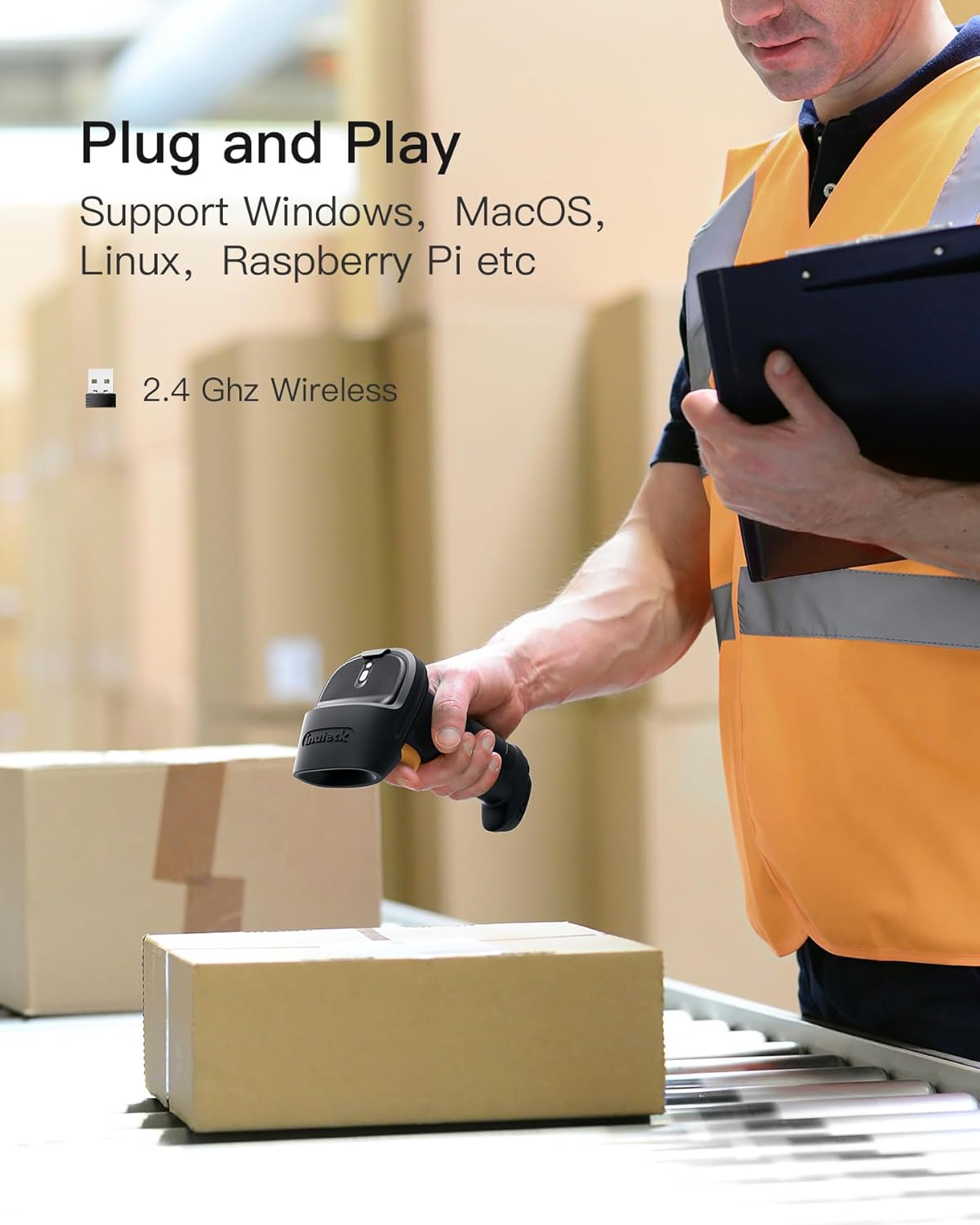
Figure 2: Plug and Play setup with a laptop, highlighting 2.4GHz wireless connectivity.
3.2. High Accuracy 1D Barcode Recognition
This scanner accurately recognizes various 1D barcodes, including common types like USPS, FedEx, Code 32, and UPS. It does not support 2D barcodes (like QR codes) or scanning from screens.

Figure 3: Visual representation of the scanner's superb 1D barcode decoding ability.
3.3. Extended Range and Battery Life
Experience an effective wireless range of up to 35 meters (approximately 115 feet). The scanner is equipped with a 2600mAh large-capacity battery, providing up to 144 hours of non-stop scanning and an impressive 180 days of standby time on a single charge.
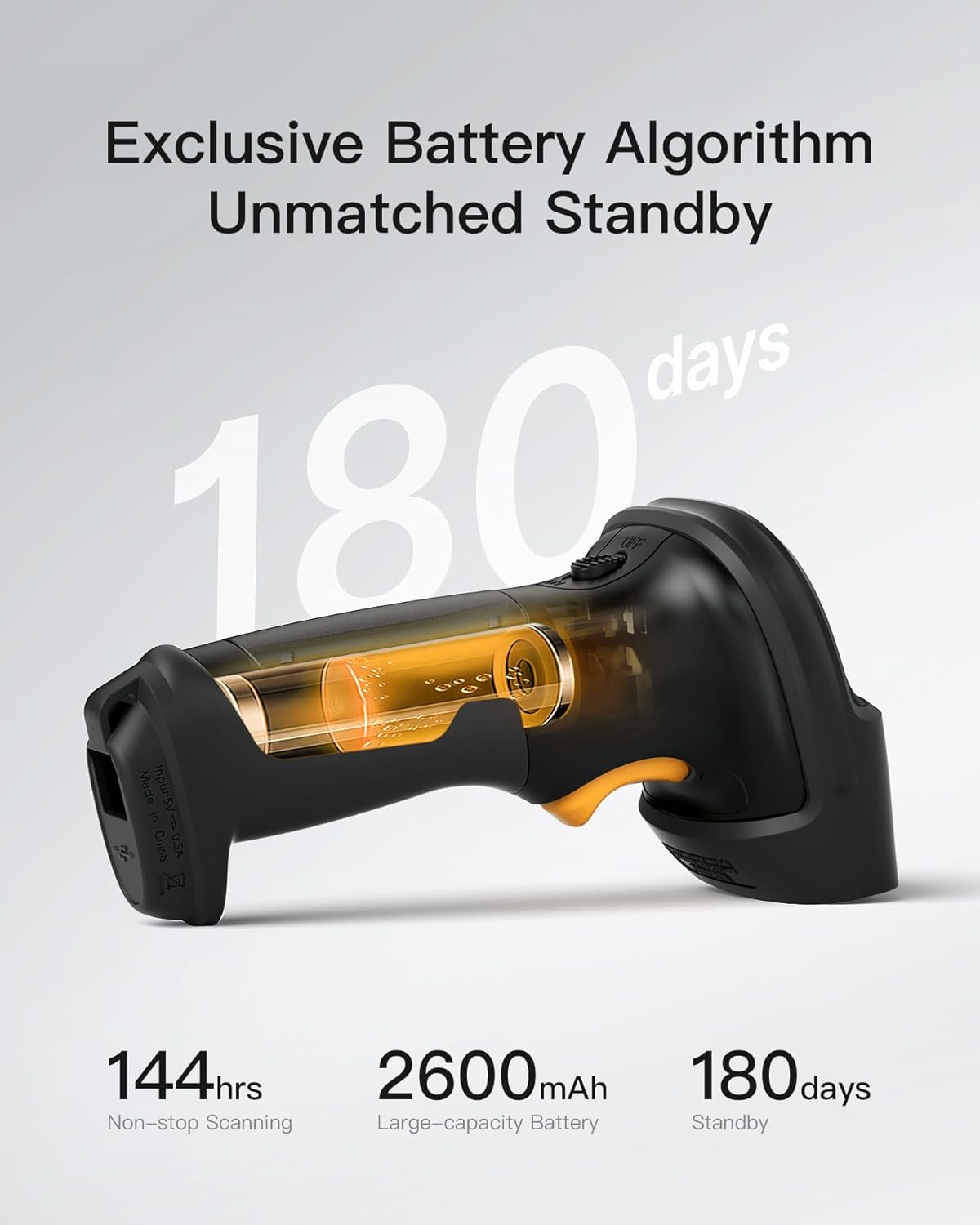
Figure 4: Battery performance details, showing 180 days standby and 144 hours non-stop scanning.
3.4. Durable and Ergonomic Design
The BCST-60 features a 360° anti-shock design, with internal units consolidated for high intensity and major components covered with SHOCKPROOF TPU material (3-6.5mm enhanced TPU, 40% softgel coverage). This robust construction ensures durability, capable of withstanding drops from up to 1.8 meters. The ergonomic grip, engineered for comfort, provides balanced weight and slip-resistant handling for long-lasting use. The durable button, a metal and plastic combined design, supports millions of clicks.
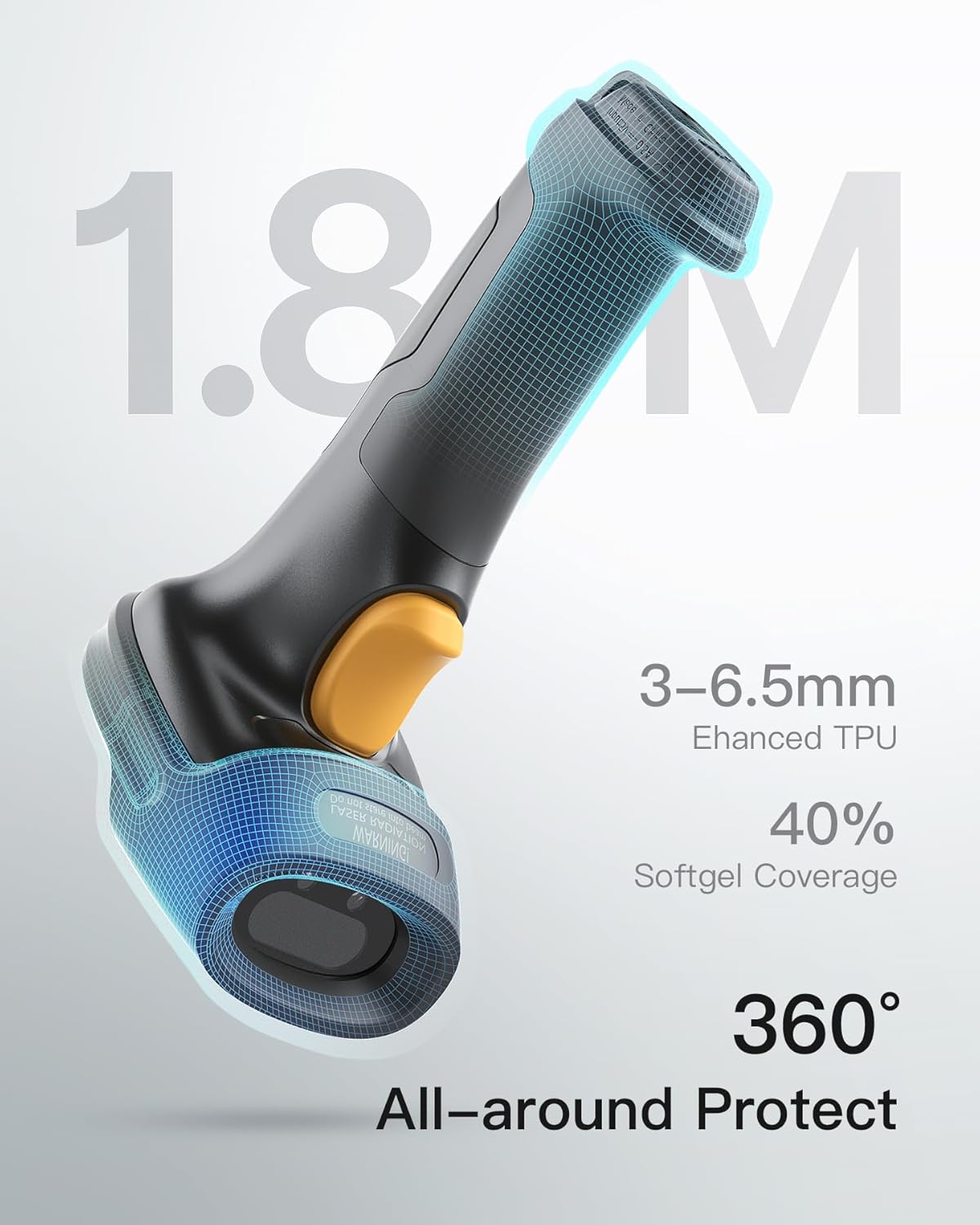
Figure 5: Illustration of the scanner's 1.8M shockproof and 360° anti-shock design.

Figure 6: Ergonomic design for comfortable and effortless handling.

Figure 7: Close-up of the durable scan button, designed for longevity.
3.5. Customizable Options
The scanner offers various customized functions to suit your needs, including auto scanning, hiding characters, adding prefix/suffix, and adjusting volumes. Refer to the detailed programming guide in the full manual for specific setup instructions.
4. Setup Guide
4.1. Initial Charging
Before first use, fully charge the scanner using the provided USB cable. Connect the cable to the scanner's charging port and a standard USB power source (e.g., computer USB port, USB wall adapter). The indicator light will show charging status.
4.2. Connecting the USB Adapter
Insert the 2.4GHz USB adapter into an available USB port on your computer or host device. The system will automatically detect and install the necessary drivers. No manual driver installation is typically required.
4.3. Powering On the Scanner
Locate the power switch on the scanner and slide it to the "ON" position. The scanner will emit a short beep, indicating it is powered on and attempting to connect to the USB adapter.
4.4. Pairing (If Necessary)
In most cases, the scanner and adapter are pre-paired. If the scanner does not connect automatically, refer to the full manual for pairing instructions, usually involving scanning a specific pairing barcode.
5. Operating Instructions
5.1. Basic Scanning
Point the scanner's light beam at the barcode you wish to scan. Press and hold the trigger button. A successful scan will be indicated by a beep and/or a green light. The scanned data will appear in the active application on your connected device (e.g., a text editor, spreadsheet, or POS software).
Video 1: Demonstration of the Inateck BCST-60 barcode scanner's features and operation, including scanning capabilities and durability.
5.2. Scanning Modes
The BCST-60 supports various scanning modes, including:
- Manual Trigger Mode: Press the trigger button to scan each barcode.
- Continuous Scan Mode: The scanner continuously emits a scan line, scanning any barcode that passes through its field of view without needing to press the trigger.
- Auto-Sensing Mode: The scanner activates its scan line only when a barcode is detected in its proximity.
- Inventory Counting Mode: Allows for temporary storage of scanned barcodes for later batch upload.
To switch between modes, scan the corresponding programming barcodes found in the full user manual.
5.3. Advanced Customization
The scanner can be customized for specific data formatting needs:
- Adding Prefix/Suffix: Append or prepend specific characters to scanned data.
- Hiding Characters: Remove certain characters from the scanned data.
- Volume Adjustment: Change the volume of the scan beep.
Detailed instructions and programming barcodes for these functions are available in the comprehensive user manual.
6. Maintenance
To ensure optimal performance and longevity of your Inateck BCST-60 scanner, follow these maintenance guidelines:
- Cleaning: Regularly wipe the scanner's exterior with a soft, dry, lint-free cloth. For the scanning window, use a soft cloth slightly dampened with a mild, non-abrasive cleaner. Avoid harsh chemicals or abrasive materials.
- Storage: Store the scanner in a cool, dry place away from direct sunlight, extreme temperatures, and corrosive materials.
- Battery Care: To preserve battery life, avoid fully discharging the battery frequently. If storing for an extended period, charge the battery to about 50% and recharge every few months.
- Avoid Drops: While designed to be shockproof, repeated severe impacts can still damage the device. Handle with care.
7. Troubleshooting
If you encounter issues with your Inateck BCST-60 scanner, try the following solutions:
- Scanner Not Responding:
- Ensure the scanner is fully charged.
- Check if the power switch is in the "ON" position.
- Verify the USB adapter is securely plugged into the host device.
- Try plugging the USB adapter into a different USB port.
- Re-pair the scanner with the USB adapter (refer to the full manual for pairing instructions).
- No Data Output:
- Confirm the scanner is successfully connected (indicated by a steady light or specific beep).
- Check if the cursor is in the correct input field on your computer.
- Ensure the barcode is not damaged or poorly printed.
- Verify the barcode type is 1D and supported by the scanner.
- Incorrect Data Output:
- Reset the scanner to factory defaults (scan the "Factory Reset" barcode in the full manual).
- Check for any enabled prefix/suffix or character hiding settings.
- Short Scanning Range:
- Ensure there are no significant obstructions between the scanner and the USB adapter.
- Minimize wireless interference from other 2.4GHz devices.
- Scanner Beeps Continuously:
- This may indicate a low battery. Recharge the scanner.
- It could also indicate a connection issue. Try re-pairing.
For persistent issues, please contact Inateck customer support.
8. Specifications
| Attribute | Value |
|---|---|
| Model Number | BCST-60-BK |
| Product Dimensions | 6.38 x 2.72 x 3.62 inches |
| Item Weight | 7 ounces |
| Connectivity Technology | 2.4G Wireless / USB Wired |
| Power Source | Battery Powered, USB Adapter |
| Battery Type | 1 Lithium Ion battery (included) |
| Battery Capacity | 2600mAh |
| Non-stop Scanning Time | Up to 144 hours |
| Standby Time | Up to 180 days |
| Effective Wireless Range | Up to 35 meters (115 feet) |
| Drop Protection | 1.8 meters (6 feet) |
| Compatible Devices | Desktop, Laptop (Windows, Mac OS, Linux, Raspberry Pi, Android with OTG) |
| Supported Barcode Types | 1D barcodes (e.g., USPS, FedEx, Code 32, UPS) |
9. Warranty and Support
Inateck products come with a standard manufacturer's warranty. For detailed warranty information, product registration, or technical support, please visit the official Inateck website or contact their customer service team. Keep your purchase receipt for warranty claims.
Website: www.inateck.com
Email Support: Refer to the official website for the most current support contact information.


