Introduction
This user manual provides detailed instructions for the proper setup, operation, maintenance, and troubleshooting of your Dosy FC50 6 Digit Inline Frequency Counter. The FC50 is designed to accurately measure and display frequencies in a compact, inline configuration. Please read this manual thoroughly before using the device to ensure optimal performance and longevity.
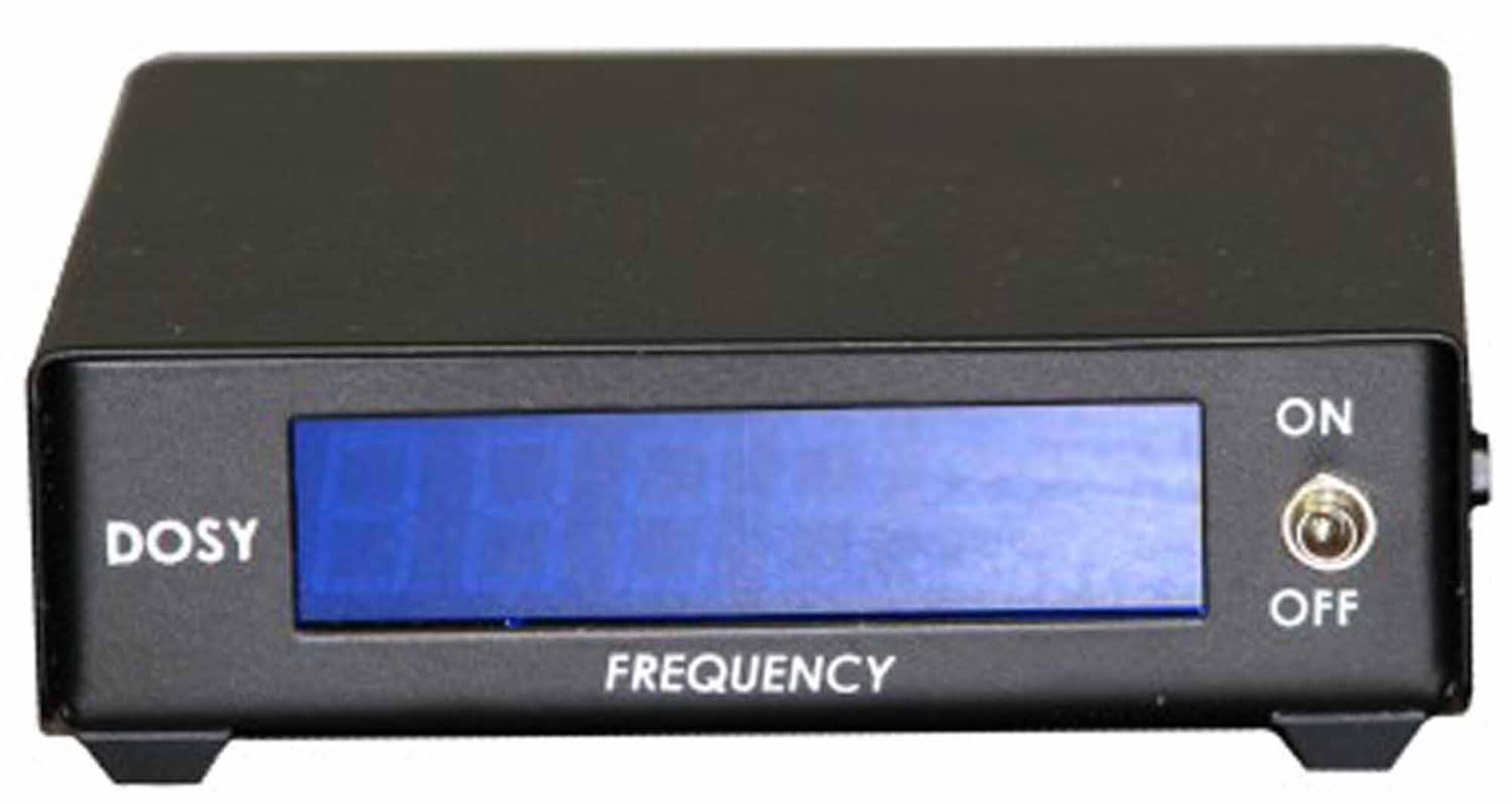
Image: Front view of the Dosy FC50 frequency counter, showing the black casing, blue digital display, "DOSY" branding on the left, "FREQUENCY" label below the display, and an ON/OFF toggle switch on the right side.
Setup
Follow these steps to set up your Dosy FC50 frequency counter:
- Power Connection: Connect a compatible DC power supply (not included) to the power input jack on the device. Ensure the power supply meets the voltage and current requirements specified for the FC50.
- Inline Connection: The FC50 is designed for inline use. Connect the signal source to the input port and the load to the output port. Ensure all connections are secure.
- Placement: Place the frequency counter on a stable, flat surface, away from excessive heat, moisture, or direct sunlight.
- Initial Power On: Toggle the ON/OFF switch to the "ON" position. The digital display should illuminate.
Operating Instructions
The Dosy FC50 is straightforward to operate. Once powered on and connected inline, it will automatically begin displaying the frequency of the signal passing through it.
- Frequency Display: The large blue digital display shows the measured frequency in six digits.
- Power Control: Use the ON/OFF toggle switch located on the right side of the front panel to power the unit on or off.
- Signal Compatibility: This model is primarily designed for AM and FM signals. It is not suitable for SSB (Single Sideband) applications.
Maintenance
Proper maintenance ensures the longevity and accuracy of your Dosy FC50.
- Cleaning: Use a soft, dry cloth to clean the exterior of the unit. Do not use abrasive cleaners or solvents, as they may damage the casing or display.
- Storage: When not in use, store the frequency counter in a cool, dry place, away from direct sunlight and extreme temperatures.
- Handling: Avoid dropping the device or subjecting it to strong impacts, which can damage internal components.
Troubleshooting
If you encounter issues with your Dosy FC50, refer to the following common problems and solutions:
| Problem | Possible Cause | Solution |
|---|---|---|
| Device does not power on. | No power supply connected, incorrect power supply, or faulty power switch. | Ensure a compatible DC power supply is securely connected. Verify the power supply is functional. Check the ON/OFF switch position. |
| Display shows erratic readings or no reading. | Loose or incorrect signal connections, signal outside operating range, or internal malfunction. | Check all inline connections for security. Ensure the signal frequency is within the device's specified range. If issues persist, contact customer support. |
| Physical damage upon arrival. | Shipping damage or manufacturing defect. | Immediately contact the seller or manufacturer for assistance with replacement or repair. |
Specifications
Key technical specifications for the Dosy FC50 6 Digit Inline Frequency Counter:
- Model: FC50
- Display: 6-Digit Digital Display
- Connectivity: Wired
- Dimensions: Approximately 12 x 8 x 3 inches
- Color: Black
- Features: Lightweight design
- Compatible Devices: Electronic Test Equipment, Function Generators, Signal Sources (AM/FM)
- Control Method: Remote (Note: This refers to the ability to be controlled remotely, not necessarily coming with a remote control unit.)
- UPC: 652118386882
- Manufacturer: Dosy
Warranty Information
Dosy products typically come with a limited manufacturer's warranty. For specific details regarding the warranty period and coverage for your FC50 unit, please refer to the documentation included with your purchase or contact Dosy customer support directly. Keep your proof of purchase for warranty claims.
Customer Support
If you require further assistance, have questions not covered in this manual, or need technical support, please contact Dosy customer service.
For the most up-to-date contact information, please visit the official Dosy website or refer to your product packaging.