
Certina C032.407.11.051.02
Certina DS Action Diver Automatic Watch User Manual
Model: C032.407.11.051.02
Introduction
This manual provides essential information for the proper use, care, and maintenance of your Certina DS Action Diver Automatic Watch. Please read this manual thoroughly before using your watch to ensure optimal performance and longevity.
Product Overview
The Certina DS Action Diver Automatic Watch is a robust timepiece designed for diving and everyday wear. It features an automatic movement, a black dial with luminous hands, a stainless steel case and band, and a water resistance of 300 meters.
Key Features
- Automatic Movement
- 300 meters / 1000 feet Water Resistance
- Uni-directional Rotating Bezel
- Scratch Resistant Sapphire Crystal
- Screw Down Crown
- Fold Over with Push Button Release Clasp
Product Images

Image 1: Front view of the Certina DS Action Diver Automatic Watch, showcasing its black dial, luminous hands, and stainless steel bracelet.
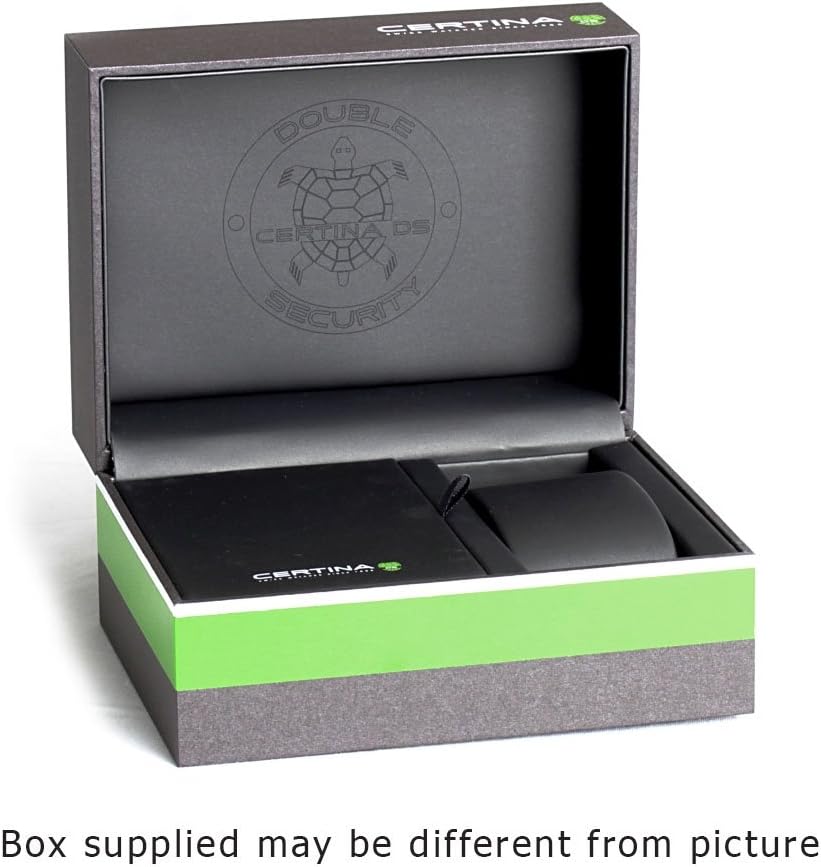
Image 2: The Certina watch presentation box, open to reveal the interior packaging, including the watch cushion and space for the manual. Note: The actual box supplied may differ in appearance.
Setup
Unboxing
Carefully remove the watch and its accessories from the packaging. Inspect for any signs of damage.
Setting the Time and Date
- Unscrew the crown (located at 3 o'clock) counter-clockwise until it pops out to position 1.
- Pull the crown gently to position 2 (first click) to set the date. Turn the crown clockwise or counter-clockwise until the desired date appears.
- Pull the crown gently to position 3 (second click) to set the time. Turn the crown to move the hands clockwise until the correct time is displayed. Ensure to account for AM/PM if setting the date.
- Once the time and date are set, push the crown back into position 1 and screw it clockwise firmly against the case to ensure water resistance.
Winding the Watch
This watch features an automatic movement. It is powered by the motion of your wrist. If the watch has stopped or has not been worn for an extended period, it may need to be manually wound.
- Unscrew the crown to position 1.
- Turn the crown clockwise approximately 30-40 times. This will provide enough power reserve to start the watch.
- Screw the crown back in firmly.
Adjusting the Bracelet
The stainless steel bracelet can be adjusted by adding or removing links. It is recommended to have this procedure performed by a qualified watchmaker or jeweler to avoid damaging the bracelet or watch. The clasp features a fold-over design with a push-button release for secure fastening.
Operating
Wearing the Watch
Wear the watch snugly on your wrist, ensuring it is comfortable but not too tight. This allows the automatic movement to function efficiently.
Using the Uni-directional Rotating Bezel
The uni-directional rotating bezel is a key feature for divers to measure elapsed time underwater.
- Before diving, align the triangle marker on the bezel with the minute hand.
- As time passes, the minute hand will move, indicating the elapsed time against the bezel's markings.
- The bezel rotates only counter-clockwise to prevent accidental increases in dive time, which could lead to dangerous miscalculations.
Water Resistance
This watch is water resistant to 300 meters (1000 feet). This makes it suitable for professional marine activity and serious surface water sports, but not for saturation diving. Always ensure the crown is fully screwed down before exposing the watch to water.
Maintenance
Cleaning
To clean your watch, use a soft, damp cloth. For the stainless steel case and bracelet, a mild soap solution can be used, followed by rinsing with fresh water and drying thoroughly. Avoid using harsh chemicals or abrasive materials.
Storage
When not wearing your watch for extended periods, store it in a cool, dry place away from direct sunlight and strong magnetic fields. The original watch box provides excellent protection.
Regular Servicing
For optimal performance and longevity, it is recommended to have your watch serviced by an authorized Certina service center every 3-5 years. This includes checking the movement, seals, and water resistance.
Troubleshooting
Watch Not Running
- Ensure the watch is sufficiently wound. Manually wind the watch by turning the crown clockwise approximately 30-40 times with the crown unscrewed to position 1.
- If the watch has been subjected to a strong impact, it may require professional inspection.
Time or Date Not Changing
- Check if the crown is pulled out to the correct position for setting.
- Ensure the crown is fully screwed down after setting to engage the movement properly.
Condensation Under Crystal
- This indicates a potential breach in water resistance. Immediately take the watch to an authorized service center to prevent further damage.
Bezel Difficult to Rotate
- Rinse the bezel area with fresh water to remove any debris.
- If the issue persists, professional cleaning or repair may be required.
Specifications
| Feature | Detail |
|---|---|
| Model Number | C032.407.11.051.02 |
| Brand | Certina |
| Movement | Automatic |
| Case Material | Stainless Steel |
| Case Size | 43 mm diameter x 13.1 mm thickness |
| Band Material | Stainless Steel |
| Band Width | 20 mm |
| Crystal | Scratch Resistant Sapphire |
| Water Resistance | 300 meters / 1000 feet |
| Bezel | Uni-directional Rotating |
| Crown | Screw Down |
| Clasp | Fold Over with Push Button Release |
| Dial Color | Black |
Warranty and Support
Warranty Information
Your Certina watch is covered by a limited international warranty against manufacturing defects. The duration and terms of the warranty may vary by region. Please refer to the warranty card included with your watch for specific details. Keep your proof of purchase.
Customer Support
For technical assistance, service, or warranty claims, please contact an authorized Certina service center. You can find a list of authorized service centers on the official Certina website: www.certina.com/en/service.
For general inquiries, you may also visit the Certina store on Amazon: Certina Store on Amazon.
Ask a question about this manual
Ask about setup, troubleshooting, compatibility, parts, safety, or missing instructions. Manuals+ will review the question and use this page’s manual context to help answer it.