
1. Introduction
This manual provides instructions for the safe and proper use of your PK Power AC Power Cord Cable, designed for the QFX SBX-410602 Speaker with Built-in Amplifier Bluetooth. Please read this manual thoroughly before use and retain it for future reference.
2. Important Safety Information
To ensure safe operation and prevent damage, observe the following precautions:
- Voltage Compatibility: Ensure the power outlet voltage matches the cable's input specifications (100-240V 50-60Hz).
- Proper Connection: Always insert the plug fully into the outlet and the device. A loose connection can cause overheating.
- Avoid Damage: Do not bend, twist, or pull the cable excessively. Avoid placing heavy objects on the cable.
- Environmental Conditions: Do not expose the cable to water, excessive moisture, or extreme temperatures. Use indoors only.
- Disconnection: Always grasp the plug, not the cable, when disconnecting from the power source or device.
- Protection Features: This cable includes Over Voltage Protection (OVP), Over Current Protection (OCP), and Short Circuit Protection (SCP) to safeguard your device.
- Certification: PK-Power products are CE / FCC / RoHS certified, ensuring they meet safety and quality standards.
3. Setup Instructions
Follow these steps to connect your PK Power AC Power Cord Cable to the QFX SBX-410602 Speaker:
- Inspect the Cable: Before connecting, visually inspect the power cord for any signs of damage, such as cuts, frayed wires, or bent prongs. Do not use if damaged.
- Locate Power Port: Identify the AC power input port on your QFX SBX-410602 Speaker. This port is typically located on the rear panel of the speaker.
- Connect to Speaker: Insert the female end of the PK Power AC Power Cord Cable firmly into the AC power input port of the QFX SBX-410602 Speaker. Ensure a snug fit.
- Connect to Power Outlet: Insert the male end of the power cord into a standard wall power outlet. Ensure the outlet provides the correct voltage (100-240V).
- Verify Connection: Once both ends are connected, ensure the cable is not strained or kinked. The speaker should now be ready to receive power.

Image 1: The PK Power AC Power Cord Cable uncoiled, displaying its male plug and female connector ends. This illustrates the cable's design for connecting to a power source and a device.
4. Operating Instructions
The PK Power AC Power Cord Cable is a passive component designed to supply electrical power. Once properly connected, it facilitates the power flow to your QFX SBX-410602 Speaker. There are no operational controls on the cable itself.
- Ensure the cable is securely connected at both ends before powering on your speaker.
- Refer to your QFX SBX-410602 Speaker's manual for specific power-on procedures and operational details.
5. Care and Maintenance
Proper care extends the life of your power cord and ensures safe operation:
- Cleaning: Disconnect the cable from all power sources before cleaning. Wipe with a dry, soft cloth. Do not use liquid cleaners or solvents.
- Storage: When not in use, coil the cable loosely. Avoid tight coiling or kinking, which can damage internal wires. Store in a cool, dry place away from direct sunlight.
- Regular Inspection: Periodically check the cable for any signs of wear, cuts, or damage, especially near the plugs. Replace immediately if damage is found.
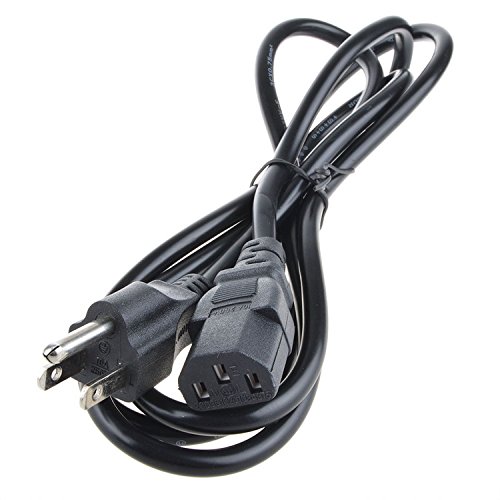
Image 2: The PK Power AC Power Cord Cable neatly coiled, demonstrating proper storage to prevent damage and tangling.
6. Troubleshooting
If your QFX SBX-410602 Speaker is not receiving power, consider the following:
| Problem | Possible Cause | Solution |
|---|---|---|
| Speaker not powering on. | Cable not fully connected. | Ensure both ends of the power cord are securely plugged into the speaker and the wall outlet. |
| Speaker not powering on. | Wall outlet is not active. | Test the wall outlet with another device to confirm it is supplying power. Check circuit breakers if necessary. |
| Speaker not powering on. | Damaged power cord. | Inspect the power cord for visible damage. If damaged, discontinue use and replace the cable. |
| Intermittent power to speaker. | Loose connection or internal cable damage. | Ensure connections are tight. If the issue persists, the cable may be faulty and require replacement. |
If troubleshooting steps do not resolve the issue, contact customer support.
7. Product Specifications
- Brand: PKPOWER
- Input Voltage: 100-240V AC
- Frequency: 50-60Hz
- Connector Type: Male-to-Female (Standard AC Power Connector)
- Number of Outlets: 1 (for connecting to a single device)
- Protection Features: Over Voltage Protection (OVP), Over Current Protection (OCP), Short Circuit Protection (SCP)
- Certifications: CE, FCC, RoHS compliant
- Compatibility: Specifically designed for QFX SBX-410602 Speaker with Built-in Amplifier Bluetooth.
- Manufacturer: PKPOWER
- ASIN: B07BR4DMYV
- GTIN/UPC: 716833581011
8. Warranty and Customer Support
PK-Power stands by the quality of its products. For any inquiries or assistance, please contact our customer service team.
- Customer Service: Our friendly and reliable customer service will respond to you within 24 hours.
- Returns/Replacements: Refer to your purchase platform's return policy for details on refunds or replacements.
For further assistance, please visit the PKPOWER Store on Amazon.